
12 Practical Augmented Reality Use Cases Transforming Industries in 2025

Augmented reality (AR) has moved far beyond sci-fi films and flashy tech demos. It’s now a practical tool that overlays digital information onto our physical world, transforming how we shop, learn, work, and even play. Unlike virtual reality (VR), which creates a completely separate digital environment, AR enhances our existing reality, making it more interactive and informative.
This guide moves past the hype to deliver a clear, actionable breakdown of real-world augmented reality use cases. We will explore 12 powerful examples that are already making a tangible impact, from virtually trying on sneakers with your smartphone camera to assisting surgeons in the operating room. For each use case, we will analyze the strategy behind its implementation, identify the specific benefits it offers, and provide practical takeaways for everyday users and professionals alike.
You will learn not just what these AR applications do, but how they work and why they are effective. We will dissect the tactics that make them successful, offering insights you can apply to your own understanding of this powerful technology. Get ready to see how AR is solving tangible problems and creating new opportunities in sectors like retail, healthcare, education, and industrial maintenance.
1. AR Try-On for Fashion and Accessories
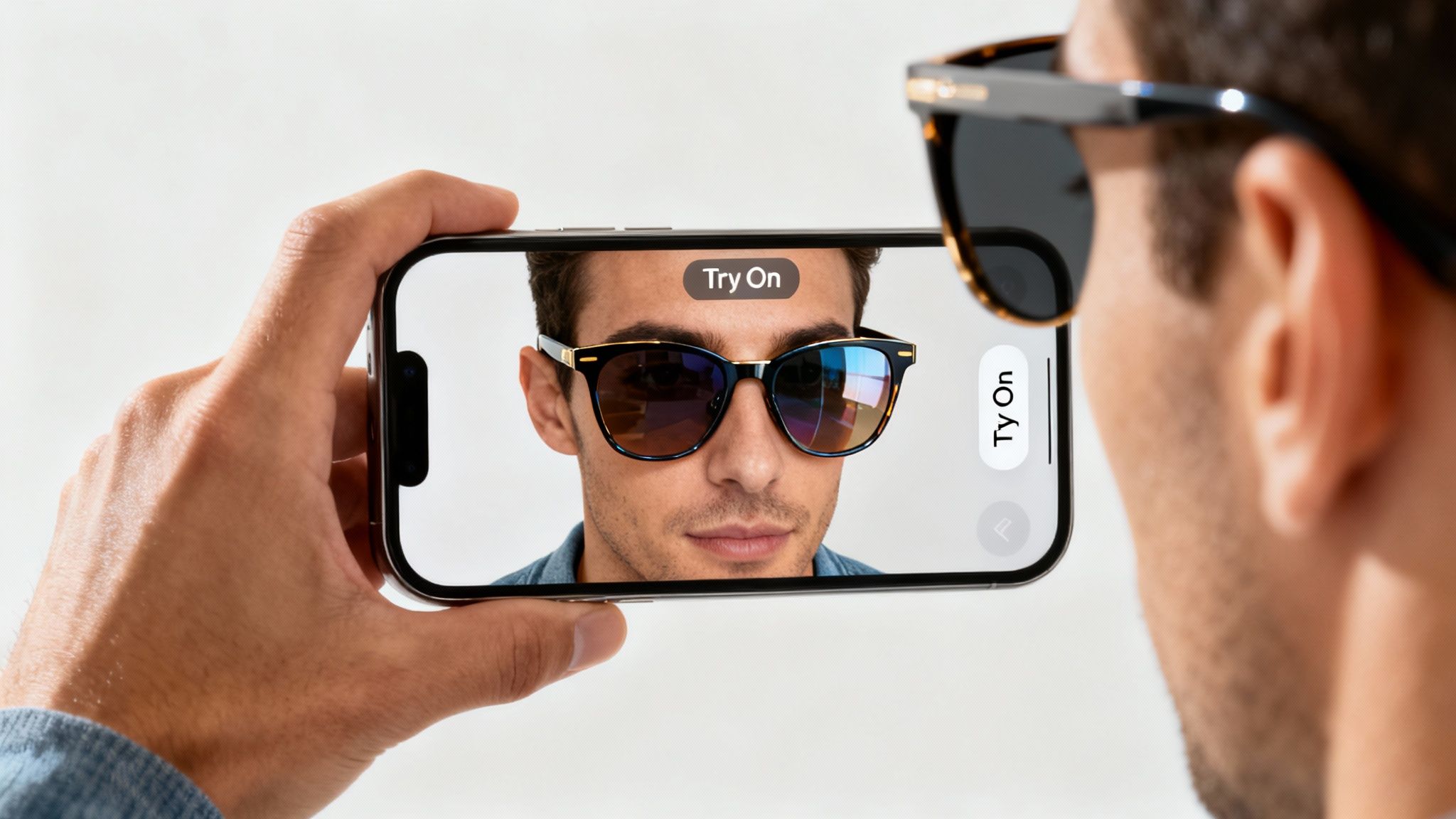
Virtual try-on technology is one of the most practical and widespread augmented reality use cases for consumers. It bridges the gap between online and in-store shopping by allowing you to "wear" products digitally using your smartphone's camera. The software maps a 3D model of the item, like sunglasses or a pair of sneakers, onto your face or body in real-time, giving you a surprisingly accurate preview of how it looks.
How It Works and Who's Doing It
Brands like Warby Parker pioneered this space with their virtual glasses try-on, which maps frames to your facial features with precision. Similarly, Sephora’s Virtual Artist app lets you test makeup shades without a physical sample. Amazon has also integrated this feature for shoes and apparel, significantly boosting shopper confidence and reducing the costly problem of product returns.
Strategic Insight: The key to successful AR try-on isn't just visualization; it's size and fit simulation. Nike's SNKRS app, for example, uses AR to help customers accurately gauge a shoe's size against their foot, directly addressing a primary barrier to online footwear sales.
Actionable Tips for Users
To get the most out of AR try-on features, follow these simple steps:
- Lighting is Key: Use bright, even lighting to ensure accurate color representation and tracking.
- Clear Background: A simple, uncluttered background helps the software focus on you.
- Stay Steady: Hold your device still and at an appropriate distance for the best results.
- Check Policies: Even with a great virtual preview, always review the store’s return policy before buying.
2. Interior Design and Home Furniture Visualization
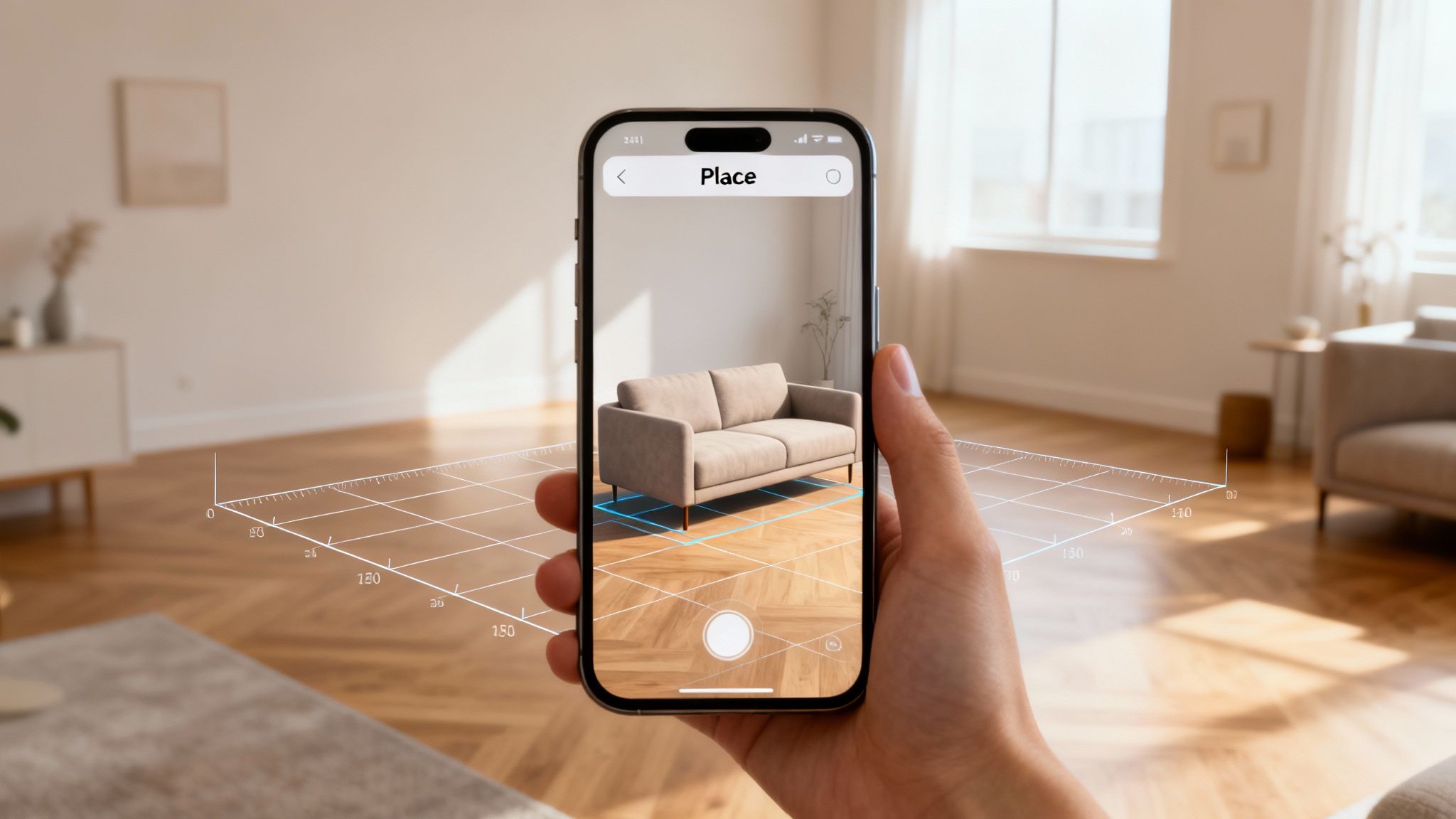
Another of the most impactful augmented reality use cases is in interior design, where apps let you visualize furniture and decor in your own home before you buy. Using your smartphone camera, these tools project true-to-scale 3D models of items like sofas, tables, or lamps directly into your living space. This removes the guesswork from online shopping, ensuring a piece not only fits but also matches your aesthetic.
How It Works and Who's Doing It
The IKEA Place app famously pioneered this concept, allowing customers to virtually place any item from their catalog into a room with remarkable accuracy. Retailers like Wayfair and Pottery Barn have integrated similar AR viewers into their mobile apps, while The Home Depot's ProjectColor app lets you preview paint colors on your actual walls. These tools make the process of setting up a smart home both easier and more creative.
Strategic Insight: The most effective AR visualization tools focus on context and scale. They don't just show you a product; they show it in your room, next to your existing furniture, under your lighting conditions, which is crucial for making a confident purchasing decision.
Actionable Tips for Users
To get the best results when visualizing furniture with AR, try these tips:
- Clear the Area: Remove clutter from the floor and walls where you plan to place the virtual item.
- Use Good Lighting: Natural daylight provides the most realistic preview of colors and textures.
- Test Combinations: Place multiple virtual items together to see how they look as a set.
- Save Your Ideas: Take screenshots of different arrangements to compare them later.
- Measure First: Always double-check that the physical item can fit through your doorways and hallways.
3. Navigation and Wayfinding in Public Spaces
AR-powered navigation is one of the most intuitive augmented reality use cases, transforming how we find our way through complex environments. It overlays digital directions, such as arrows and street names, directly onto your view of the real world via your smartphone's camera. This eliminates the need to constantly glance down at a traditional 2D map, providing a more seamless and heads-up navigation experience in airports, city streets, and large venues.
How It Works and Who's Doing It
This technology uses a combination of GPS, a device's compass, and computer vision to pinpoint your exact location and orientation. Google Maps was a major popularizer with its "Live View" feature, which shows large, clear AR arrows to guide walkers. Similarly, Apple Maps offers immersive walking directions in select cities. Airports like Singapore's Changi and London's Heathrow have also deployed AR wayfinding apps to help travelers easily navigate terminals.
Strategic Insight: The primary value of AR navigation is its ability to solve the "last 50 feet" problem. While GPS gets you to the building, AR guides you precisely to the entrance, a specific store in a mall, or the correct gate at an airport, reducing confusion in high-stress situations.
Actionable Tips for Users
To get the most out of AR navigation features, follow these simple steps:
- Permissions are Crucial: Ensure the app has access to both your location and camera.
- Good Lighting Helps: The technology works best in well-lit areas where the camera can identify visual features.
- Stay Aware: While the AR overlay is helpful, always remain conscious of your real-world surroundings for safety.
- Battery Pack Ready: AR navigation is power-intensive, so bring a portable charger for longer journeys.
4. Educational Learning and Interactive Textbooks
AR is transforming education by making learning more immersive and interactive. This technology overlays digital information, such as 3D models and animations, onto real-world objects like textbook pages. It turns abstract concepts into tangible experiences, allowing students to visualize everything from the human circulatory system to the solar system right on their desks. This is one of the most impactful augmented reality use cases for boosting engagement and comprehension.
How It Works and Who's Doing It
Apps like Anatomy 4D allow students to explore the human body in detail by simply pointing their device's camera at a printed marker. Similarly, Elements 4D lets users combine different element blocks to see chemical reactions unfold in augmented reality. Publishers are increasingly embedding AR triggers into textbooks, connecting static pages to dynamic, updated digital content. This method makes complex subjects more accessible and memorable.
Strategic Insight: The true power of educational AR lies in its ability to facilitate experiential learning at scale. Instead of just reading about ancient Rome, Google Arts & Culture allows students to place life-sized artifacts in their own classroom, making history feel present and real.
Actionable Tips for Users
To integrate AR effectively into a learning environment, consider these tips:
- Combine Methods: Use AR to supplement, not replace, traditional hands-on activities and instruction.
- Check Compatibility: Ensure all devices have the necessary software updates and hardware to run the AR apps smoothly.
- Provide Guidance: Offer students a quick tutorial on how to navigate the app to minimize technical hurdles.
- Start Simple: Begin with straightforward AR experiences before moving on to more complex simulations.
5. Product Assembly and Maintenance Instructions
Augmented reality transforms confusing paper manuals into interactive, 3D guides, representing one of the most helpful augmented reality use cases for DIY tasks. By pointing a smartphone or tablet at a product, users can see animated, step-by-step instructions overlaid directly onto the physical object. This visual guidance shows exactly where each part fits and which tool to use, significantly reducing errors and assembly time.
How It Works and Who's Doing It
Companies like IKEA have experimented with AR apps to simplify furniture assembly, while BMW offers AR manuals for complex vehicle maintenance tasks. Similarly, LEGO uses AR to bring building instructions to life, showing kids how bricks connect in a 3D space. These applications scan the real-world product and overlay the correct digital instructions, making complex processes intuitive.
Strategic Insight: The core value here is contextual visualization. Instead of referencing a separate diagram, AR places the instructions directly onto the workspace. This immediate context minimizes cognitive load, making it easier for users to follow complex sequences without constantly looking away.
Actionable Tips for Users
To make your AR-guided assembly a success, try these tips:
- Good Lighting: Ensure your workspace is well-lit so the app can accurately recognize the product and its parts.
- Prepare First: Gather all your tools and components before you begin the AR experience.
- Steady Hand: Keep your device at a consistent distance from the object for stable tracking.
- Go at Your Pace: Pause, rewind, or replay steps as needed to ensure you understand each action.
6. Medical Diagnosis and Surgical Planning
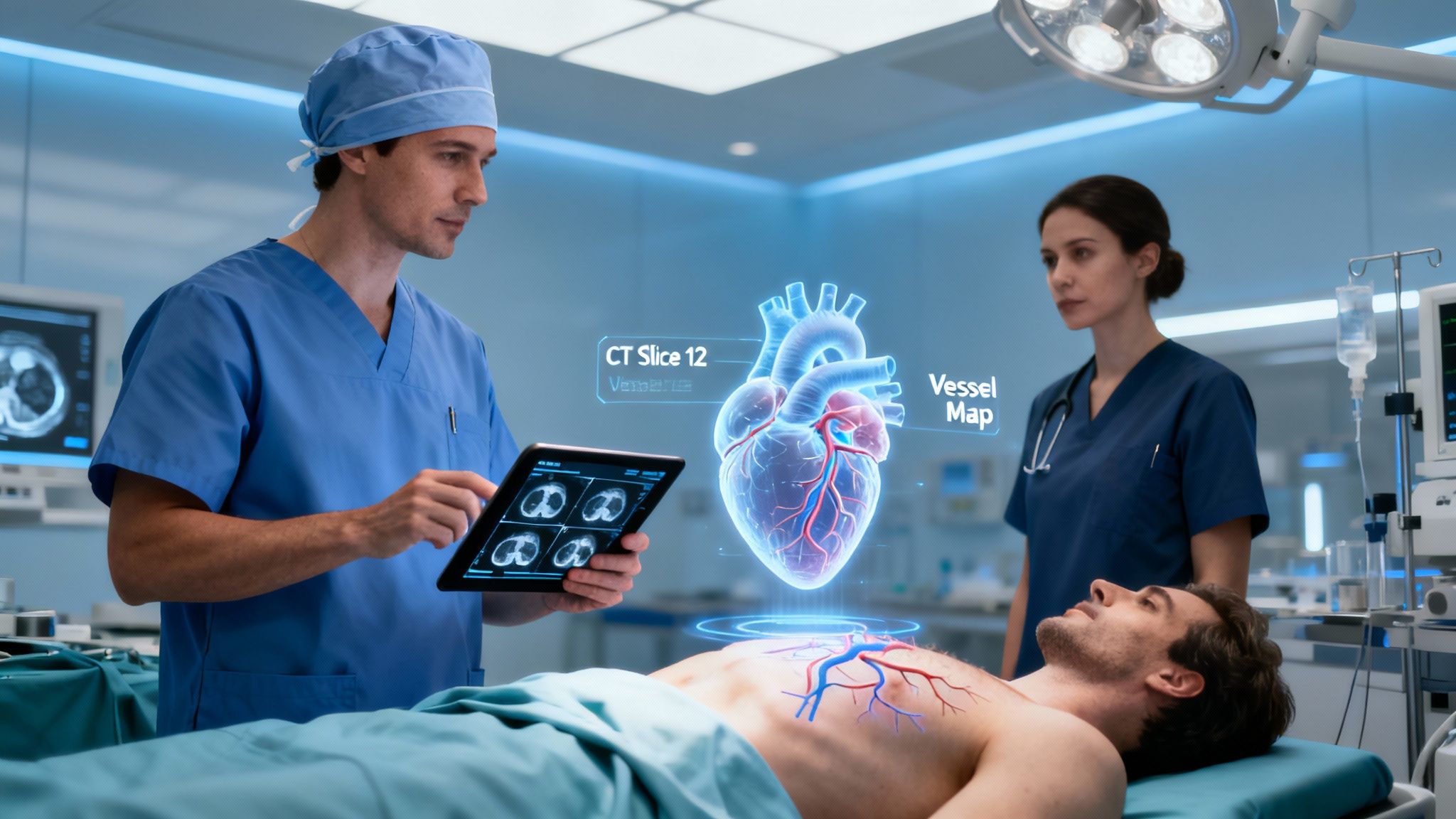
In healthcare, augmented reality use cases are transforming how doctors approach complex procedures. AR technology overlays 3D models of organs, tumors, or blood vessels, created from CT and MRI scans, directly onto a patient’s body during surgery or for pre-operative planning. This gives surgeons "X-ray vision," allowing them to see internal structures in real-time without large incisions, enhancing precision and patient safety.
How It Works and Who's Doing It
Leading institutions are pioneering this technology. Microsoft's HoloLens is used in operating rooms to project holographic patient models, guiding surgeons with unparalleled anatomical detail. Devices like AccuVein help nurses find veins for IV placement by projecting a map of the patient's vasculature onto their skin. Companies such as Surgical Theater provide platforms that allow surgeons to rehearse complex brain surgeries using interactive 3D AR models.
Strategic Insight: The core benefit of AR in medicine is its ability to contextualize data. Instead of referencing a 2D scan on a separate screen, surgeons see critical information integrated directly into their field of view, reducing cognitive load and improving procedural accuracy.
Actionable Tips for Users
For medical professionals and patients encountering this technology:
- Validate Visuals: Always confirm that the AR overlay accurately corresponds with the original medical imaging data.
- Prioritize Training: Healthcare staff must undergo comprehensive training to use AR medical devices effectively and safely.
- Understand Its Role: View AR as a powerful aid for planning and navigation, not a substitute for expert medical judgment.
- Ensure Compliance: All systems must adhere to strict patient privacy regulations like HIPAA.
7. Real Estate Property Showings and Virtual Tours
Augmented reality is revolutionizing the property market by allowing potential buyers and renters to explore homes from anywhere. This powerful augmented reality use case lets you take interactive 3D walkthroughs, visualize how your furniture would fit in a space, and even see potential renovations before committing. It saves time for both clients and agents, making the initial property search far more efficient and immersive.
How It Works and Who's Doing It
Companies like Matterport create detailed 3D digital twins of properties, while platforms like Zillow and Realtor.com integrate these tours directly into their listings. These tours allow you to "walk" through a house using your phone or computer, look in any direction, and get a true sense of the layout and scale. Some agents even use headsets like the HoloLens to provide clients with hyper-realistic, on-site visualizations.
Strategic Insight: The true value lies in contextual visualization. It’s not just about seeing an empty room; it's about AR's ability to overlay data like room dimensions, potential furniture layouts, or even a view of the neighborhood, answering key buyer questions instantly.
Actionable Tips for Users
To get the most out of virtual property tours, keep these tips in mind:
- View at Different Angles: "Walk" through the property multiple times, looking up, down, and into corners.
- Verify Measurements: Use the tour for a general sense of space, but always verify critical measurements in person.
- Visualize Your Life: Use AR staging features to see how your own furniture might fit.
- Check Neighborhood Data: Look for AR overlays that show nearby schools, parks, and amenities.
8. Retail Store Navigation and Product Information
Navigating large retail stores can be overwhelming, but AR is turning your smartphone into a personal shopping assistant. This is one of the most practical augmented reality use cases for improving the in-store experience, guiding you directly to products on your list and overlaying digital information onto the physical world. Instead of searching aisle by aisle, you can see a virtual path on your screen leading to the exact shelf location.
How It Works and Who's Doing It
Major retailers like Target and Walmart have integrated AR navigation into their mobile apps. These systems use your phone's camera and location services to map the store and guide you with on-screen directions. You can also scan barcodes to instantly pull up reviews, price comparisons, and even see if a product is part of a special promotion, blending the best of online and offline shopping.
Strategic Insight: The true value of in-store AR is contextual engagement. Lowe's "Lowe's Vision" app, for example, not only helps you find a product but can also show you how that product might look or function in your home, connecting the in-store discovery to its final use case.
Actionable Tips for Users
To make the most of AR features on your next shopping trip, try these tips:
- Prep Ahead: Download the store's app and create your shopping list at home.
- Enable Services: Turn on location services and Bluetooth for the most accurate in-store navigation.
- Scan Everything: Use the barcode scanner to access hidden deals, reviews, and detailed product specs.
- Stay Charged: These apps can use significant battery, so make sure your phone is fully charged before you go.
9. Automotive Maintenance and Repair Guidance
Automotive maintenance is one of the more complex augmented reality use cases, making intricate vehicle repairs more accessible to technicians and DIY enthusiasts. This technology overlays digital instructions, diagrams, and diagnostic information directly onto a car's engine or parts when viewed through a smartphone or AR headset. It helps users identify components, understand system layouts, and follow guided, step-by-step repair sequences with greater accuracy.
How It Works and Who's Doing It
Leading automotive brands like BMW and Mercedes-Benz have developed AR applications for their service centers, guiding technicians through complex procedures and reducing error rates. For example, a technician can look at an engine bay and see exactly which bolts to unscrew in the correct order. These tools visualize hidden components and display real-time data, transforming a standard repair manual into an interactive, visual guide.
Strategic Insight: The true value of AR in automotive repair is its ability to reduce cognitive load. Instead of constantly switching between a physical manual and the engine, mechanics can see instructions in their direct line of sight, which significantly speeds up diagnostics and repair times.
Actionable Tips for Users
If you're using an AR app for your own car maintenance, keep these tips in mind:
- Good Lighting is Crucial: Ensure the engine bay or work area is well-lit for the camera to track components accurately.
- Keep Your Device Safe: Use a rugged, waterproof case to protect your phone or tablet from grease and fluids.
- Cross-Reference Parts: Before ordering a replacement, use the AR guide to confirm the part number and then double-check it with your vehicle's manual.
- Stay Steady: A stable view helps the app lock onto components and provide consistent guidance.
10. Archaeological Visualization and Historical Reconstruction
Bringing history to life, archaeological visualization is one of the most compelling augmented reality use cases in education and tourism. This technology overlays digital reconstructions of ancient structures, artifacts, and historical scenes onto real-world ruins or museum exhibits. Using a smartphone or tablet, visitors can see a crumbling amphitheater restored to its former glory or view a skeleton in a display case with its original flesh and clothing.
How It Works and Who's Doing It
This AR application uses GPS and image recognition to align digital models with physical locations. The British Museum, for example, has used AR to reveal hidden details on artifacts like the Rosetta Stone. Similarly, AR tours in Pompeii allow visitors to point their devices at ruins and watch as ancient Roman villas and streets reconstruct themselves, complete with animated residents, providing a dynamic window into the past.
Strategic Insight: The power of historical AR lies in contextual storytelling. It's not just about showing what a building looked like; it's about explaining why it was built that way and showing how people used it, transforming a passive viewing experience into an active educational journey.
Actionable Tips for Users
To enhance your AR-powered historical exploration, try these tips:
- Bring Power: These apps can be battery-intensive, so carry a portable charger.
- Good Lighting: Visit sites during the day with good, even lighting for the best tracking performance.
- Look Deeper: Use the AR experience as a starting point and cross-reference details with official museum guides.
- Stay Aware: Remember to be mindful of your physical surroundings while immersed in the digital reconstruction.
11. Gaming and Interactive Entertainment
AR gaming transforms your environment into a digital playground, making it one of the most engaging augmented reality use cases. It overlays interactive game elements onto the real world through your smartphone, allowing you to catch virtual creatures on your sidewalk or battle monsters in your living room. This technology turns passive screen time into an active, exploratory experience that encourages movement and social interaction.
How It Works and Who's Doing It
Niantic's Pokémon GO is the quintessential example, using GPS to turn real-world landmarks into PokéStops and gyms, populating neighborhoods with characters to catch. Similarly, social media platforms like Snapchat and Instagram use AR for entertainment through interactive lenses and filters that react to facial expressions. These experiences rely on a device's camera, GPS, and sensors to anchor digital content to physical spaces.
Strategic Insight: The success of AR gaming hinges on integrating digital actions with real-world movement. These games reward exploration, not just screen tapping. This model's reliance on real-time data processing also highlights the importance of powerful local hardware, a concept central to what edge computing is.
Actionable Tips for Users
To safely enjoy AR gaming experiences, keep these tips in mind:
- Be Aware: Always pay attention to your real-world surroundings to avoid accidents.
- Play Together: Exploring with friends is often safer and more fun.
- Respect Boundaries: Do not trespass on private property to access in-game items.
- Stay Charged: These games are battery-intensive, so start with a full charge.
12. Industrial Maintenance and Equipment Training
Industrial maintenance and training are being transformed by augmented reality use cases that improve safety and efficiency. Technicians can wear AR smart glasses, like the Microsoft HoloLens, to see digital overlays on complex machinery. This provides immediate access to manuals, step-by-step repair instructions, and component identification without needing to consult a separate screen or paper documents. The result is faster repairs, reduced errors, and less equipment downtime.
How It Works and Who's Doing It
Companies like Siemens and GE Digital provide AR solutions that allow workers to visualize internal parts of a machine or see real-time performance data overlaid directly onto the equipment. Airbus uses AR to guide technicians through intricate aircraft assembly and maintenance tasks, drastically reducing assembly time and improving quality control. This hands-free guidance is critical for complex, high-stakes operations.
Strategic Insight: The true power of industrial AR is its integration with the Industrial Internet of Things (IIoT). When AR devices pull live data from equipment sensors, a technician can see a machine's temperature or pressure in their direct line of sight, enabling predictive maintenance before a failure even occurs.
Actionable Tips for Businesses
To effectively implement AR in an industrial setting, consider these steps:
- Rugged Devices: Invest in AR hardware that is certified for industrial environments (e.g., dust-proof, water-resistant).
- System Integration: Ensure the AR software can connect with your existing Enterprise Resource Planning (ERP) or maintenance management systems.
- Update Content: Keep AR instructional content and schematics updated with the latest procedures and equipment revisions.
- Cybersecurity First: Establish clear security protocols to protect sensitive operational data transmitted to and from connected devices. Learn more about how these interconnected systems work by exploring what is the Internet of Things.
12 AR Use Cases Comparison
| Use case | Implementation complexity 🔄 | Resource requirements ⚡ | Expected outcomes ⭐📊 | Ideal use cases 💡 | Key advantages ⭐ |
|---|---|---|---|---|---|
| AR Try-On for Fashion and Accessories | Moderate — real-time body/face tracking and rendering | Modern smartphones, 3D product assets, backend checkout integration | Higher conversions; up to ~40% fewer returns 📊 | E‑commerce apparel, eyewear, cosmetics 💡 | Increases confidence and engagement; lowers returns ⭐ |
| Interior Design & Home Furniture Visualization | Moderate–High — scale, lighting simulation and multi-object placement | High-quality 3D models, calibrated cameras, measurement tools | Fewer purchase mistakes; better space planning 📊 | Furniture retailers, interior designers, home shoppers 💡 | Accurate scale visualization; improves buyer decisions ⭐ |
| Navigation & Wayfinding in Public Spaces | High — indoor mapping, SLAM, POI integration | Continuous location services, mapping datasets, real‑time camera processing | More intuitive navigation; fewer wrong turns 📊 | Airports, malls, museums, city wayfinding 💡 | Improves orientation and accessibility; reduces confusion ⭐ |
| Educational Learning & Interactive Textbooks | Low–Moderate — 3D models and interactive overlays | Student devices, content development tools, LMS integration | Higher engagement and retention; clearer concept visualization 📊 | K‑12, higher education, remote learning programs 💡 | Makes abstract subjects tangible; supports varied learning styles ⭐ |
| Product Assembly & Maintenance Instructions | Moderate — step overlays, part recognition, sequencing | Annotated 3D models, app with guided steps, good camera/lighting | Reduced assembly time and errors; fewer support calls 📊 | Furniture, appliances, electronics assembly and maintenance 💡 | Speeds tasks and reduces mistakes; multi‑language support ⭐ |
| Medical Diagnosis & Surgical Planning | Very High — regulatory-grade accuracy, real‑time imaging overlays | Medical imaging (CT/MRI), specialized AR devices, validated software | Improved surgical accuracy; shorter procedures and better outcomes 📊 | Surgical planning, diagnostic visualization, specialist collaboration 💡 | Enhances precision and planning; enables remote consultation ⭐ |
| Real Estate Property Showings & Virtual Tours | Moderate — 3D capture and staged overlays | 3D scanning tools, professional content creation, listing integration | Broader reach; fewer unnecessary in‑person visits 📊 | Real estate listings, remote buyers, staging and renovation previews 💡 | 24/7 immersive tours; visualizes renovations and staging ⭐ |
| Retail Store Navigation & Product Information | Moderate — indoor maps, barcode/product data integration | Store inventory systems, mobile app, indoor positioning | Faster shopping; improved product discovery and conversions 📊 | Supermarkets, big‑box retailers, large-format stores 💡 | Reduces search time; bridges online/offline retail ⭐ |
| Automotive Maintenance & Repair Guidance | Moderate–High — part mapping, system visualization | Vehicle databases, diagnostic overlays, good workspace lighting | Faster diagnostics and more accurate repairs 📊 | Mechanics, dealerships, DIY vehicle maintenance 💡 | Clarifies procedures; reduces diagnostic errors ⭐ |
| Archaeological Visualization & Historical Reconstruction | High — accurate reconstructions, timeline layering | Expert research, high‑fidelity 3D content, location anchors | Increased visitor engagement and educational value 📊 | Museums, heritage sites, archaeological tours 💡 | Brings past environments to life; aids interpretation ⭐ |
| Gaming & Interactive Entertainment | Variable — simple to complex (location-based, multiplayer) | Continuous rendering, network servers, content updates | Very high engagement; social play and real‑world interaction 📊 | Mobile AR games, location‑based experiences, live events 💡 | Immersive entertainment; drives foot traffic and socialization ⭐ |
| Industrial Maintenance & Equipment Training | High — rugged hardware, system integration, safety overlays | Industrial‑grade headsets, integration with CMMS, secure networks | Reduced downtime; faster technician training and fewer errors 📊 | Factories, aerospace, heavy equipment maintenance and training 💡 | Improves safety and productivity; enables remote expert support ⭐ |
Your Augmented Future: Key Takeaways and What's Next
From virtually trying on a new pair of sunglasses to guiding a surgeon's hand with pinpoint accuracy, the journey through these real-world augmented reality use cases reveals a technology that has firmly moved from science fiction to practical reality. We've explored how AR is not just about entertainment; it's a powerful utility that overlays digital intelligence onto our physical environment, making tasks simpler, safer, and more efficient across a staggering range of industries.
The core lesson from these examples is that successful AR applications are built on a foundation of purpose. They solve a specific problem by delivering contextual information precisely when and where it is needed most. This is the common thread connecting an IKEA app that prevents a bad furniture purchase and a complex industrial system that helps a technician repair a critical piece of machinery, minimizing downtime and errors.
Strategic Takeaways for the Augmented Age
As we look ahead, the evolution of AR will be defined by accessibility and integration. The powerful processors and advanced cameras in our smartphones have democratized access to AR, making it a tool available to billions. The next major leap will likely come with the mainstream adoption of lightweight, all-day wearable AR glasses.
Here are the most important insights to carry forward:
- AR Excels at Visualization: Whether it's seeing how a couch looks in your living room, understanding a complex biological process in 3D, or visualizing historical ruins as they once stood, AR's greatest strength is making the abstract tangible.
- Context is King: The most impactful augmented reality use cases are those that provide immediate, relevant data. A maintenance worker seeing a machine's live temperature data or a shopper getting instant product reviews by pointing their camera at a shelf are prime examples of context-driven value.
- Efficiency is the Ultimate Metric: In enterprise and industrial settings, the return on investment for AR is measured in saved time, reduced errors, and enhanced safety. For consumers, the value is in convenience and confident decision-making.
Your Next Steps into an Augmented World
The implications of this technology are vast. For consumers, it means more informed purchasing decisions and richer learning experiences. For professionals, it represents a new frontier for training, collaboration, and operational excellence. The key is to move from passive observation to active participation.
Don't just read about AR; experience it. Many of the applications we discussed, particularly in retail and home design, are available for download on your existing smartphone. By trying them out, you gain a firsthand understanding of their capabilities and limitations. Pay attention to how companies are using this technology to engage with you, as it signals broader trends in customer interaction and service. The augmented world isn’t a distant future- it’s an interactive layer you can access today.
Ready to stay ahead of the curve on technologies like AR and understand how they'll shape your world? Follow Simply Tech Today for clear, practical guides and the latest news on the innovations that matter. Visit Simply Tech Today to explore more deep dives into the future of technology.
Member discussion