
12 Best AI Tools for Productivity to Try in 2025

In 2025, artificial intelligence has become an essential partner in our daily work. From automating tedious administrative tasks to generating creative ideas in seconds, the best AI tools for productivity can reclaim hours of your day and unlock new levels of efficiency. But the market is crowded, and choosing the right platform for your specific workflow can be a significant challenge.
This guide is designed to cut through the noise. We have curated a comprehensive list of the top AI tools that genuinely enhance productivity, moving beyond marketing hype to focus on practical applications and real-world benefits. We'll also be honest about their limitations so you can make an informed choice.
Whether you are a solo professional managing your own schedule, a member of a fast-paced team, or part of a large enterprise, this breakdown will help you find the tools that truly move the needle. Our goal is to provide clear, jargon-free insights, complete with screenshots and direct links for each entry. You will learn how to integrate these platforms to solve common problems like managing information overload, summarizing long documents, and automating repetitive processes. This resource is your straightforward path to turning AI's potential into tangible, daily results.
1. Microsoft Copilot
Microsoft Copilot stands out not as a standalone application but as a deeply integrated AI assistant woven directly into the fabric of the Microsoft 365 ecosystem. For teams and individuals already reliant on apps like Word, Excel, PowerPoint, and Teams, Copilot becomes an indispensable partner, making it one of the best AI tools for productivity by leveraging the context of your own work. It can draft entire documents in Word from a simple prompt, analyze complex data sets in Excel, generate complete presentations in PowerPoint, and summarize lengthy email threads in Outlook.
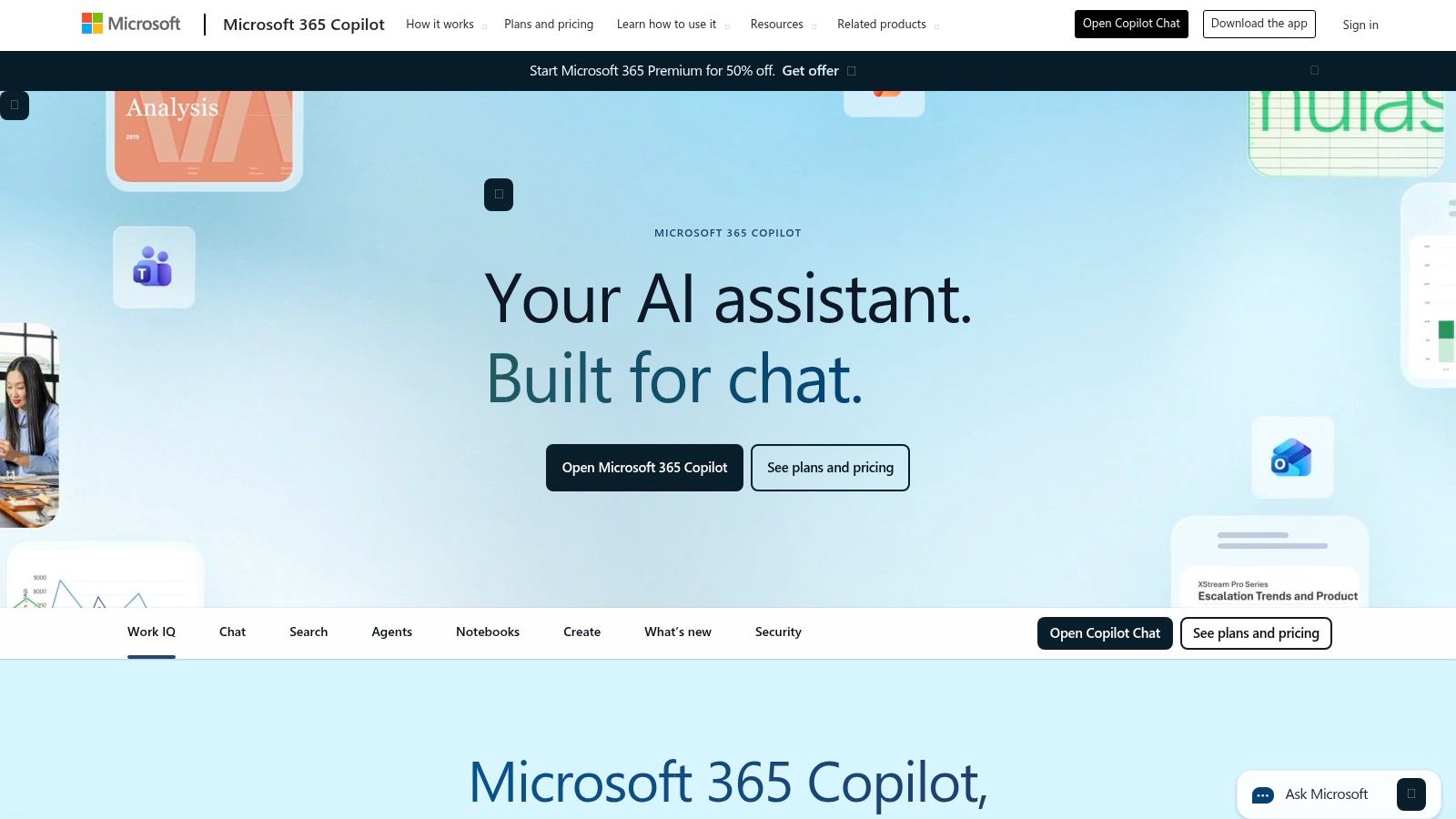
The platform’s key advantage is its ability to access and synthesize information across your Microsoft Graph data, meaning it can pull information from your calendar, emails, and documents to provide relevant, context-aware assistance while respecting existing security and privacy permissions.
Key Features & Ideal Use Cases
- Ideal Users: Business professionals, enterprise teams, and individuals heavily invested in the Microsoft 365 suite.
- Standout Features: Native, in-app integration across the 365 suite, AI chat grounded in your company’s data (Microsoft Graph), and enterprise-grade security controls. Copilot Studio allows for the creation of custom GPTs and automated workflows.
- Workflow Example: A project manager can ask Copilot in Teams to summarize meeting action items, then switch to Word to draft a project proposal based on those notes, and finally create a summary presentation in PowerPoint, all without leaving the Microsoft ecosystem.
Quick Tip: Use specific references in your prompts. Instead of "Summarize the project," try "Summarize the key decisions from the Project Phoenix kickoff meeting email thread and list action items assigned to me."
| Pros | Cons |
|---|---|
| Deep, native integration with Office apps | Best value requires a Microsoft 365 subscription |
| Strong enterprise security and compliance | Feature rollouts can be gradual across applications |
| Highly scalable from individuals to enterprise | Can feel less nimble than standalone AI chat tools |
Pricing & Access
Access to Copilot requires an active Microsoft 365 subscription. For consumers, it is available with Microsoft 365 Personal or Family plans. For commercial use, it is available as a $30 per user/month add-on for most Microsoft 365 Business and Enterprise plans.
2. Google Workspace (Gemini in Workspace)
For organizations deeply embedded in Google's cloud-native suite, the integration of Gemini into Workspace is a transformative productivity boost. Similar to its Microsoft counterpart, Gemini's power lies in its seamless integration within the apps you already use daily, such as Gmail, Docs, Sheets, and Meet. It excels at summarizing long email chains in Gmail, drafting entire articles in Docs from a simple prompt, and organizing raw data into actionable insights within Sheets.
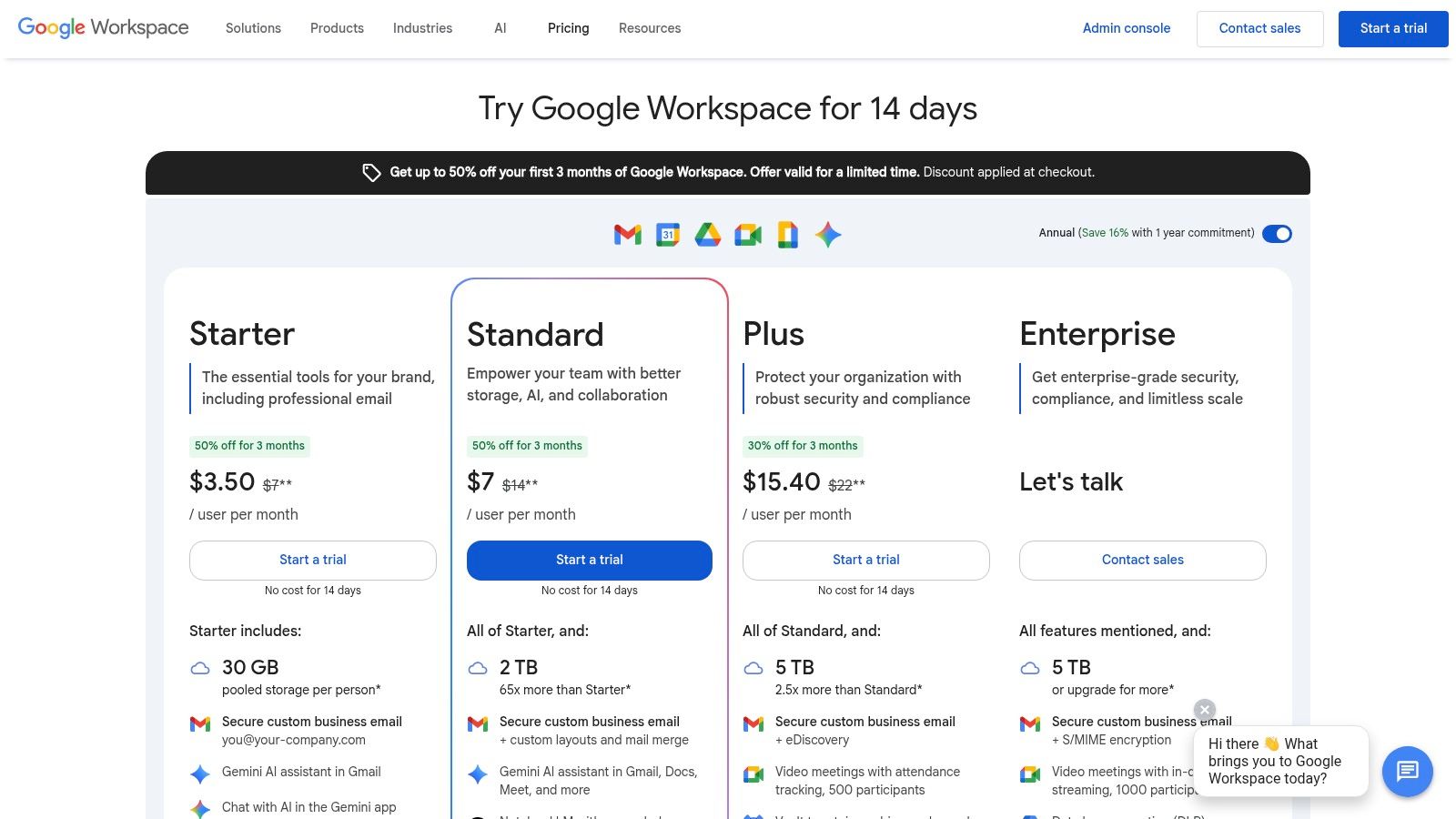
The platform’s strength is its web-first, collaborative nature. Gemini enhances this by understanding the context across your Drive, emails, and calendar to provide assistance that is both relevant and secure. This makes it one of the best AI tools for productivity, especially for teams that prioritize real-time collaboration and accessibility from any device.
Key Features & Ideal Use Cases
- Ideal Users: SMBs, educational institutions, and enterprises standardized on the Google Workspace ecosystem.
- Standout Features: "Help me write" in Docs and Gmail, AI-generated custom backgrounds in Meet, instant summarization features, and smart organization in Sheets. The architecture behind these features is a fascinating application of AI, and you can learn more about how does artificial intelligence work.
- Workflow Example: A marketing manager can use Gemini in Gmail to draft an outreach email campaign, then switch to Google Docs to create a detailed project brief from a few bullet points, and finally use Sheets to analyze campaign performance data by asking questions in natural language.
Quick Tip: In Google Docs, use the "Help me write" feature to overcome writer's block. Start with a rough concept like "Write an introduction for a blog post about remote work productivity" and let Gemini provide a starting point you can then refine.
| Pros | Cons |
|---|---|
| Deeply integrated into familiar Google apps | Best value requires a Google Workspace subscription |
| Strong web-first collaboration features | Features and pricing can vary significantly by tier |
| Leverages existing Workspace security controls | AI functionality is less mature than some competitors |
Pricing & Access
Gemini features are available as add-ons to most Google Workspace plans. The Gemini for Google Workspace add-on is available for Business and Enterprise customers, typically starting at $20-$30 per user/month, depending on the tier and commitment. Specific features may vary by plan.
3. Notion (with Notion AI)
Notion has evolved from a flexible all-in-one workspace into a powerful productivity hub with Notion AI integrated directly into its core fabric. This makes it one of the best AI tools for productivity for teams wanting to consolidate their knowledge base, project management, and content creation into a single platform. Instead of switching between apps, users can now summarize meeting notes, draft emails, or generate action items directly within the same page where their project plans live.
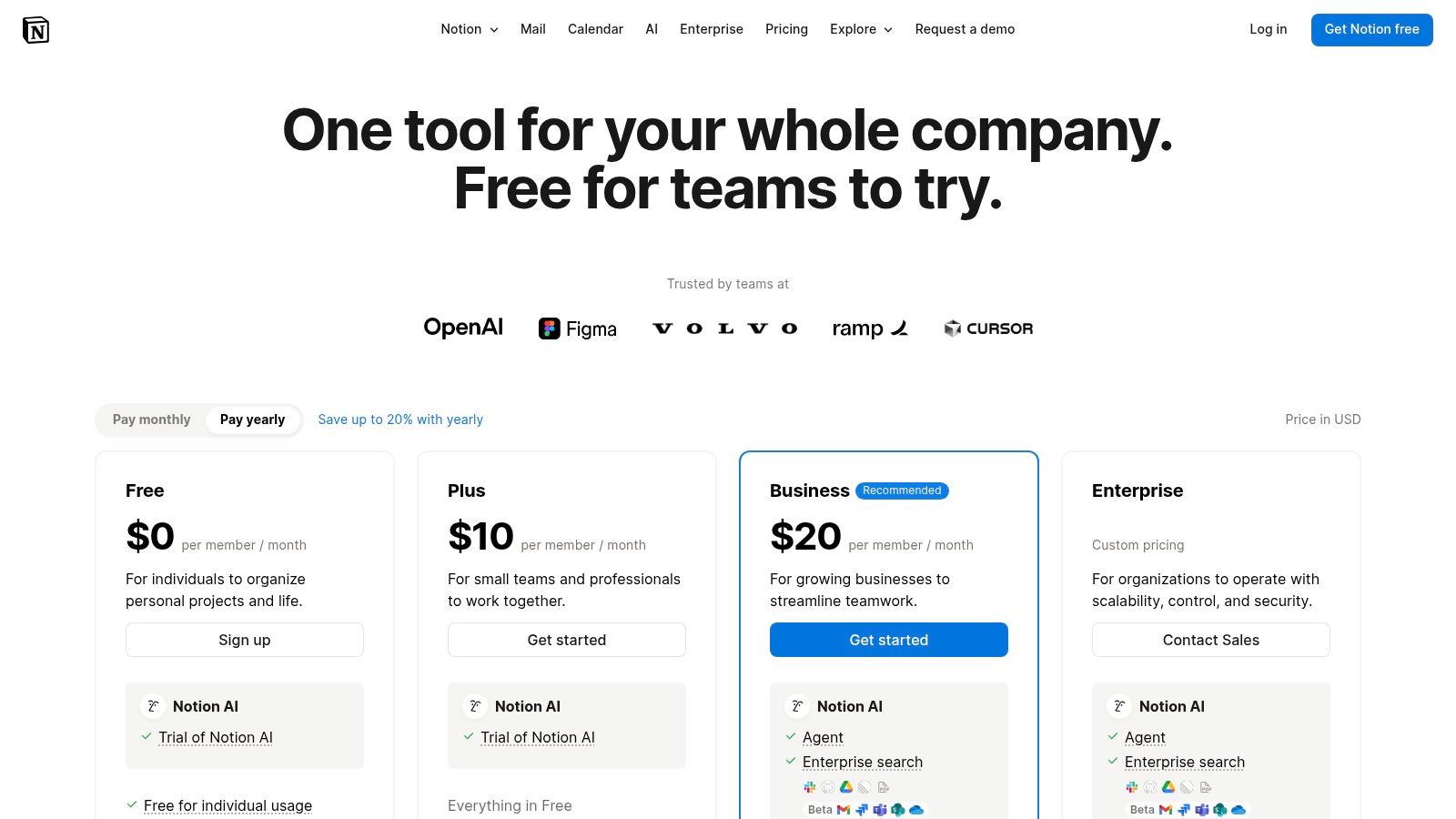
The key advantage is context. Notion AI can draw upon the information within a specific page or database to provide highly relevant outputs. Since it's built on a system of interconnected pages, it understands the relationships between different pieces of work, offering a more cohesive AI experience than standalone writing assistants. This is all handled through its robust cloud-based infrastructure. Learn more about how cloud storage works to understand the backend technology.
Key Features & Ideal Use Cases
- Ideal Users: Teams of any size, content creators, and individuals looking for a unified workspace to manage projects, documents, and knowledge.
- Standout Features: In-line AI for writing and editing, AI-powered summaries of pages and databases, flexible building blocks that combine docs, tables, and tasks, and enterprise search (Q&A) that answers questions using your workspace content.
- Workflow Example: A marketing team can brainstorm a campaign in a Notion doc, use AI to generate blog post ideas, turn those ideas into tasks in a database, and then draft the full article within the same page, all without leaving their central workspace.
Quick Tip: Use the "Ask AI" block at the top of a project page to get a quick summary or list of action items from a long document before diving in. This is perfect for catching up on progress quickly.
| Pros | Cons |
|---|---|
| Combines knowledge, projects, and AI in a single workspace | Most complete AI access now requires Business/Enterprise plans |
| Highly customizable workflow building | Can require upfront time to model your workspace effectively |
| Good value at team tiers given included AI | AI features are page-contextual, not workspace-wide (yet) |
Pricing & Access
Notion offers a free plan with a limited number of AI responses. The Plus plan ($10 per user/month) includes the Notion AI add-on. Full AI features, including the new Q&A search, are packaged directly into the Business ($18 per user/month) and Enterprise tiers, making it a comprehensive solution for teams.
4. Slack
Slack has evolved from a team messaging app into a comprehensive communication hub, and its recent infusion of AI features makes it one of the best AI tools for productivity, particularly for teams already using the platform. Instead of creating a separate tool, Slack AI is built directly into the user experience to help you find answers and get up to speed faster. It allows users to instantly summarize unread channels or long threads, ask questions to its AI-powered search to find information across the entire workspace, and recap huddles automatically.
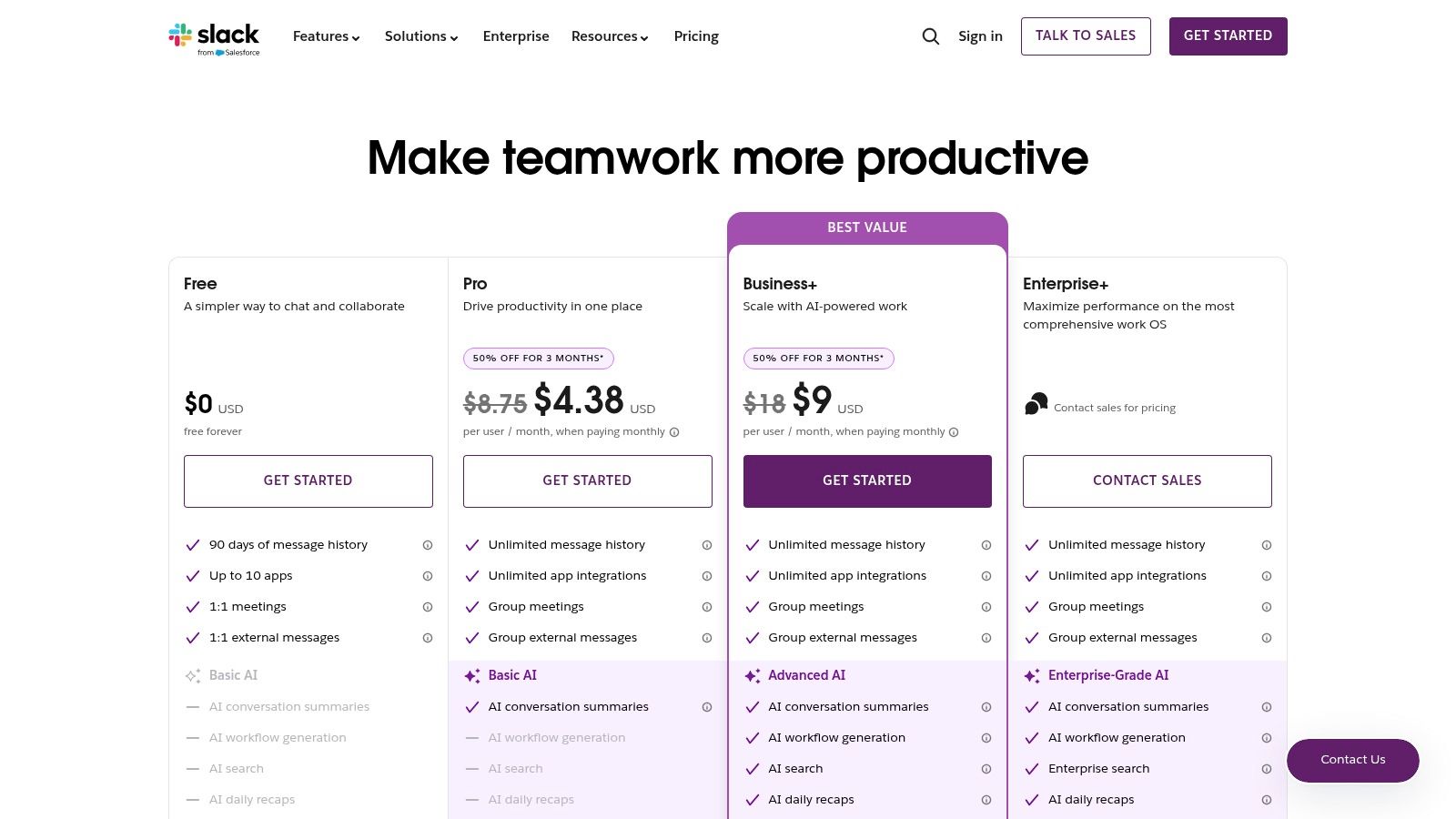
The platform’s strength lies in its ability to parse your team’s conversational history, transforming unstructured chat into a structured knowledge base. This AI layer sits on top of your existing communications, saving significant time that would otherwise be spent manually catching up on discussions.
Key Features & Ideal Use Cases
- Ideal Users: Teams of any size that use Slack as their primary communication platform and need to reduce information overload.
- Standout Features: AI-powered conversation summaries (for channels and threads), intelligent search that understands natural language questions, and a vast ecosystem of app integrations that can be enhanced with AI workflows.
- Workflow Example: A developer returning from vacation can use AI summaries to get the highlights from the
#engineering-updateschannel, then use AI search to ask, "What was the final decision on the database migration?" to get a direct answer with sources, all without having to scroll through days of chatter.
Quick Tip: For more accurate search results, phrase your questions as if you were asking a colleague. Instead of just typing "API key," try asking "Where can I find the latest documentation for the production API key?"
| Pros | Cons |
|---|---|
| Reduces catch-up time in busy channels | Advanced AI features generally require paid tiers |
| Strong ecosystem of apps and automations | Signal-to-noise can still be an issue in large workspaces |
| Central hub for daily team communications | AI effectiveness depends on the quality of existing data |
Pricing & Access
Slack offers a free plan with limited history and features. The core AI features are available as part of the Slack AI add-on for $10 per user/month, which requires a paid plan (Pro, Business+, or Enterprise Grid). Paid plans start at $7.25 per user/month when billed annually.
5. ClickUp
ClickUp positions itself as an all-in-one work operating system that centralizes tasks, documents, goals, and communication. Its AI capabilities are offered as a modular add-on, making it one of the best AI tools for productivity for teams who want to layer artificial intelligence into an existing, robust project management framework. Instead of a standalone tool, ClickUp AI is designed to accelerate workflows you're already managing, from generating project updates and summarizing comment threads to polishing documents directly within the platform.
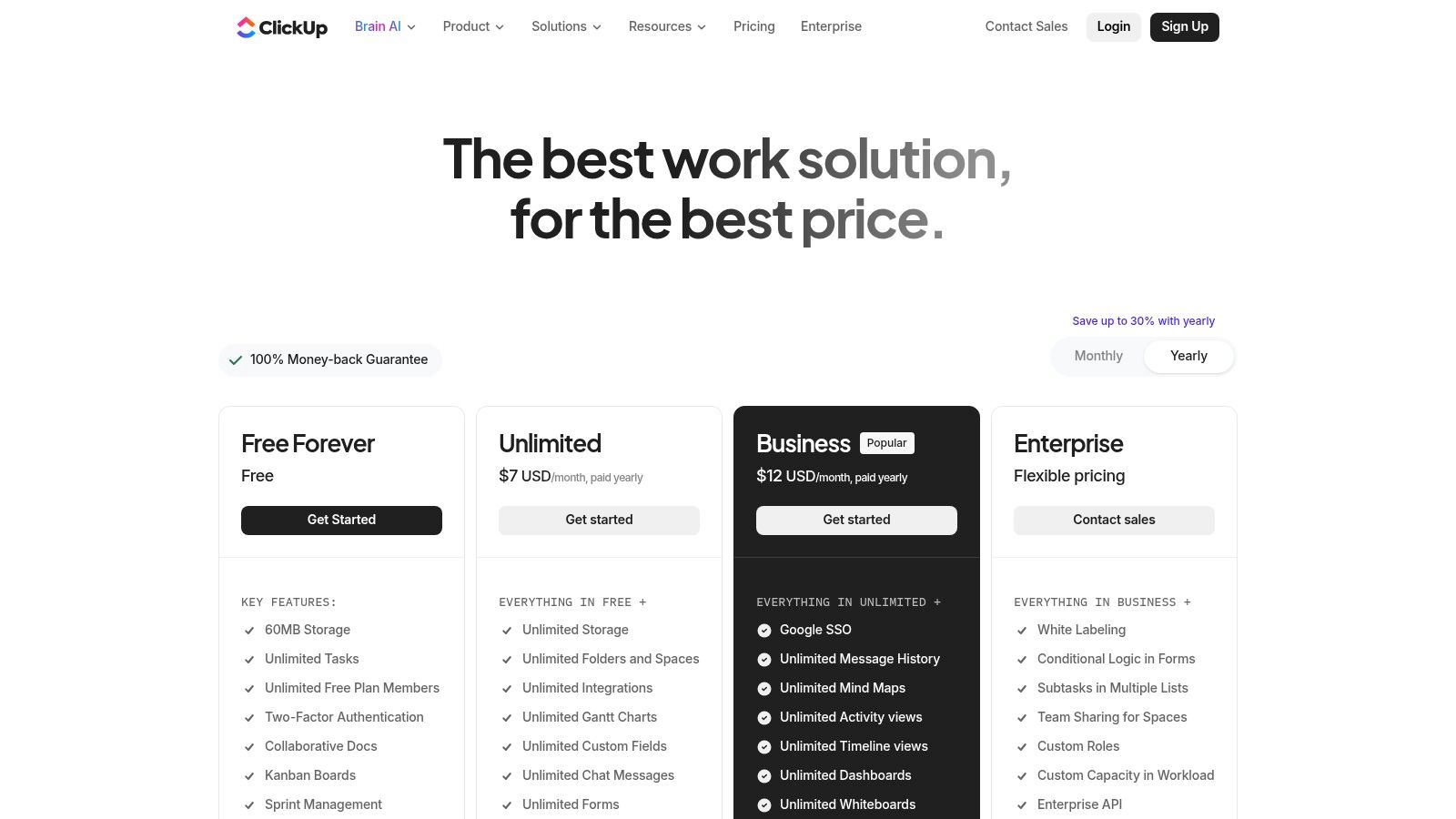
The platform’s strength is its customizability combined with this optional AI layer. Teams can build complex workflows and then use AI to automate the tedious parts, like drafting status reports or creating subtasks from a high-level goal, all while keeping project data securely in one place. Using its integrated doc features, you can also manage all your project documentation, similar to how one might leverage a dedicated cloud storage solution.
Key Features & Ideal Use Cases
- Ideal Users: Project-based teams, agile development squads, and businesses looking to consolidate their tech stack and add AI functionality as needed.
- Standout Features: AI Assist for writing, summarizing, and task generation within any ClickUp field. Optional add-ons like the AI Notetaker for meetings. A vast library of project templates and customizable views (Gantt, Kanban, Calendar).
- Workflow Example: A marketing team can use ClickUp to manage a campaign from a Gantt chart. They can then ask the AI to write a first draft of ad copy, summarize the latest client feedback from a comment thread, and generate a list of subtasks for the design phase.
Quick Tip: Use the "Summarize this page" AI command on a task with a long history of comments and subtasks to get a quick, high-level overview before a status meeting.
| Pros | Cons |
|---|---|
| Rich feature set at competitive base prices | AI add-ons are billed per workspace member, so costs can add up |
| Flexible add-on model to scale AI usage | The sheer breadth of features can feel complex for small teams |
| Excellent for teams consolidating multiple tools | Optimal performance requires a stable internet connection |
Pricing & Access
ClickUp AI is available as a $5 per member/month add-on to any paid plan (Unlimited, Business, Enterprise). This grants access to AI features across the entire workspace. Specialized bundles like the AI Notetaker are priced separately.
6. Zoom AI Companion
For teams whose workdays revolve around virtual meetings, Zoom AI Companion transforms a communication tool into a powerful productivity engine. Instead of functioning as a separate app, it integrates generative AI directly into the Zoom experience you already know. It excels at automating the tedious administrative tasks that follow meetings, such as generating summaries, identifying action items, and creating smart chapter highlights for recordings, making it one of the best AI tools for productivity for meeting-heavy teams.
The platform's primary advantage is its seamless integration within an existing workflow. It enhances productivity without requiring users to adopt a new platform, focusing on reducing post-meeting overhead and ensuring key information is never lost. The AI features are designed with transparency, including clear in-meeting notifications when they are active.
Key Features & Ideal Use Cases
- Ideal Users: Remote or hybrid teams, project managers, and anyone who spends significant time in Zoom meetings and wants to automate follow-up tasks.
- Standout Features: In-meeting questions allow you to catch up without interrupting, automated smart recordings with highlights and summaries, and AI-powered assistance in Team Chat, Whiteboard, and Mail.
- Workflow Example: A sales manager can run a client demo call, and AI Companion will automatically generate a summary and list next steps. They can then share this summary in a Team Chat channel to update their team, ensuring everyone is aligned without manual note-taking.
Quick Tip: Enable the "Meeting Summary with Next Steps" feature before your meeting starts to receive a detailed, automated recap sent to your email and posted in the meeting chat, saving you valuable time on follow-ups.
| Pros | Cons |
|---|---|
| Included at no extra cost with eligible paid Zoom plans | Heavily dependent on the Zoom ecosystem to be useful |
| Strong fit if you already rely on Zoom for meetings | Some advanced or specialized features may require extra costs |
| Clear data-use statements regarding training and privacy | Availability and features can vary by region and industry |
Pricing & Access
Zoom AI Companion is included at no additional cost for customers on eligible paid Zoom user accounts. Its availability is automatically enabled on most paid plans, including Pro, Business, and Enterprise, though specific features may vary by plan.
7. Zapier
Zapier has long been the gold standard for no-code workflow automation, but its recent integration of AI elevates it into a new category. It now acts as the connective tissue between your favorite apps and powerful AI capabilities, allowing you to build intelligent, multi-step automations without writing a single line of code. Instead of just moving data from A to B, Zapier can now analyze, summarize, categorize, and act on that data, making it one of the best AI tools for productivity for anyone looking to automate complex cross-app processes.
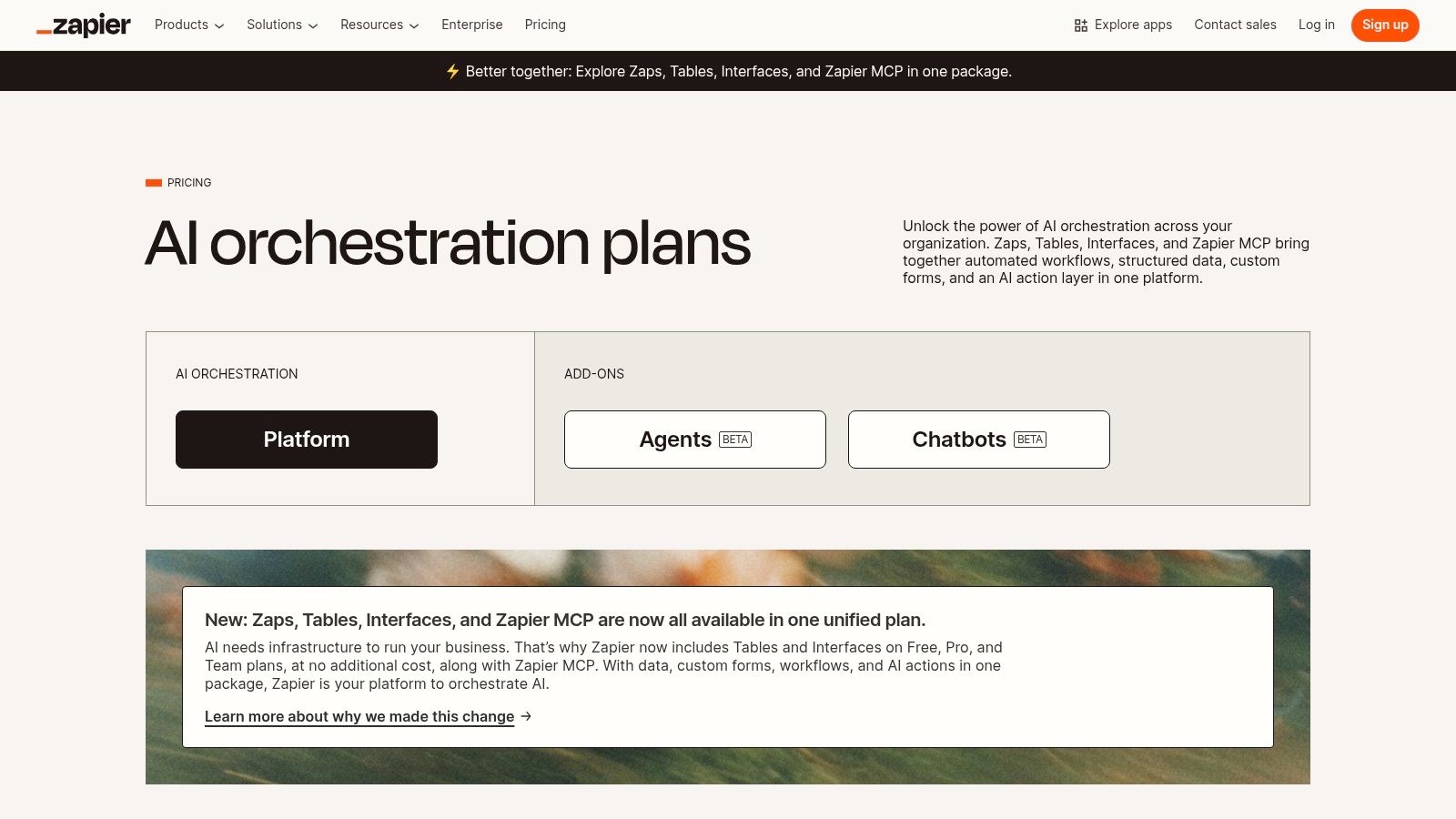
The platform's strength lies in its staggering library of over 6,000 app integrations combined with new AI features like Zapier Agents. These "AI teammates" can be trained to perform entire jobs, like managing leads or processing support tickets, by interacting with multiple applications just as a human would. This moves beyond simple automation into true process delegation.
Key Features & Ideal Use Cases
- Ideal Users: Marketers, operations managers, small business owners, and anyone who uses multiple web apps and wants to automate repetitive tasks between them.
- Standout Features: A massive library of 6,000+ app integrations, AI-powered steps within Zaps (e.g., summarize text, classify sentiment), and the new Zapier Agents for creating autonomous AI workers.
- Workflow Example: A user could create a Zap that triggers when a new entry is submitted to a Typeform. An AI step then analyzes the entry's sentiment, and if positive, drafts a personalized thank you email in Gmail and adds the contact to a "Happy Customers" list in Mailchimp. Learning how to use AI tools like this can drastically reduce manual data entry.
Quick Tip: Start with the free plan to automate simple, two-step tasks. Use the Zapier templates library to see what's possible and get inspiration for your first AI-powered automation.
| Pros | Cons |
|---|---|
| Massive integration library and quick deployment | Task/activity-based pricing requires monitoring usage |
| Multiple ways to add AI to existing workflows | Best multi-app automations typically need paid tiers |
| Scales from personal automations to team processes | Advanced AI features like Agents are on separate, newer plans |
Pricing & Access
Zapier offers a Free Forever plan with limited tasks. Paid plans start at $19.99/month (billed annually) and scale based on the number of tasks and features needed. The new Zapier Agents feature has its own pricing, starting with a free trial and paid plans from $20/month.
8. Adobe Acrobat AI Assistant
Adobe Acrobat AI Assistant transforms the ubiquitous PDF reader into a powerful interactive tool. Instead of just viewing static documents, this generative AI allows you to converse with them. It is built directly into Acrobat and Reader, making it one of the best AI tools for productivity for anyone dealing with lengthy reports, dense contracts, or detailed manuals. The assistant can generate instant summaries of long documents and answer specific questions about the content, providing clickable citations that link directly to the source text within the file.
The platform’s strength lies in its focus on document intelligence and trustworthiness. Adobe restricts third-party LLMs from training on your business's data, ensuring your sensitive information remains private. This makes it an ideal solution for legal, academic, and corporate environments where data integrity and source verification are non-negotiable.
Key Features & Ideal Use Cases
- Ideal Users: Researchers, legal professionals, students, and anyone who regularly works with dense PDF documents like reports, contracts, or academic papers.
- Standout Features: In-document Q&A with source citations, one-click document summaries, and content formatting for emails or presentations. It works across desktop, web, and mobile.
- Workflow Example: A paralegal receives a 150-page contract. They use the AI Assistant to generate an executive summary, then ask specific questions like "What are the termination clauses?" and receive answers with direct links to the relevant sections for verification.
Quick Tip: Use the "Get a quick summary" feature first to understand the document's main points, then ask follow-up questions to drill down into specific data or clauses you need to analyze.
| Pros | Cons |
|---|---|
| Strong fit for document‑heavy workflows | Early-access pricing noted; verify current rates |
| Privacy: Adobe restricts LLM training on data | Advanced multi-document analysis is still evolving |
| Low entry price point for individuals | Currently works best with English-language documents |
Pricing & Access
AI Assistant is available as an add-on subscription to all Acrobat Standard and Pro plans, with an introductory price starting at $4.99 per month. A free version with limited usage is also available within the free Acrobat Reader.
Visit Adobe Acrobat AI Assistant
9. OpenAI GPT Store
Rather than being a single tool, the OpenAI GPT Store is a massive, searchable marketplace of specialized AI assistants built on the ChatGPT framework. It functions like an app store for AI, allowing users to find and deploy pre-configured GPTs for thousands of niche tasks without any setup. This makes it one of the best AI tools for productivity because it offers instant access to customized workflows for everything from data analysis in spreadsheets to creative writing and academic research.
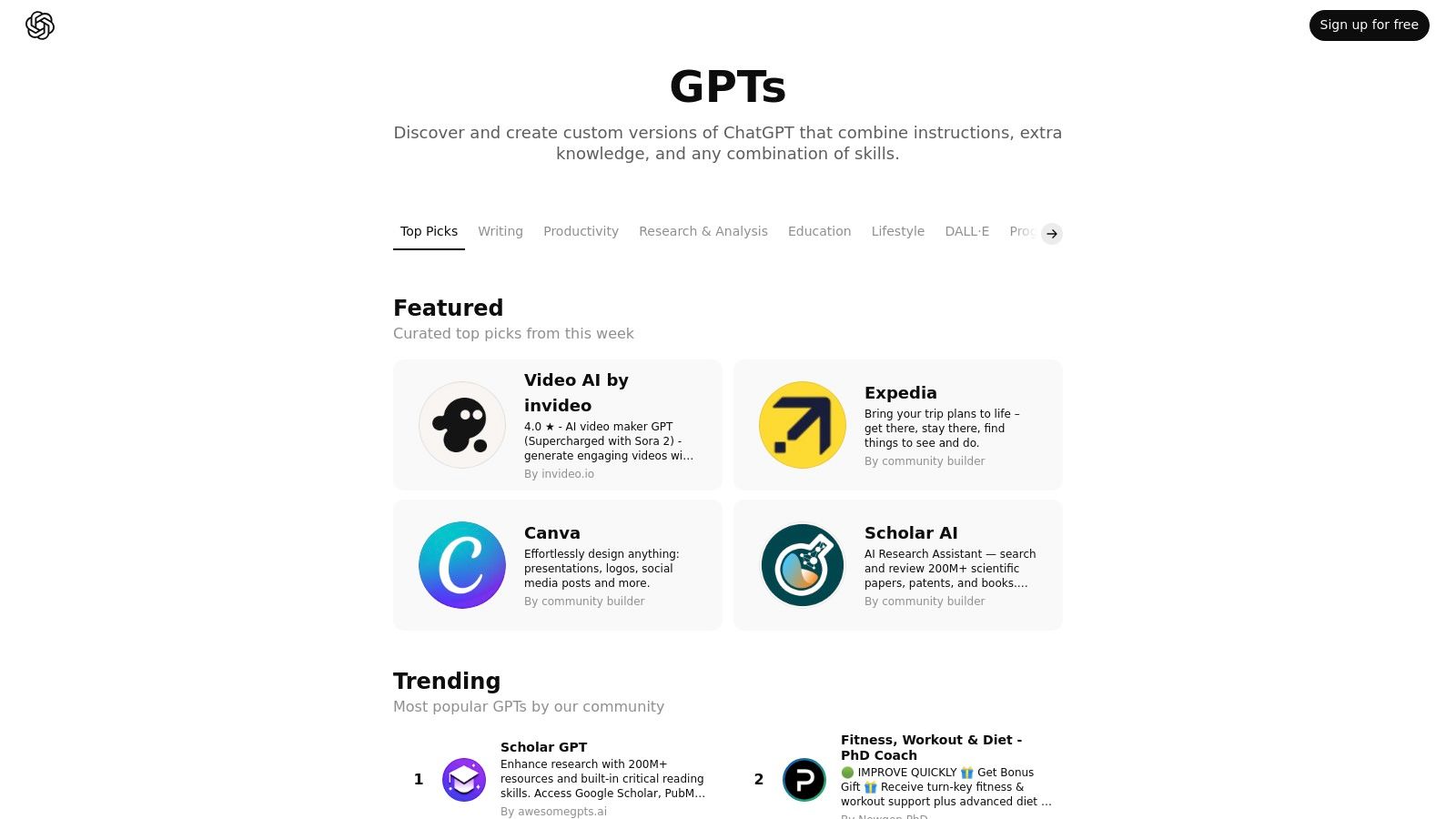
The platform's strength lies in its diversity. Instead of relying on a generalist model, you can find a GPT specifically trained to analyze academic papers, create social media content calendars, or even act as a programming pair partner. This specialization provides more focused and relevant results for specific productivity challenges. For those interested in the underlying technology, you can learn more about the machine learning fundamentals that power these custom models.
Key Features & Ideal Use Cases
- Ideal Users: Individuals and teams with diverse needs who want specialized AI help without building custom solutions. Content creators, researchers, developers, and marketers.
- Standout Features: A vast, searchable library of community-built GPTs, trending and featured categories for easy discovery, and the ability for anyone to publish their own custom GPT.
- Workflow Example: A marketer needs to generate a month's worth of Instagram captions. Instead of crafting complex prompts in the standard ChatGPT, they can search the GPT Store for a "Social Media Content Creator" GPT, provide it with their core topics, and receive ready-to-use content tailored to the platform's style.
Quick Tip: Don't just stick to the top-rated GPTs. Use specific keywords in the search bar like "spreadsheet formula writer" or "legal document summarizer" to uncover highly specialized tools that perfectly match your task.
| Pros | Cons |
|---|---|
| Instantly find specialized tools without any setup | Requires a paid OpenAI subscription (Plus, Team, or Enterprise) |
| Deeply integrated with the familiar ChatGPT interface | Quality and reliability can vary significantly across GPTs |
| Admin controls for managing access within an organization | Discoverability can be challenging due to the sheer volume |
Pricing & Access
Access to the GPT Store and the ability to use its custom GPTs is exclusively available to users with a paid OpenAI plan. This includes ChatGPT Plus ($20/month), ChatGPT Team, and ChatGPT Enterprise subscriptions.
10. Chrome Web Store – AI Productivity Collection
Rather than a single application, the Chrome Web Store offers a curated collection of AI-powered extensions that can transform your browser into a productivity hub. For anyone whose work is primarily web-based, this platform is a gateway to discovering lightweight, specialized tools for tasks like summarization, email drafting, note-taking, and tab management. It stands as one of the best AI tools for productivity by allowing users to build a personalized suite of enhancements directly into their existing browsing workflow.
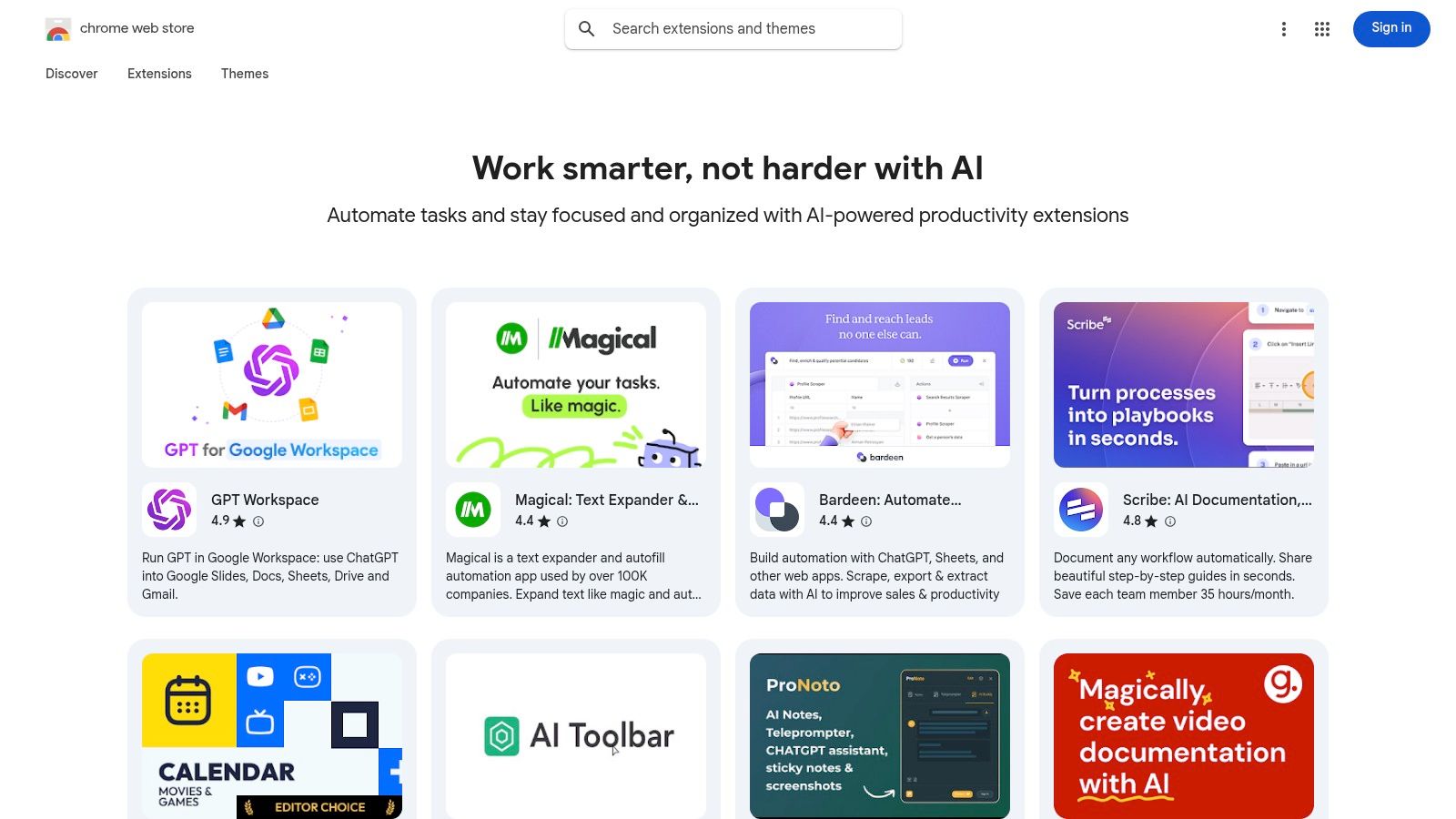
The primary advantage is the sheer variety and ease of access. With one-click installations and seamless updates, users can experiment with different tools to find the perfect fit for their needs. The platform's structure, complete with user ratings and reviews, helps vet the quality and usefulness of each extension before installation.
Key Features & Ideal Use Cases
- Ideal Users: Students, researchers, freelancers, and professionals who spend most of their workday in a web browser.
- Standout Features: Curated 'Work smarter with AI' collection for easy discovery, one-click installation and automatic updates, and transparent user reviews and permission requests for each extension.
- Workflow Example: A freelance writer can use one AI extension to summarize research articles, another to draft email pitches to clients, and a third to organize their project tabs, all without leaving their Chrome browser.
Quick Tip: Always review an extension's requested permissions before installing. Only grant access that seems necessary for its function to protect your privacy and data.
| Pros | Cons |
|---|---|
| Huge selection of free and freemium tools | Quality and reliability can vary greatly between extensions |
| Easy one-click installation and updates | Requires careful review of permissions and privacy policies |
| Works across any OS running the Chrome browser | Primarily enhances web-based workflows, not offline tasks |
Pricing & Access
The vast majority of extensions in the AI Productivity collection are either free or operate on a freemium model, offering a free basic tier with optional paid upgrades for advanced features. Access is available to anyone using the Google Chrome browser.
Visit Chrome Web Store – AI Productivity Collection
11. Product Hunt – Artificial Intelligence Topic
Product Hunt isn’t a single AI tool but rather a vital discovery platform where the latest applications launch daily. Its dedicated artificial intelligence topic serves as a real-time leaderboard for what’s new and trending, making it one of the best AI tools for productivity simply by helping you find the perfect niche solution before it goes mainstream. It’s the ideal place to discover up-and-coming apps, read honest feedback from early adopters, and engage directly with the creators.
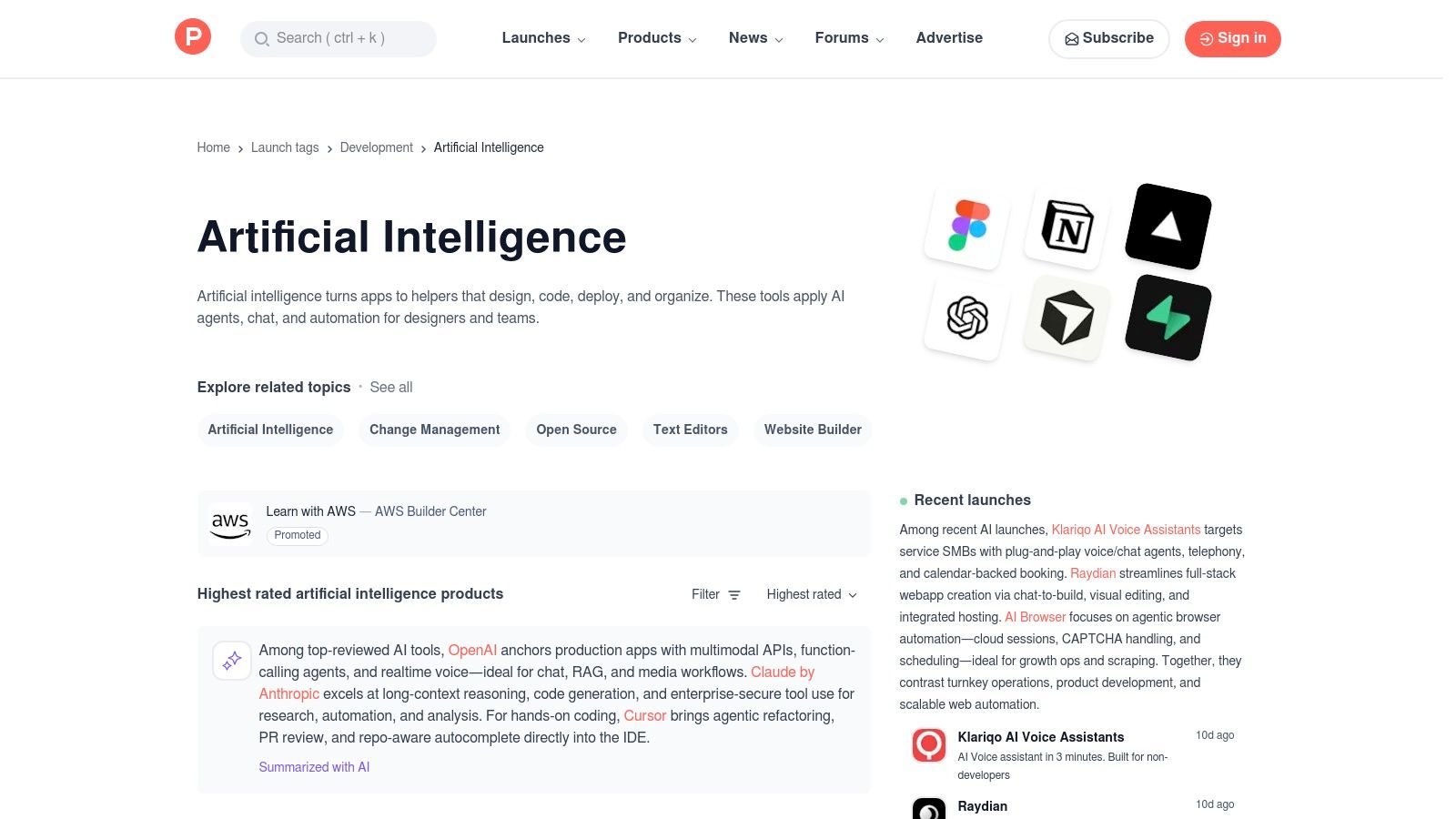
The platform’s strength lies in its vibrant community. Instead of just marketing copy, you get genuine user comments, maker Q&A sessions, and links to demos and trials, providing invaluable context when evaluating a new tool for your workflow.
Key Features & Ideal Use Cases
- Ideal Users: Tech enthusiasts, startup employees, and anyone looking to gain an edge by discovering innovative AI productivity tools before they become widely known.
- Standout Features: Daily leaderboards for new AI launches, extensive user comments and direct Q&A with product makers, and curated collections for specific needs like “AI for meetings.”
- Workflow Example: An entrepreneur looking for a new AI-powered marketing copywriter can browse the "Artificial Intelligence" topic, filter by "Most Upvoted" this month, read through the launch day comments for the top three tools, and access exclusive launch-day deals directly from the product pages.
Quick Tip: Don't just look at the top-voted product of the day. Check the "Discussions" section within the AI topic to see what problems the community is actively trying to solve with new tools.
| Pros | Cons |
|---|---|
| Early access to emerging and niche AI tools | Quality can vary widely with many early-stage products |
| Authentic community feedback and insights | Less structured vetting than professional analyst reviews |
| Direct engagement with product creators | The sheer volume of new tools can feel overwhelming |
Pricing & Access
Product Hunt is a completely free platform to browse, comment, and discover new products. Individual tools featured on the site will have their own pricing models, often with special deals or extended trials for the Product Hunt community on launch day.
12. G2 – AI Writing Assistants Category
Instead of a single tool, G2's AI Writing Assistants category serves as a powerful research hub, making it one of the best AI tools for productivity-focused decision-making. It’s a peer-review software marketplace where you can compare dozens of AI writing tools based on real user feedback. This is invaluable when you need to shortlist vendors for tasks like drafting content, rewriting text, or summarizing documents, allowing you to see how different platforms perform in real-world scenarios.
The platform's strength lies in its aggregated, recent user feedback and its signature Grid reports. These reports visually map out market leaders, contenders, and niche players based on user satisfaction and market presence, giving you a quick yet comprehensive overview of the landscape.
Key Features & Ideal Use Cases
- Ideal Users: Business leaders, IT managers, and professionals tasked with selecting and implementing software for their teams.
- Standout Features: Aggregated user reviews and ratings, side-by-side product comparisons, and quarterly Grid reports that segment tools for Small-Business, Mid-Market, and Enterprise needs. You can filter options by specific features, pricing models, and market segments.
- Workflow Example: A marketing manager can use the filters to find AI writing assistants that integrate with their specific CRM. They can then read recent reviews from users in a similar-sized company, compare their top three choices side-by-side, and directly access trial links from G2's platform.
Quick Tip: Pay attention to the "Verified Current User" tag on reviews and use the "Discussions" tab to ask specific questions directly to the community of users for a particular tool.
| Pros | Cons |
|---|---|
| Aggregated, recent user feedback at scale | Some detailed reports are gated to logged-in users |
| Helpful for shortlisting vendors and reputation | Categories focus on function, so multiple searches may be needed |
| Links out to official sites for trials | Review volume can vary significantly for newer tools |
Pricing & Access
G2 is free to use for browsing reviews, categories, and basic comparisons. Accessing some of the more in-depth reports and market analyses may require creating a free user account.
Visit G2 – AI Writing Assistants Category
Top 12 AI Productivity Tools: Feature & Use-Case Comparison
| Product | Core features | Quality ★ | Price / Value 💰 | Target 👥 | Standout ✨ / 🏆 |
|---|---|---|---|---|---|
| Microsoft Copilot | In‑app AI across Word/Excel/Teams; Copilot Studio; enterprise controls | ★★★★ | 💰 Best with Microsoft 365; enterprise add‑on | 👥 M365 users, enterprises, teams | ✨ Native M365 embedding; Copilot Studio; strong compliance 🏆 |
| Google Workspace (Gemini) | AI in Gmail/Docs/Sheets/Meet; NotebookLM access; admin controls | ★★★★ | 💰 Tiered; inclusions vary by plan (2025 changes) | 👥 Web‑first orgs using Workspace | ✨ Seamless web collaboration + Meet AI 🏆 |
| Notion (Notion AI) | Docs/wiki/tasks + AI writing, summarizing, enterprise search | ★★★★ | 💰 AI bundled at Business/Enterprise tiers | 👥 Teams needing docs + projects + AI | ✨ Unified workspace + flexible building blocks |
| Slack | Team messaging + AI summaries, AI search, app integrations | ★★★ | 💰 AI on paid tiers; can increase cost | 👥 Teams that live in Slack | ✨ Fast channel/thread summaries; rich app ecosystem |
| ClickUp | Tasks, docs, goals, dashboards + AI Assist & Notetaker add‑ons | ★★★★ | 💰 Competitive base; AI billed per member | 👥 Teams consolidating PM/tools | ✨ All‑in‑one work OS with scalable AI add‑ons |
| Zoom AI Companion | Meeting summaries, action items, smart recordings | ★★★★ | 💰 Included with eligible paid Zoom plans | 👥 Teams using Zoom for meetings | ✨ Meeting‑centric AI with clear data use |
| Zapier | No‑code automations, 6,000+ apps, AI steps & Agents | ★★★★ | 💰 Task/activity pricing; paid tiers for complex automations | 👥 Automators, ops, small/scale teams | ✨ Massive integrations; rapid workflow builders 🏆 |
| Adobe Acrobat AI Assistant | PDF Q&A, summaries with citations; desktop/web/mobile | ★★★★ | 💰 Low entry for individuals; verify current rates | 👥 Document‑heavy users (legal, finance, research) | ✨ Source citations + restricted LLM training for privacy |
| OpenAI GPT Store | Catalog of community & partner GPTs; private workspaces | ★★★ | 💰 Requires OpenAI subscription (Plus/Team/Enterprise) | 👥 Creators, teams needing specialized GPTs | ✨ Ready‑made GPTs & deep ChatGPT integration |
| Chrome Web Store – AI Collection | Curated AI extensions; one‑click install; reviews & permissions | ★★★ | 💰 Many free/freemium extensions | 👥 Web‑centric users, Chrome power users | ✨ Huge selection; quick testing (watch permissions) |
| Product Hunt – AI Topic | Launches, demos, community feedback, leaderboards | ★★★ | 💰 Free discovery; product costs vary | 👥 Early adopters, makers, researchers | ✨ Early access to emerging tools & maker Q&A |
| G2 – AI Writing Assistants | User reviews, Grid reports, side‑by‑side comparisons | ★★★★ | 💰 Free browsing; some reports gated | 👥 Buyers shortlisting vendors, procurement | ✨ Aggregated user feedback & comparison grids 🏆 |
Integrating AI for a Smarter, More Productive Future
We've journeyed through a comprehensive landscape of the best AI tools for productivity, from foundational platforms like Microsoft Copilot and Google Workspace to specialized assistants in Notion and Slack. The key takeaway is clear: artificial intelligence is no longer a futuristic concept but a tangible, powerful ally in our daily work. The real value isn't found in simply owning these tools, but in strategically weaving them into the fabric of your existing workflows.
The tools explored in this guide, including automation hubs like Zapier and discovery platforms like the OpenAI GPT Store, represent a fundamental shift. They are moving us from a model of manual task execution to one of intelligent automation and augmented decision-making. The goal is to offload the repetitive, the mundane, and the time-consuming, thereby freeing up your cognitive resources for what truly matters: strategic planning, creative problem-solving, and deep, focused work.
Your Roadmap to AI-Powered Productivity
Adopting these technologies can feel overwhelming, but a structured approach simplifies the process. The right tool for you is not necessarily the one with the most features, but the one that solves your most persistent bottleneck.
To begin your integration journey, consider these actionable steps:
Identify Your Biggest Time Sinks: Before choosing a tool, conduct a personal productivity audit. For one week, jot down the tasks that consume the most time or mental energy. Is it drafting emails? Summarizing dense reports? Manually updating project management boards? Pinpointing these pain points is the most critical first step.
Start Small with a Pilot Program: Resist the urge to overhaul your entire system at once. Select one or two tools from our list that directly address your identified bottlenecks. For example, if meeting summaries are your biggest challenge, start by exclusively using the Zoom AI Companion for a few weeks. If organizing research and notes is chaotic, focus on mastering Notion AI.
Define a Clear Use Case: Don't just adopt a tool; give it a specific job. A clear goal might be "Use Slack AI to summarize my three most active channels every morning" or "Use ClickUp AI to generate sub-tasks for every new marketing initiative." This specificity makes it easier to build a habit and measure the tool's true impact.
Key Considerations for Successful Implementation
As you begin to integrate these solutions, keep several crucial factors in mind. Privacy and data security are paramount. Always review a tool's data handling policies, especially if you work with sensitive or proprietary information. Understand where your data is stored and how it's used for model training.
Furthermore, compatibility is key to a frictionless experience. Ensure your chosen tool integrates smoothly with your existing software stack. A powerful AI writing assistant is far less useful if it cannot connect to your primary document editor or email client. Finally, don't overlook the learning curve. While many of the best AI tools for productivity are designed for user-friendliness, dedicating a small amount of time to learning their core features and shortcuts will yield a much higher return on your investment.
The journey toward enhanced productivity is not a destination but a continuous process of refinement and adaptation. The tools we've covered today are powerful catalysts for change, designed to augment your abilities, not replace them. By starting with a clear purpose, embracing experimentation, and committing to gradual integration, you can build a more efficient, intelligent, and ultimately more fulfilling work life.
Ready to stay ahead of the curve in a world powered by AI? The landscape of productivity tools is constantly changing, and Simply Tech Today is your guide to navigating it all. Visit us at Simply Tech Today for more in-depth reviews, practical guides, and the latest news on the tech that shapes your world.

Member discussion