
The Best Gaming Keyboards Under 100 for Every Player
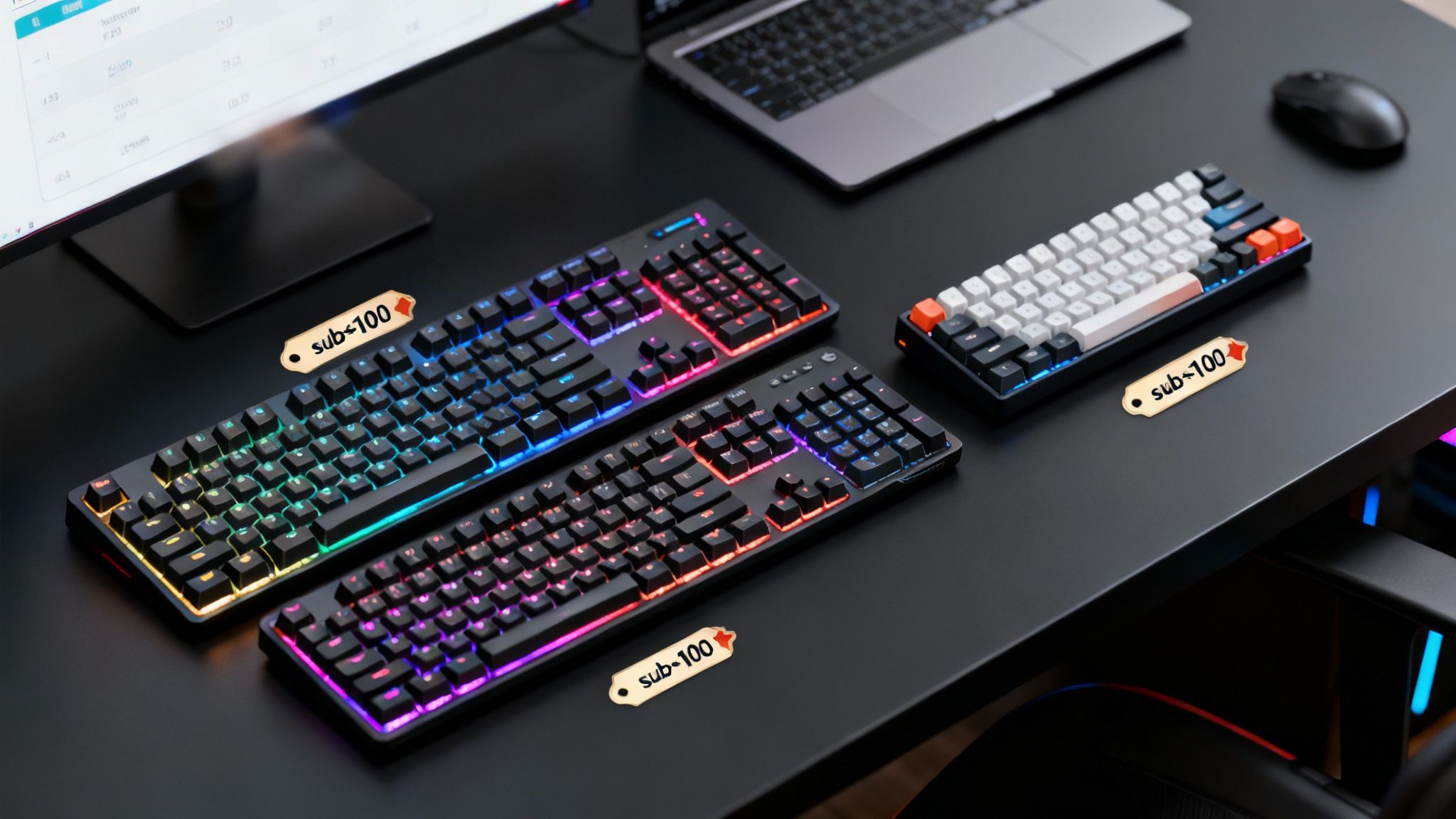
Finding the best gaming keyboards under 100 dollars is a lot more achievable than you might think. We're seeing excellent models like the Keychron K2, SteelSeries Apex 3 TKL, and Razer Cynosa V2 pack in premium features—like mechanical switches and vibrant RGB—without the hefty price tag. You really don't have to break the bank to get a responsive, high-performance keyboard anymore.
Why a Budget Gaming Keyboard Makes Sense
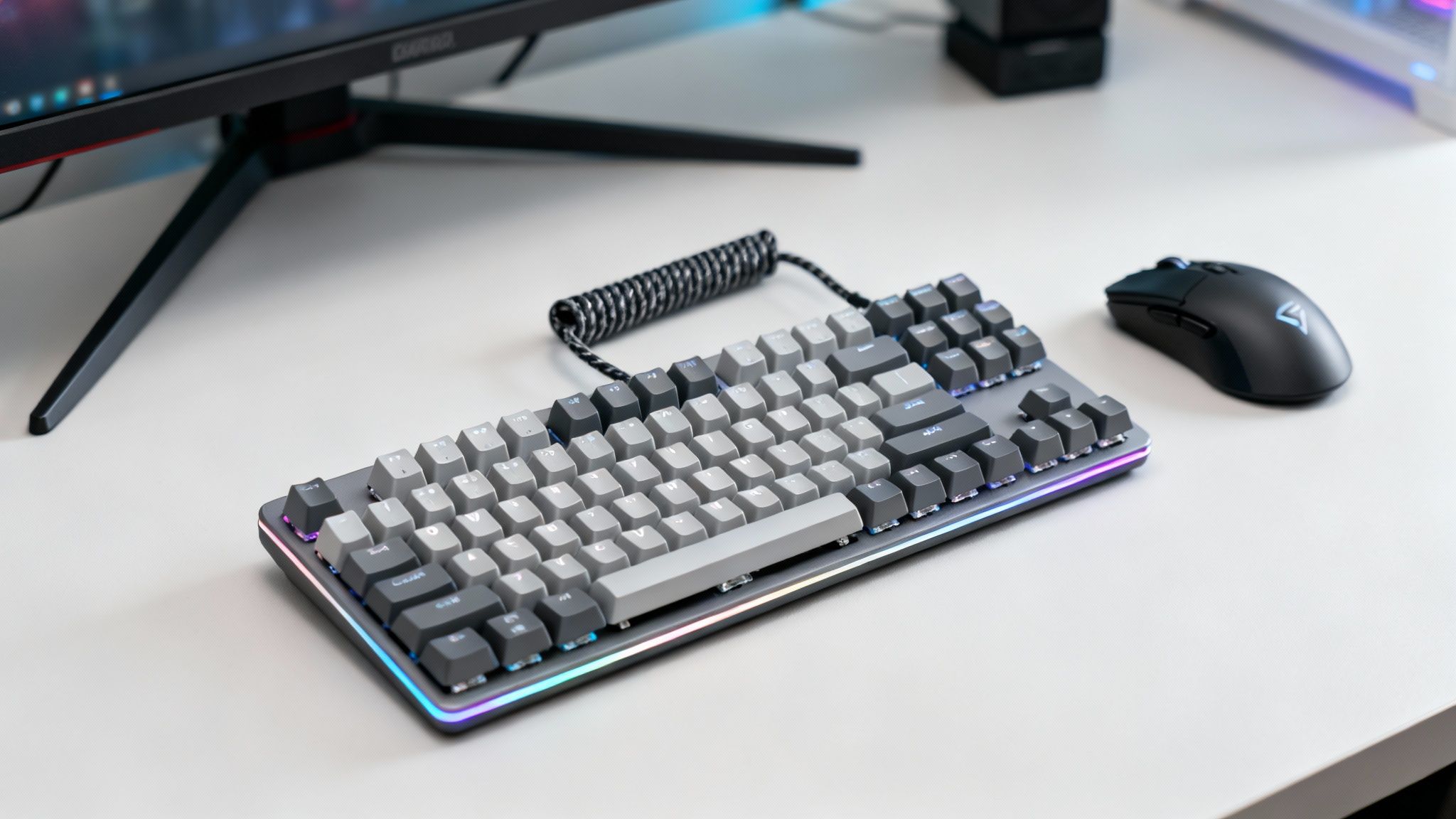
The world of affordable gaming gear has exploded. What was once a market of compromises now offers seriously high-performance hardware that used to be exclusive to pro-level setups. For a surprisingly low price, you can snag a durable, feature-packed keyboard that genuinely improves both your gaming and your day-to-day typing. This boom translates directly to better quality and more choices for you.
To put it in perspective, the global gaming keyboard market reached USD 2.21 billion in 2024 and is on track to hit USD 5.12 billion by 2034. This explosive growth, detailed in reports from outlets like Zion Market Research, is fueling intense competition in the sub-$100 category, forcing brands to deliver more bang for your buck.
What You Get for Under 100 Dollars
Let's be clear: "budget-friendly" doesn't mean you're skimping on what truly matters. Many of these keyboards nail the core features essential for a great gaming experience. A good keyboard can make your entire rig feel faster, especially when you pair it with other simple tricks to speed up computer performance.
So, what should you expect from a top-notch keyboard in this price range? Here’s a quick rundown.
| Feature | What It Means for You | Ideal For |
|---|---|---|
| Mechanical Switches | A satisfying tactile feel and quicker key presses give you an edge in competitive games. | FPS, MOBA, and any fast-paced action titles. |
| Durable Build Quality | Sturdy frames and solid keycaps mean your keyboard can handle intense daily use. | Gamers who put in long hours and need reliability. |
| Customizable RGB | Personalize your setup with programmable lighting to match your style or game. | Players who want an immersive, visually appealing desk. |
| Compact Layouts | Save precious desk space with a Tenkeyless (TKL) or 60% keyboard. | Anyone with a smaller desk or a minimalist setup. |
What Makes a Great Gaming Keyboard Under $100?
Before we get to the specific models, let's break down the tech that really matters. The features I'm about to cover are what separate a truly responsive keyboard from a cheap one that’ll hold you back. You'd be surprised at the quality you can find at this price point if you know what to look for.
The single most important choice you'll make is the mechanical switch. This is the little mechanism under each key that dictates how every single press feels and sounds. The market for these is exploding, projected to grow from USD 2.42 billion in 2025 to USD 6.52 billion by 2032, largely because gamers demand speed and reliability. If you want to dive deeper, Coherent Market Insights has some interesting data on the trend.
Finding the Right Switch for Your Playstyle
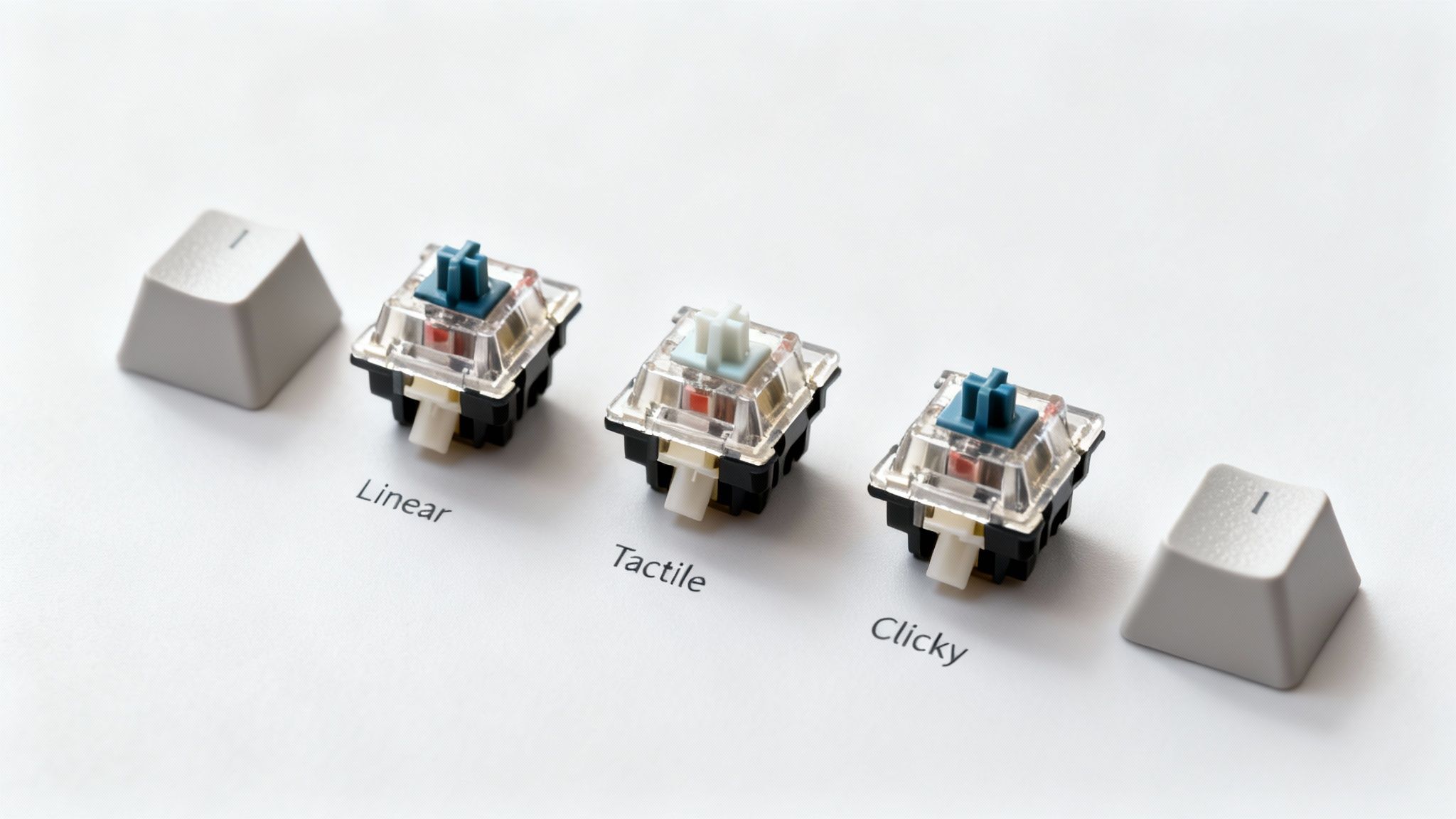
Mechanical switches come in three main flavors, and each one is a completely different experience. Picking the right one often comes down to personal preference and the games you play most.
- Linear Switches (like Cherry MX Red): These are the go-to for many gamers. They offer a silky smooth press from top to bottom, with no bump or click. This allows for lightning-fast, repeated keystrokes, making them perfect for fast-paced FPS and action titles where every millisecond counts.
- Tactile Switches (like Cherry MX Brown): With these, you feel a subtle bump halfway through the keypress, confirming the actuation without any extra noise. They’re a fantastic all-rounder, giving you satisfying feedback for gaming while also being comfortable for hours of typing.
- Clicky Switches (like Cherry MX Blue): You get both the tactile bump and a distinct "click" sound with every press. While many people find this incredibly satisfying for typing, that noise can be a major downside for streamers or anyone using an open mic in a multiplayer game.
Key Takeaway: Linears are the undisputed kings for pure competitive speed. But if you also do a lot of typing or just want that extra confirmation on your keypresses, tactiles are an excellent compromise.
The Other Specs That Actually Matter
Beyond the switches, a couple of other features are absolutely essential for any serious gaming keyboard.
You’ll see N-Key Rollover (NKRO) and anti-ghosting listed on most spec sheets. This isn't just marketing jargon; it ensures the keyboard can register every single command, even when you’re mashing multiple keys at once in a chaotic fight. Thankfully, most budget boards today handle this well, but it’s always worth double-checking.
Build quality is the next big thing. Keep an eye out for keyboards with PBT keycaps. They’re a tougher plastic than the standard ABS, so they won't get that greasy shine after a few months of use. A solid frame, maybe with a metal top plate, also makes a huge difference in how sturdy the keyboard feels.
Think of it this way: you wouldn't just grab any old GPU for your rig, and your keyboard deserves the same careful consideration. It’s a core part of your setup, and you can learn more about picking the right components with our guide on how to choose a graphics card. Finally, think about size. A full-size board gives you a number pad, but smaller Tenkeyless (TKL) or 60% layouts give you way more room to whip your mouse around.
Finding the Best Gaming Keyboards Under $100
Let's dive in. It's easy to think that the best gaming keyboards under $100 are just stripped-down versions of their expensive cousins, but that's not the case anymore. After putting a ton of these boards through their paces, I've found a handful that deliver a legitimately high-end experience without draining your wallet.
The market for affordable keyboards is absolutely exploding. We're talking about a sector projected to grow from USD 2.68 billion in 2024 to a staggering USD 5.97 billion by 2032. That fierce competition is fantastic for us gamers. It means features that used to be premium—like full anti-ghosting and water-resistant designs—are now standard, even on a budget. You can read more about these gaming keyboard market trends to see just how fast things are moving.
The FPS Champion: SteelSeries Apex 3 TKL
If you live and breathe competitive shooters, the SteelSeries Apex 3 TKL needs to be on your radar. Its tenkeyless (TKL) form factor is the main event here. By ditching the numpad, it frees up a huge chunk of desk real estate for those wide, low-sensitivity mouse swipes that are essential in games like Valorant or Apex Legends.
Now, it runs on "whisper-quiet" membrane switches, not mechanical ones. But don't write them off—they feel surprisingly responsive and are rated for over 20 million keypresses, so durability isn't a concern. The dedicated media controls are a genuinely useful touch, too, letting you manage your music or Discord volume without ever leaving the game. Plus, its IP32 water and dust resistance offers some welcome peace of mind for those inevitable "oops" moments with your drink.
Key Differentiator: The Apex 3 TKL brings a premium software suite and rock-solid build quality to a price point where those things are rare. It's the perfect entry point for anyone getting serious about competitive gaming.
This board is laser-focused on the aspiring esports player. It's a no-fluff, performance-first tool built for one thing: winning.
The All-Arounder: Keychron K2
What if you need a keyboard that can grind out an essay by day and dominate in a raid by night? That's where the Keychron K2 truly shines. It’s one of the very few boards in this price range that lets you choose your Gateron mechanical switches (Red, Blue, or Brown), so you can dial in the exact feel you're looking for.
The 75% layout is a brilliant middle-ground. You still get your function row and arrow keys, but the whole package is way more compact than a full-size board. It also plays nice with both Windows and macOS—it even comes with swappable keycaps—making it a fantastic choice if you bounce between different computers.
- Wireless Freedom: It connects to up to three devices at once using Bluetooth 5.1, letting you switch between your PC, laptop, and tablet on the fly.
- Built to Last: You can get it with an aluminum frame, which adds a reassuring heft and rigidity.
- Marathon Battery: The massive 4000mAh battery means you can go for days of heavy gaming before you even think about plugging it in.
The K2 is my go-to recommendation for the hybrid user. If you're a student, a creator, or a remote worker who needs a reliable daily driver that’s also a legitimate gaming keyboard, this is it.
The RGB Powerhouse: Razer Cynosa V2
If your setup is all about the aesthetic, the Razer Cynosa V2 puts on a light show that keyboards twice its price would envy. This isn't your basic zone lighting. The Cynosa V2 has individually backlit keys, which opens the door to incredibly complex and fluid lighting effects through the Razer Chroma software.
What’s really cool is how it integrates with over 150 major games. Your keyboard's lighting will react to what's happening on screen—flashing red when you're low on health or pulsing when a cooldown is ready. While mechanical switch purists might turn up their noses at the soft-cushioned membrane keys, they offer a quiet and comfortable feel for both typing and gaming. It also has fully programmable keys with on-the-fly macro recording, a godsend for MMO and RPG players who need to fire off complex skill rotations.
The Cynosa V2 is hands-down the pick for gamers who want their battle station to be an extension of their personality. If you want your gear to look as good as it performs, this keyboard lets you create a truly personalized setup.
Now that we've looked at a few top contenders, let's break down how they stack up side-by-side.
Feature Showdown: Top Budget Gaming Keyboards
Here’s a quick-glance comparison of our top recommended keyboards. I've focused on the core features that really matter for both gaming performance and day-to-day use to help you see where each one excels.
| Model | Switch Type | Size | Key Features | Ideal For |
|---|---|---|---|---|
| SteelSeries Apex 3 TKL | Whisper-Quiet Membrane | TKL (80%) | IP32 Water Resistance, Dedicated Media Controls, Premium Software | Competitive FPS/Esports Gamers |
| Keychron K2 | Gateron Mechanical (Red, Blue, Brown) | 75% | Bluetooth 5.1 (3 devices), Mac/Windows Compatible, 4000mAh Battery | Hybrid Gamers & Productivity Users |
| Razer Cynosa V2 | Soft-Cushioned Membrane | Full-Size | Per-Key Razer Chroma RGB, Game-Integrated Lighting, Programmable Macros | RGB Enthusiasts & MMO/RPG Players |
This table should give you a clear starting point. As you can see, the "best" choice isn't about which keyboard has the most features, but which one has the right features for how you play and work.
Matching Your Keyboard to Your Gaming Style
A spec sheet can only tell you so much. Finding the best gaming keyboard under $100 isn't about ticking boxes on a feature list; it's about finding the right tool for your specific habits. What’s perfect for a professional streamer is probably overkill for a casual player, and the keyboard an FPS demon needs is way different from what a strategy guru requires.
Let’s get past the jargon and dig into which keyboards actually make sense for different types of gamers. When you see how the hardware fits into real-world scenarios, you can pick a board that feels like an extension of your hands.
The Competitive FPS Player
If you live and breathe fast-paced shooters like Valorant, CS:GO, or Apex Legends, you know that every millisecond counts. So does every inch of your desk. Your focus is pure, unadulterated speed and a minimalist setup that gets out of your way.
- Keyboard Size: A Tenkeyless (TKL) or 60% layout is practically mandatory. Dropping the numpad gives your mouse hand a ton of extra real estate for those huge, sweeping motions essential for low-sensitivity aiming.
- Switch Type: Linear switches are the undisputed champs here. Their smooth, consistent travel lets you double-tap and react in a split second, with no tactile bump to get in the way.
- Key Features: You're looking for a high polling rate to slash input lag and a rock-solid frame that doesn't flex under pressure. Fancy RGB and media keys are nice, but they take a backseat to raw performance.
The MMO and Strategy Guru
For gamers whose screens are plastered with hotbars in World of Warcraft or Final Fantasy XIV, efficiency is the name of the game. You need a command center to manage complex ability rotations and build orders without fumbling.
This is where a full-size keyboard really shines. Having that complete set of keys, often with dedicated macro columns, is a huge advantage. Programming a whole sequence of commands to a single keypress can literally be a game-changer during a high-stakes raid or a massive RTS battle. Tactile switches are a great fit, giving you that satisfying little bump to confirm an ability was activated.
This handy visual guide can help you decide if your priority is pure speed or macro management.
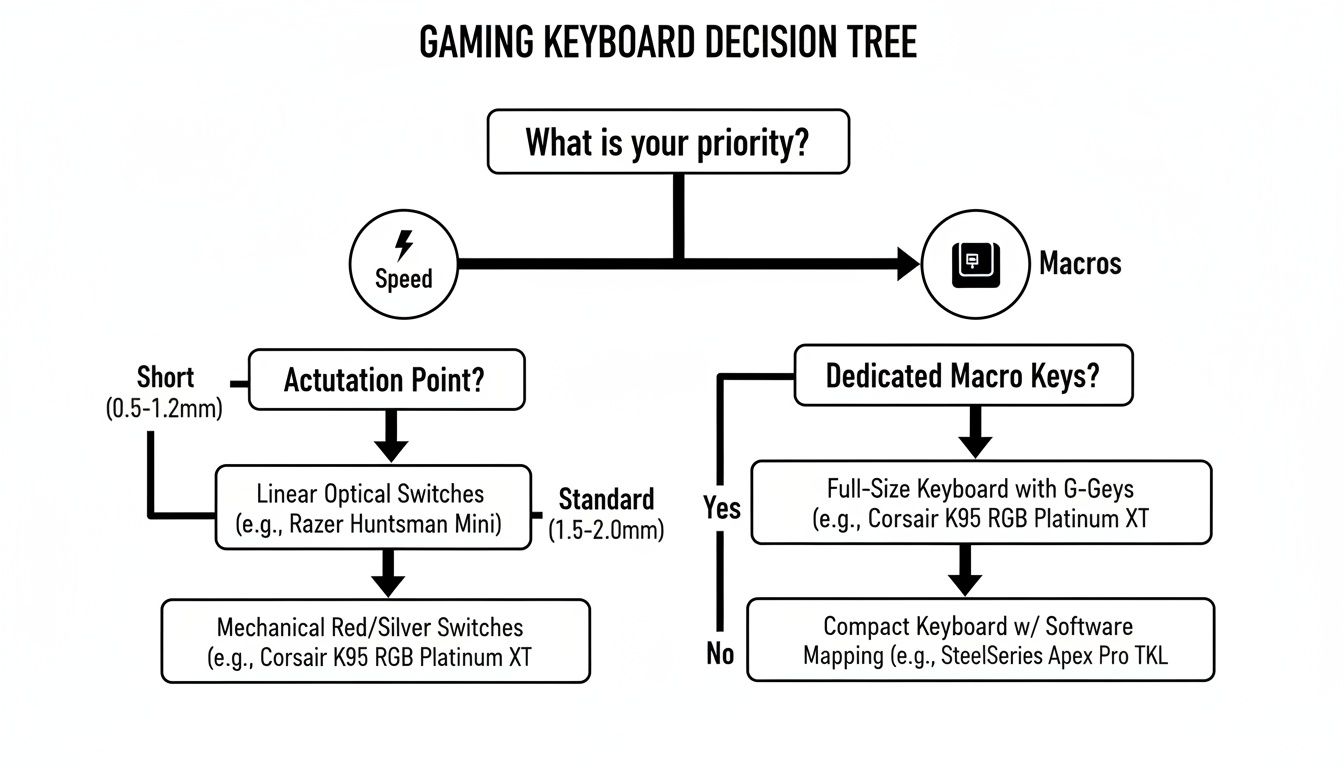
As you can see, if you're chasing speed, actuation point is your key spec. If you need complex commands, look for dedicated macro keys.
The All-Around User
Let's be real: most of us don't have a PC that's only for gaming. Your keyboard needs to pull double duty, going from a heated match one minute to knocking out a work email the next. This kind of user needs one thing above all else: versatility.
Key Insight: A great all-around keyboard is a master of balance. It needs to feel snappy and responsive in-game but also be comfortable enough to type on for hours without fatigue.
A 75% or TKL layout is often the sweet spot here. You save a good amount of desk space but keep crucial keys like the arrow cluster and function row. Tactile switches tend to be the perfect middle ground, providing a great typing feel that doesn’t compromise gaming performance. And if you’re constantly switching between devices, finding a model with Bluetooth can be a lifesaver—much like how picking the right features is critical when you're learning how to choose the right laptop for multiple use cases.
Getting Your New Gaming Keyboard Dialed In
Pulling your new keyboard out of the box is exciting, but that's just the start. To really make it yours and gain an edge in your games, you need to turn it from a simple tool into a high-performance command center. This means getting the right software installed, tweaking the settings to fit your playstyle, and learning a few maintenance tricks to keep it running like new.
Nearly every great gaming keyboard under $100 comes with some kind of companion software. Your first stop should be the manufacturer's website to grab their official program—think Razer Synapse, SteelSeries GG, or the VIA/QMK configurator for brands like Keychron. This software is the key to unlocking everything your keyboard can do.
First Steps with the Software
Once you've got the software installed, don't just set it and forget it. Spend a few minutes exploring what it offers. A few simple adjustments here can make a world of difference in how responsive and intuitive your keyboard feels.
Focus on these three things right away:
- Firmware First: Always check for a firmware update. Manufacturers are constantly pushing out small patches to fix bugs, improve performance, or even add new features.
- Crank Up the Polling Rate: Find the polling rate setting and push it as high as it will go, which is usually 1000Hz. This ensures your keyboard is talking to your PC as fast as possible, cutting down on input lag.
- Disable Annoying Keys: We've all been there—you accidentally hit the Windows key in the middle of a firefight and get booted to your desktop. Use the software to disable it, along with any other keys like Caps Lock that you don't want to press by mistake.
A quick note: Your keyboard's performance is only as good as the PC it's connected to. If you're feeling any lag or weird unresponsiveness after getting set up, it's worth checking to make sure your system isn't the bottleneck. Our guide on how to check CPU temperature and performance can help you diagnose any problems.
Making It Your Own
With the technical stuff out of the way, it's time for the fun part: personalizing your setup. This is where you can program macros to execute complex combos or automate tedious tasks. For an MMO player, this could mean binding a whole spell rotation to a single keypress.
Next, play around with the RGB lighting. Go beyond the default rainbow puke effect! You can create custom profiles for your favorite games, setting up lighting that reacts to what's happening on screen—like flashing red when you take damage or highlighting your ability keys when they're off cooldown. It looks awesome and can give you useful visual feedback.
Finally, a little care goes a long way. Take about 15 minutes once a month to give your keyboard a quick clean. Pop off the keycaps with a puller, blast away any dust and crumbs with compressed air, and wipe everything down. A simple routine like this will keep your keyboard feeling crisp and responsive for years.
Your Budget Keyboard Questions, Answered
Diving into the world of gaming keyboards under $100 can feel like a minefield of trade-offs. You're probably wondering which features really matter and if you're making the right call. Let's clear up some of the most common questions so you can buy with confidence.
Think of this as your final checklist before pulling the trigger. We'll give you straight-up answers to help you understand what you're really getting for your money.
Are Mechanical Keyboards Under $100 Actually Good for Gaming?
They absolutely are. The sub-$100 market has come a long way in recent years. You're not just getting a "cheap" keyboard anymore; you're getting a serious performance tool that leaves standard membrane keyboards in the dust.
Keyboards in this price range now come packed with features that used to be premium. We're talking durable mechanical switches rated for 50 million clicks, sturdy construction often featuring metal top plates, and must-have gaming tech like N-Key Rollover. Sure, you might miss out on a full aluminum case or the most complex software, but the core experience—that responsive, tactile feel that gives you an edge—is all there.
What’s the Single Most Important Feature to Look For?
If you only focus on one thing, make it the switch type. It's the heart and soul of the keyboard, defining how every single keypress feels, sounds, and performs. Everything else, from RGB lighting to media dials, is just window dressing compared to the physical connection you have with the switches.
Your choice here really boils down to personal feel and your primary use case:
- Linear switches: These are smooth and lightning-fast, perfect for FPS gamers who need to double-tap and react instantly.
- Tactile switches: You get a noticeable "bump" on actuation without the noise, making them fantastic all-rounders for both gaming and typing.
- Clicky switches: Famous for their loud, satisfying "click," they're a typist's dream but can be a bit much for intense gaming sessions (and anyone else in the room).
Your switch choice is deeply personal. Prioritize finding the feel that matches your main games and daily habits. This will impact your comfort and performance far more than any other feature.
Is RGB Lighting a Must-Have on a Gaming Keyboard?
Honestly, RGB is all about aesthetics, not performance. It won't help you land more headshots, but it can make your setup feel more cohesive and immersive. For a lot of gamers, syncing up the colors of their rig is part of the fun.
That said, if your budget is stretched thin, put your money into better switches and build quality first. A rock-solid keyboard with simple, single-color backlighting will serve you far better in-game than a flimsy board with dazzling (but distracting) light shows. A great audio setup is also key for immersion; our wireless earbuds comparison is a good place to start if you want to round out your sensory experience.
Member discussion