
The 12 Best Photo Editing Apps for Beginners in 2025

Stepping into photo editing can feel overwhelming, but the right application makes all the difference. Gone are the days of needing complex, expensive software to make your pictures shine. Today, countless user-friendly tools are available right on your phone or computer, designed specifically to help you get professional-looking results without a steep learning curve.
This guide is built to help you find the best photo editing apps for beginners by cutting through the noise. Whether you want to brighten a vacation photo, design an eye-catching social media post, or simply remove an unwanted object from a background, there’s an app perfectly suited for the task. We will explore a curated selection of tools, breaking down exactly what makes each one great and who it's for.
We'll cover everything from one-click AI enhancers in Adobe Lightroom and Skylum Luminar Neo to template-driven design platforms like Canva and Adobe Express. Each entry includes screenshots, direct links, and a clear breakdown of features, pricing, and practical use cases. Our goal is to help you find the perfect match for your creative needs, so you can spend less time figuring out buttons and more time bringing your vision to life.
1. Apple App Store
For iPhone and iPad users, the best place to start your search is the source itself. The Apple App Store isn't just a marketplace; it's a curated ecosystem designed for safety and ease of use, making it ideal for anyone looking for the best photo editing apps for beginners. Its primary strength is trust. Every app is vetted by Apple, minimizing risks from malicious software.
The platform excels at discovery. Editorial collections like "Apps We Love" and specific "Photo & Video" categories frequently highlight powerful yet simple editors. User ratings and detailed reviews provide real-world feedback, helping you distinguish a genuinely useful app from one with a confusing interface. Clear labeling for in-app purchases and subscriptions prevents unexpected costs. While exclusive to Apple devices, its guided experience is unparalleled for finding your first photo editor with confidence.
Key Details & Tips
- Access: Exclusive to iPhone, iPad, and other Apple devices.
- Pricing: The platform is free to use; apps range from free with ads to paid or subscription-based.
- Pro Tip: Use the search term "photo editor for beginners" and then filter by top-rated. Also, look for apps featured in the "Today" tab or editorial stories for Apple's top recommendations.
Website: https://apps.apple.com/us/genre/ios-photo-video/id6008
2. Google Play Store
For Android users, the Google Play Store is the essential starting point for discovering powerful and accessible photo editing tools. As the official Android marketplace, its core benefit is security. Google's Play Protect scans apps for malicious behavior, providing a safe environment to find the best photo editing apps for beginners. This built-in trust allows you to download popular editors like Snapseed and Picsart without worrying about device safety.
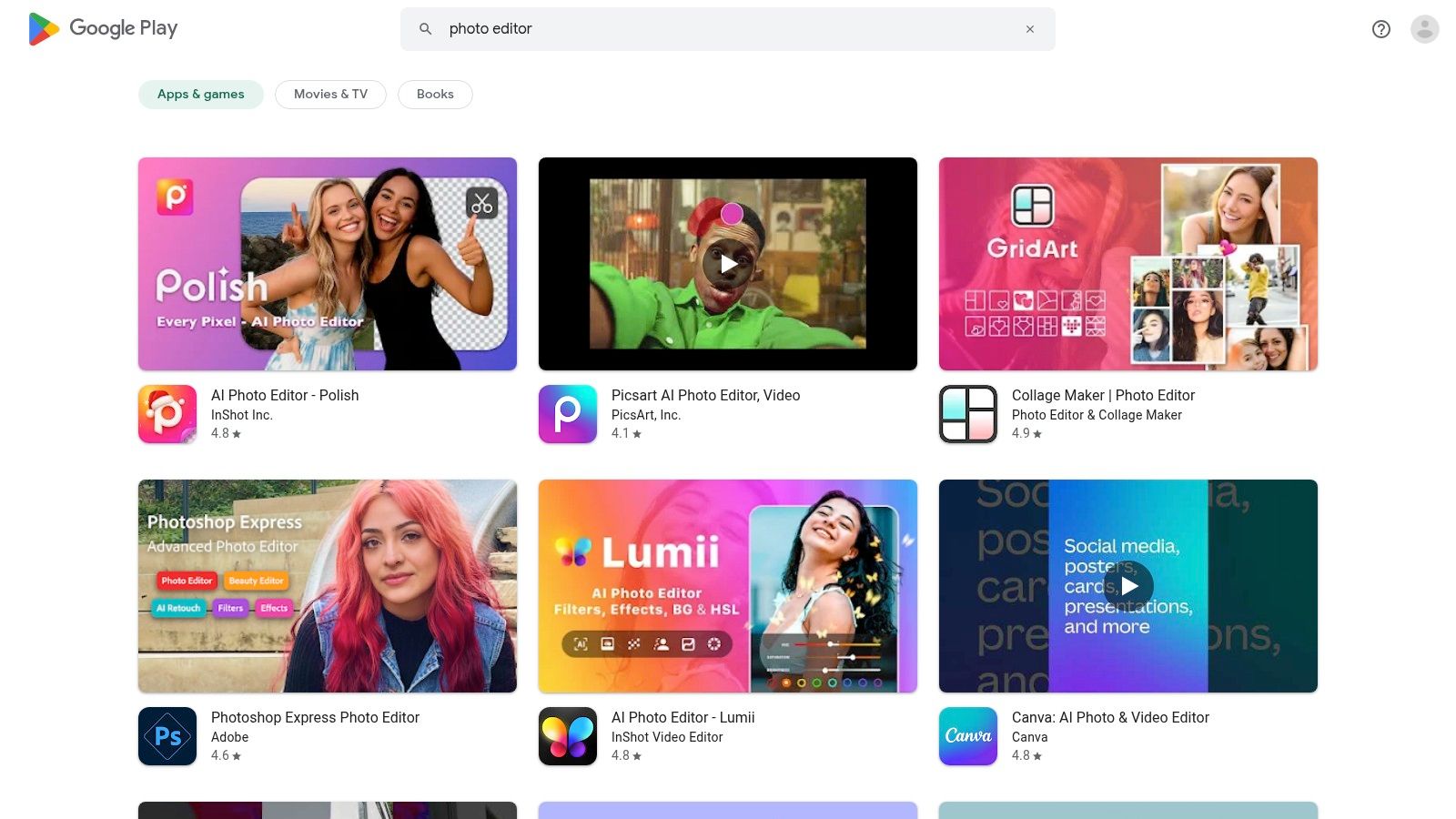
The platform makes finding the right app simple. Detailed app pages feature user reviews, screenshots, and clear information on in-app purchases, helping you gauge an app's usability before you install it. Its massive selection ensures there are countless free and high-quality options, from one-tap filter apps to more comprehensive editors. This vast library, combined with easy update management, makes it an indispensable resource for any Android user looking to enhance their photos. As a central hub for all kinds of software, it's a great place to discover the best Android apps for productivity and creativity alike.
Key Details & Tips
- Access: Exclusive to Android phones, tablets, and other Google-supported devices.
- Pricing: The platform is free; apps vary from completely free and ad-supported to one-time purchases or subscriptions.
- Pro Tip: Search for "photo editor" and filter by "4.0+ stars" to see the most beloved apps. Always check the developer's name to ensure you're downloading the official app, not a clone.
Website: https://play.google.com/store/search?q=photo%20editor&c=apps
3. Adobe Lightroom
For beginners aiming for professional-quality results without a steep learning curve, Adobe Lightroom is an exceptional starting point. It bridges the gap between simple mobile editors and complex desktop software by offering a unified experience across all your devices. Its standout feature for newcomers is the wealth of built-in guidance, from interactive "Learn" tutorials to "Guided" edits that walk you through advanced techniques step-by-step. This makes it one of the best photo editing apps for beginners who want to grow their skills.
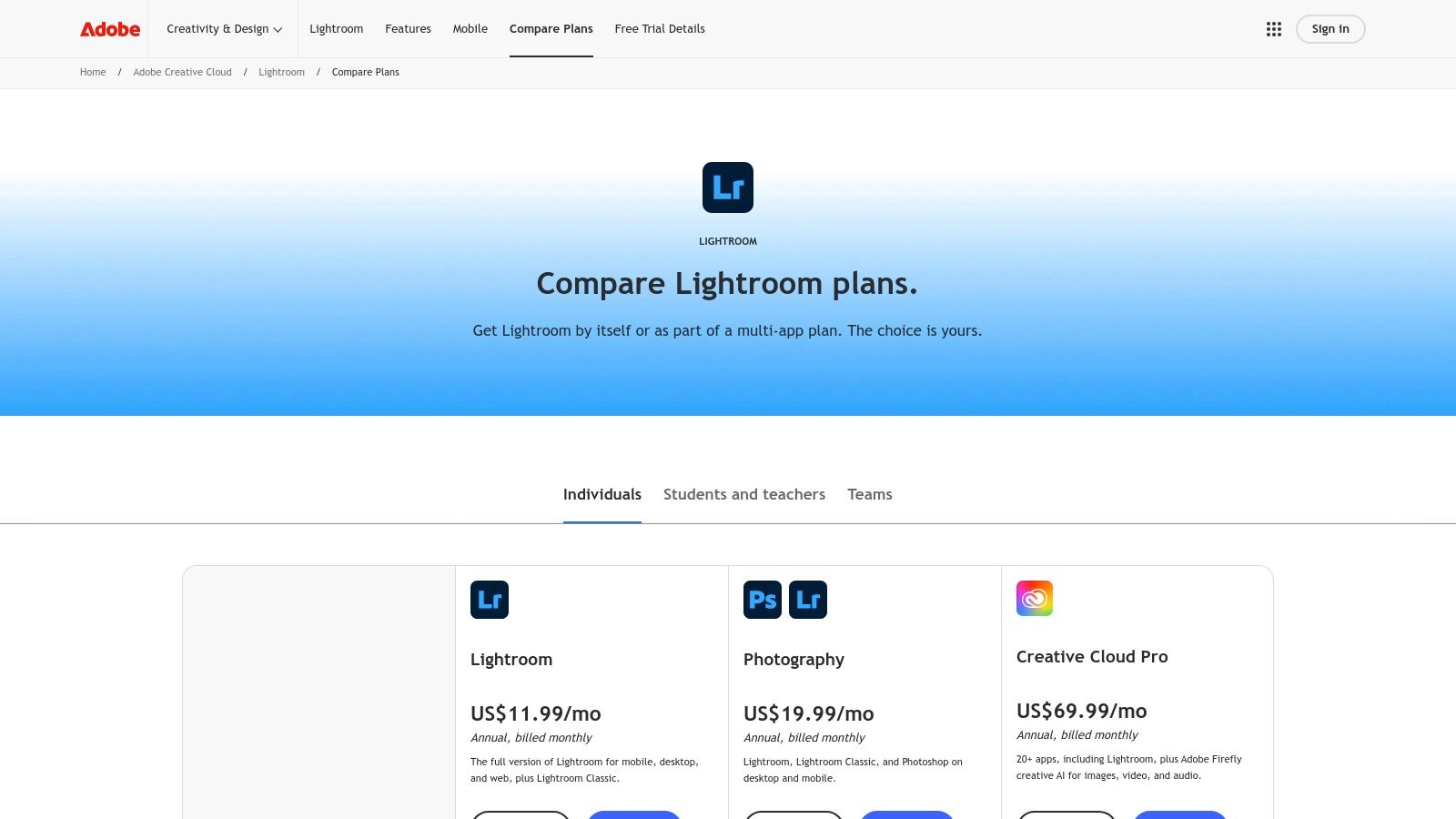
The platform’s strength lies in its cloud-based ecosystem. You can start an edit on your phone and seamlessly finish it on a desktop, with all changes synchronized. Features like one-click "Auto" adjustments and a vast library of presets allow for instant enhancements, while simple sliders for light and color give you precise control. While Lightroom is a powerful tool, it's worth noting that its performance depends on your hardware; to learn more about how to speed up your computer, you can explore dedicated guides.
Key Details & Tips
- Access: Available on web, desktop (Windows/macOS), and mobile (iOS/Android).
- Pricing: Requires an Adobe Creative Cloud subscription; plans start around $9.99/month. A free mobile version with limited features is available.
- Pro Tip: Start with the "Discover" section in the app. You can see how other photographers edited their images and even save their settings as a new preset for your own photos.
Website: https://www.adobe.com/products/photoshop-lightroom/plans.html
4. Adobe Photoshop Elements 2026
For those who prefer a traditional desktop experience without a monthly subscription, Adobe Photoshop Elements is one of the best photo editing apps for beginners. It bridges the gap between free online tools and professional-grade software by offering a simplified, powerful editing environment. Its core strength lies in its three-tiered approach: Quick, Guided, and Advanced modes. This structure allows you to start with simple one-click fixes and gradually learn more complex techniques through step-by-step tutorials built directly into the software.
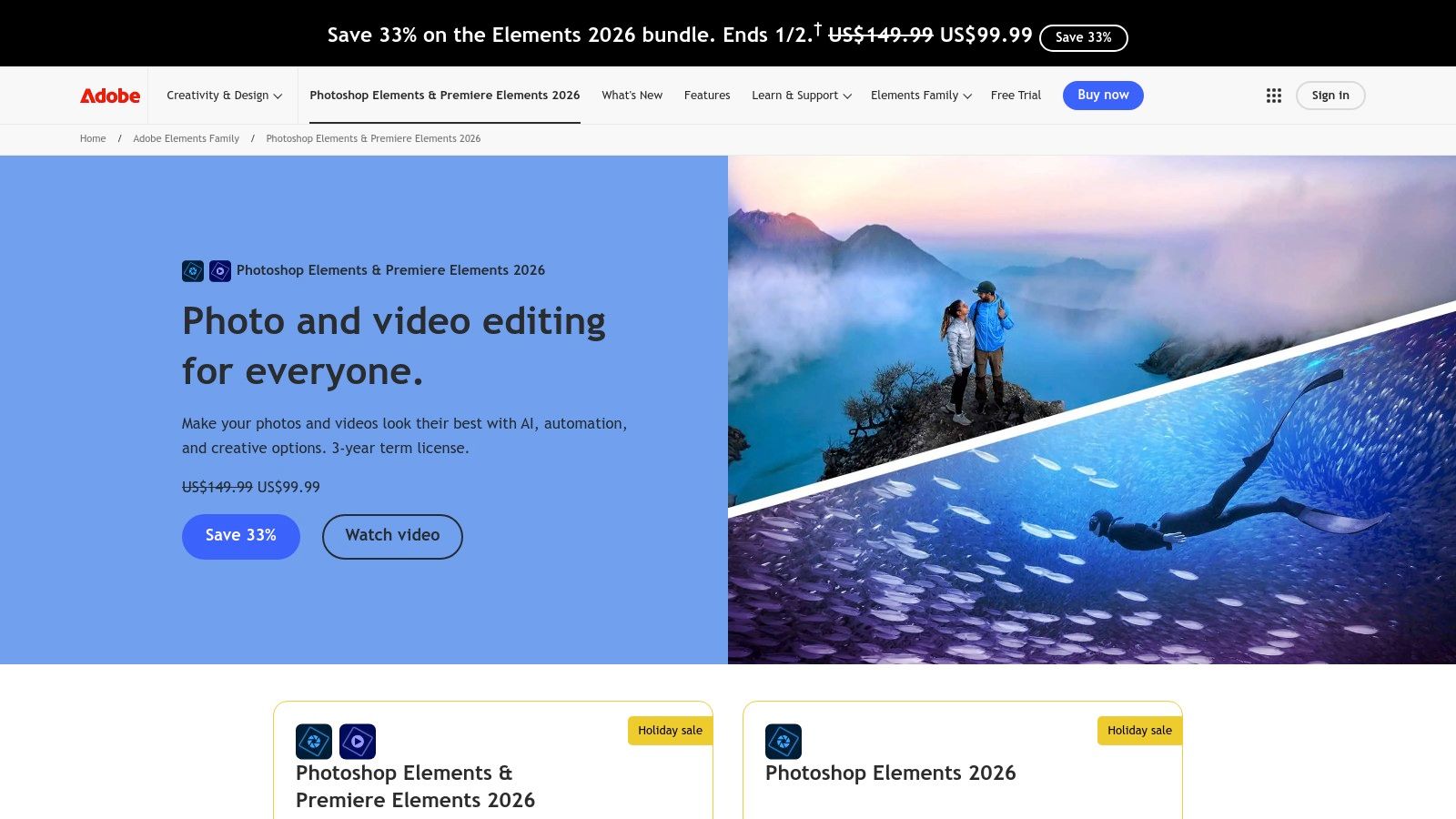
Unlike its cloud-based siblings, Elements runs locally on your Windows or Mac computer, making it perfect for offline editing. AI-powered features and creative templates handle tasks like removing objects or creating artistic effects with minimal effort. While the three-year license isn't a lifetime purchase, it provides a stable, long-term solution free from the pressure of recurring fees. It is the ideal choice for hobbyists who want structured learning and powerful tools in a single, accessible package.
Key Details & Tips
- Access: Available for Windows and macOS with a 7-day free trial.
- Pricing: One-time purchase for a time-limited (three-year) license; no subscription required.
- Pro Tip: Start in the "Guided" mode. It offers interactive tutorials for everything from basic color correction to advanced photo composites, teaching you the process as you edit your own images.
Website: https://www.adobe.com/products/photoshop-premiere-elements.html
5. Adobe Express
For those whose photo editing needs extend to creating social media posts, flyers, or quick graphics, Adobe Express is a standout. It brilliantly merges simple photo adjustments with a powerful, template-driven design tool, making it one of the best photo editing apps for beginners who want an all-in-one solution. Its core strength lies in its accessibility; you can quickly remove a background, apply a filter, and then drop your polished image directly into a professional-looking Instagram post template in minutes.
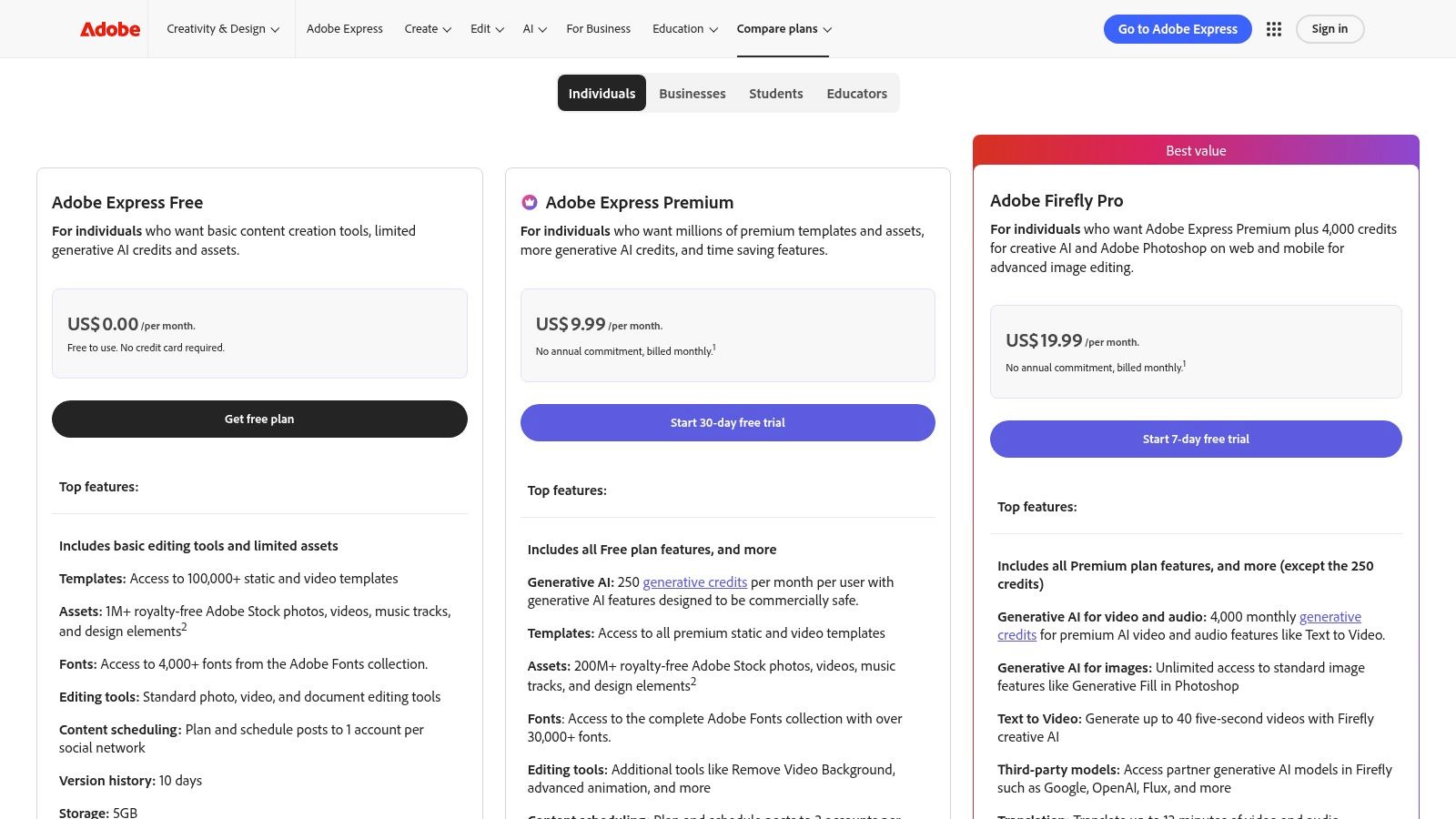
The platform is designed for speed and simplicity, offering thousands of templates that take the guesswork out of design. While its fine-tuned editing controls are less advanced than dedicated photo editors, its one-click tools for tasks like resizing for different social platforms or applying text effects are incredibly efficient. The generous free tier is perfect for getting started, with a clear and reasonably priced Premium plan for those who need more assets, AI features, or Adobe Stock photo access.
Key Details & Tips
- Access: Available on web browsers and as a mobile app for iOS and Android.
- Pricing: A robust free version is available; the Premium plan is subscription-based for more assets, fonts, and generative credits.
- Pro Tip: Use the "Quick Actions" menu on the homepage for lightning-fast edits like "Remove background," "Resize image," or "Animate from audio" without even needing to start a full project.
Website: https://www.adobe.com/express/pricing.html
6. Canva
Canva is more than a photo editor; it's an all-in-one design platform perfect for those whose end goal is a finished product like a social media post, presentation, or collage. Its strength lies in its vast template library and drag-and-drop interface, which removes the technical guesswork. This makes it one of the best photo editing apps for beginners who need to place their images into a broader design context quickly.
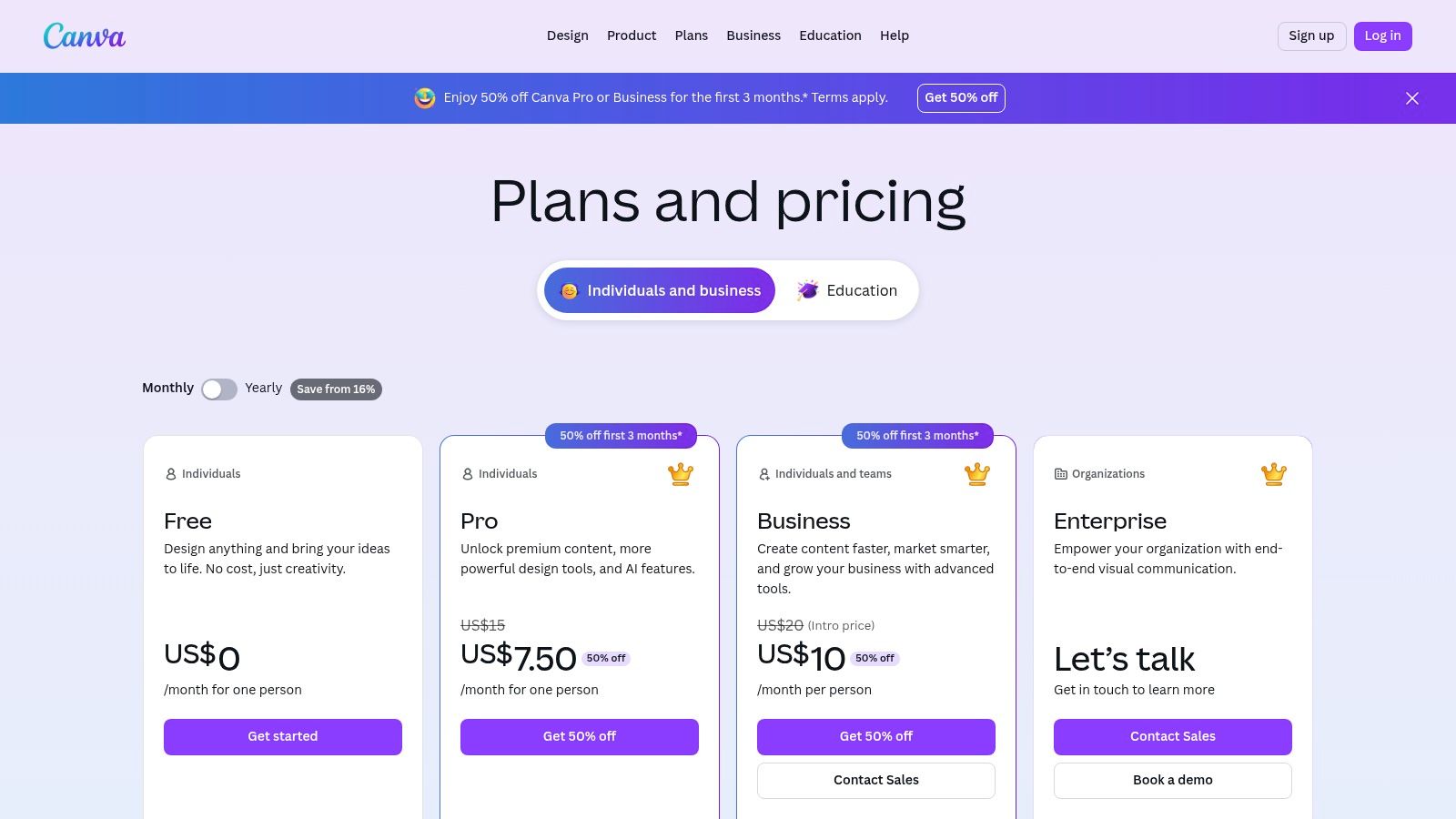
The platform’s photo editing tools include one-click filters, basic adjustments, and a surprisingly effective background remover in the Pro version. Its true power is turning a simple photo into a professional-looking graphic in minutes. Because it’s cloud-based, you can start a design on your phone and finish it on your laptop, a seamless workflow that beginners will appreciate. With its cross-platform availability, you can learn more about how to use cloud storage to keep your projects synced.
Key Details & Tips
- Access: Available on web browsers, Windows, Mac, iOS, and Android.
- Pricing: Free version with robust features; Canva Pro subscription unlocks premium assets, advanced tools like Magic Eraser, and more storage.
- Pro Tip: Start with a template. Search for your goal (e.g., "Instagram story" or "birthday collage") and then replace the placeholder images with your own photos before fine-tuning the colors and text.
Website: https://www.canva.com/pricing/
7. Picsart
Picsart blurs the line between a photo editor and a full-fledged design platform, making it a powerful choice for social media creators. It stands out by combining one-tap AI enhancements with a massive library of templates, stickers, and creative assets. This makes it one of the best photo editing apps for beginners who want to do more than just adjust brightness; they want to build entire visual posts quickly and efficiently. Its strength lies in its all-in-one, cross-platform nature, allowing you to start on mobile and finish on the web.
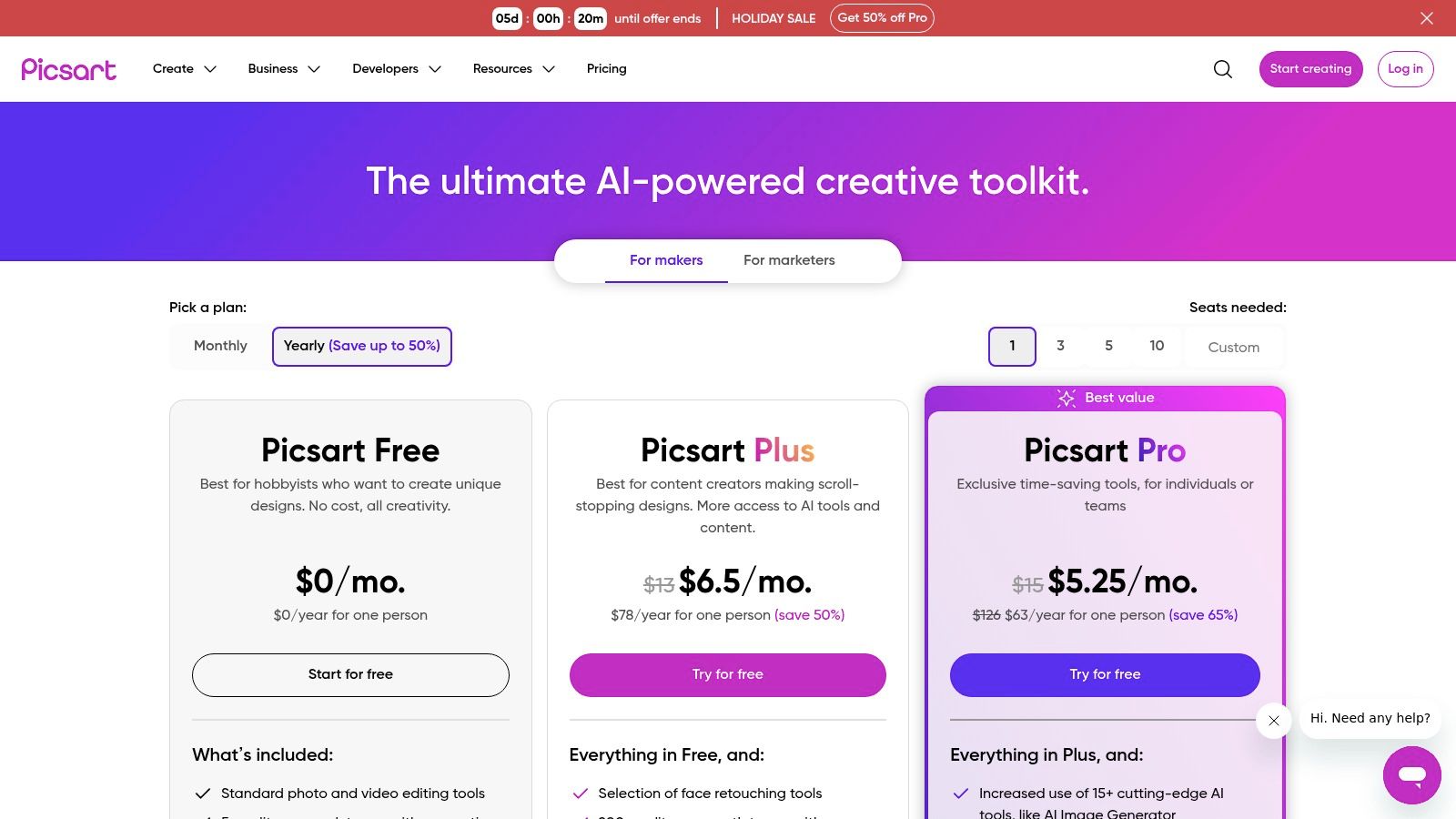
The platform is designed for fast results. Tools like the one-click background remover and object eraser are remarkably effective and save immense time. For those looking to create collages or promotional graphics, the template library is a goldmine. While the free version has notable limitations and the AI tools use a credit system, its easy-to-navigate interface and focus on trendy, social-first edits make it an incredibly accessible starting point for aspiring content creators.
Key Details & Tips
- Access: Available on the web, iOS, Android, and the Windows Store.
- Pricing: Free plan with limited tools and assets; paid subscriptions (Picsart Plus, Pro) unlock all features, remove watermarks, and provide AI credits.
- Pro Tip: Use the "Templates" feature as a starting point. Search for a specific post type like "Instagram Story" to find pre-made designs you can customize in seconds, which is a great way to learn the tool's capabilities.
Website: https://picsart.com/pricing/
8. Pixlr
For those who want powerful editing without any downloads, Pixlr is an outstanding browser-based solution. It stands out by offering a robust, layer-based editing experience directly in your web browser, making it one of the best photo editing apps for beginners who might be using a shared computer or a device with limited storage. Its interface feels familiar to anyone who has seen more advanced software but is simplified for immediate use.

The platform offers two versions: the playful Pixlr X for quick, modern edits and the more advanced Pixlr E for detailed work. This dual approach allows beginners to start with simple tasks like adding text or filters and gradually move to more complex adjustments. Features like one-click AI background removal and a vast library of templates for social media posts make it incredibly practical. The free version is highly functional, though a very affordable subscription removes ads and unlocks premium assets.
Key Details & Tips
- Access: Primarily web-based; also available as a desktop and mobile app.
- Pricing: Free with ads. Premium plans start at a low monthly cost to remove ads and add AI credits and more features.
- Pro Tip: Start with Pixlr X for quick social media graphics using its built-in templates. If you need to make a precise selection or work with layers, open the same project in Pixlr E without leaving the site.
Website: https://pixlr.com/
9. Fotor
Fotor is an all-in-one online photo editor that expertly balances simplicity with powerful features, making it one of the best photo editing apps for beginners. Its strength lies in its approachable, browser-based interface, which combines standard editing tools with one-click enhancements, collage makers, and graphic design templates. This hybrid approach makes it perfect for someone who needs to quickly touch up a photo, then immediately use it to create a social media graphic or event invitation.
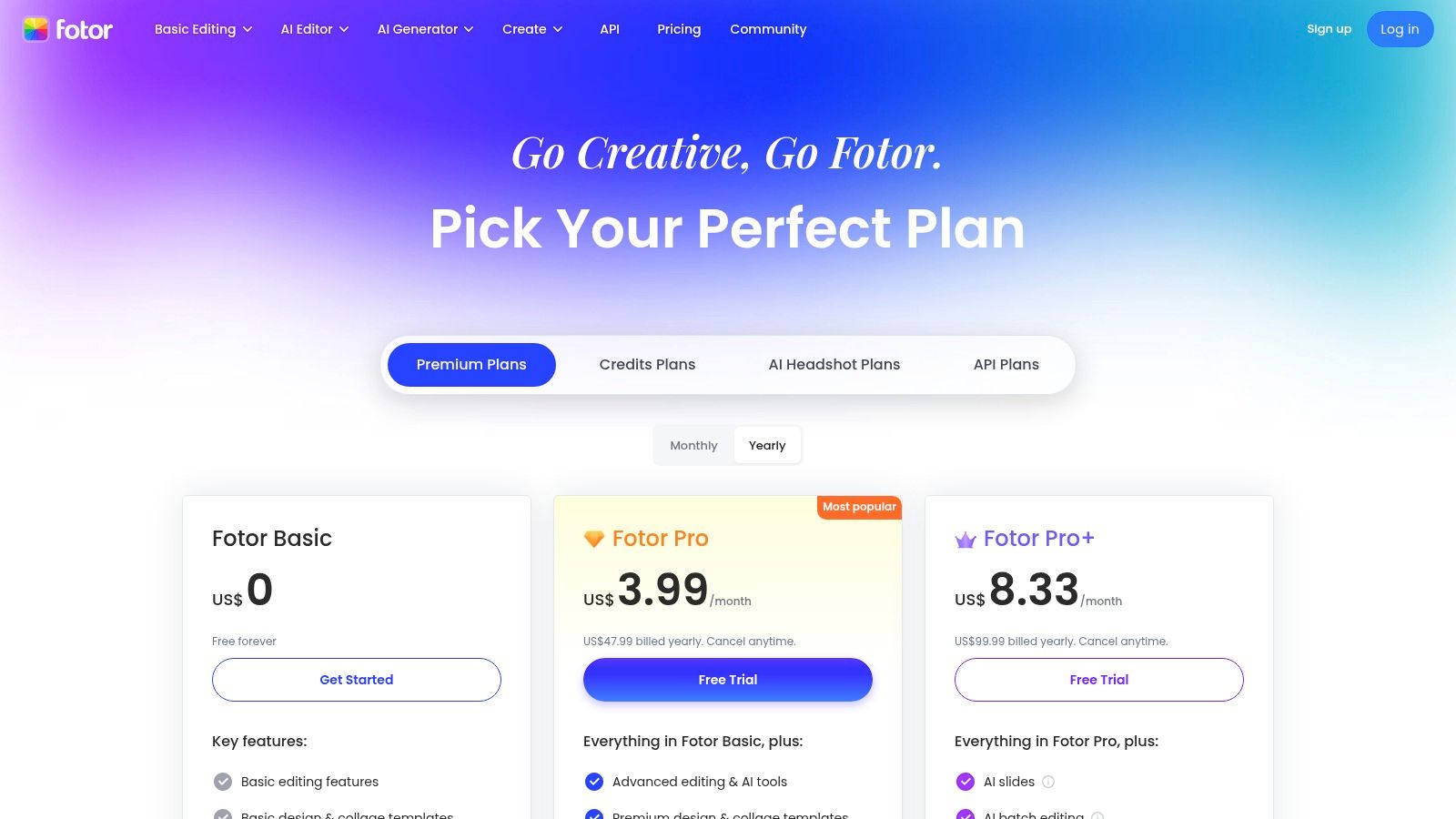
The platform is particularly known for its AI-powered tools that automate complex tasks. Beginners can use features like the AI Photo Enhancer, background remover, and object eraser without a steep learning curve. While the free version is quite capable for basic edits, it does include ads and watermarks on certain exports. The paid tiers unlock advanced AI tools, higher-resolution downloads, cloud storage, and an extensive library of templates, providing a clear upgrade path as your skills and needs grow. Its transparent pricing page clearly outlines what you get with each plan.
Key Details & Tips
- Access: Available through any modern web browser on desktop and mobile devices.
- Pricing: Offers a free plan with ads and watermarks; Pro and Pro+ subscriptions unlock advanced features, remove watermarks, and provide more assets.
- Pro Tip: Start with the "1-Tap Enhance" feature to see an instant, AI-driven improvement. Explore the "Templates" section to see how your edited photos can be quickly dropped into professional-looking designs for social media or presentations.
Website: https://www.fotor.com/pricing/
10. Google Photos
For users who want editing baked directly into their photo library, Google Photos is the ultimate starting point. It's not a standalone editor but an all-in-one gallery with surprisingly powerful, AI-driven tools that require no prior experience. This makes it one of the best photo editing apps for beginners because the editing happens right where your pictures already live, removing the need to import or export files. Its primary strength is seamless convenience and intelligent automation.
The platform shines with one-tap suggestions and advanced AI features like Magic Eraser for removing unwanted objects. The new Magic Editor takes this further, allowing generative AI edits like repositioning subjects or changing the sky. While its powerful cloud storage serves as an excellent photo backup solution, learning how to back up your phone's data with it is just the beginning. The intuitive interface and integrated nature make quick touch-ups feel effortless rather than a chore.
Key Details & Tips
- Access: Available on Android, iOS, and web browsers.
- Pricing: The platform and basic editing tools are free. Advanced features like unlimited Magic Editor saves require a Pixel device or a premium Google One subscription (2 TB plan or higher). All users get a limited number of free Magic Editor saves per month.
- Pro Tip: Tap the "Enhance" button for an instant, AI-powered adjustment to brightness and color. For more control, explore the "Tools" tab to find features like Portrait Light to adjust lighting on faces after a photo is taken.
Website: https://photos.google.com/
11. Skylum Luminar Neo
For beginners on desktop who want dramatic results with minimal effort, Skylum Luminar Neo is a game-changer. This Mac and Windows application leans heavily on powerful artificial intelligence to simplify complex edits into single-slider adjustments. Its main strength lies in tools like Enhance AI, which intelligently balances tone and color, and Sky AI, which can replace a dull sky with a stunning one in a single click. It's one of the best photo editing apps for beginners who feel intimidated by traditional software but still want professional-looking outcomes.
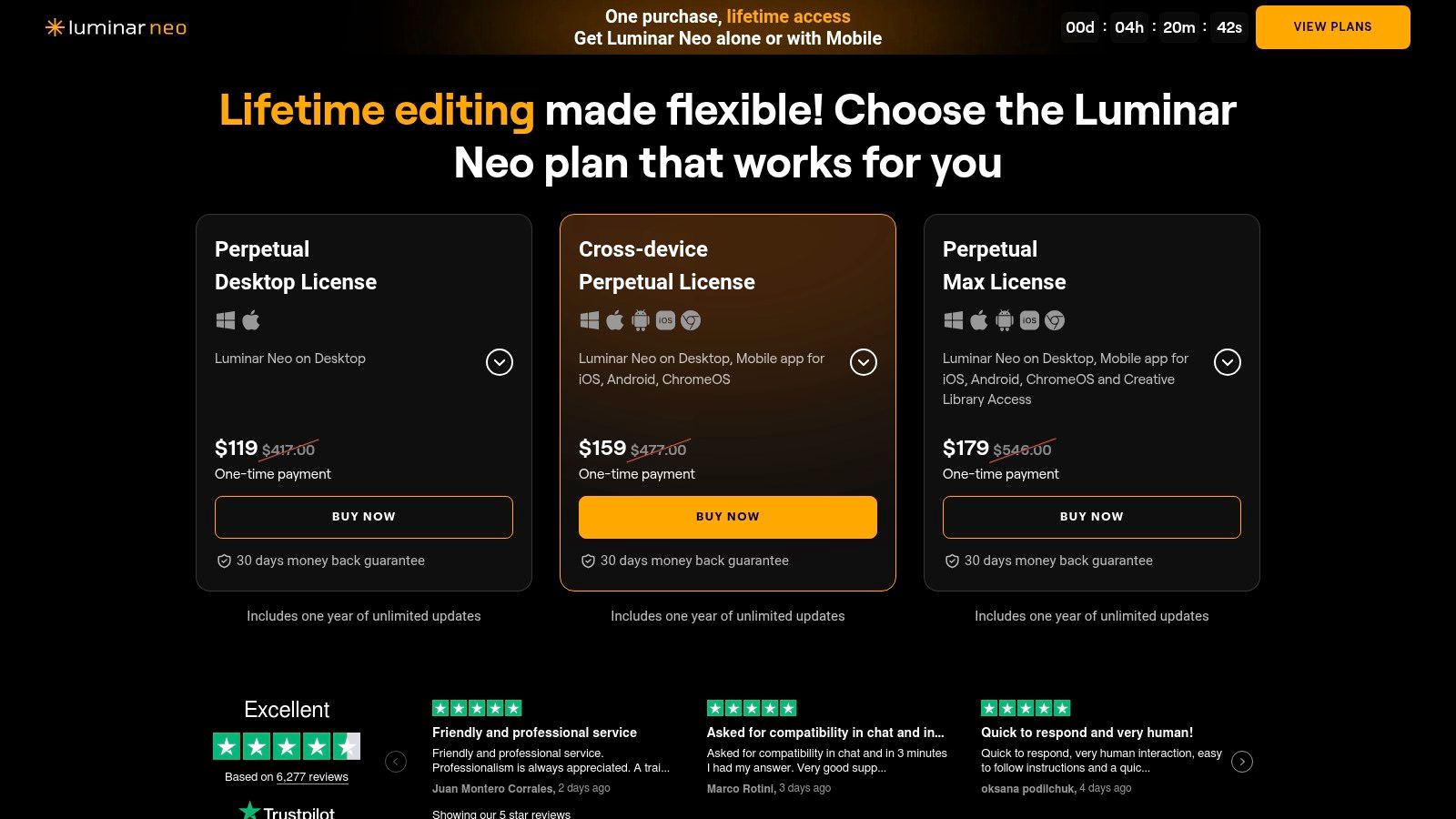
Unlike many modern editors, Luminar Neo offers a perpetual license, meaning you can buy it once and own it forever without a mandatory subscription. This approach, combined with its AI-driven simplicity, makes it an accessible yet powerful entry point into more advanced editing. The AI's ability to handle tedious tasks lets you focus on the creative vision for your photos from day one. To understand the technology behind these features, you can explore this overview of how artificial intelligence works. While it frequently offers add-ons, the core program is a complete package for impactful edits.
Key Details & Tips
- Access: Available for Windows and macOS desktops. Can also be used as a plugin for Adobe Lightroom and Photoshop.
- Pricing: Offers both a one-time perpetual license and a subscription model that includes all extensions.
- Pro Tip: Start with the "Presets" tab. Apply a preset you like, then switch to the "Edit" tab to see which AI sliders were adjusted. This is a great way to learn how tools like Enhance AI and Structure AI affect an image.
12. Affinity by Canva (Affinity.studio)
For those seeking a powerful desktop editor that can grow with their skills, Affinity by Canva is a remarkable free option. It combines professional-grade tools like RAW development and non-destructive editing into a single, unified application. This makes it one of the best photo editing apps for beginners who want a high ceiling for learning without an initial financial commitment. Its strength lies in offering a robust, feature-rich experience that bridges the gap between simple editors and complex professional software.
The platform excels by providing a professional-level Pixel (photo) workspace at no cost, which is rare in the industry. Users can manage complex edits with layers, live filters, and precise adjustments, all while working seamlessly with formats like PSD. While a free Canva account is required to download, and some advanced AI features are tied to a Canva Premium subscription, the core photo editing functionality is impressively comprehensive. This makes it an ideal choice for ambitious beginners ready to learn advanced techniques without the pressure of a monthly subscription.
Key Details & Tips
- Access: Free desktop download for Windows and macOS. An iPad version is planned.
- Pricing: The core application is free to use. Requires a free Canva account to download. Some AI features require a Canva Premium subscription.
- Pro Tip: Start by exploring the "Develop Persona" for RAW files to understand its power. Focus on mastering the basic adjustment layers like Brightness/Contrast and Levels before moving to more complex tools like masks.
Website: https://affinity.studio/
Top 12 Photo Editing Apps for Beginners Comparison
| Product | Key features ✨ | Quality / Ease ★ | Price / Value 💰 | Best for / USP 🏆👥 |
|---|---|---|---|---|
| Apple App Store | Curated photo‑editing collections, one‑tap installs, IAP labels ✨ | ★★★★★ Trusted & safe editorial guidance | 💰 Free to browse; apps vary (many subs/IAPs) | 🏆 iOS beginners; 👥 iPhone/iPad users |
| Google Play Store | Play Protect, rich app pages, search/filtering ✨ | ★★★★ Huge selection; mixed quality control | 💰 Many free options; some paid/subs | 🏆 Variety & free options; 👥 Android beginners |
| Adobe Lightroom | Cross‑device sync, presets, Auto tone, tutorials ✨ | ★★★★★ Pro results with gentle learning | 💰 Subscription for full features | 🏆 Pro‑grade results + cloud; 👥 Beginners growing to pros |
| Adobe Photoshop Elements 2026 | Quick/Guided/Advanced modes, AI fixes, 3‑yr license ✨ | ★★★★ Step‑by‑step offline editor | 💰 One‑time (time‑limited) license + trial | 🏆 No‑subscription offline editing; 👥 Casual to serious hobbyists |
| Adobe Express | Template library, one‑click social graphics, generative credits ✨ | ★★★★ Very easy for quick designs | 💰 Free tier; Premium for assets/credits | 🏆 Fast social graphics; 👥 Content creators & marketers |
| Canva | Drag‑drop editor, background remover, brand kit, collaboration ✨ | ★★★★★ Fast learning; cloud sharing | 💰 Free; Pro unlocks assets & storage | 🏆 Massive templates; 👥 Small businesses, social users |
| Picsart | One‑tap removers, templates, AI credits, cross‑platform ✨ | ★★★★ Mobile‑first, friendly UX | 💰 Free + subscription; credits for AI | 🏆 Strong mobile tools; 👥 Social/mobile creatives |
| Pixlr | Browser editor, AI background removal, Plus/Premium tiers ✨ | ★★★ Very accessible—no install | 💰 Free w/ ads; paid tiers remove ads/add AI | 🏆 Quick web edits; 👥 Users who want no‑install tools |
| Fotor | One‑click enhancements, AI utilities, Pro/Pro+ tiers ✨ | ★★★ Easy presets; clear plan comparisons | 💰 Free; Pro/Pro+ for HD export & AI | 🏆 Simple social edits; 👥 Beginners wanting transparent pricing |
| Google Photos | Library edits (Magic Eraser), Magic Editor quota, sync ✨ | ★★★★ Zero learning curve; integrated workflow | 💰 Free basic; advanced saves need Pixel/Google One | 🏆 Edits inside your library; 👥 Casual users & photo backup fans |
| Skylum Luminar Neo | Sky AI, Enhance AI, perpetual license option, plugins ✨ | ★★★★ Fast, dramatic AI results | 💰 One‑time license or subscription for extras | 🏆 Quick 'wow' edits; 👥 Beginners wanting powerful AI |
| Affinity by Canva (Affinity.studio) | Unified Pixel RAW develop, non‑destructive, PSD support ✨ | ★★★★ Powerful; steeper growth curve | 💰 Core app free; some AI tied to Canva Premium | 🏆 Pro‑grade for free; 👥 Users growing into advanced workflows |
Choosing Your Best First Step in Photo Editing
Navigating the landscape of photo editing software can feel overwhelming, but the journey from a good photo to a great one is more accessible than ever. As we've explored, the market is rich with options tailored to every skill level and creative ambition. The key takeaway is that the "best" app is entirely subjective; it’s the one that aligns with your specific goals, feels intuitive to you, and, most importantly, inspires you to bring your creative vision to life.
The perfect starting point isn't about mastering every complex tool. It's about finding an application that removes friction and makes the editing process enjoyable. You don't need a professional-grade suite to make a significant impact on your images. Often, a simple adjustment in exposure, a strategic crop, or a well-chosen filter is all it takes to transform a snapshot into a compelling visual story.
Finding Your Perfect Match: A Quick Recap
To help you make a final decision, let's distill our findings into a simple, needs-based guide. Consider what you want to achieve right now and match it with the ideal tool.
- For Instant Social Media Magic: If your primary goal is creating eye-catching social media posts, stories, or simple graphics with minimal effort, Canva and Adobe Express are your undisputed champions. Their vast template libraries and drag-and-drop interfaces make design work fast and fun.
- For Powerful One-Tap Fixes: For those who want to improve photos directly within their existing library using smart, AI-driven suggestions, Google Photos is a seamless and surprisingly powerful choice. Its integration is its greatest strength.
- For Learning the Ropes of "Real" Editing: If you're eager to understand the fundamentals of photo enhancement like exposure, color grading, and composition with a tool that can grow with you, Adobe Lightroom is the clear recommendation. Its structured workflow is the industry standard for a reason.
- For a One-Time Purchase with Pro Power: If you're allergic to subscriptions but still want a robust set of professional-level tools, Affinity by Canva offers an incredible value proposition. It provides a deeper feature set that you can grow into over time.
Your Actionable Next Steps
The most critical step you can take after reading this guide is to simply begin. Theory is helpful, but hands-on experience is where true learning happens. Choose one or two apps from the list that resonate with your goals and download their free versions or start a trial. Don't try to learn everything at once.
Instead, give yourself a small, achievable project. Pick a favorite photo and set a simple goal: "I want to make the colors in this sunset photo pop," or "I want to remove that distracting object from the background." This project-based approach will guide your exploration of the app's features in a practical, rewarding way. As you experiment, you'll quickly discover which interface feels the most natural and which toolset best serves your creative instincts. Ultimately, the quest for the best photo editing apps for beginners ends when you find the one you genuinely enjoy using.
For more straightforward guides, hands-on reviews, and tips on getting the most out of your technology, be sure to explore more of our content at Simply Tech Today. We specialize in breaking down complex topics into easy-to-understand advice to help you choose and use the best tools for your life. Visit us at Simply Tech Today to continue your learning journey.
Member discussion