
12 Best Productivity Apps for Students in 2025: Your Ultimate Study Toolkit

Kickstart Your Study Routine with 12 of the best productivity apps for students in 2025. From task managers to note-taking platforms and cloud-based suites, this guide tackles common student challenges like scattered notes, missed deadlines, and distracted study sessions.
What you will learn in this listicle:
- A concise breakdown of each app’s standout features, with screenshots and direct links
- Real-world scenarios showing how students integrate tools into daily workflows
- Honest pros and cons and quick tips for selecting the right platform
Each option solves specific problems:
- Time management and deadline tracking
- Organized note-taking and resource storage
- Focus enhancement and distraction control
We include brief workflow examples and implementation guidance so you can match apps to your study habits without sifting through generic reviews. Expect plain-language explanations and strategic comparisons rather than promotional fluff.
Use this resource to:
- Structure daily tasks and monitor progress
- Centralize class materials, calendars, and to-do lists
- Maintain focus with built-in timers and minimal-distraction modes
This list spans major marketplaces and niche services, from Apple App Store and Google Play to Notion for Students and Forest focus timer. Comparison tables highlight key metrics like cost, platform support, and learning curve.
All recommendations specify platform availability, pricing tiers, and ideal student use cases to help you make informed choices quickly. Screenshots provide visual context and direct links lead you straight to downloads or sign-up pages. Dive in to find the best productivity apps for students and transform your study routine today.
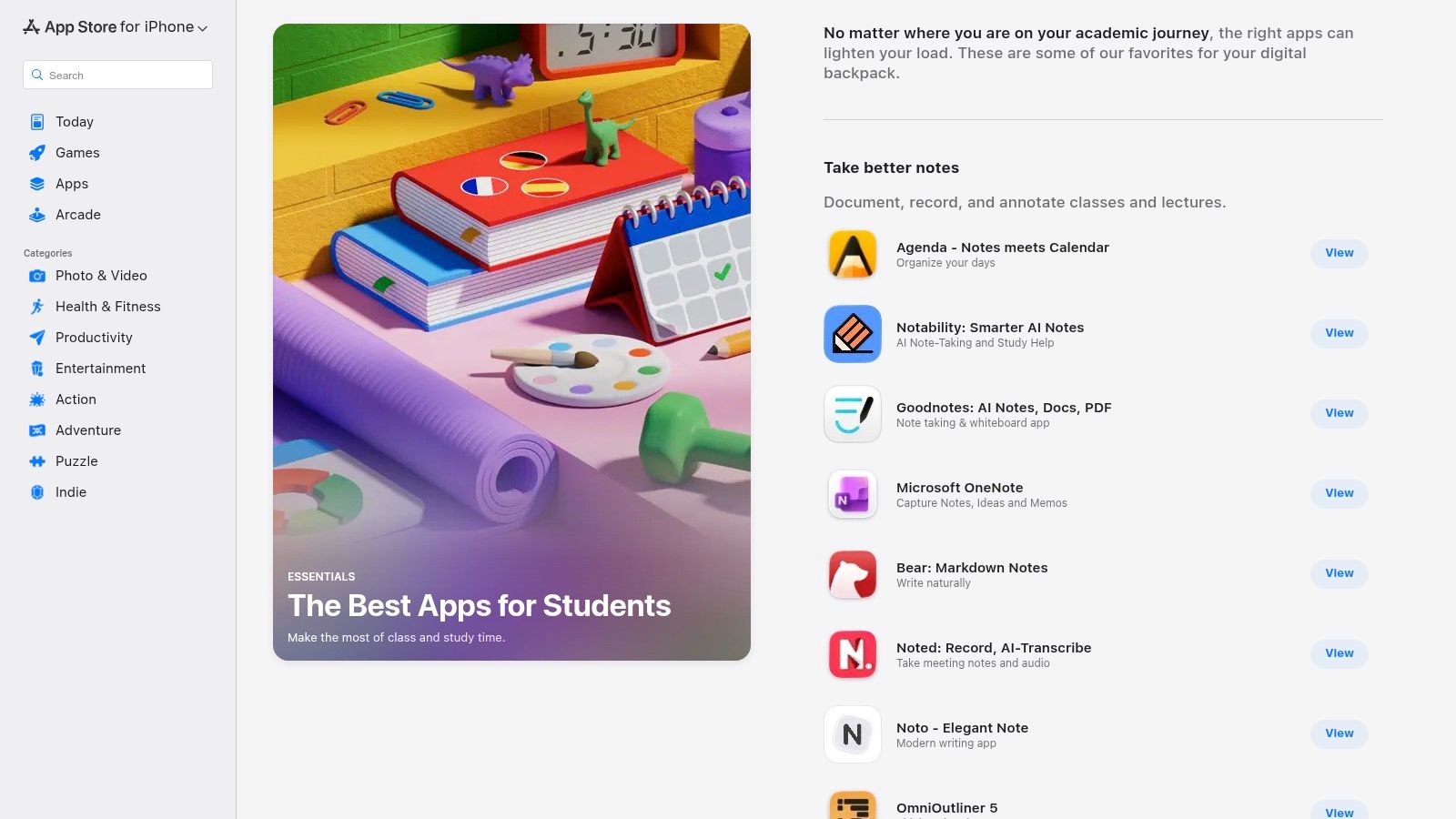
1. Apple App Store - “The Best Apps for Students” collection
Apple’s curated hub highlights the best productivity apps for students across iPhone, iPad, and Mac. Users can browse editor-picked tools for note-taking, time management, and focus training with ratings, reviews, and one-tap install options.
Features
- Human-curated categories for note-taking, task managers, and focus tools
- One-tap install and subscription management
- Editor’s Choice badges and detailed user ratings
- Family Sharing and easy refund support
Pricing & Access
- Free to browse; paid apps vary by title
- In-app subscriptions typically range from $1.99 to $9.99 per month
- Requires Apple ID on iOS, iPadOS, or macOS
- Regional availability via https://apps.apple.com/us/story/id1417422848
Ideal Student Use Cases
- Gathering vetted apps for a new semester
- Comparing editor picks before subscribing
- Managing family or group licenses in one dashboard
Pros & Cons
Pros:
- Safe, trusted source for student-focused tools
- Straightforward refund process and strong accessibility settings
Cons:
- Available only on Apple devices
- Some apps require separate purchases per platform
“A one-stop shop for student apps with clear ratings and editor insights”
Quick Tips
- Use filters to narrow by category and price
- Read recent reviews for compatibility notes
- Enable push notifications for sale alerts
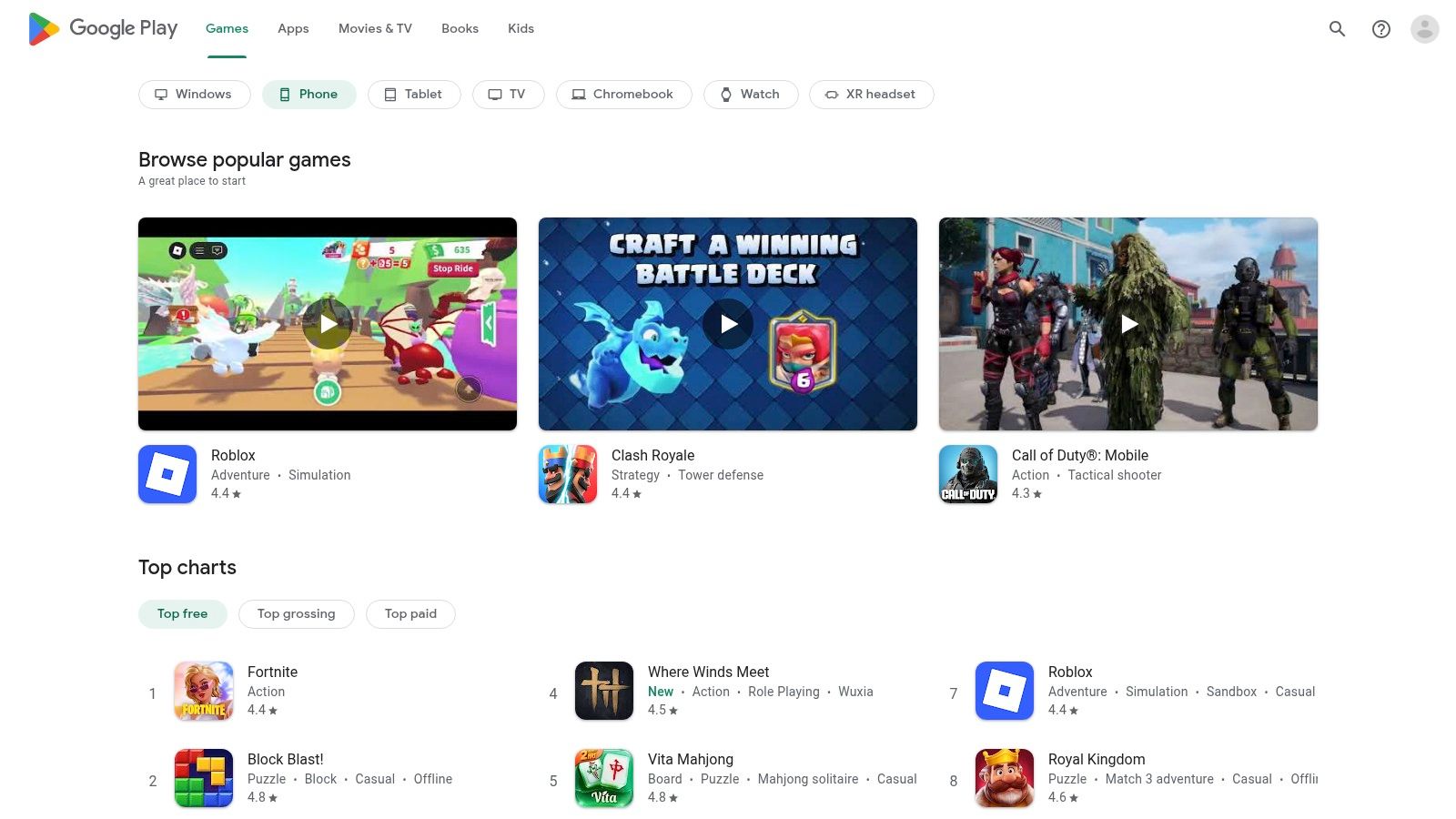
2. Google Play – Best of / Productivity picks
Google Play organizes editorial collections like “Best of 2024” and productivity-focused lists to surface the best productivity apps for students across phones, tablets, and Chromebooks. From study planners to focus timers, Android users get direct installs, auto-updates, and family payment sharing in one place.
Features
- Annual “Best of” awards and productivity editorials
- Device-wide installs with automatic updates
- Family payment methods and parental controls
- Detailed user ratings, reviews, and trending badges
Pricing & Access
- Free to browse; app prices and subscriptions vary
- In-app purchases range from $0.99 to $9.99 per month
- Requires a Google account on Android or Chrome OS
- Regional availability via https://play.google.com
Ideal Student Use Cases
- Discovering top study tools in one curated list
- Keeping apps up to date across multiple devices
- Sharing paid subscriptions with classmates or family
Pros & Cons
Pros:
- Massive catalog with frequent deals and bundles
- Works across Android phones, tablets, and many Chromebooks
Cons: - Availability and pricing vary by region and device
- Some features are missing on certain Android builds
“Google Play’s productivity picks make it simple for students to uncover and manage their essential study apps”
Quick Tips
- Use genre and award filters to narrow selections
- Check the latest reviews for device-specific notes
- Enable auto-updates to always run the newest versions
Learn more about Google Play – Best of / Productivity picks on simplytechtoday.com
3. Microsoft Store – Education hub / Microsoft 365 access
The Microsoft Store Education hub is the official gateway for students to claim free or discounted Microsoft 365 apps, browse device deals, and manage cloud storage in one spot. It stands out by offering an eligibility checker for Office 365 Education, seamless OneDrive integration, and exclusive student pricing on Windows devices.

Features
- Eligibility wizard for Office 365 Education (free Word, Excel, PowerPoint, OneNote, Outlook)
- Direct downloads of Microsoft 365 Personal and Education editions
- Exclusive student discounts on Surface tablets and Windows laptops
- Native OneDrive integration for auto-sync and file sharing
Pricing & Access
- Free Office 365 Education with valid .edu or school email
- Microsoft 365 Personal from $6.99 per month after trial
- Up to 10–20% off on select devices (US and select regions)
- Requires Microsoft account and school verification via https://www.microsoft.com/en-us/store/b/education
Ideal Student Use Cases
- Activating free Office tools for essays and presentations
- Collaborating on group projects with OneDrive and Teams
- Scoring discounted Surface devices for note-taking
Pros & Cons
Pros:
- Trusted source with deep Windows and OneDrive integration
- Institution eligibility can unlock free access to premium apps
- Unified portal for apps, licenses, and hardware deals
Cons:
- Student offers vary by region and institution rules
- Verification process may take 24–48 hours
“A one-stop hub for seamless Microsoft 365 access and student device deals”
Quick Tips
- Sign in with your school email for instant verification
- Bookmark the Education offers page for flash sales
- Link OneDrive across devices to auto-back up coursework
4. Notion for Students (Notion Education/Plus plan)
Notion provides an all-in-one workspace for notes, tasks, wikis and databases, making it a top choice among best productivity apps for students. Eligible college users get the individual Plus plan free with a school email, unlocking advanced templates, 30-day version history and real-time collaboration in a single-member workspace.

Learn more about Notion for Students (Notion Education/Plus plan) on simplytechtoday.com
Features
- Customizable pages, databases, templates and public publishing
- Real-time collaboration, comments and sharing permissions
- 30-day version history under the student Plus plan
- Cross-platform support for web, desktop and mobile
Pricing & Access
- Free for eligible college students with school email
- Plus plan covers one-member workspace and unlimited blocks
- Standard paid plans start at $8 per month for individuals
- Requires signing up at https://www.notion.com/product/notion-for-education
Ideal Student Use Cases
- Structuring class notes and linking readings across courses
- Tracking group project tasks with shared Kanban boards
- Building a digital portfolio or personal wiki for research
Pros & Cons
Pros:
- Powerful and flexible for notes, projects and portfolios
- Large template ecosystem and seamless cross-device syncing
Cons:
- Education Plus limited to one-member workspaces
- K–12 students cannot access the student Plus plan
“An all-in-one hub where you can plan, write and collaborate without juggling multiple apps”
Quick Tips
- Start with a course template and customize database views
- Use comments and mentions to keep group workflows organized
- Restore previous versions from history after heavy edits
5. Microsoft 365 for Students (official student promo)
Microsoft 365 for Students provides Word, Excel, PowerPoint, Outlook, OneNote and Copilot AI as a unified productivity suite tailored for academic workflows. Eligible U.S. college students can claim a three-month free trial and follow up with 50% off Microsoft 365 Personal after the trial ends.
Features
- Desktop, mobile and web versions of Word, Excel, PowerPoint, Outlook and OneNote
- 1 TB of OneDrive cloud storage per student account
- Copilot AI integration for drafting, summarizing and data insights
- Real-time collaboration via Teams chat, channels and SharePoint
- Secure access and compliance tools tailored for educational institutions
Pricing & Access
- Three-month free trial for U.S. college students with a valid .edu email
- 50% off Microsoft 365 Personal post-trial, terms vary by institution
- Renewal from $6.99 per month plus tax, based on regional pricing
- Verify current offers and eligibility at https://www.microsoft.com/en-us/microsoft-365/blog/2025/05/12/college-students-can-get-microsoft-copilot-in-microsoft-365-apps-free-for-three-months/
Ideal Student Use Cases
- Collaborating on group projects in real time across devices
- Drafting essays with AI-powered outline and grammar suggestions
- Managing research data and complex calculations in Excel
- Organizing lecture notes and to-dos within OneNote and Outlook
Pros & Cons
Pros:
- Industry standard toolset for assignments, presentations and email
- Generous cloud storage and instant file sharing
Cons:
- Promotional durations and eligibility windows change frequently
- Requires active student status and account verification
A comprehensive hub for writing, research and collaboration with AI boosters
Quick Tips
- Register with a valid .edu email to unlock student promo
- Sync notebooks offline in OneNote before campus network dropouts
- Enable Copilot AI in Office apps for smarter brainstorming
- Use Teams channels to track project tasks and deadlines
6. Google Workspace tools (Docs/Drive/Sheets) + Google One
Google’s Docs, Sheets, Slides, and Drive offer free, real-time collaboration for coursework, while Google One unlocks expanded cloud storage. Students can co-edit assignments, track versions, and access files across web, iOS, and Android with seamless syncing.
Features
- Real-time co-editing with comments and version history
- Cross-platform access on web, iOS, Android
- Integrated Slides for presentations and Forms for surveys
- Optional Google One plans to expand Drive, Gmail, Photos capacity
- AI-powered suggestions and smart chips in paid Workspace tiers
Pricing & Access
- 15 GB free storage shared across Drive, Gmail, Photos
- Google One plans start at $1.99/month for 100 GB, up to 2 TB
- AI enhancements require paid Workspace tiers
- Requires free Google account
- Access via https://docs.google.com
Learn more about Google Workspace tools (Docs/Drive/Sheets) + Google One on simplytechtoday.com
Ideal Student Use Cases
- Live collaboration on group essays and lab reports
- Building dynamic data models in Sheets
- Designing slide decks with peer review
- Offline editing and auto-sync before deadlines
- Archiving large media files with Google One
Pros & Cons
Pros:
- Ubiquitous, integration with Gmail and Calendar
- Free entry-level tier perfect for teams
Cons:
- 15 GB quota can fill quickly
- Advanced AI and admin tools locked behind paid tiers
“A central hub for student workflows, from notes to presentations”
Quick Tips
- Organize projects into shared Drive folders
- Enable offline mode in Docs and Sheets
- Set version notifications to track edits
- Upgrade storage before major submission dates
7. Todoist – task manager for students
Todoist stands out as a cross-platform to-do app designed to help students juggle assignments, deadlines, and study schedules. With natural-language input and built-in productivity tools, it adapts to varied workflows—from list making to team projects.
Features
- Natural-language task entry and recurring tasks (for example, “Read Chapter 5 every Monday”)
- Multiple views: list, board and calendar modes to match planning style
- Integrations with email, Google Calendar, Slack and dozens more
- Advanced Task Assist suggestions and reminders on paid plans
Pricing & Access
- Free tier supports up to 80 active projects and basic reminders
- Pro subscription at $4 per month adds labels, filters and Task Assist
- Business plan at $6 per user per month for team collaboration
- Requires email sign-up; apps available on iOS, Android, macOS, Windows, web
- Visit https://todoist.com/pricing for full details
Ideal Student Use Cases
- Structuring a semester’s worth of readings and papers
- Coordinating group projects with shared boards and comments
- Setting up automated recurring study sessions for exams
- Syncing deadlines with calendar alerts across devices
Pros & Cons
Pros:
- Clean, fast interface with reliable syncing
- Robust recurrence and custom filter options
Cons:
- No active student discount as of late 2025
- Some advanced features require Pro subscription
“Todoist makes task management feel so natural that you forget you’re using an app”
Quick Tips
- Use project templates for common courses or club activities
- Apply priority levels and color tags to spotlight urgent tasks
- Link emails directly to Todoist to turn messages into tasks
- Combine filters like “Today & High Priority” for a daily focus list
Learn more about Todoist – task manager for students on domain.com
8. Trello – boards for projects and study planning
Trello uses visual Kanban boards to help students organize classes, deadlines and group projects with simple drag-and-drop cards and lists. Its intuitive interface and generous free plan make it one of the best productivity apps for students seeking a clear overview of all tasks and collaboration needs. The Premium plan unlocks advanced views, admin controls and AI features for smart prioritization and automated workflows.

Features
- Boards, lists and cards with drag-and-drop checklists and labels
- Native Calendar view for deadline tracking
- Timeline, Table and Dashboard views on Premium plan
- Unlimited Power-Ups for third-party tools like Google Drive and Slack
- Butler AI automations for task suggestions and reminder rules
Pricing & Access
- Free plan with unlimited cards, members and one Power-Up per board
- Premium at $5 per user per month (billed annually) for advanced views
- Enterprise tier with organization wide controls and security support
- Sign up via email or Google SSO at https://trello.com/premium
- Desktop, web and mobile apps available on all major platforms
Ideal Student Use Cases
- Structuring a weekly study timetable across multiple courses
- Managing group project deliverables with real-time member updates
- Visualizing research progress on Calendar or Timeline views
Pros & Cons
Pros:
- Beginner friendly with clear visual boards
- Generous free tier covers most individual study workflows
Cons: - Advanced Timeline and Dashboard require Premium
- Cost scales per user for teams and automations
“Trello keeps every deadline and collaboration task in one clear visual space”
Quick Tips
- Use color-coded labels for each subject to scan at a glance
- Pin due dates with the Calendar Power-Up for automated alerts
- Set up Butler rules to auto-assign cards when deadlines approach
- Group related cards into Collections to mirror course modules
9. Forest – focus timer (iOS/Android)
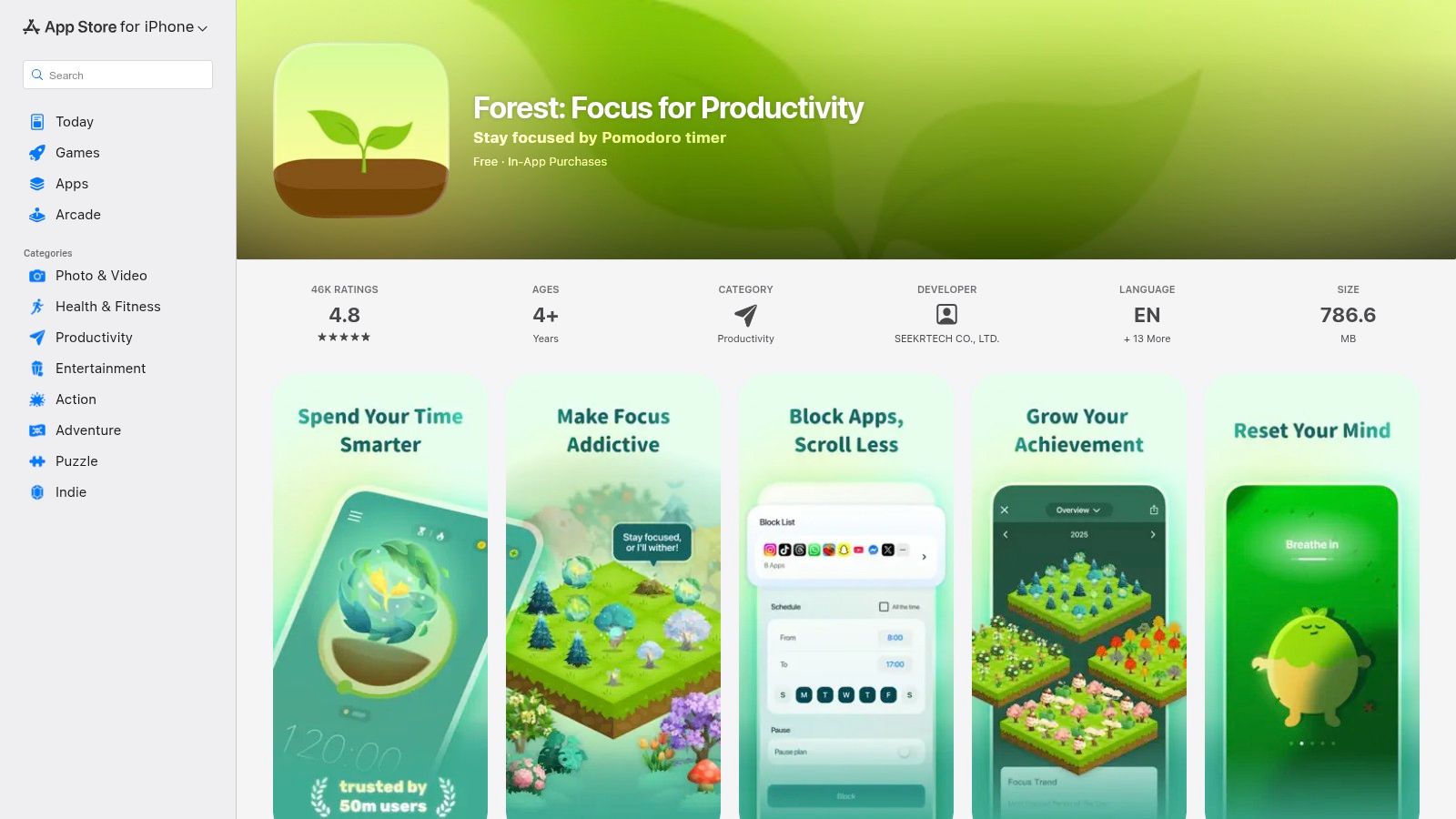
Forest is a gamified Pomodoro-style focus app that grows virtual trees while you stay off your phone. It motivates students with visual progress, session tags and detailed stats plus optional charity tree-planting events. Forest stands out by blending habit tracking with environmental impact in a single, intuitive interface.
Features
- Pomodoro-style timers with customizable intervals and break reminders
- Session tagging for subject-specific tracking
- Cross-device sync via free Forest account
- Visual forest growth map showing daily, weekly and monthly stats
- Optional real-tree planting through charity events
Pricing & Access
- Free basic version on iOS and Android
- Premium subscription unlocks unlimited tags, session history and themes
- In-app purchases vary by region, starting at $1.99/month
- Requires account registration for sync and charity features
- Download from App Store or Google Play: https://apps.apple.com/us/app/forest-focus-for-productivity/id866450515
Ideal Student Use Cases
- Structuring study blocks with Pomodoro intervals for lectures and readings
- Tracking focus streaks across courses using custom tags
- Gamifying long revision sessions to sustain motivation
Pros & Cons
Pros:
- Engaging visual motivation supports consistent study habits
- Simple setup, clean interface and minimal learning curve
Cons: - Monetization shifted toward subscription in many regions
- Pricing and feature sets differ across platforms
“Forest turns every study session into a small win by growing virtual trees and planting real ones”
Quick Tips
- Use tags like “Math,” “Essay” or “Revision” to analyze focus patterns
- Review weekly stats to adjust your session lengths
- Join charity events to convert focus time into real-world trees
10. Setapp – Mac & iOS app subscription with education discount
Setapp brings together over 240 premium Mac and iOS utilities in one flat-rate bundle ideal for students who need a suite of tools without juggling multiple subscriptions. With education pricing on eligible plans, it stands out as one of the best productivity apps for students looking to streamline workflows on Apple devices.

Features
- One subscription unlocks task managers, note-takers, writing aids, and more
- Curated app catalog with automatic updates and new additions
- Cross-device syncing on supported plans for Mac, iPhone, and iPad
- Offline access and fast search across all installed apps
Pricing & Access
- Flat monthly fee from $9.99, with student and educator discounts
- Free 7-day trial to explore the full collection
- Manage plan and billing at https://setapp.com
- Requires macOS 10.12+ or iOS 14+
Ideal Student Use Cases
- Installing multiple premium apps without separate purchases
- Exploring new productivity tools during exam prep
- Sharing a group plan for collaborative project management
Pros & Cons
Pros:
- Highly cost-effective for heavy app users
- Centralized updates and one-click installs
Cons:
- Limited to Mac and iOS platforms
- Discount levels vary by academic status
“Access a world of premium Mac and iOS tools under one roof”
Quick Tips
- Browse collections by category to find niche study aids
- Pin favorite apps to your dock for faster launch
- Check Setapp’s blog for workflow tutorials and insider deals
11. GitHub Student Developer Pack
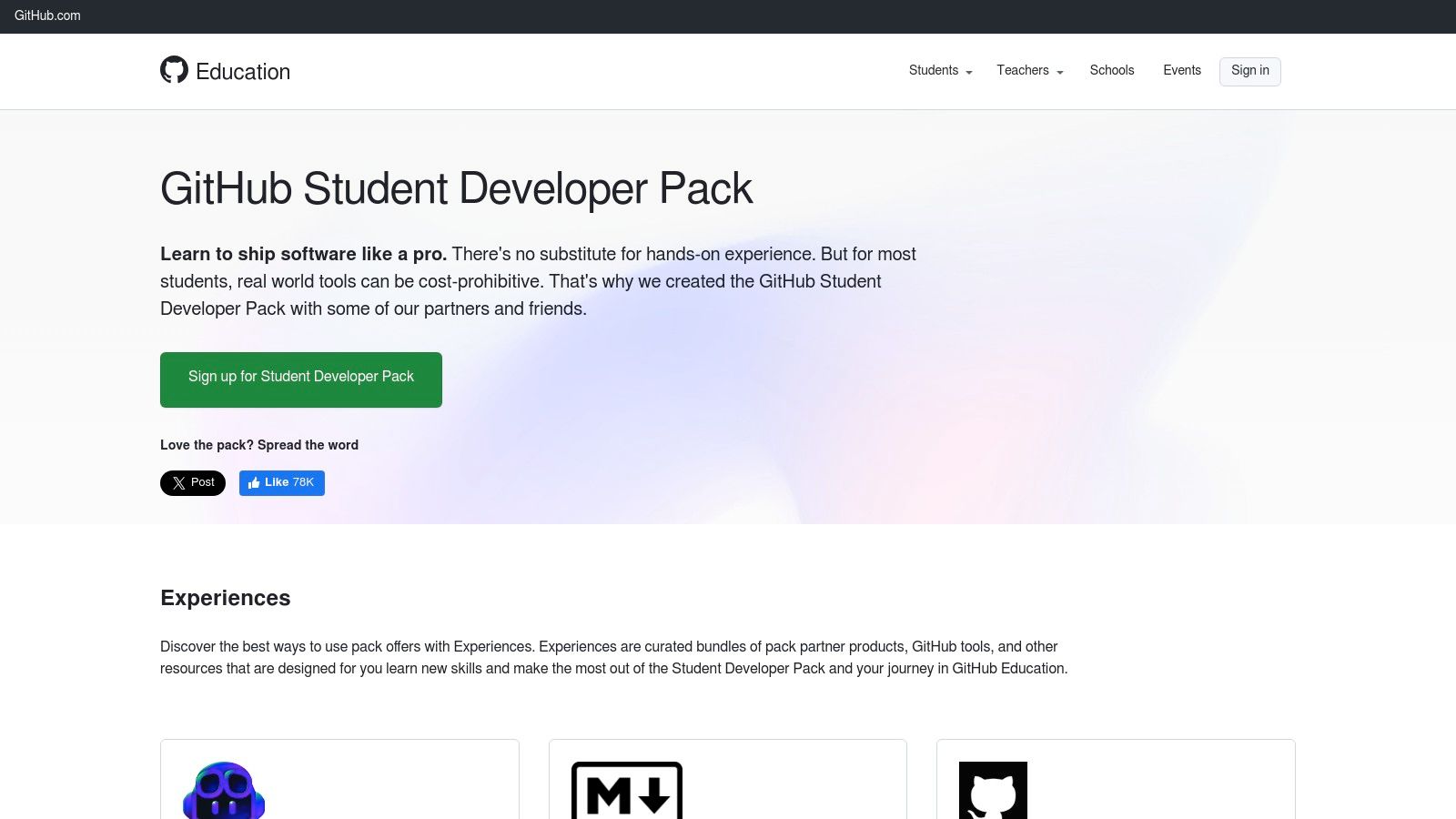
The GitHub Student Developer Pack gives verified students free or discounted access to dozens of developer and productivity tools. It bundles offers from Notion Education, Dashlane, Deepnote, Codespaces and more into a central hub. Students in tech courses can claim premium software for coding, collaboration or analytics without spending. The pack refreshes its partners periodically to stay current.
Features
- Central portal for student verification and offer claims
- Curated partner offers for web dev, data science and more
- Time-limited offers with renewal where applicable
Pricing & Access
- Free for verified students
- Instant access via GitHub Education account
- Requires academic email or enrollment proof
- Sign up and verify at https://education.github.com/pack to claim offers
Ideal Student Use Cases
- Getting premium tools for coding assignments
- Experimenting with cloud environments in classroom labs
- Accessing paid design, analytics, and security tools at no cost
Pros & Cons
Pros:
- Exceptional value with many premium tools available at no cost
- Constantly updated partner list and diverse tool categories
Cons:
- Must verify student eligibility and periodically re-verify
- Offers rotate and exact inclusions change over time
“A one-stop hub for students to access top-tier development and productivity services without spending”
Quick Tips
- Check new offers monthly after login
- Link academic email early to avoid delays
- Use two-factor authentication for better account security (Learn more about GitHub Student Developer Pack security on simplytechtoday.com)
12. Goodnotes – digital note-taking
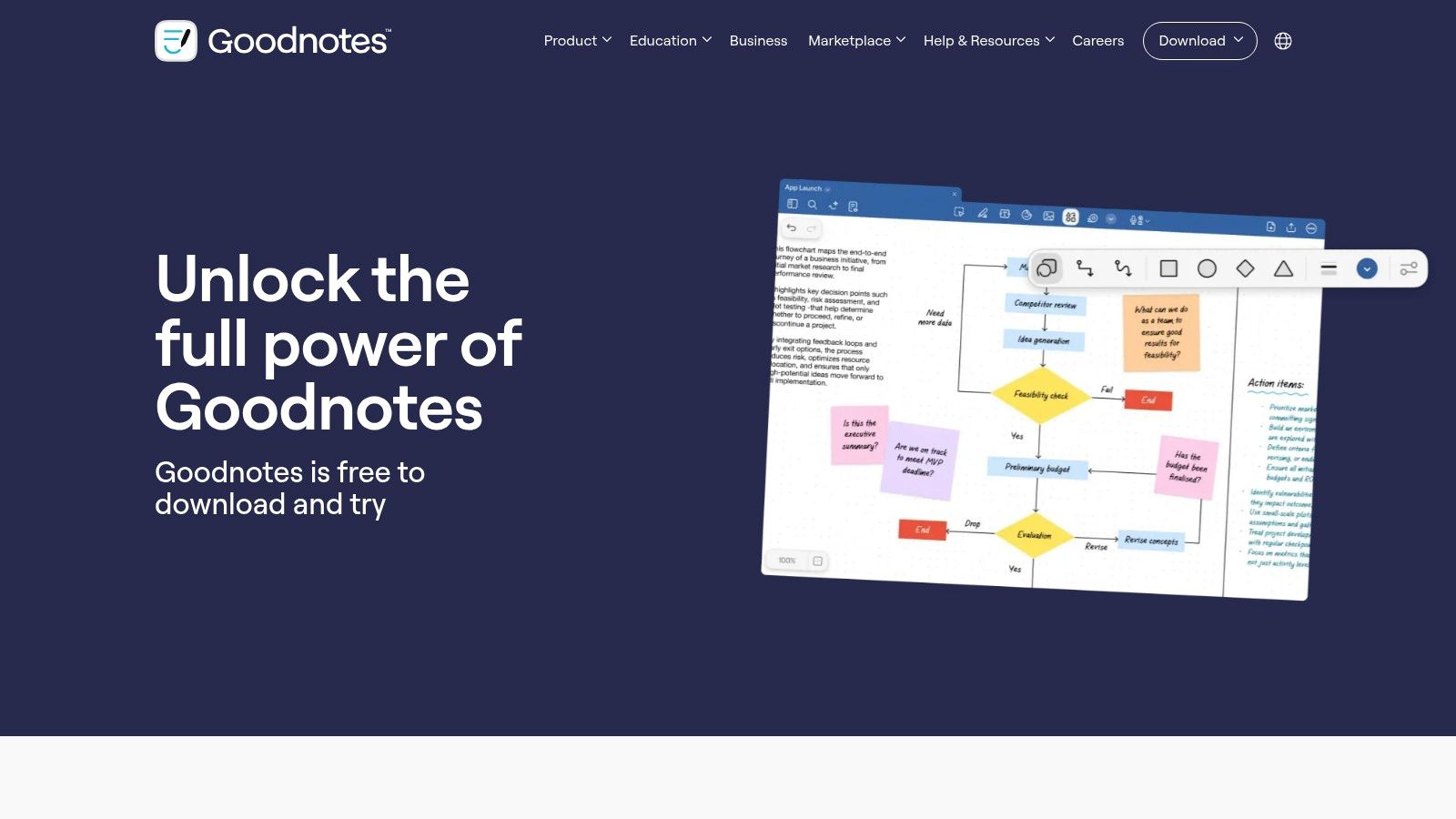
Goodnotes is a leading handwritten and typed note app designed for students to capture and organize class materials on iPad, Mac, Windows, and Android. It offers PDF markup, handwriting search, math conversion, and real-time collaboration with an optional AI Pass add-on for study features. Regular updates improve writing recognition, interface quality, and introduce new templates.
Features
- Handwriting search and real-time math conversion
- PDF annotation with audio recording support
- Cross-platform sync on iPad, Android, Windows
- Live collaboration for group study sessions
- Customizable notebook templates and digital stickers
Pricing & Access
- Free basic version with limited notebooks
- Yearly subscription from $7.99 per year
- AI Pass add-on at $14.99 per year
- Requires Goodnotes account for cross-device sync
- Purchase via https://www.goodnotes.com/pricing
Ideal Student Use Cases
- Annotating lecture slides in PDF format
- Converting handwritten equations into editable text
- Collaborating on shared notebooks in real time
Pros & Cons
Pros:
- Intuitive interface with smooth writing experience
- Responsive support plus flexible device promos
Cons:
- Subscription tiers differ by platform
- Android and Windows yearly plans retired in 2025
“Handwriting meets AI to keep your study flow seamless”
Quick Tips
- Use subject tags and color coding per notebook
- Clip web images directly into notes on split view
- Export notes as searchable PDFs for archiving
Top 12 Student Productivity Apps — Quick Comparison
| Item | Core features | UX / Quality (★) | Price / Value (💰) | Target (👥) | Standout (✨ / 🏆) |
|---|---|---|---|---|---|
| Apple App Store – “The Best Apps for Students” collection | Curated student app lists, one‑tap install, reviews | ★★★★ | 💰 Mixed: free & paid; easy refunds | 👥 iPhone/iPad/Mac students | ✨ Editor picks & badges · 🏆 Vetted/safe source |
| Google Play – Best of / Productivity picks | Editorial collections, awards, direct installs | ★★★★ | 💰 Large catalog, frequent deals | 👥 Android & Chromebook students | ✨ Annual "Best of" roundups · 🏆 Wide device reach |
| Microsoft Store – Education hub / Microsoft 365 access | Student deals, Office 365 eligibility, Windows apps | ★★★ | 💰 Discounts & promo trials (varies) | 👥 Windows students & institutions | ✨ Deep OneDrive/Windows integration · 🏆 School eligibility perks |
| Notion for Students (Education/Plus) | Pages, databases, templates, real‑time collaboration | ★★★★★ | 💰 Free Plus for eligible college emails | 👥 College students managing notes/projects | ✨ Highly flexible workspace · 🏆 Strong template ecosystem |
| Microsoft 365 for Students (promo) | Word/Excel/PowerPoint, 1 TB OneDrive, Copilot during promos | ★★★★ | 💰 Trial & student discounts; varies by offer | 👥 College students needing Office tools | ✨ Copilot integrations (promo) · 🏆 Industry‑standard apps |
| Google Workspace + Google One | Docs/Sheets/Slides, Drive storage, real‑time co‑editing | ★★★★ | 💰 Free tier (15 GB); Google One paid storage | 👥 Group projects & cloud‑native students | ✨ Instant collaboration · 🏆 Ubiquitous in education |
| Todoist – task manager for students | Natural‑language tasks, projects, calendar view | ★★★★ | 💰 Free basic; Pro advanced features | 👥 Students needing task & schedule management | ✨ Fast input & integrations · 🏆 Cross‑platform reliability |
| Trello – boards for projects and study planning | Kanban boards, checklists, automations, views | ★★★★ | 💰 Generous free; Premium per user | 👥 Group projects & visual planners | ✨ Simple Kanban UX · 🏆 Great for team visibility |
| Forest – focus timer (iOS/Android) | Gamified Pomodoro timers, stats, charity events | ★★★ | 💰 One‑time or subscription options (region) | 👥 Students wanting phone‑free focus | ✨ Gamified tree growth · 🏆 Motivational UX |
| Setapp – Mac & iOS app subscription | Bundle of 240+ Mac/iOS productivity apps, updates included | ★★★★ | 💰 Subscription; edu discounts available | 👥 Heavy Mac/iOS users & students | ✨ One sub = many apps · 🏆 Cost‑effective if you use many tools |
| GitHub Student Developer Pack | Verified student offers for many developer tools | ★★★★★ | 💰 Mostly free/discounted partner tools | 👥 CS, dev & tech students | ✨ Large partner catalog · 🏆 Exceptional value for devs |
| Goodnotes – digital note‑taking | Handwriting search, PDF markup, math conversion, sync | ★★★★★ | 💰 Paid app/plan; optional AI add‑on | 👥 Students taking handwritten notes | ✨ Strong handwriting + PDF tools · 🏆 Best for lecture annotation |
Next Steps to Supercharge Your Study Habits
As you’ve explored the best productivity apps for students across platforms like Apple App Store, Google Play, and Microsoft Store, it’s clear that the right combination of note-taking, task management, and focus tools can transform your study routine. From Notion for Students to Forest’s focus timer, each app brings unique features and real-world benefits. Use the insights below to refine your setup and maintain consistent progress.
Recap of Key Insights
- Diverse App Ecosystem
- App stores (Apple, Google, Microsoft) offer curated collections and official promos.
- Bundled suites like Microsoft 365 and Google Workspace give seamless integration.
- Task Management Essentials
- Todoist excels at recurring tasks and priority flags.
- Trello boards map project milestones with visual clarity.
- Note-Taking and Organization
- GoodNotes provides freehand sketching and PDF annotation.
- Notion’s all-in-one workspace merges docs, databases, and templates.
- Focus and Accountability
- Forest’s gamified timer builds focus streaks.
- GitHub Student Developer Pack unlocks pro-level developer tools.
- Subscription and Cost Considerations
- Setapp and Google One bundle multiple apps under one subscription.
- Education discounts often slash prices for students.
Actionable Next Steps
- Select 2–3 tools that address your biggest productivity gaps—note-taking, task tracking, or focus.
- Run a seven-day study sprint with your chosen apps. Track time spent, tasks completed, and note clarity.
- Review and adjust after one week: drop features you don’t use and lean into those that save time.
- Document your workflow in a simple template (Notion or Google Sheets) and refine it each month.
Choosing the Right App for Your Workflow
- If you juggle group projects and deadlines, prioritize Trello or Microsoft Planner for board-based planning.
- When crafting essays and reports, lean on Google Docs or Notion for collaborative editing and version history.
- For coding assignments or developer resources, the GitHub Student Developer Pack provides free access to cloud hosting, IDE extensions, and learning platforms.
- If you struggle with distractions, integrate Forest or the Pomodoro-style timers built into GoodNotes and Notion.
Implementation Tips and Considerations
- Set clear goals for each app: for example, use Todoist solely for deadline management, not casual to-dos.
- Leverage cross-platform sync to avoid siloed information—ensure your notes or tasks appear on all devices.
- Schedule weekly “app audits” to archive outdated tasks and reorganize your workspace.
- Be mindful of notification overload—customize alerts so you only get notified for top priorities.
- Take advantage of student discounts and free tiers before upgrading to paid plans.
By intentionally selecting and testing the best productivity apps for students, you’ll build a personalized toolkit that aligns with your academic goals. Remember, the key is consistency: a streamlined workflow today lays the foundation for academic success tomorrow. Keep experimenting, stay organized, and celebrate each milestone along the way.
Ready to stay ahead of the curve with in-depth reviews, expert tips, and exclusive student offers? Visit Simply Tech Today at Simply Tech Today for regular updates on the best productivity apps for students and beyond.



Member discussion