
The 12 Best Video Conferencing Software Platforms for 2025

In today's hybrid work environment, the right video conferencing tool is the backbone of collaboration. From daily team huddles and critical client presentations to large-scale webinars and virtual classrooms, the platform you choose directly impacts productivity, engagement, and security. With a crowded market of services all promising perfect connections and seamless features, sorting through the noise to find the best fit can be a significant challenge. This guide is designed to cut through the marketing jargon and provide a clear, practical breakdown of the best video conferencing software available today.
We will provide a detailed look at the top solutions, evaluating everything from core functionality to unique differentiators. This isn't just a list; it's a comprehensive resource built to help you make an informed decision. For each platform, we'll dive into its standout features, available pricing tiers, security and privacy considerations, and most importantly, its ideal use cases. You'll understand which tool excels for small, agile teams and which is built to handle enterprise-level demands.
Whether you are a freelancer managing client calls, a small business coordinating a remote workforce, or a large organization deploying a unified communications strategy, this analysis will give you the insights needed to select software that truly fits your specific workflow. Each entry includes screenshots for a visual preview and direct links to get started, ensuring you have all the information necessary to connect with confidence. We’ll compare leading options like Zoom, Microsoft Teams, Google Meet, Cisco Webex, and several others to help you find your perfect match.
1. Zoom
Zoom has become almost synonymous with video conferencing, and for good reason. Its platform, Zoom Workplace, offers a robust and scalable solution that is remarkably easy for participants to join, solidifying its place as one of the best video conferencing software options available. Its core strength lies in its simplicity and reliability, whether you're a freelancer hosting a client call or a multinational corporation coordinating a global town hall.
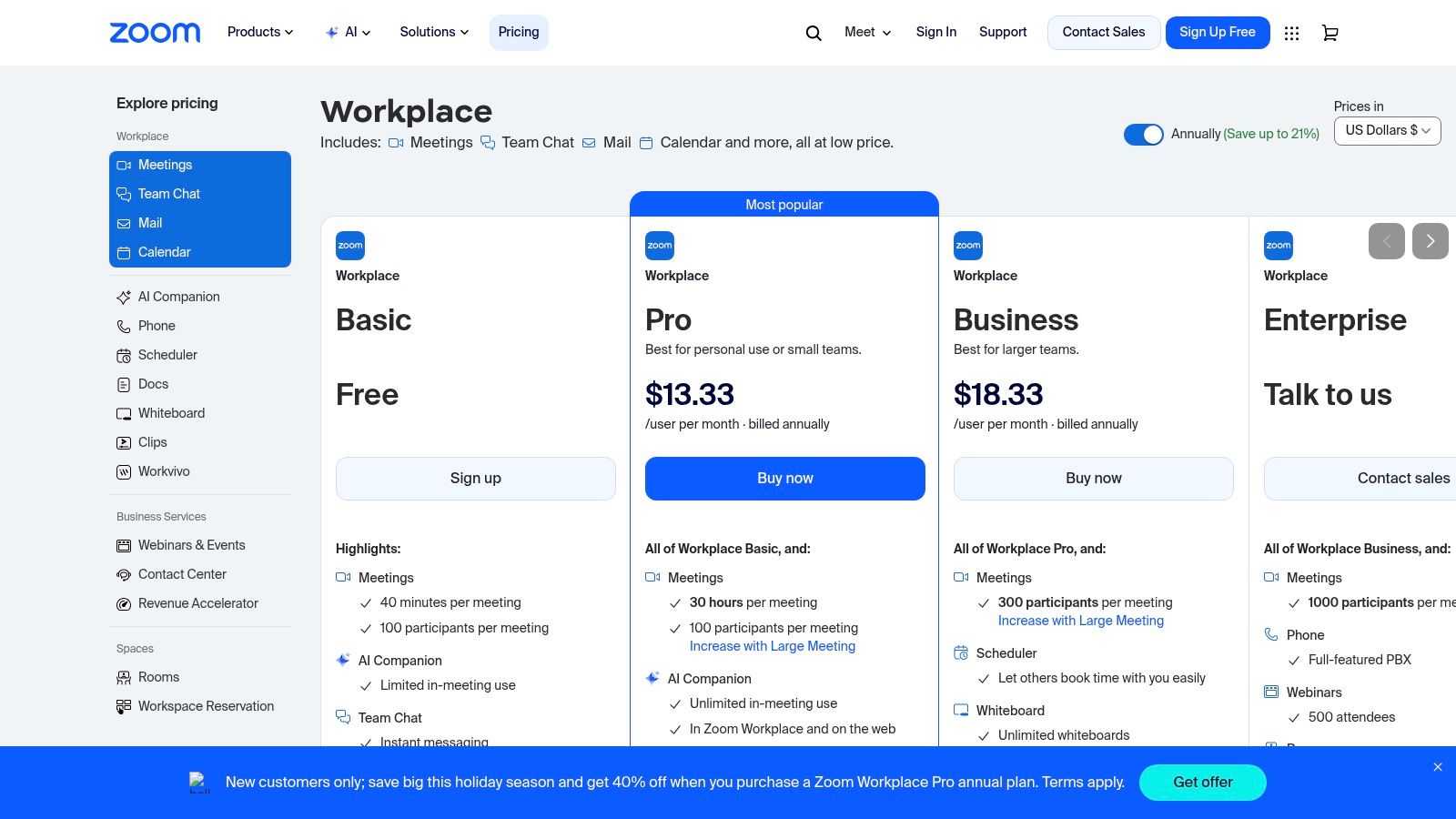
The platform is more than just a meeting tool; it’s an ecosystem. Beyond standard video calls with cloud recording and interactive whiteboards, Zoom offers a comprehensive suite of add-ons. These include specialized products for Webinars, Events, a cloud-based Phone system, and even a Contact Center, allowing businesses to centralize their communications stack.
Key Features and Use Cases
- Scalability: The free tier supports up to 100 participants for 40-minute meetings, while paid plans and add-ons can accommodate over 1,000 attendees, making it ideal for everything from small team check-ins to large-scale webinars.
- Integrations: A massive app marketplace allows you to connect Zoom with tools like Slack, Google Workspace, and project management software, streamlining workflows.
- Ease of Use: The user interface is intuitive across desktops and mobile devices. First-time users can typically join a meeting with a single click without needing an account, which removes a common barrier to entry. For a smooth experience, a stable connection is key; you can troubleshoot your internet connection to ensure high-quality calls.
Pricing and Limitations
Zoom offers a free "Basic" plan with notable time limits on group meetings. Paid tiers like Pro, Business, and Enterprise add longer meeting durations, cloud storage, and advanced administrative features. However, the powerful add-ons for webinars or phone systems come at an additional cost, which can significantly increase the total price.
- Pros: Ubiquitous and familiar interface, excellent stability, extensive third-party integrations.
- Cons: The 40-minute limit on free group meetings can be disruptive, and costs can escalate quickly with add-ons.
Website: https://zoom.us/pricing
2. Microsoft Teams (Microsoft 365)
Microsoft Teams is far more than just video conferencing software; it's a comprehensive collaboration hub deeply embedded within the Microsoft 365 ecosystem. This tight integration makes it an unparalleled choice for organizations already invested in Microsoft's suite of productivity tools like Outlook, Word, and SharePoint. Its strength lies in unifying chat, meetings, file sharing, and app integration into a single, cohesive workspace.
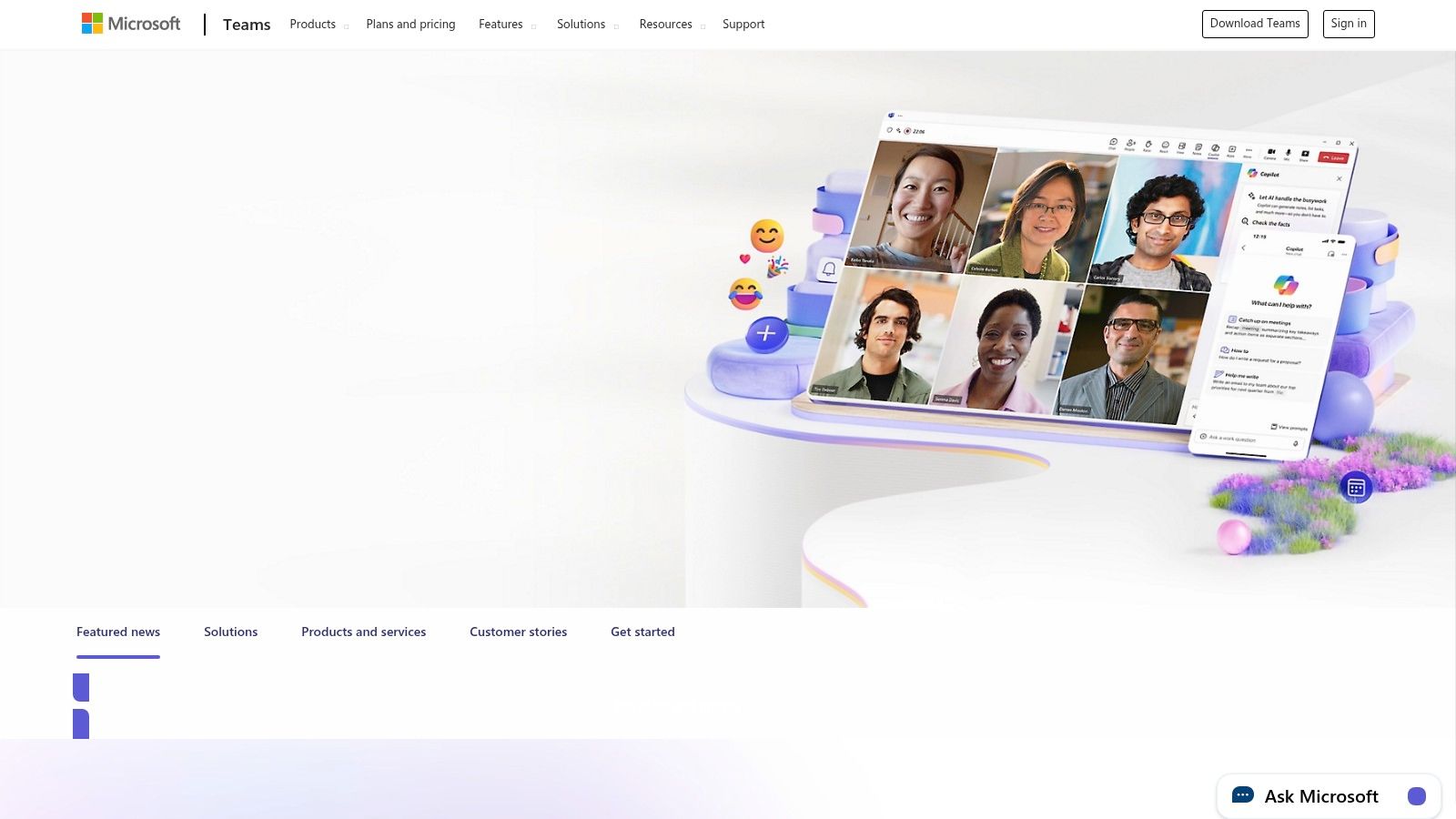
The platform is built for the enterprise, offering robust security, compliance, and administrative controls that are critical for large organizations. Beyond standard video meetings with recording and live transcripts, Teams offers advanced features like "Together Mode" for more immersive calls and extensive customization options through integrations. It serves as a central point for teamwork, reducing the need to switch between different applications.
Key Features and Use Cases
- Deep Microsoft 365 Integration: Seamlessly co-author documents, manage calendars, and share files directly from SharePoint or OneDrive within a meeting or chat. This is ideal for project-based teams that rely heavily on Microsoft Office apps.
- Enterprise-Grade Security: Leverages Microsoft's security framework to provide advanced governance and compliance features, making it suitable for industries with strict regulatory requirements.
- All-in-One Collaboration: Consolidates chat, video meetings, and file storage, creating a persistent digital office. Because it's a resource-intensive application, users can learn how to speed up computer performance for a smoother experience.
Pricing and Limitations
Microsoft offers a free version of Teams with generous features. Paid plans are typically bundled with Microsoft 365 Business or Enterprise subscriptions, offering larger meeting capacities (up to 1,000 participants), more storage, and advanced security. The licensing can be complex, especially with different SKUs available "with" or "without" Teams, which can complicate purchasing decisions for some businesses.
- Pros: Excellent integration with Microsoft 365, powerful security and compliance features, and a feature-rich free tier.
- Cons: The interface can feel busy and less intuitive than some competitors, and the complex pricing and packaging can be difficult to navigate.
Website: https://www.microsoft.com/microsoft-teams
3. Google Meet (Google Workspace)
For teams deeply embedded in the Google ecosystem, Google Meet stands out as a seamless and secure video conferencing solution. As a core component of Google Workspace, its primary strength is its native integration with tools like Gmail, Calendar, and Drive. This browser-first approach eliminates the need for downloads for many participants, offering a frictionless joining experience that makes it one of the best video conferencing software choices for businesses prioritizing simplicity and workflow continuity.
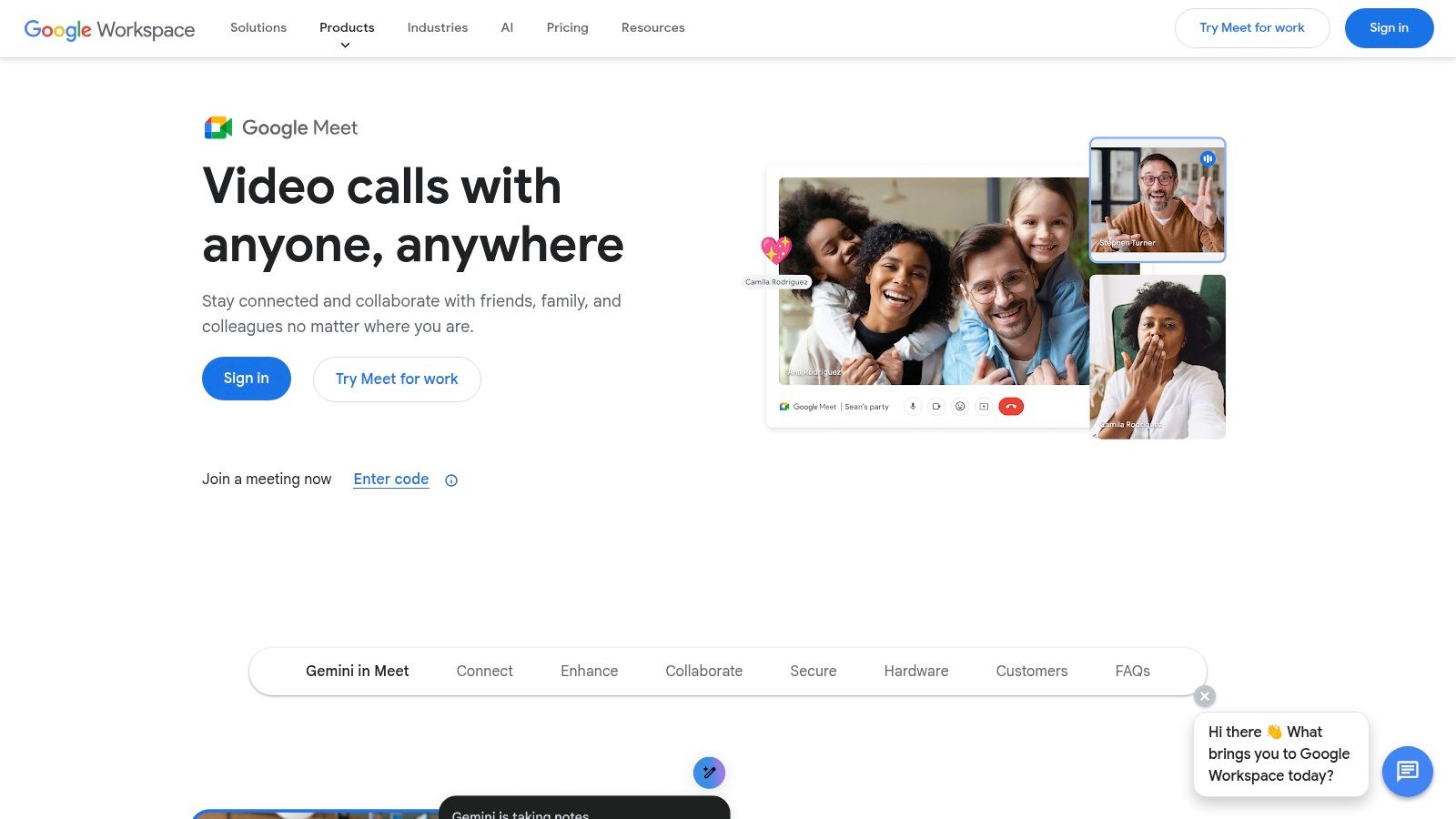
Google Meet is designed for security and ease, allowing users to schedule and join meetings directly from their calendar or email inbox. The platform supports everything from quick one-on-one chats to large company-wide meetings, with features like noise cancellation, live captions, and in-meeting transcripts enhancing communication clarity. This makes it a formidable contender for organizations already leveraging Google's productivity suite.
Key Features and Use Cases
- Deep Workspace Integration: Schedule meetings in Calendar, launch calls from Gmail, and present files directly from Google Drive. This cohesive experience is ideal for teams that live and work within Google's apps.
- Browser-First Accessibility: Participants can join meetings directly from their web browser without installing any software, which is perfect for external collaboration with clients or partners who may not have a specific app installed.
- Security by Default: Leveraging Google's global infrastructure, Meet offers encrypted transit and a range of security measures. Users can learn more about protecting their privacy online to ensure their communications remain secure.
Pricing and Limitations
A generous free version is available for individuals, while businesses typically access Meet through a Google Workspace subscription. Paid plans unlock higher participant limits (up to 1,000), longer meeting durations, cloud recording, and advanced features like breakout rooms and attendance tracking. The main drawback is that many advanced collaboration features are gated behind the more expensive Workspace tiers (Standard, Plus, Enterprise).
- Pros: Tight integration with Google Workspace, no-install browser access, competitive pricing within bundles.
- Cons: Advanced features require higher-tier Workspace plans, and dedicated room hardware is a separate investment.
Website: https://workspace.google.com/products/meet
4. Cisco Webex
Cisco Webex is a long-standing and trusted name in enterprise communications, known for its emphasis on security, compliance, and reliability. This mature platform offers a comprehensive suite that extends beyond simple meetings to include calling, webinars, and contact center solutions. Its reputation for robust security makes it a preferred choice for organizations in regulated sectors like finance, healthcare, and government, where data protection is paramount.
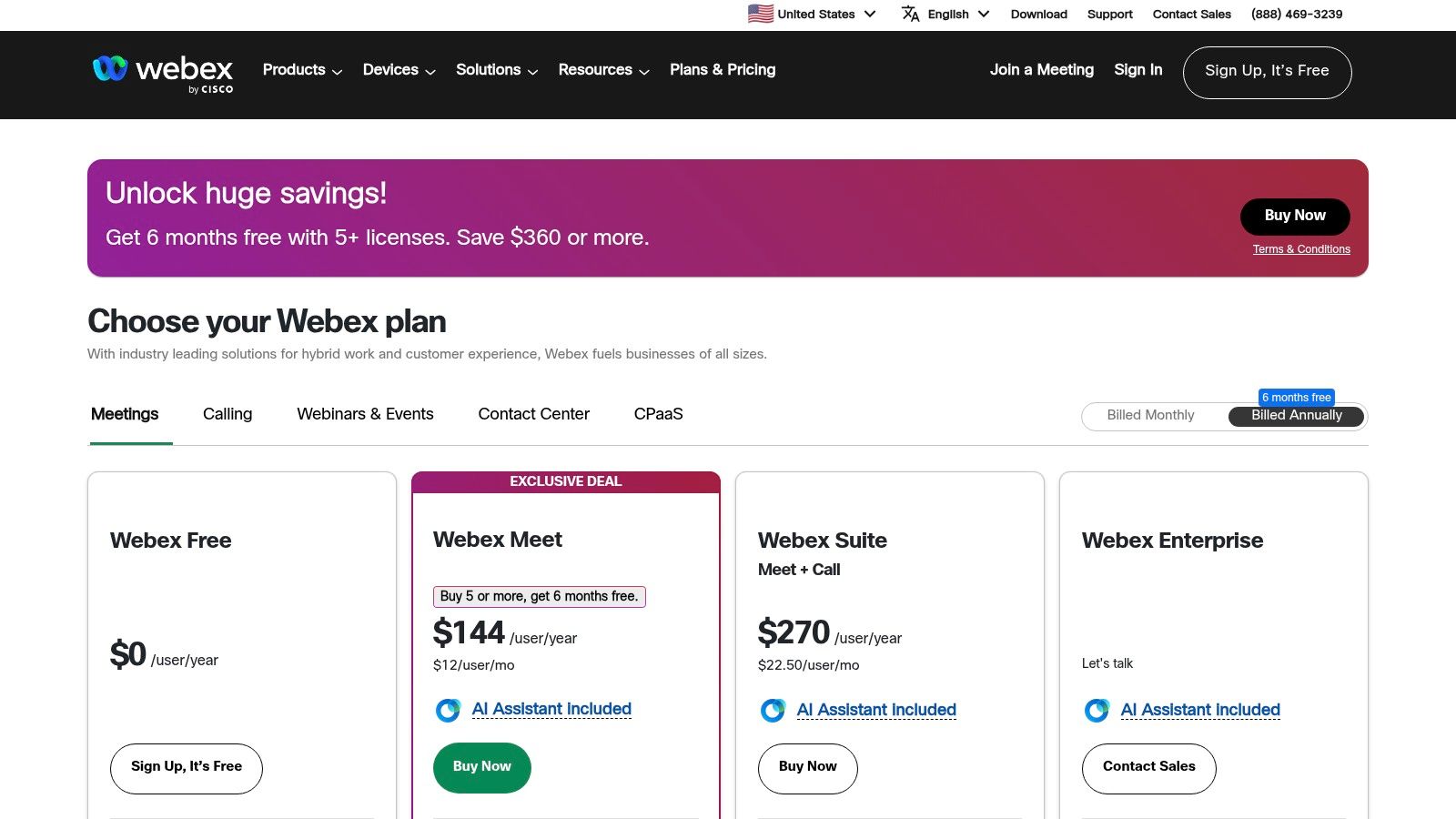
The Webex ecosystem is particularly strong for hybrid work environments, featuring a wide array of high-quality hardware devices for conference rooms and personal desks. It also boasts powerful features like an AI assistant for real-time transcription, note-taking, and translations, which enhance meeting productivity. Its all-in-one approach aims to unify various communication channels under a single, secure umbrella.
Key Features and Use Cases
- Security and Compliance: Webex provides end-to-end encryption and meets stringent compliance standards, including FedRAMP authorization for US government agencies.
- Hardware Ecosystem: An extensive range of proprietary devices, from desk cameras to integrated room systems, ensures a seamless and high-quality meeting experience.
- AI-Powered Features: The Webex Assistant automates tasks like generating meeting highlights and action items, while features like noise removal and speech enhancement improve call clarity. Learning how to use cloud storage effectively can also help manage the recordings and transcripts generated by these features.
Pricing and Limitations
Webex offers a free plan that supports up to 100 participants for meetings lasting up to 40 minutes. Paid plans are available as "Meet" or bundled "Suite" tiers, unlocking longer meetings, cloud recording, and advanced AI features. However, the numerous plans and product SKUs can be confusing to navigate, and pricing for larger enterprise needs often requires direct contact with their sales team.
- Pros: Industry-leading security and compliance, excellent hardware integration, powerful AI assistant.
- Cons: The variety of plans and add-ons can be complex, and some enterprise pricing isn't transparent.
Website: https://pricing.webex.com
5. GoTo Meeting
GoTo Meeting is a professional-grade solution built for the business world, offering a reliable and secure platform for online meetings, webinars, and training sessions. Developed by GoTo (formerly LogMeIn), its core focus is on delivering a straightforward, no-fuss experience that prioritizes stability and professional features over consumer-facing frills. This makes it a strong contender for companies seeking a dependable tool for internal collaboration and external presentations.
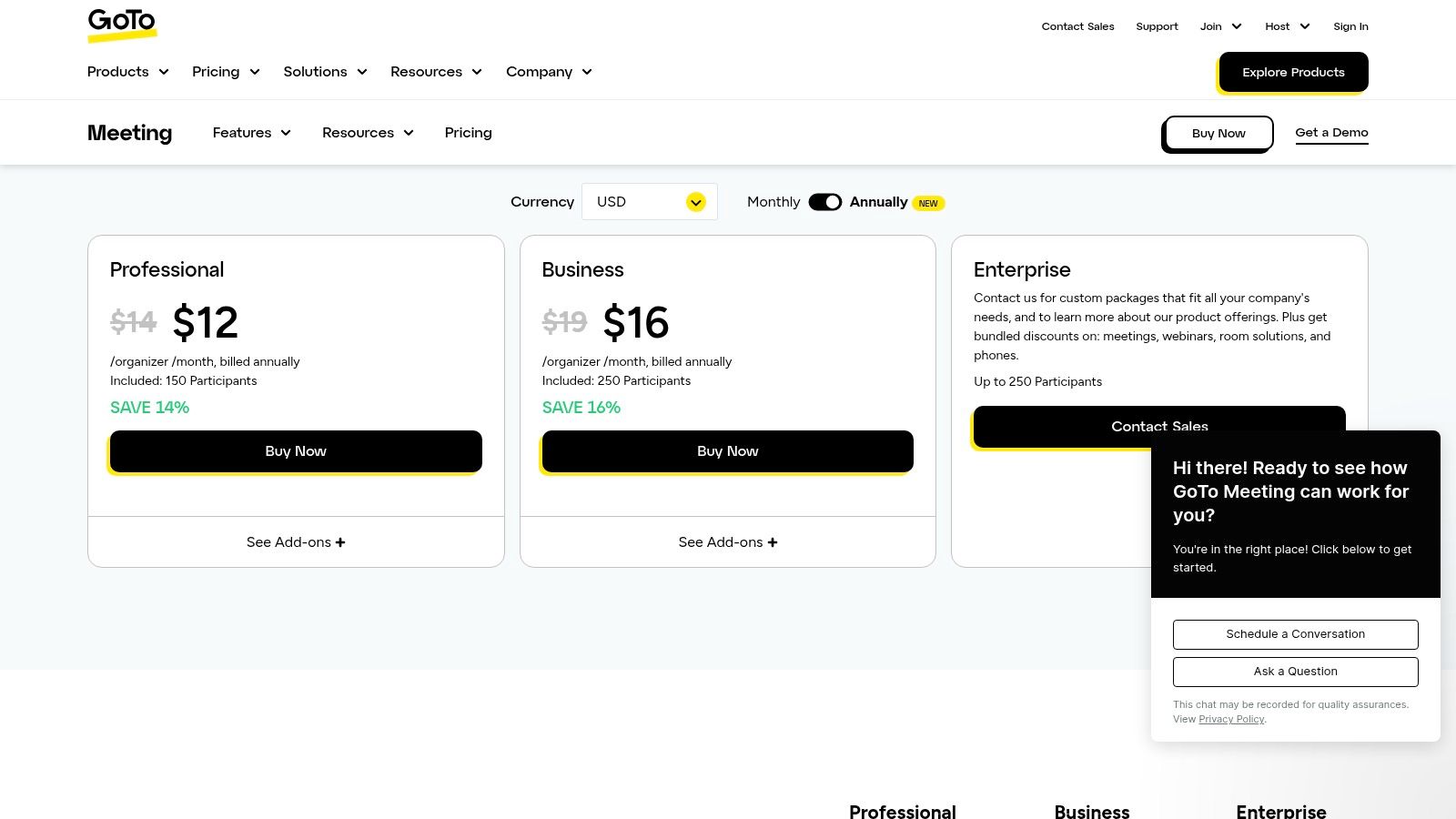
The platform is designed as part of a larger business communications ecosystem, with dedicated products for Webinars, Training, and even physical conference room hardware. Higher-tier plans introduce valuable features like unlimited cloud recording and AI-powered meeting summaries, which automatically transcribe and highlight key takeaways. This commitment to business-centric tools solidifies its position as one of the best video conferencing software choices for professional environments.
Key Features and Use Cases
- Professional Focus: GoTo Meeting is ideal for formal business meetings, client consultations, corporate training, and webinars where reliability and a professional interface are paramount.
- AI-Powered Summaries: The Business tier includes AI features that can generate meeting summaries and transcripts, helping teams quickly catch up on missed calls. To get the most from these features, you can explore guides on how to use AI tools effectively.
- Integrated Ecosystem: Companies can expand their use from simple meetings to large-scale events with GoTo Webinar or structured learning sessions with GoTo Training, keeping all communications under one vendor.
Pricing and Limitations
GoTo Meeting offers Professional and Business tiers, supporting 150 to 250 participants, respectively. There is no permanent free plan, which positions it as a premium, business-first product. Key features like unlimited cloud recording, transcription, and note-taking are exclusive to the more expensive Business plan. Pricing can also sometimes be unclear on public pages until you proceed toward checkout.
- Pros: Straightforward and professional user interface, reliable performance, and a strong feature set for webinars and training.
- Cons: Key features are locked behind the higher-priced Business tier, and the lack of a free plan may deter smaller users.
Website: https://www.goto.com/pricing/meeting
6. RingCentral (RingCentral Video / RingEX)
RingCentral is a powerhouse in the Unified Communications as a Service (UCaaS) space, and its platform, RingEX, integrates video conferencing directly with business phone and team messaging. This all-in-one approach is its greatest strength, making it an excellent choice for organizations that want to consolidate their communication vendors. Rather than being just a standalone meeting tool, RingCentral Video is a core component of a broader business communication ecosystem.
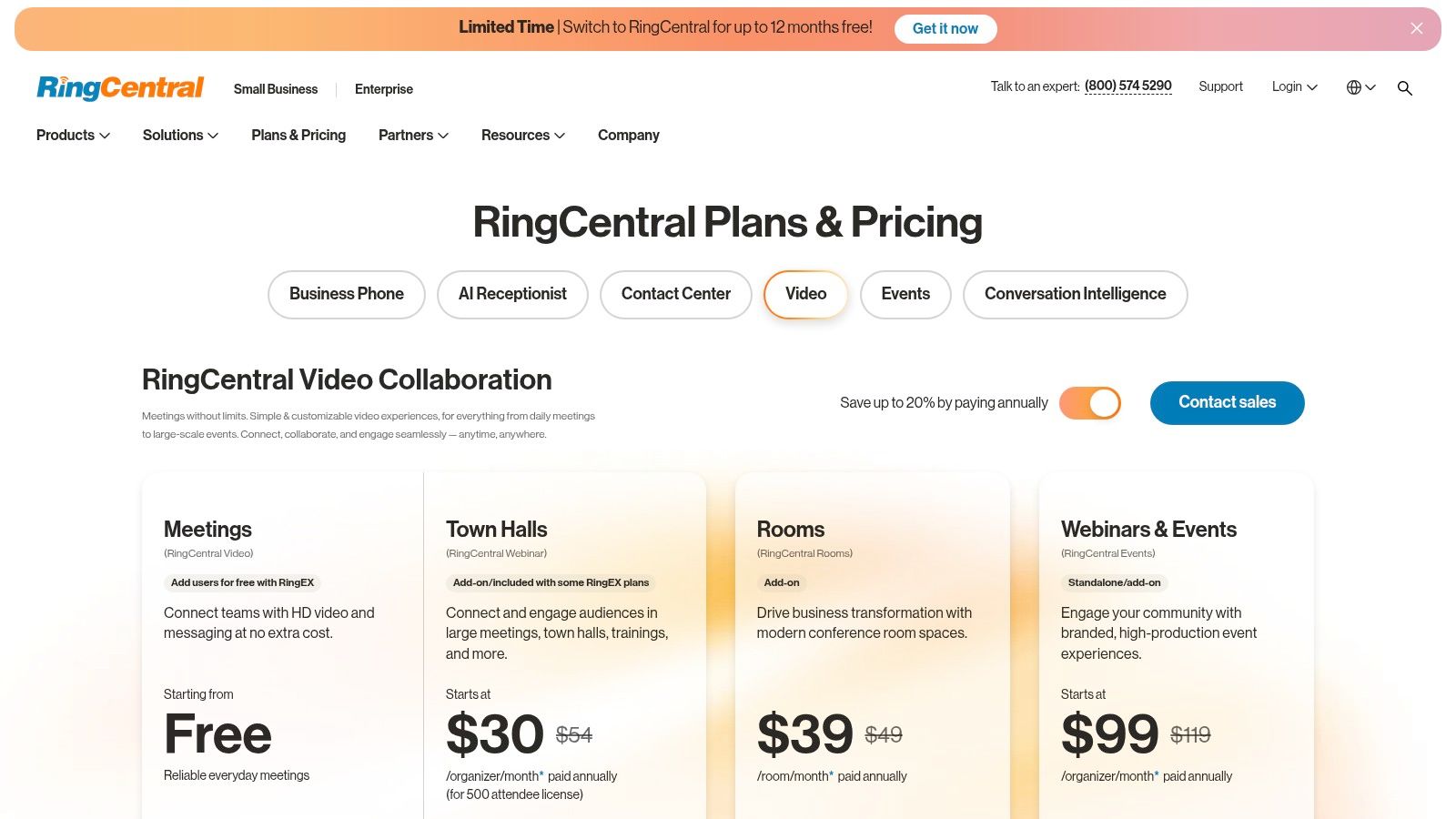
The platform offers unlimited video meetings across its RingEX plans, with participant capacity scaling alongside other features like advanced phone analytics and integrations. For companies already using or considering a VoIP business phone system, bundling it with one of the best video conferencing software solutions can simplify administration, billing, and user training significantly.
Key Features and Use Cases
- Unified Communications: The primary use case is for businesses seeking a single provider for phone, video, and messaging. This integration streamlines workflows and centralizes management.
- Strong Administrative Controls: RingCentral excels with robust admin tools, analytics, and security features that meet compliance standards like HIPAA, which is ideal for regulated industries.
- Integrations: Offers a wide range of integrations with key business applications like Salesforce, Microsoft 365, and Google Workspace, allowing video meetings to be launched from within existing workflows.
Pricing and Limitations
RingCentral offers a free "Video Pro" plan with generous features. Its paid value comes from the bundled RingEX plans (Core, Advanced, Ultra), where video is included with extensive phone and messaging capabilities. However, meeting capacities and advanced features like webinars vary significantly by tier. Standalone video pricing or specific configurations may require contacting their sales team.
- Pros: Single vendor for phone and video simplifies administration, strong compliance and security features, excellent integration capabilities.
- Cons: The platform can feel complex for users who only need simple video conferencing, and pricing is optimized for the full UCaaS bundle, not just standalone video.
Website: https://www.ringcentral.com/pricing/video.html
7. Zoho Meeting
Zoho Meeting carves out its niche as a secure and budget-friendly alternative in the crowded video conferencing market. It's particularly well-suited for small to medium-sized businesses that prioritize privacy and straightforward pricing. As part of the extensive Zoho ecosystem, it offers a compelling value proposition for companies already invested in or considering other Zoho products, positioning it as one of the best video conferencing software choices for cost-conscious teams.
The platform emphasizes ease of access, allowing participants to join meetings directly from their web browser without needing to download any software. This no-download approach removes a significant barrier for external clients or collaborators, ensuring a smoother start to any call. Its clean interface and focus on core meeting and webinar functionalities make it a reliable, no-frills tool for daily business communications.
Key Features and Use Cases
- Seamless Integration: Zoho Meeting integrates natively with other Zoho apps like CRM, Projects, and Mail. This allows for streamlined workflows, such as launching meetings directly from a CRM contact or scheduling events within your project management tool.
- Webinar-Ready: Unlike many competitors that sell webinar features as a costly add-on, Zoho Meeting includes webinar capabilities in its plans, complete with Q&As, polls, and analytics, making it ideal for marketing and training sessions.
- Security-Focused: The platform offers features like lock meetings, role-based access, and end-to-end encryption, providing peace of mind for confidential discussions.
Pricing and Limitations
Zoho Meeting's pricing is highly competitive and transparent, with tiers designed to scale with a business's needs. The plans offer a generous set of features for their price point, including cloud recording and multiple co-hosts. However, some advanced features like breakout rooms and API access are reserved for higher-tier plans. Additionally, while global dial-in numbers are available, using the toll-free add-on will incur extra per-minute charges.
- Pros: Very competitive entry pricing, browser-based join for attendees, and excellent integration with the Zoho software suite.
- Cons: Advanced analytics and transcription are limited to higher plans, and toll-free audio is an additional cost.
Website: https://www.zoho.com/meeting/
8. Pexip
Pexip is an enterprise-grade video platform built around security, control, and interoperability. It stands out as one of the best video conferencing software choices for organizations that need to bridge different communication ecosystems. Its core strength is connecting disparate systems, allowing users on Microsoft Teams, Google Meet, and traditional SIP/H.323 room systems to join the same meeting seamlessly.
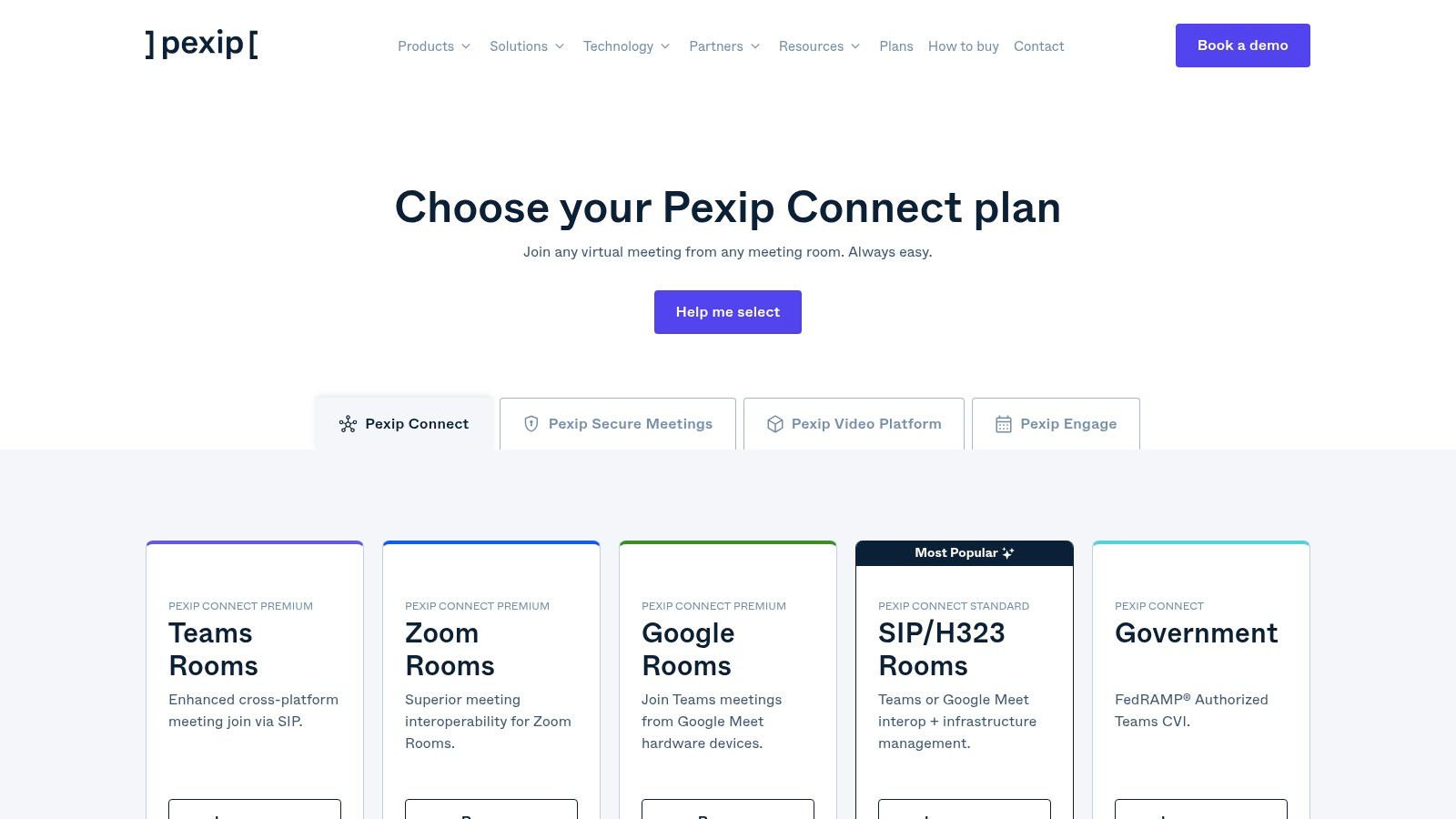
Unlike self-service tools, Pexip is designed for IT-managed deployments in complex environments like government, healthcare, and large corporations. The platform offers unparalleled flexibility, with deployment options ranging from a standard SaaS model to a self-hosted private cloud or a secure, government-authorized cloud (FedRAMP/StateRAMP). This allows organizations to maintain full control over their data and infrastructure.
Key Features and Use Cases
- Cloud Video Interop (CVI): Pexip’s certified CVI allows legacy video conferencing hardware to connect directly to Microsoft Teams and Google Meet calls, extending the life of existing equipment.
- Flexible Deployment: Organizations can choose to use Pexip as a cloud service, host it on their own servers (on-premise or private cloud), or use a dedicated government cloud, meeting strict security and compliance requirements.
- One-Touch Join: Simplifies the user experience by enabling users to join meetings from any device or room system with a single click, regardless of the meeting's host platform.
Pricing and Limitations
Pexip’s pricing is tailored to enterprise needs and generally requires contacting their sales team for a custom quote. It is not designed for individual users or small teams looking for a quick, self-serve solution. The platform's power lies in its backend integration and management, making it less suited for casual, ad-hoc meetings.
- Pros: Exceptional interoperability with Teams, Google Meet, and SIP/H.323; highly secure with flexible on-premise and government cloud options; protects investments in existing hardware.
- Cons: Pricing is not transparent and requires sales consultation; overkill for small businesses or individual users; designed for IT-led implementation rather than simple end-user setup.
Website: https://www.pexip.com/plans
9. Jitsi Meet (meet.jit.si / Jitsi open source)
For those prioritizing privacy, simplicity, and cost-effectiveness, Jitsi Meet stands out as an exceptional open-source solution. It offers a completely free, browser-based video conferencing experience at meet.jit.si without requiring any account creation or software installation. This makes it one of the best video conferencing software choices for quick, spontaneous meetings or for users who are cautious about sharing personal data.
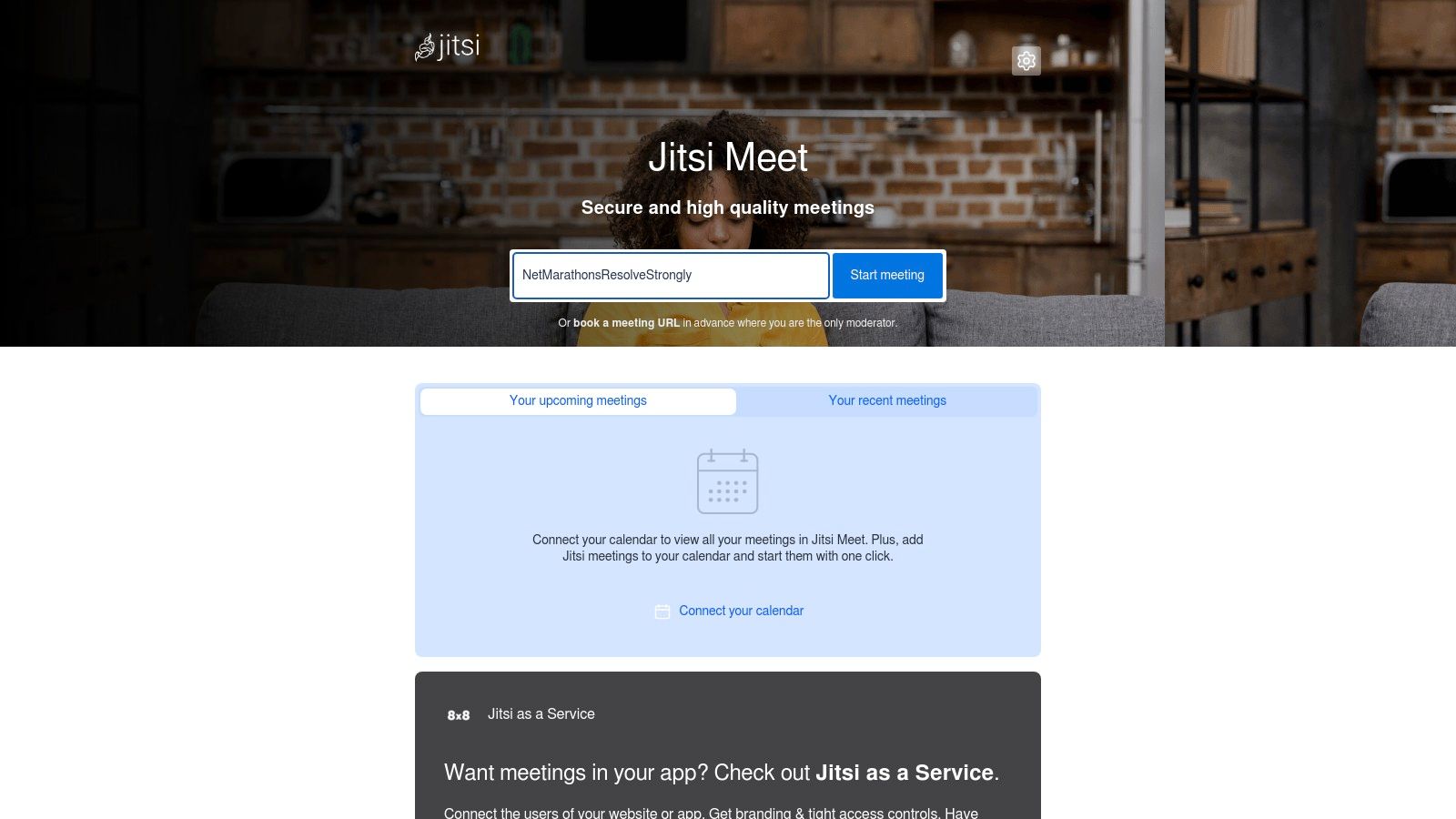
The platform's open-source nature is its key differentiator. While anyone can use the public instance, tech-savvy teams and businesses can self-host Jitsi on their own servers for complete control over their data and communications infrastructure. For those needing enterprise-grade features without the hassle of self-hosting, 8x8 offers a paid "Jitsi as a Service" option with dedicated support and SLAs.
Key Features and Use Cases
- Privacy and Security: Jitsi promotes a privacy-first approach, offering end-to-end encryption and requiring no personal information for its public service, making it ideal for confidential discussions or journalism.
- No-Account Access: Its greatest strength is its accessibility. Users can start or join a meeting simply by navigating to a URL, removing all friction for ad-hoc calls with external participants.
- Self-Hosting & Customization: As an open-source project, it allows for deep customization. Businesses can integrate it into their own applications or websites, creating a branded video chat experience.
Pricing and Limitations
The public instance at meet.jit.si is entirely free to use. However, this free service comes with community-level support and no guaranteed uptime or performance (SLAs). Advanced features like robust recording or live streaming require either technical setup on a self-hosted server or a subscription to a paid, managed service like the one from 8x8.
- Pros: Completely free for ad-hoc meetings, no account needed, strong privacy focus, and highly customizable via self-hosting.
- Cons: The free public service lacks enterprise-grade reliability, and advanced features require technical configuration or a paid plan.
Website: https://meet.jit.si
10. Intermedia AnyMeeting / Intermedia Unite
Intermedia positions itself as an all-in-one unified communications provider, and its video conferencing solution, AnyMeeting, is a core component of its broader Unite platform. This makes it an excellent choice for businesses looking to consolidate their phone, chat, and video services under a single vendor with unified billing and U.S.-based support. Its strength lies in its integration, offering a seamless transition from a chat message to a video call or a full-scale webinar.
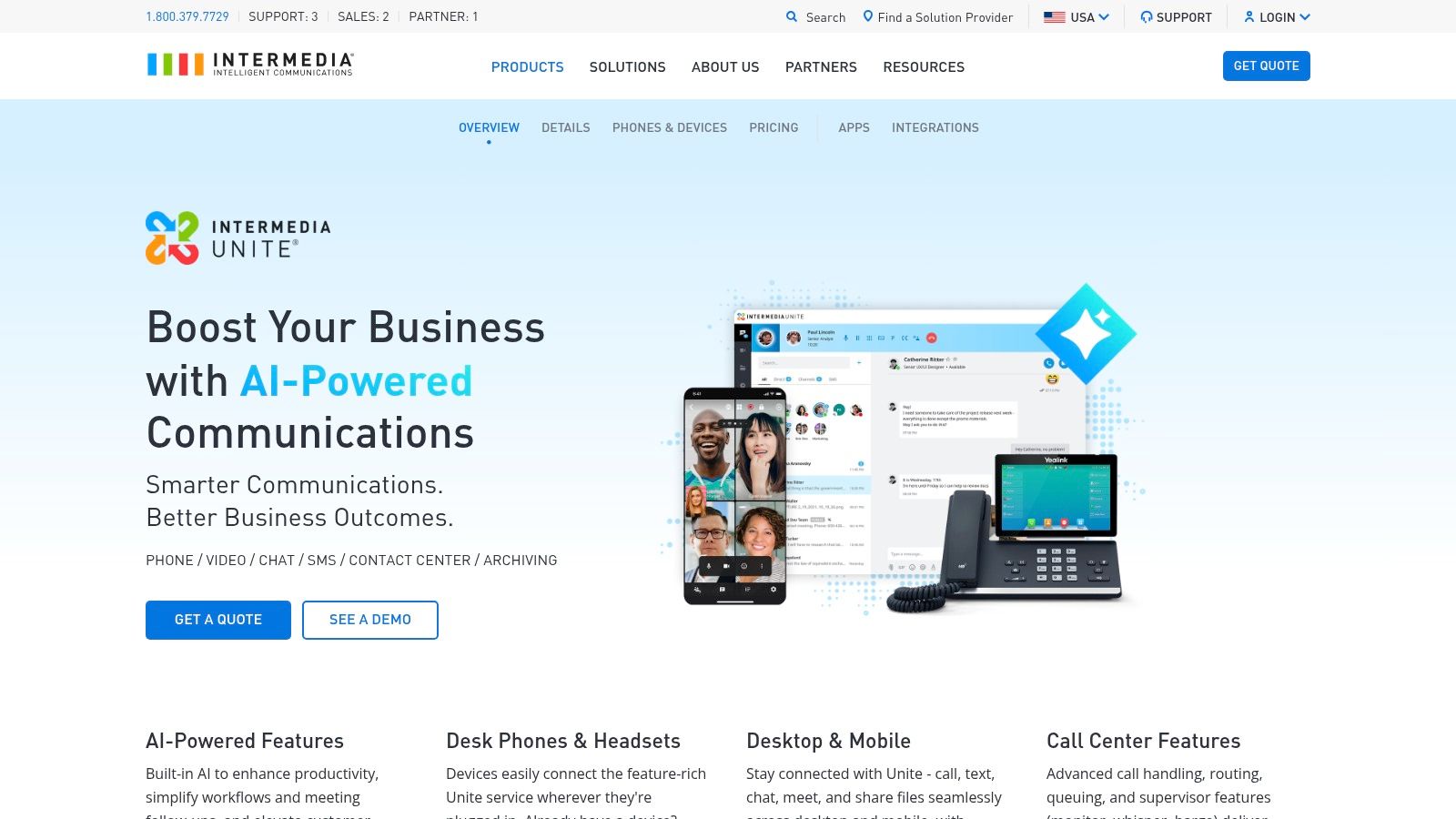
The platform is particularly strong in the webinar space, with dedicated tiers that support up to 1,000 attendees and allow for multiple presenters on camera. Features like AI-powered meeting transcriptions and notes add significant value, automating post-meeting workflows. For organizations that need a comprehensive communication stack, Intermedia Unite provides a compelling, integrated alternative to piecing together separate tools.
Key Features and Use Cases
- Unified Communications (UCaaS): The main draw is integrating HD video meetings with a business phone system (VoIP), team chat, and file sharing within the Intermedia Unite bundle.
- Webinar Capabilities: Offers distinct plans specifically for webinars with features like custom branding, Q&A, and support for up to 12 on-camera presenters, ideal for marketing events or company-wide training.
- AI-Powered Assistance: Automated meeting notes and transcriptions help capture key decisions and action items without manual effort, improving productivity for busy teams.
Pricing and Limitations
Intermedia’s pricing is structured around its Unite (all-in-one) and AnyMeeting (standalone) products. The webinar tiers are priced based on attendee caps, which can become costly for larger audiences. While the unified approach is a major benefit for some, businesses that only need a standalone video meeting tool might find the full UC bundles excessive for their needs.
- Pros: Single provider for phone, video, and chat; strong webinar features with clear attendee tiers; U.S.-focused customer support.
- Cons: Can be expensive, especially for large webinars; the full UC bundle may be more than what a small team requires.
Website: https://www.intermedia.com/products/anymeeting-webinars
11. Adobe Connect
Adobe Connect stands apart from casual meeting apps by focusing on structured, persistent virtual environments. It is a long-standing choice for regulated industries, government agencies, and higher education, where control, branding, and formal presentation are paramount. Its strength lies in creating predictable, repeatable virtual classrooms and webinar experiences with granular control over the participant experience.
Unlike platforms where rooms are created on the fly, Adobe Connect allows hosts to design and reuse "persistent rooms" with custom layouts, content, and branding. This makes it a leading choice among the best video conferencing software for formal training programs and accredited courses, as the environment remains consistent for every session. The platform’s architecture is built for delivering high-impact, engaging learning experiences rather than simple face-to-face calls.
Key Features and Use Cases
- Persistent Rooms & Customizable Layouts: Design your virtual room once with specific pods for chat, polls, Q&A, and content sharing. The layout and materials will be there every time you enter, perfect for recurring training sessions.
- Granular Participant Controls: Hosts have extensive control over what attendees can see and do, managing permissions with precision to maintain order and focus during large-scale webinars or virtual classes.
- LMS-Style Features: Includes advanced functionalities for recording, editing, and indexing sessions, along with engagement monitoring and reporting tools that are essential for corporate training and educational compliance.
Pricing and Limitations
Adobe Connect offers tiered pricing for Meetings, Webinars, and Virtual Classrooms, with costs scaling based on the number of participants. Licenses are typically sold on a per-host or concurrent learner basis, which offers predictability but can be more expensive than per-user models. The user interface feels more formal and complex than competitors, which can present a learning curve for those accustomed to simpler meeting tools.
- Pros: Unmatched control for structured training and formal webinars, persistent rooms save setup time, excellent for education and government use cases.
- Cons: The interface is less intuitive for casual meetings, and costs can be significant, especially for larger capacity needs.
Website: https://www.adobe.com/products/adobeconnect/buying-guide.html
12. Amazon Chime
Amazon Chime, from Amazon Web Services (AWS), offers a unique pay-as-you-go approach to video conferencing. This model makes it a particularly cost-effective choice for individuals or organizations that host meetings infrequently. Instead of a fixed monthly subscription, its Pro features are billed on a per-day, per-user basis, ensuring you only pay for the days you actually lead a meeting.
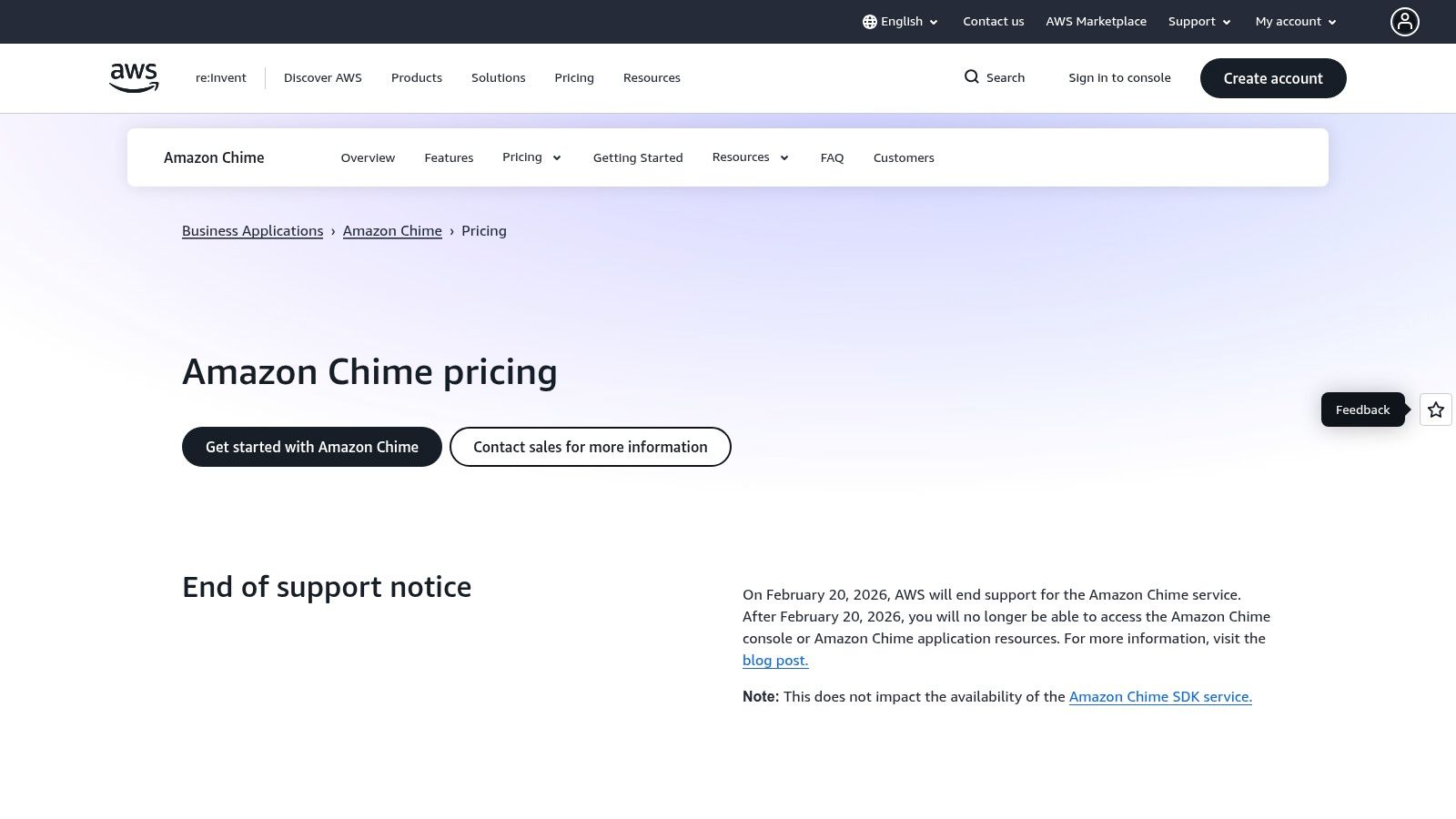
However, it's crucial to note that AWS has scheduled the end of support for the Amazon Chime service for February 20, 2026. While the underlying Chime SDK for developers will continue, the standalone meeting application will be retired. This makes it suitable for short-term needs or for organizations already deeply integrated into the AWS ecosystem looking for a temporary solution.
Key Features and Use Cases
- Pay-As-You-Go Model: The Pro plan charges a flat fee per user only on the days they host a meeting. This is ideal for consultants, freelancers, or small businesses with sporadic meeting schedules.
- AWS Integration: For companies heavily reliant on AWS, Chime integrates with AWS Identity and Access Management (IAM) and AWS CloudTrail, simplifying user management and security logging within an existing cloud infrastructure.
- Transparent Telephony: Offers clear, published per-minute rates for dial-in and "call me" features, making it easy to predict and manage telecommunication costs without hidden fees.
Pricing and Limitations
Amazon Chime has a free "Basic" tier for joining meetings and one-on-one calls. The "Pro" features, needed for hosting meetings with more than two people (up to 250), are billed at a daily rate per host. While this is cost-effective for occasional use, the upcoming service retirement is a significant limitation for anyone seeking a long-term video conferencing solution. The feature set is also more streamlined compared to comprehensive unified communications platforms.
- Pros: Highly cost-effective for infrequent meeting hosts, transparent per-minute calling rates, strong integration with the AWS ecosystem.
- Cons: The service is being retired in February 2026, metered telephony can become costly with heavy use, fewer collaboration features than competitors.
Website: https://aws.amazon.com/chime/pricing
Top 12 Video Conferencing Solutions — Feature Comparison
| Platform | Key features ✨ | UX & Quality ★ | Pricing & Value 💰 | Best fit / Audience 👥🏆 |
|---|---|---|---|---|
| Zoom | ✨ 100–1000+ participants, cloud recording, whiteboards, chat, broad integrations, webinars/rooms/phone | ★★★★★ — familiar, reliable join experience | 💰 Freemium → tiered plans; add‑ons can raise total cost | 👥 SMBs → enterprises, remote teams; 🏆 ubiquity & scalability |
| Microsoft Teams (Microsoft 365) | ✨ Meetings to 1000, recording/transcripts, PSTN dial‑in, deep M365 integration | ★★★★☆ — integrated but complex UI for admins | 💰 Bundled with M365; licensing complexity between SKUs | 👥 Microsoft shops & enterprises; 🏆 governance & compliance |
| Google Meet (Google Workspace) | ✨ Browser‑first join, 100–1000 participants, recording, noise cancel, room hardware | ★★★★☆ — simple, no‑install attendee experience | 💰 Included in Workspace tiers; competitive SMB pricing | 👥 Gmail/Calendar users, schools/SMBs; 🏆 ease of use |
| Cisco Webex | ✨ Free plan, paid tiers with AI assistant, FedRAMP options, strong device ecosystem | ★★★★☆ — enterprise‑grade reliability & security | 💰 Free→paid; multiple SKUs, enterprise pricing often via sales | 👥 Regulated sectors & gov, large events; 🏆 security & hardware |
| GoTo Meeting | ✨ Pro/Business plans, unlimited meetings, AI summaries, webinar/training add‑ons | ★★★★ — professional UI, reliable performance | 💰 Pro/Business tiers; some pricing hidden until checkout | 👥 Professional webinars/trainers; 🏆 webinar/training features |
| RingCentral (RingCentral Video / RingEX) | ✨ UCaaS: phone + video + messaging, webinars, admin tools | ★★★★ — unified UC experience, admin‑centric | 💰 Bundled annual pricing; video‑only often via sales | 👥 Organizations wanting single‑vendor UC; 🏆 phone+video consolidation |
| Zoho Meeting | ✨ Up to 250 participants, browser join, recording storage, breakout rooms, API | ★★★★ — lightweight, browser‑first UX | 💰 💰 Very competitive, transparent tiers (SMB‑friendly) | 👥 Cost‑conscious SMBs; 🏆 affordability & privacy |
| Pexip | ✨ CVI for Teams/Zoom/Meet, one‑touch join, SaaS/self‑host/FedRAMP options | ★★★★ — engineered for mixed room systems, enterprise SLAs | 💰 Enterprise pricing — contact sales; flexible deployment costs | 👥 Large enterprises & public sector; 🏆 interoperability & gov clouds |
| Jitsi Meet | ✨ Free hosted & self‑host, E2EE, screen share, polls, mobile apps | ★★★ — simple, privacy‑friendly but community SLAs | 💰 Free for meet.jit.si; paid hosting for SLAs/recording | 👥 Ad‑hoc teams, privacy‑minded users; 🏆 open‑source & free option |
| Intermedia AnyMeeting / Unite | ✨ Webinars up to 1,000, AI notes/transcripts, UC bundles (phone/chat/video) | ★★★★ — unified billing, US‑focused support | 💰 UC bundles; webinar pricing scales with attendee caps | 👥 US orgs wanting UC + webinars; 🏆 one‑vendor billing & support |
| Adobe Connect | ✨ Persistent rooms, custom layouts, LMS features, granular controls | ★★★★ — structured classroom/webinar UX (less casual) | 💰 Predictable licensing; higher cost for large attendee counts | 👥 Training, education, government; 🏆 formal training & branding |
| Amazon Chime | ✨ Up to 250 attendees, day‑based Pro charges, telephony with per‑minute rates, AWS integration | ★★★ — pay‑as‑you‑go for occasional hosts | 💰 💰 Pay‑per‑day hosting; transparent telephony — service retiring Feb 2026 | 👥 AWS‑centric orgs or occasional hosts; 🏆 cost‑efficient for infrequent use |
Making the Call: Your Next Steps in Virtual Collaboration
Navigating the crowded landscape of virtual meeting platforms can feel overwhelming, but the journey to finding the best video conferencing software for your needs is a crucial investment in your team's productivity and connectivity. As we've explored, the market isn't about a single "best" tool, but rather a spectrum of solutions, each excelling in different scenarios. From the ubiquitous and feature-rich Zoom to the deeply integrated ecosystems of Microsoft Teams and Google Meet, the right choice often depends on your existing workflows and software stack.
The key takeaway is to look beyond the basic function of a video call. Consider the entire collaboration lifecycle. Do you need a platform that seamlessly integrates with your project management tools? Is your primary focus on large-scale, interactive webinars, making a specialized tool like Adobe Connect a worthy contender? Or perhaps your organization prioritizes absolute data sovereignty and security, pushing a self-hosted solution like Pexip or the open-source flexibility of Jitsi Meet to the top of your list.
A Framework for Your Final Decision
To distill this comprehensive list into a practical choice, your next steps should be strategic and hands-on. Don't just rely on feature checklists; think about the real-world application for your team.
Here's a simple, actionable framework to guide you:
Identify Your Core Use Case: Are you a small business needing a reliable, all-in-one communication hub like RingCentral or Zoho Meeting? Or are you a large enterprise requiring the robust security and interoperability offered by Cisco Webex? Pinpoint your primary need, whether it's internal team huddles, client-facing presentations, or educational delivery.
Evaluate Your Technical Ecosystem: The path of least resistance is often the most effective. If your organization is already standardized on Microsoft 365 or Google Workspace, leveraging the powerful, built-in capabilities of Teams or Meet is a logical and cost-effective starting point. Integration minimizes friction and maximizes adoption.
Prioritize User Experience (UX): The most powerful software is useless if your team finds it clunky or confusing. A clean, intuitive interface is paramount for day-to-day use. This is where free trials become invaluable. A tool that looks good on paper might not feel right in practice.
Scrutinize Security and Privacy: In an era of heightened digital risk, understanding a platform's security architecture is non-negotiable. Look for end-to-end encryption, transparent data handling policies, and robust administrative controls. This is especially critical for industries handling sensitive information.
Taking the Plunge: From Shortlist to Selection
Your ultimate goal is to create a shortlist of two or three top contenders from our list. Once you have them, it’s time to move from research to reality. Engage a small group of users from different departments to participate in trial periods. Gather their honest feedback on everything from call quality and feature accessibility to mobile app performance and overall ease of use.
Choosing the best video conferencing software is more than a technical decision; it's a commitment to a new way of working. By aligning your specific requirements with the unique strengths of these platforms, you are not just buying a tool. You are building a more resilient, connected, and efficient foundation for the future of your organization's collaboration.
Feeling overwhelmed by the sheer number of tech choices? At Simply Tech Today, our mission is to cut through the noise with clear, practical guides just like this one. Visit Simply Tech Today for more in-depth reviews, how-to articles, and expert advice to help you master the technology that powers your world.
Member discussion