
Color color e ink: A Quick Guide to Next-Gen Screens

Color e-ink is one of those technologies that sounds a bit like magic. It’s a display that brings color to digital paper screens, giving you that classic, glare-free reading experience that’s so easy on the eyes. Unlike the LCD or OLED screens in your phone or TV, it works with reflected light and only sips power when the image on the screen actually changes.
The result? Weeks-long battery life and perfect clarity, even in direct sunlight.
Why This Colorful Paper Matters
Think of it like a reusable sheet of paper that can instantly update its content—displaying anything from the text of a novel to a full-color chart, all without a harsh, glowing backlight. That's the real promise of color e-ink, or color electronic paper. The entire point is to mimic the look and feel of ink on a real page, which makes it a fantastic alternative to the emissive screens we stare at all day.
This isn’t just a gimmick. It’s a direct response to two of the biggest problems with our modern devices: terrible battery life and constant eye fatigue. Because a color e-ink screen doesn't need to constantly refresh the image or generate its own light, a device using it can last an incredibly long time on a single charge. This is exactly why it’s perfect for dedicated e-readers, digital notepads, and even public signage.
The Benefits of a Calmer Screen
The real magic of color e-ink is its reflective nature, which creates a much more natural viewing experience. Instead of staring directly into a light source, you’re looking at a surface that reflects the light around you—just like a physical book or magazine. This simple difference can dramatically reduce eye strain, especially during long reading sessions. For anyone looking for ways to reduce screen time and the eye fatigue that comes with it, this technology is a game-changer.
Here’s a quick rundown of the key advantages:
- Exceptional Battery Life: Since power is only drawn when the page changes, devices can last for weeks, not just hours.
- Sunlight Readability: Backlit screens wash out in bright sunlight. Color e-ink screens actually get clearer and more vibrant.
- Reduced Eye Strain: No backlight means a comfortable, paper-like experience that feels much more natural on the eyes.
By blending the static, low-power benefits of traditional e-paper with a palette of colors, color e ink is unlocking new possibilities for everything from educational textbooks and graphic novels to dynamic retail shelf labels and public information signs.
As the technology continues to get better, it’s set to bring more of our digital lives into harmony with the comfortable, reflective qualities of print. And that naturally leads to the next question: how does it actually work?
How Color E Ink Actually Works
To really get why color e-ink is such a big deal, you have to look at the clever science behind it. Your typical LCD or OLED screen is essentially a fancy, high-tech lightbulb that shines directly into your eyes. E-ink is different. It physically moves tiny, ink-like particles around to form an image, just like real print on a page.
But how do you get color out of that? It turns out there isn't just one magic bullet. A few different approaches have been developed, each with its own unique way of painting that digital picture.
The "Stained-Glass" Method: Color Filter Arrays
The most common approach you'll find in consumer e-readers today uses something called a Color Filter Array (CFA). This is the tech behind products like E Ink Kaleido.
The best way to think about it is to imagine a crisp, detailed black-and-white photo. Now, picture laying a sheet of transparent film over it, printed with a microscopic grid of red, green, and blue dots. That’s the basic concept. The device starts with a standard grayscale e-paper layer—the one with the familiar black and white microcapsules—and simply places this thin color filter right on top.
When the grayscale layer underneath forms an image, the light from the room bounces off the white particles, passes up through the color filter, and picks up a specific hue on its way to your eye. It's a surprisingly simple and effective way to introduce color without having to completely re-engineer the foundational e-ink technology.
Thanks to this method, Kaleido displays can produce up to 4,096 colors, which is perfect for bringing graphic novels, magazines, and textbooks to life without the harsh glare of a traditional screen. Even better, because the screen only draws power when the image changes, this technology can reduce energy consumption by as much as 90% compared to an LCD. It's a major reason for the technology's growing adoption, a trend you can explore further in market analysis from sources like dataintelo.com.
The "True Ink" Method: Direct Pigments
A much more sophisticated technique does away with that filter layer entirely. This is the direct pigment method, and the best example of it is E Ink's Advanced Color ePaper (ACeP). Instead of using a filter to tint white light, ACeP puts all the colored pigments right inside each tiny microcapsule.
Think of it as having millions of microscopic paint pots embedded in the screen. Each one contains pigments for cyan, magenta, yellow, and white. By applying incredibly precise electrical charges, the display can coax any combination of these colored particles to the surface of the capsule, mixing them on the fly.
This allows the screen to create a full-color image directly, which means the colors are far richer and more saturated than what you'd get from a filter array. Since there’s no filter dimming the screen, ACeP produces a much more vibrant and genuinely paper-like image.
In short, the Color Filter Array method is like coloring in a black-and-white picture with a set of highlighters. The Direct Pigment method is like painting from scratch with a full palette of inks.
The Future: Drawing Inspiration from Nature
The innovation doesn't stop there. Researchers are always tinkering with new ways to create color on reflective displays, and some of the most fascinating ideas come straight from the natural world.
One of the most exciting frontiers is structural color. This approach throws pigments and dyes out the window. Instead, it uses meticulously engineered nanostructures on a surface to bend and interfere with light waves, causing only specific colors to reflect back.
- A Butterfly's Wing: You've seen this in action before. The stunning, iridescent shimmer of a butterfly's wing or a peacock's feather isn't created by pigment. It’s the result of the microscopic physical texture of the surface itself.
- The Promise: If this can be perfected for displays, it could lead to color e-ink screens that are brighter, more durable, and capable of producing an even wider and more vivid spectrum of colors than anything we have today.
From simple filters to complex, pigment-filled capsules and nature-inspired nanostructures, the world of color e-ink is full of ingenuity. Each method builds on that core, eye-friendly principle of a reflective, low-power screen, bringing our digital world to life in remarkable new ways.
Color E Ink Versus Your Everyday Screens
Knowing how a new technology works is one thing, but how does it actually compare to the screens we stare at all day? Let's pit color e-ink against its two main rivals: the classic grayscale e-ink of a standard Kindle and the vibrant LCD or OLED screens in your phone and laptop. This isn't just a numbers game; it’s about understanding the real-world trade-offs you make with each one.
When you picture a Kindle, you’re thinking of grayscale e-ink. It's legendary for that paper-like finish and battery life that seems to last forever, but it’s always been a world of black, white, and gray. Color e-ink takes that same core idea and adds a splash of color, opening the door for things like magazines, textbooks, and colorful charts. The colors are often more subdued than what you'd see on a tablet, but they get the job done.
The Battle for Your Eyes and Battery
The fundamental difference between these screens comes down to a single thing: light. Your smartphone’s OLED screen is emissive—it generates its own light and shines it straight into your eyes. That's what makes it look so brilliant in a dark room, but it’s also why it can cause eye fatigue and becomes nearly unreadable in direct sunlight.
Color e-ink, on the other hand, is reflective. It works just like a page in a book, using the light around you to make the image visible. This is precisely why it’s so comfortable for long reading sessions and, amazingly, looks even better in bright sunshine. This one key difference is the source of nearly all its strengths and weaknesses.
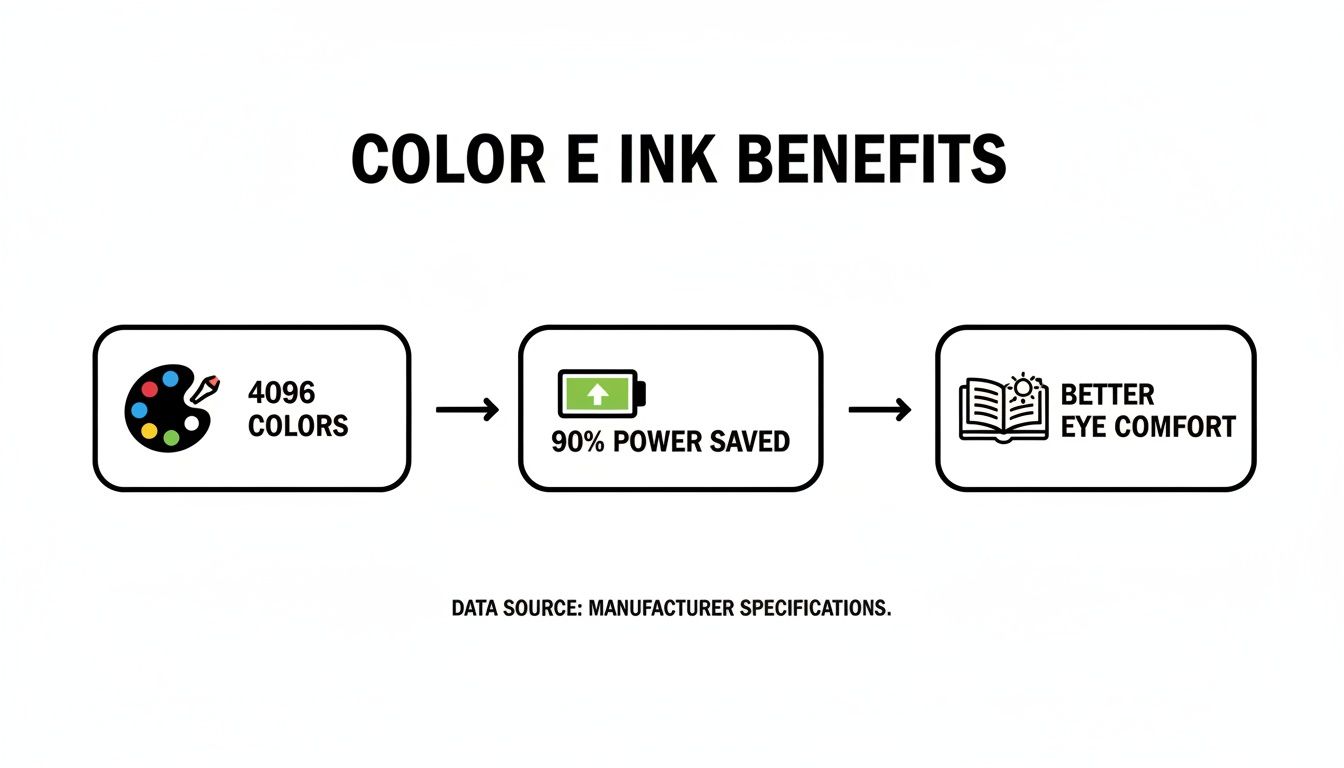
The ability to show 4,096 colors while using up to 90% less power than a comparable LCD is what makes it such a compelling option for devices where battery life is king.
Refresh Rates and Color Realism
This is where the compromises start to become obvious. LCD and OLED screens have incredibly fast refresh rates, which is why they’re perfect for playing smooth, high-definition video. Color e-ink is much, much slower. It’s built for static or slowly changing images. Try to watch a movie on one, and you’ll get a blurry, ghosting mess.
Color accuracy is another major point of difference. While newer e-ink can display thousands of colors, they tend to be more muted, almost pastel-like. They can't compete with the billions of rich, saturated colors an OLED screen can pump out. If your work demands perfect color fidelity, you’ll want to check out the best photo editing apps for beginners on a traditional monitor. For comics, graphs, and simple illustrations, however, color e-ink is fantastic.
Here’s a good way to think about it: An OLED screen is like a dazzling digital billboard, built for motion and eye-popping visuals. A color e-ink screen is more like a high-quality page from a graphic novel—static, easy on the eyes, and brilliant in its own quiet way.
Display Technology Showdown: Color E Ink vs. LCD/OLED
To make the choice crystal clear, let's break down the key differences side-by-side. This table shows where each technology shines and where it falls short, helping you decide which is right for the job.
| Feature | Color E Ink | LCD/OLED |
|---|---|---|
| Eye Comfort | Excellent, no backlight | Can cause eye strain over long periods |
| Sunlight Reading | Perfect, looks better in bright light | Poor, screen washes out completely |
| Battery Life | Measured in weeks | Measured in hours or days |
| Color Vibrancy | Muted, pastel-like shades | Bright, rich, and highly saturated colors |
| Refresh Rate | Very slow, not suitable for video | Very fast, ideal for video and gaming |
| Best For | Reading, note-taking, digital signage | Videos, gaming, all-purpose computing |
Ultimately, there’s no single "best" screen—it all comes down to what you need it to do. For marathon reading sessions, outdoor use, or low-power displays that just need to work, color e-ink is in a class of its own. For just about everything else, the speed and vibrancy of LCD and OLED are still the reigning champions.
Where You Can Find Color E Ink in Action
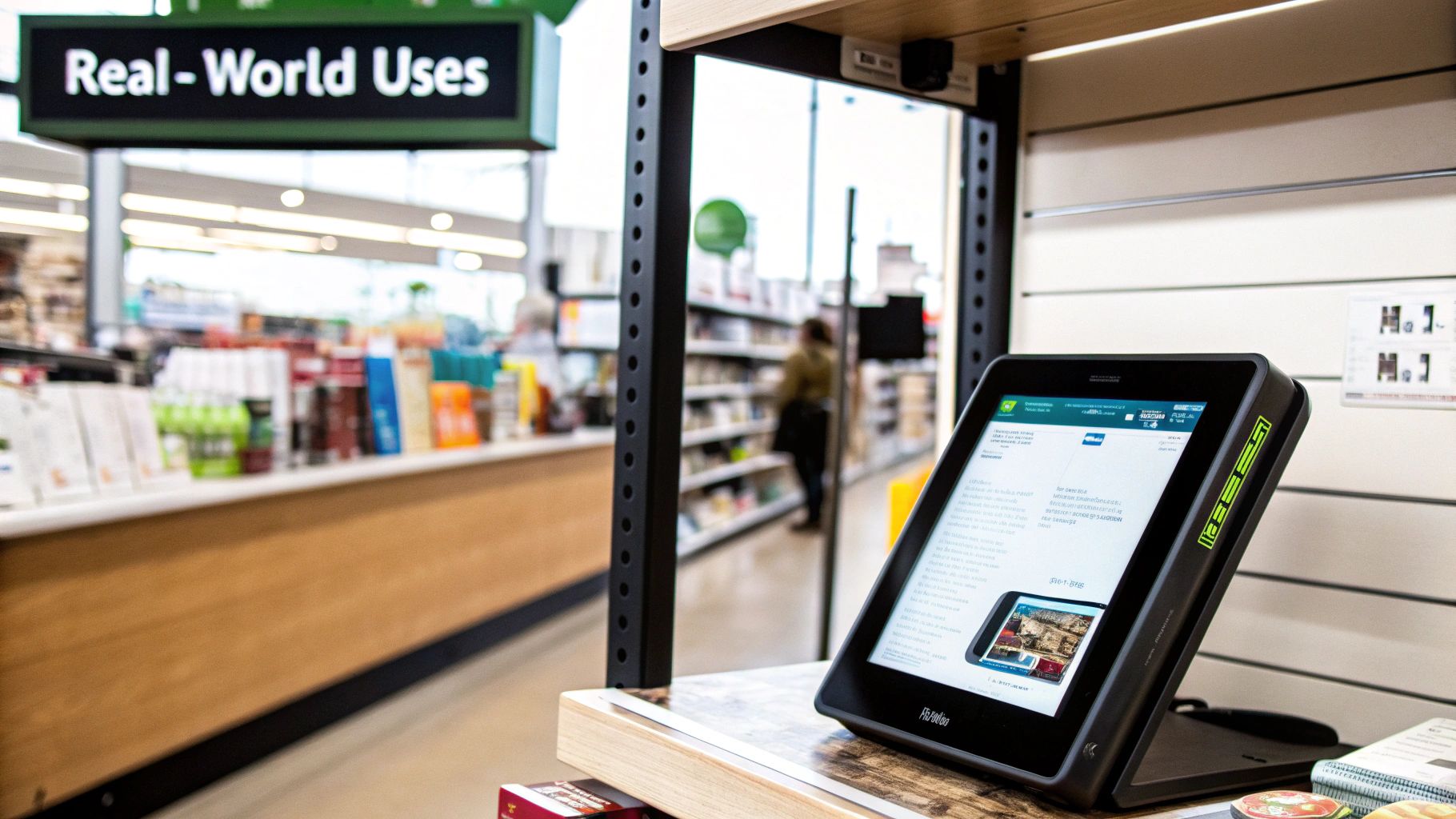
The science behind color e-paper is fascinating, but what really matters is where it’s actually showing up in the real world. This isn't some far-off lab experiment; color e-ink is quietly making its way into consumer gadgets, retail stores, and even public spaces.
Its unique blend of super-low power consumption and crystal-clear visibility makes it the perfect solution for a growing list of practical problems.
Transforming the Reading Experience
E-readers are the classic home for e-ink, and adding color is finally taking that experience to the next level. For years, we’ve been stuck with black and white, which is great for novels but falls flat for any content that needs color to tell the full story.
Color e-ink changes everything. All of a sudden, e-readers are a viable option for:
- Graphic Novels and Comics: Artists' original color palettes come through beautifully, letting you enjoy the story as intended without the harsh glare of an LCD tablet.
- Children's Books: Bright illustrations can finally pop off the page, making digital storytime far more engaging for younger kids.
- Textbooks and Journals: Think about how much easier it is to understand complex charts, scientific diagrams, and anatomical drawings when they’re presented in full color.
It's a simple change, but one that bridges the gap between static text and visually rich media.
Smarter Retail and Dynamic Pricing
One of the most impressive and rapidly expanding uses for color e-ink is in retail. The next time you walk through a modern supermarket or electronics store, look closely at the shelf edges. You’ll likely see small, paper-like tags displaying prices—these are Electronic Shelf Labels (ESLs), and they are quickly becoming the technology's killer app.
These aren't just fancy price tags. They’re a full-blown revolution in how stores manage pricing. In fact, the ESL market is the fastest-growing segment for e-ink displays and is projected to make up over 55% of market revenue by 2028, with a mind-boggling growth rate of 25%.
These tiny, connected displays allow a manager to update thousands of prices instantly from a single computer. It’s a perfect example of what you can learn about in our guide to what is the internet of things, where everyday objects gain digital smarts.
The real magic is in the color. Stores can use a splash of red to highlight a sale, green to signal an organic product, or display a brand's logo perfectly. All of this happens while using virtually no power until the price actually changes, reducing paper waste by 99% and saving stores a fortune on energy.
Public Signage and Wearable Tech
Beyond books and shopping aisles, color e-ink’s durability and outdoor readability make it a natural fit for public information displays. Imagine a bus stop schedule that’s perfectly legible in the brightest sunlight or a public transit map that can be updated remotely in real time. Because the screen only draws power when changing the image, it’s an incredibly sustainable choice for city signage.
Finally, the technology is starting to appear in wearables. Smartwatches and fitness trackers benefit hugely from a display that can stay on 24/7 without draining the battery. Adding color makes it easier to glance at notifications, interpret health data, and customize watch faces—all without sacrificing that week-long battery life users have come to expect.
So, you're thinking about jumping into the world of color e-ink? That's great—but before you pull out your wallet, it’s crucial to know what you're getting into. Setting the right expectations is the key to loving your new device instead of feeling let down.
First things first: color e-ink is not a replacement for your iPad's OLED screen. The colors are much softer and more muted, like a vintage comic book or a faded photograph. You also won't be watching videos on it. The refresh rates are still quite slow, making these screens perfect for static content like book covers, charts, and illustrations, but a non-starter for motion.
Asking the Right Questions
To find the right device, you have to nail down what you’ll actually do with it. The best e-reader for graphic novels won't be the best e-note for a business meeting. The process is a lot like figuring out how to choose the right laptop; it all boils down to your specific needs.
Start by asking yourself a few honest questions:
- What's my main reason for buying this? Am I mostly reading comics, marking up PDFs, reviewing colorful reports, or do I just want a cool, low-power dashboard?
- Where am I going to use it? If you're an outdoor reader, the incredible sunlight visibility is a game-changer. If you're mostly inside, you'll want to make sure it has a good front light.
- What’s more important: battery life or color pop? Are you okay with less vibrant colors in exchange for a device that can go for weeks without a charge?
Answering these questions will point you in the right direction. It's the difference between buying a gadget that genuinely makes your life better and one that ends up collecting dust.
Decoding the Tech Jargon
When you start shopping, you'll see names like 'Kaleido 3' and 'Gallery 3' thrown around. These aren't just fancy marketing terms—they tell you what kind of color e-ink technology is under the hood.
Kaleido 3 is the most common one you'll find in e-readers and digital notebooks. It uses a color filter layer over a standard grayscale screen, striking a decent balance between color and refresh speed.
Gallery 3, on the other hand, is a different beast. It uses a more advanced system with different colored pigments for a much richer, more saturated look. The catch? It's slow. This tech is better for things like digital art displays or signage, where the image doesn't need to change every second.
This technology is also finding its way into wearables, giving us smart devices with incredible battery life. Consumer electronics now dominates the e-paper market, which is growing at a 12.7% CAGR and valued at USD 2.65 billion. This growth is fueled by our demand for displays that are easy on the eyes and sip power. You can find more details about the growing electronic paper display market on straitsresearch.com.
Once you understand these key differences, you can shop with confidence and find the device that’s truly right for you.
The Future of Digital Paper Is Colorful
The story of color e-ink is really just getting started. While the displays we have today are a fascinating balancing act of color and compromise, the path forward is all about erasing those trade-offs. Researchers are laser-focused on cracking the biggest challenges: boosting color saturation and speeding up refresh rates.
The goal is to get color e-paper looking as rich and vibrant as an LCD screen while making it fast enough to handle smooth animations. Getting this right is the key to unlocking applications that feel straight out of a sci-fi movie.
Beyond Personal Gadgets
Think bigger than just e-readers and notepads. We're talking about flexible, rollable displays that could unfurl to deliver your morning news, quietly updating throughout the day just like a real newspaper. Imagine entire walls in your home or office that could change their color and texture on a whim, adapting to your mood or the time of day.
This technology is also poised to reshape our public spaces. Future versions of color e-ink could drive massive, ultra-low-power billboards. They could display brilliant, full-color ads without the harsh glare and light pollution of traditional digital signs, since they'd only use power when the image changes. It’s a perfect green alternative for modern cities.
The ultimate vision is for color e-paper to become an ambient, integrated part of our environment—a dynamic skin for objects, walls, and public spaces that is as comfortable to view as printed paper.
Ultimately, color e-ink is growing up. It's moving from a niche technology into a truly versatile platform. As it gets more colorful, faster, and more affordable, it's set to become a much more helpful and integrated part of our daily lives, beautifully blending the best of the digital and physical worlds.
Common Questions About Color E Ink
So, you get the tech behind it, but what’s it actually like to use a color e-ink device day-to-day? Let's tackle some of the most practical questions people have.
Are the Colors as Bright as My Phone's Screen?
Not yet, and that’s a key trade-off. Today’s color e ink screens, like Kaleido, have a much softer, more muted color palette. Think of a comic strip in a newspaper rather than the glowing, vibrant colors of an OLED or LCD screen on your phone or tablet.
Each new generation gets a little better, but for now, you're trading that punchy saturation for incredible battery life and a reading experience that’s much easier on the eyes.
Can I Watch Videos on a Color E Ink Reader?
In a word: no. E-paper displays have a much slower refresh rate—that’s the speed the screen can update itself. Trying to play a video results in a blurry, ghosting mess because the technology just can't keep up with fast-moving images.
It's really built for static content like book pages, charts, and illustrations.
The real magic of color e ink is its ability to hold a static, paper-like image using almost no power. It shines in situations where normal screens fail, like reading in direct sunlight or when you're away from a charger for days on end.
Why Do Color E Ink Devices Cost More?
It all comes down to the more complex manufacturing process. Adding that color layer—whether it's a filter on top or a mix of different colored pigments inside the microcapsules—adds extra materials and steps compared to making a standard grayscale screen.
It's a bit like how handling different digital files requires different tools; you can see a parallel in our guide on how to use cloud storage for managing various assets. As the technology gets more mainstream and production scales up, we can expect those prices to gradually come down.
Member discussion