
10 Essential Email Security Best Practices for 2025

Your email account is more than just a communication tool; it's the digital key to your entire life. It’s where password resets land, where sensitive documents are exchanged, and where personal conversations are stored. This concentration of critical information makes your inbox a prime target for cybercriminals who know that a single successful breach can unlock access to your banking, social media, and professional accounts. A simple phishing attempt or a weak password can quickly escalate into identity theft, financial loss, or a significant data breach.
Ignoring email security is no longer an option. This guide is designed to provide a clear, non-technical roadmap to fortifying your digital communications. We will move beyond generic advice and dive into specific, actionable email security best practices that you can implement immediately. You will learn how to enable crucial security settings, recognize sophisticated threats, and adopt habits that transform your inbox from a vulnerability into a secure stronghold. Each item on this list is a practical step toward ensuring your private information remains exactly that: private. Let's begin building your defense.
1. Multi-Factor Authentication (MFA) for Email Accounts
Multi-factor authentication (MFA) is one of the most effective email security best practices you can implement. It acts as a powerful secondary defense, requiring you to provide two or more verification factors to gain access to your email account. This process combines something you know (your password) with something you have (your phone or a security key) or something you are (a fingerprint or facial scan). Even if a cybercriminal steals your password, they won't be able to log in without that second factor.
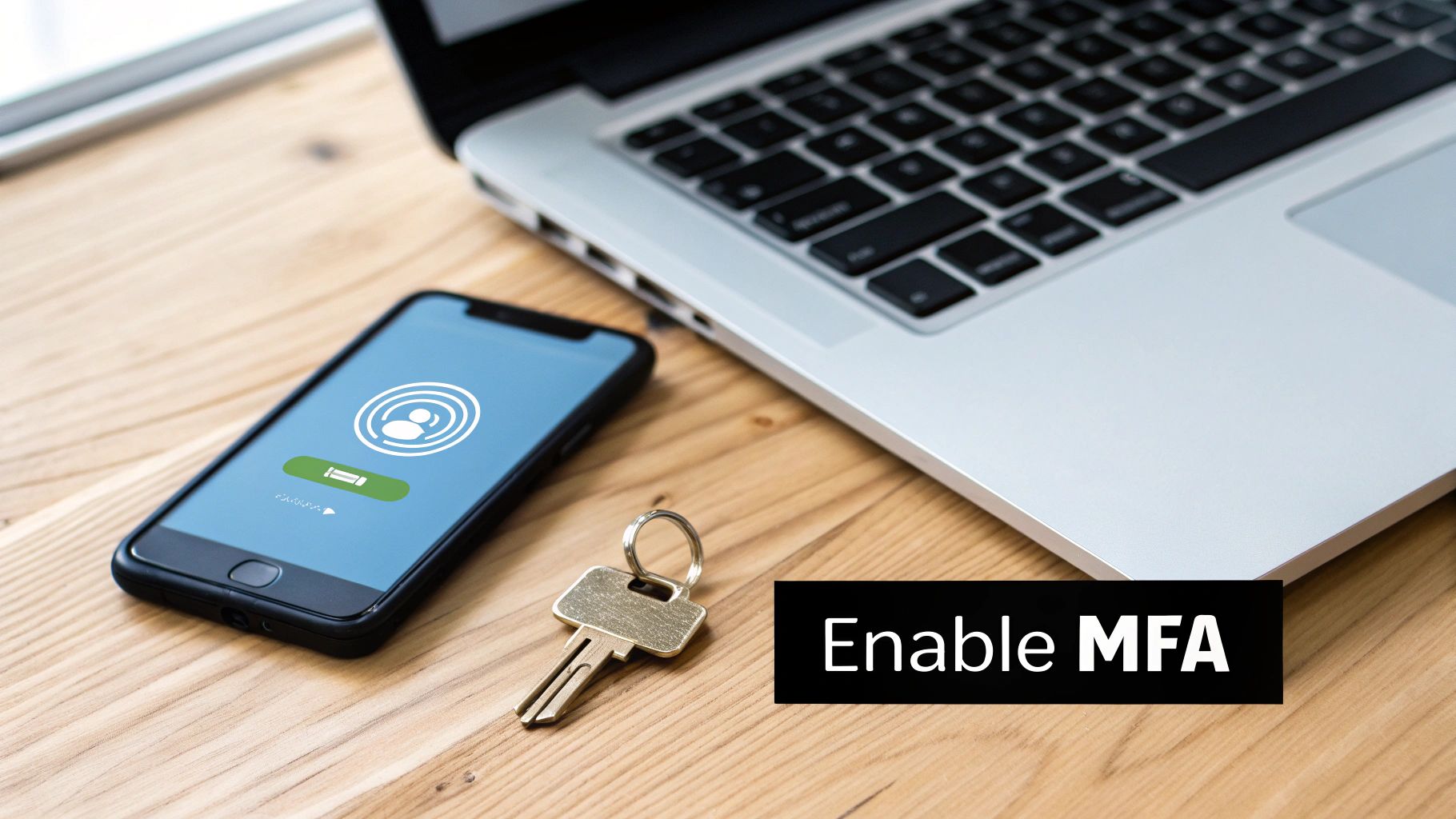
Major platforms like Google Workspace and Microsoft 356 have made MFA a standard security layer, significantly reducing account takeovers. The FIDO Alliance continues to push for stronger, passwordless authentication standards, highlighting the industry-wide move toward this more secure model.
How to Implement MFA Effectively
Getting started with MFA is straightforward on most email platforms. Navigate to your account's security settings and look for options like "Two-Factor Authentication" or "2-Step Verification."
- Choose a strong method: While SMS text messages are convenient, they are vulnerable to SIM-swapping attacks. Prioritize more secure options like authenticator apps (Google Authenticator, Authy) or physical hardware security keys (like YubiKey) for maximum protection.
- Save your backup codes: Your email provider will give you a set of one-time backup codes. Print them out or save them in a secure location, like a physical safe or an encrypted digital vault, completely separate from your primary device.
- Start with critical accounts: If you're rolling out MFA for a team, mandate it for administrative and privileged accounts first, as they are the most valuable targets for attackers.
2. Email Encryption and End-to-End Encryption (E2EE)
Email encryption is a vital email security best practice that transforms your readable message content into an unreadable, scrambled format. This process ensures that only authorized recipients with the correct "key" can decipher and read the information. End-to-end encryption (E2EE) takes this a step further, guaranteeing that only the sender and the intended recipient can access the message content, not even the email service provider.
This method protects sensitive data both in transit (as it travels across the internet) and at rest (when it's stored on a server). Services like ProtonMail have built their reputation on zero-knowledge E2EE, while enterprise solutions like Microsoft Purview Message Encryption and Google Workspace Client-side encryption allow organizations to secure their communications without disrupting workflows.
How to Implement Email Encryption Effectively
Implementing encryption can range from choosing a secure-by-default provider to configuring specific settings within your existing email service. The goal is to make data unreadable to anyone who might intercept it.
- Choose the right encryption type: For everyday security, ensure your provider uses TLS (Transport Layer Security) to encrypt emails in transit. For highly sensitive information, use a service with built-in E2EE or tools that support standards like OpenPGP.
- Establish clear policies: Create internal guidelines that specify when encryption is mandatory, such as when sending financial data, intellectual property, or personal health information. This removes guesswork for your team.
- Educate users on limitations: Teach your team that encryption typically protects the email body and attachments, but metadata like the sender, recipient, and subject line may still be visible. This is a critical awareness point for maintaining complete privacy.
3. Advanced Phishing and Threat Detection
Standard spam filters are no longer sufficient to stop modern cyberattacks. Advanced phishing and threat detection systems use sophisticated technologies like machine learning, behavioral analysis, and real-time threat intelligence to identify and neutralize threats before they ever reach an inbox. These platforms analyze email headers, content, sender reputation, and user behavior patterns to block phishing attempts, malware, and complex social engineering schemes.
Industry leaders like Microsoft Defender for Office 365 and Abnormal Security have popularized this behavioral, AI-driven approach. By learning an organization's unique communication patterns, these tools can spot anomalies that signal an attack, such as an unusual sender or a malicious link hidden in an otherwise legitimate-looking email. For those interested, you can learn more about the fundamentals with this guide to machine learning for beginners.
How to Implement Advanced Threat Detection
Integrating an advanced threat detection solution is a critical step in building a robust email security posture. Look for platforms that offer a layered defense strategy, as no single technology can catch every threat.
- Implement attachment sandboxing: Configure your system to open and analyze all attachments in a secure, isolated virtual environment (a sandbox) before they are delivered. This safely detonates any hidden malware.
- Enable URL rewriting and analysis: Use a service that rewrites links in incoming emails to pass them through a real-time scanning service. When a user clicks, the service checks the destination for threats before allowing access.
- Combine multiple detection engines: Layer different security technologies for comprehensive protection. For instance, combine a signature-based antivirus scanner with a behavioral analysis engine to catch both known and zero-day threats.
- Maintain and tune security rules: Regularly review your detection rules and threat intelligence feeds to adapt to new attack vectors. False positives and negatives should be analyzed to fine-tune system accuracy.
4. DMARC, SPF, and DKIM Implementation
Implementing email authentication protocols like DMARC, SPF, and DKIM is a critical email security best practice for businesses to prevent impersonation. These protocols work together to verify that an email claiming to be from your domain was actually authorized by you. SPF (Sender Policy Framework) lists approved mail servers, DKIM (DomainKeys Identified Mail) adds a digital signature to messages, and DMARC (Domain-based Message Authentication) tells receiving servers how to handle emails that fail these checks.
This powerful trio effectively stops cybercriminals from spoofing your domain, which is a common tactic in phishing and business email compromise (BEC) attacks. In early 2024, Google and Yahoo made DMARC a requirement for bulk senders, demonstrating its importance in the fight against spam and fraud. This move solidifies these protocols as a foundational layer of modern email security.
How to Implement Email Authentication
Setting up DMARC, SPF, and DKIM involves adding specific records to your domain’s DNS settings. This process protects your brand's reputation and improves email deliverability.
- Start with monitoring: Begin with a DMARC policy set to "p=none." This allows you to monitor DMARC reports and see who is sending email on your behalf without affecting mail flow.
- Identify all sending sources: Use the monitoring reports to create a comprehensive SPF record that authorizes all legitimate third-party senders, such as your marketing platform or CRM.
- Gradually increase enforcement: Once you are confident that all legitimate mail is authenticated, move your DMARC policy to "p=quarantine" (sends unauthenticated mail to spam) and eventually to "p=reject" (blocks it completely).
- Consider BIMI for branding: After successfully implementing a DMARC reject policy, you can implement BIMI (Brand Indicators for Message Identification) to display your company's logo next to your messages in supported inboxes, further boosting trust.
5. Security Awareness Training and User Education
Technology alone cannot solve every security challenge; your employees are a critical line of defense. Security awareness training is one of the most vital email security best practices because it transforms your team from a potential vulnerability into a proactive security asset. This educational process equips users to recognize and respond to threats like phishing, social engineering, and malware, effectively strengthening your organization's human firewall.
Platforms like KnowBe4 and Proofpoint have institutionalized this practice, demonstrating that regular, engaging training significantly reduces successful cyberattacks. Companies with strong security cultures, such as Microsoft and Google, embed this education into their core operations, proving that an informed workforce is a secure one.
How to Implement Security Awareness Training Effectively
An effective program moves beyond a one-time annual presentation. It requires consistent reinforcement and practical application. Start by building a culture where security is a shared responsibility.
- Run regular phishing simulations: Launch simulated phishing campaigns at least quarterly to test and reinforce learning in a safe environment. Provide immediate, non-punitive feedback to users who click.
- Make training relevant and ongoing: Create role-specific training modules for high-risk departments like finance and HR. Use real-world examples of threats your organization has faced to make the lessons stick.
- Simplify reporting and reward vigilance: Implement a one-click "Report Phishing" button in your email client. Publicly recognize and reward employees who correctly identify and report suspicious messages. As technology evolves, organizations are also exploring how to use AI tools to augment and personalize this training.
6. Email Data Loss Prevention (DLP) and Content Filtering
Email Data Loss Prevention (DLP) is a critical email security best practice that acts as a digital guard for your sensitive information. DLP solutions automatically monitor, detect, and block unauthorized transmissions of confidential data through outgoing emails. These systems scan messages and attachments for specific information patterns, like credit card numbers, social security numbers, or proprietary keywords, preventing accidental or malicious data leaks.
Content filtering complements this by inspecting both incoming and outgoing mail for restricted file types, malicious links, and inappropriate language. This dual approach ensures that sensitive data stays inside your organization and that harmful content stays out. Major security platforms like Proofpoint and Microsoft 365 offer robust DLP capabilities, making it an essential layer of defense for businesses handling regulated or confidential information.
How to Implement DLP and Content Filtering Effectively
Setting up a DLP policy requires careful planning to be effective without disrupting legitimate business communication. You can typically configure these rules within your email security gateway or email service provider’s administrative console.
- Start in monitoring mode: Before enforcing any blocking rules, run your DLP policies in a "monitor-only" or "audit" mode. This allows you to identify what kind of sensitive data is being shared and fine-tune your rules to minimize false positives.
- Create targeted policies: Don't use a one-size-fits-all approach. Develop specific policies for different departments based on the type of data they handle, such as separate rules for Finance, HR, and Legal teams.
- Educate your users: Inform employees about the DLP policies and why they are in place. Often, data leaks are accidental. Training can significantly reduce these incidents and also teach users safer alternatives for sharing large or sensitive files. You can learn how to use cloud storage as a secure method for file sharing.
7. Secure Email Gateway and Perimeter Defense
A Secure Email Gateway (SEG) is a crucial layer in a comprehensive security strategy, acting as a fortified checkpoint for all incoming and outgoing email traffic. It sits between your internal email server and the public internet, meticulously scanning every message for threats. This proactive defense intercepts spam, viruses, malware, and phishing attempts before they ever have a chance to land in an employee's inbox, effectively neutralizing dangers at the perimeter.
Leading enterprise security vendors like Proofpoint, Mimecast, and Cisco have pioneered this technology, which is now a standard for organizations handling sensitive data. Microsoft's Exchange Online Protection and Barracuda Email Security Gateway are also powerful examples of how this technology forms a core component of modern email security best practices, significantly reducing the volume of malicious content that security teams must manage.
How to Implement an Email Gateway Effectively
Deploying an SEG requires configuring your mail exchange (MX) records to route all email through the gateway service first. Once set up, continuous management ensures its effectiveness.
- Keep threat intelligence updated: Your gateway's strength lies in its ability to recognize the latest threats. Ensure that its threat definitions, scanning rules, and filters are updated automatically and frequently, ideally multiple times a day.
- Configure inbound and outbound scanning: Don't just scan incoming mail. Outbound scanning is critical for preventing data loss (DLP) and stopping a compromised internal account from spamming clients or spreading malware, which protects your organization's reputation.
- Leverage cloud-based options: For smaller organizations without dedicated IT staff, cloud-based gateways offer enterprise-grade protection without the complexity and cost of managing on-premises hardware. They provide scalability, resilience, and expert management.
8. Password Security and Credential Management
Your password is the primary gatekeeper to your email account. Effective password security and credential management are foundational email security best practices that protect this critical first line of defense. Since email accounts often act as the recovery hub for all other online services, securing them with a robust password strategy prevents a single breach from causing a domino effect across your entire digital life.
Strong password management involves creating complex, unique credentials for every account and storing them securely. This practice mitigates the risk of credential stuffing, where attackers use passwords stolen from one service to try and access others. Modern identity platforms like Google Workspace and Microsoft 365 have built-in tools for enforcing password complexity rules, making it easier for organizations to mandate strong security hygiene.
How to Implement Strong Password Practices
Shifting from outdated rules to modern strategies is key. The focus should be on creating passwords that are difficult for machines to guess but easy for humans to manage with the right tools.
- Embrace password managers: Use a password manager like 1Password or LastPass to generate and store long, complex, and unique passwords for every site. This eliminates the need to remember dozens of credentials.
- Prioritize length over complexity: A longer passphrase (e.g., "correct horse battery staple") is significantly more secure and easier to remember than a short, complex one (e.g., "Tr0ub4dor&3"). NIST guidelines now favor length and discourage forced, frequent password rotations.
- Implement account lockout policies: Configure your email service to temporarily lock an account after a set number of failed login attempts. This is a simple yet powerful defense against automated brute-force attacks.
- Check for compromised credentials: Regularly use services like Have I Been Pwned to see if your email address or passwords have appeared in known data breaches, and change them immediately if they have.
9. Mobile Email Security and Device Management
With workforces increasingly using smartphones and tablets, mobile email security has become a critical best practice. These devices are frequently lost, stolen, or connected to insecure public networks, creating significant risks. Implementing mobile device management (MDM) gives organizations control over how corporate data is accessed and stored on these endpoints, ensuring sensitive information remains protected regardless of location.
Solutions like Microsoft Intune and MobileIron have become standard for enforcing security policies on mobile devices. They allow administrators to require device-level encryption and biometrics, remotely wipe a lost or stolen phone, and even separate corporate data from personal data in a secure container. This strategy is essential for protecting company emails and attachments from being compromised through a personal device.
How to Implement Mobile Device Security Effectively
Securing mobile access isn't just about technology; it's about creating policies that are both secure and user-friendly. Start by defining which devices can access corporate email and under what conditions.
- Enforce strict access controls: Mandate strong PINs or biometric authentication (fingerprint or face ID) and enable full-device encryption. Set short automatic lock timeouts, such as 5 minutes of inactivity, to prevent unauthorized access to an unattended device.
- Use containerization: Implement technology that creates an encrypted, managed "container" on the device for all work-related apps and data. This isolates corporate email from personal apps, preventing data leakage and allowing for a selective wipe of only business information.
- Block compromised devices: Automatically deny email access to any devices that are detected as jailbroken or rooted, as these have had their built-in security features disabled, making them highly vulnerable to malware.
10. Email Backup, Recovery, and Continuity Planning
Relying solely on your email provider's live service is a significant risk. Effective email security best practices must include a robust backup and recovery plan to ensure business continuity after a ransomware attack, hardware failure, or accidental data deletion. This strategy involves creating independent, restorable copies of your email data so you can recover quickly and minimize downtime.
Leading solutions from providers like Veeam and Acronis offer dedicated backup services for platforms like Microsoft 365 and Google Workspace. They go beyond simple archives, creating isolated, point-in-time copies that ransomware cannot touch. This ensures that even if your primary email system is compromised, you have a clean, secure version of your data ready for restoration.
How to Implement Email Backup and Recovery
A well-structured continuity plan is not just about having backups; it's about being able to use them effectively when disaster strikes. Your goal is to make data loss a temporary inconvenience, not a catastrophic event.
- Follow the 3-2-1 rule: Maintain at least three copies of your data on two different media types, with one copy stored offsite. Cloud-to-cloud backup is an excellent way to achieve this. You can learn more about how cloud storage works to understand its role in a modern backup strategy.
- Test your recovery plan: Regularly (at least quarterly) test your backup restoration procedures. This ensures your data is viable and your team knows the exact steps to take during a real incident.
- Isolate your backups: Ensure your backup storage is "air-gapped" or immutable, meaning it's disconnected from the primary network and cannot be altered or deleted by attackers who gain access to your systems.
- Define your objectives: Establish clear Recovery Time Objectives (RTO) and Recovery Point Objectives (RPO) to define how quickly you need to restore service and how much data loss is acceptable.
10-Point Email Security Best Practices Comparison
| Solution | Implementation complexity 🔄 | Resource & cost ⚡ | Expected outcomes 📊 | Ideal use cases 💡 | Key advantages ⭐ |
|---|---|---|---|---|---|
| Multi-Factor Authentication (MFA) for Email Accounts | Medium — user enrollment + optional hardware keys 🔄 | Low–Medium — software + optional keys; admin overhead ⚡ | Strong reduction in account takeover; high auth assurance 📊 ⭐⭐⭐⭐ | All accounts; prioritize admins and high-value users 💡 | Blocks most account-takeovers; phishing-resistant ⭐⭐⭐⭐ |
| Email Encryption and End-to-End Encryption (E2EE) | High — key/certificate management and client support 🔄 | Medium–High — key management, integration, potential vendor fees ⚡ | Confidential message protection; regulatory compliance 📊 ⭐⭐⭐⭐ | Highly sensitive/regulated communications (legal, medical, finance) 💡 | Ensures confidentiality and non-repudiation; meets compliance ⭐⭐⭐⭐ |
| Advanced Phishing and Threat Detection | High — ML models, tuning, and continuous updates 🔄 | High — compute, licensing, threat feeds, sandboxing ⚡ | Reduces sophisticated/phishing attacks; faster detection 📊 ⭐⭐⭐⭐ | Large or high-risk organizations needing layered defense 💡 | Detects advanced & zero-day threats; reduces alert fatigue ⭐⭐⭐⭐ |
| DMARC, SPF, and DKIM Implementation | Low–Medium — DNS records and policy rollout 🔄 | Low — mainly DNS config and monitoring tools ⚡ | Prevents domain spoofing; improves deliverability and visibility 📊 ⭐⭐⭐ | All sending domains, especially bulk senders and brands 💡 | Low-cost, industry-standard anti-spoofing with reporting ⭐⭐⭐ |
| Security Awareness Training and User Education | Low — program setup; ongoing reinforcement 🔄 | Low–Medium — platforms, time investment ⚡ | Measurable reduction in phishing clicks; culture change over time 📊 ⭐⭐⭐ | Organizations relying on human defense; all user groups 💡 | Cost-effective risk reduction; improves reporting and behavior ⭐⭐⭐ |
| Email Data Loss Prevention (DLP) and Content Filtering | High — policy design and tuning; integration 🔄 | High — processing, storage, maintenance ⚡ | Prevents accidental/exfiltrated sensitive data; compliance support 📊 ⭐⭐⭐ | Regulated industries (healthcare, finance) and data-rich teams 💡 | Granular control over sensitive data flow; audit trails ⭐⭐⭐ |
| Secure Email Gateway and Perimeter Defense | Medium–High — deployment, redundancy, rule management 🔄 | Medium–High — appliances/cloud services and staffing ⚡ | Centralized multi-layer protection; reduces inbound threats 📊 ⭐⭐⭐ | Organizations needing org-wide filtering before inbox delivery 💡 | First-line defense across clients; centralized visibility ⭐⭐⭐ |
| Password Security and Credential Management | Low–Medium — policy + tooling (SSO/password managers) 🔄 | Low — policy enforcement and manager licenses ⚡ | Reduces brute-force and credential reuse risk; foundational control 📊 ⭐⭐⭐ | All organizations as a baseline control; identity stacks 💡 | Fundamental, low-cost control that scales organization-wide ⭐⭐⭐ |
| Mobile Email Security and Device Management | Medium — MDM enrollment, conditional access policies 🔄 | Medium — MDM/EMM licenses and support ⚡ | Protects data on lost/stolen devices; supports BYOD 📊 ⭐⭐⭐ | Remote workforces and BYOD environments 💡 | Device-level controls, remote wipe, conditional access ⭐⭐⭐ |
| Email Backup, Recovery, and Continuity Planning | Medium–High — backup design, testing, retention policies 🔄 | High — storage, replication, testing and staffing ⚡ | Rapid recovery from ransomware/data loss; regulatory retention 📊 ⭐⭐⭐⭐ | Organizations requiring continuity, legal holds, and long retention 💡 | Ensures restore capability and business continuity; immutable options ⭐⭐⭐⭐ |
Taking Control of Your Digital Security
Navigating the digital world requires more than just awareness; it demands proactive defense. Throughout this guide, we have explored ten foundational pillars of email security, moving from individual actions to broader organizational strategies. You now have a comprehensive roadmap to transform your inbox from a potential vulnerability into a secure communication hub. The journey begins with simple yet powerful steps like fortifying your accounts with unique, complex passwords managed by a password manager and activating Multi-Factor Authentication (MFA) as a non-negotiable layer of defense.
We then delved into the technical underpinnings that authenticate your communications and protect your domain's reputation, such as implementing DMARC, SPF, and DKIM. These aren't just acronyms for your IT team; they are the digital signatures that prevent criminals from impersonating you or your organization. Similarly, understanding and utilizing email encryption, especially End-to-End Encryption (E2EE) for sensitive conversations, ensures that your private data remains just that: private. Each of these practices contributes to a layered security model, where a failure in one area is contained by the strength of another.
From Knowledge to Action: Your Next Steps
The true value of this information lies in its application. Implementing these email security best practices is not a one-time project but a continuous commitment to digital hygiene. Your immediate goal should be to conduct a personal or organizational security audit based on the principles we've discussed.
- For Individuals: Start with the "quick wins." Is MFA enabled on every critical account? Are you using a password manager? Can you confidently spot the red flags of a sophisticated phishing attempt?
- For Businesses: The focus expands. Beyond individual user security, are you deploying a Secure Email Gateway? Do you have Data Loss Prevention (DLP) policies in place? Is regular security awareness training a mandatory part of your company culture?
Remember, the threat landscape is dynamic. The phishing scam of today will be replaced by a more sophisticated variant tomorrow. This is why ongoing education and vigilance are paramount. The goal is not to achieve a state of perfect, impenetrable security, but to become a prohibitively difficult target. By methodically implementing these defenses, you significantly raise the cost and effort required for an attacker to succeed, encouraging them to move on to easier targets.
Building a Resilient Digital Future
Ultimately, mastering email security is about taking ownership of your digital identity and data. Each best practice you adopt, from scrutinizing attachments to backing up your critical data, adds another brick to your fortress. This proactive stance protects your finances, your personal information, and your reputation. It fosters a culture of security that benefits you, your family, and your colleagues. By making these principles a habitual part of your digital routine, you are not just reacting to threats; you are actively shaping a safer and more secure online experience for yourself and everyone you communicate with.
For more guides on simplifying technology and staying safe online, subscribe to Simply Tech Today. We deliver straightforward, actionable advice directly to your (now much more secure) inbox. Visit us at Simply Tech Today to continue learning.


Member discussion