
How to Block Spam Calls on Android a Practical Guide
Tired of your phone ringing off the hook with spam? Your most powerful weapon against those calls is probably already sitting on your device. Most Android phones have a built-in Caller ID & spam protection feature right inside the Google Phone app, and turning it on is the single best first step you can take.
It’s a simple, set-it-and-forget-it solution that can immediately quiet the noise.
Your First Line of Defense Against Spam Calls
Let's be clear: robocalls are more than just a nuisance; they're an epidemic. In April 2025 alone, Americans were bombarded with an incredible 5.0 billion robocalls. That averages out to about 15.1 spam calls for every man, woman, and child in the country. The scale of this problem is massive, which is why having a strong, proactive defense is essential. For a deeper dive into these numbers, the full report from YouMail paints a pretty clear picture.
Luckily, you don't need to download a special app to get started. The Google Phone app, which comes standard on most Android devices, has everything you need to fight back. It’s effective, free, and works quietly in the background to screen your calls.
Activating Caller ID and Spam Protection
So, how does it work? This feature taps into Google's massive database of known spam numbers. When a call comes in from a number that’s been flagged as suspicious, your phone can see it coming. You can set it to automatically filter these calls, sending them straight to voicemail so your phone never even rings. It’s like having a bouncer for your phone line.
Turning it on couldn't be easier. Just a few taps in your Phone app's settings will do the trick.
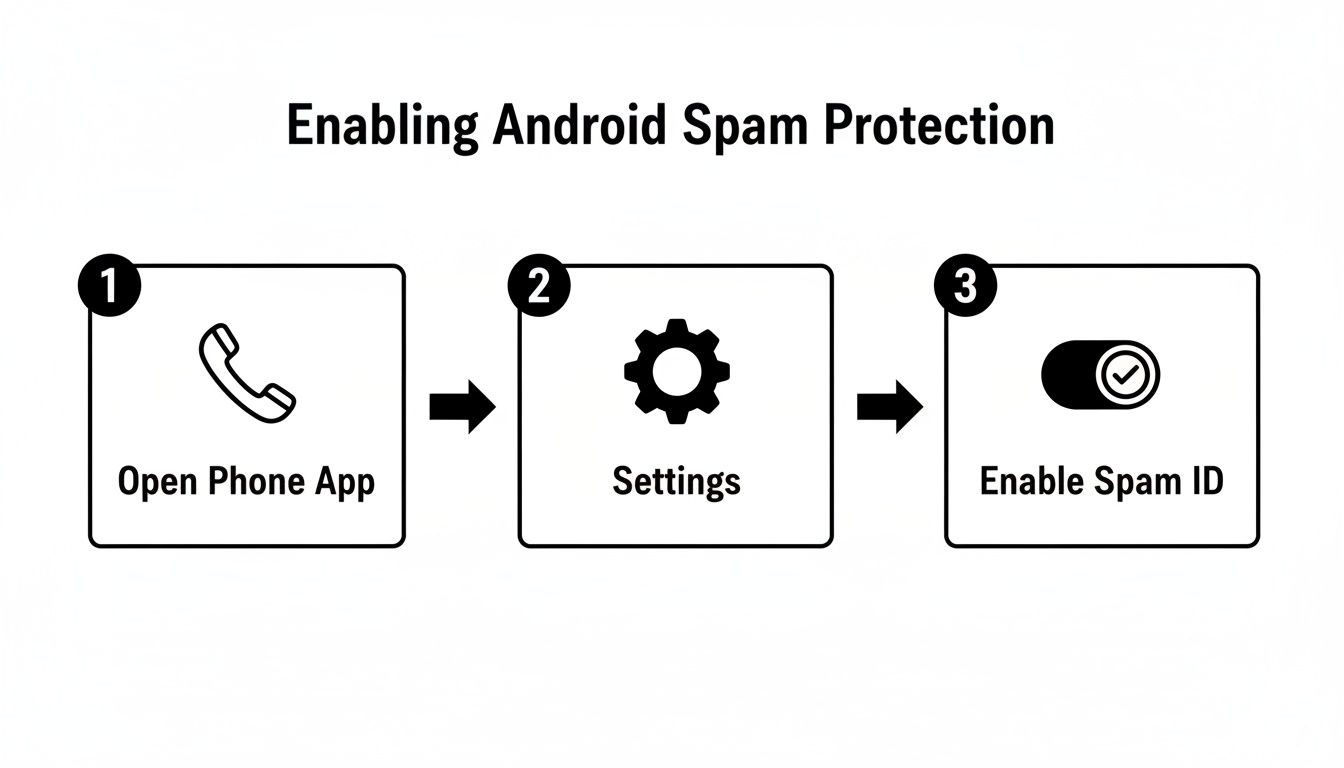
As you can see, it takes less than a minute to set up, but the peace and quiet it brings can last indefinitely.
Why This Built-in Tool Is So Effective
This isn't just a simple blocklist. Google's tool uses a smart, dynamic system that learns and adapts. It analyzes call patterns, flags suspicious activity, and relies on a constant stream of reports from millions of Android users. This collective intelligence means it's always getting better at spotting new scam tactics, something a manual blocklist could never do.
By enabling spam protection, you're not just helping yourself. You're also contributing anonymous data that makes the system smarter for everyone. Each spam call that gets flagged and reported strengthens the entire network's defense.
To give you a clearer picture, here's a quick rundown of the key features built right into your Android phone.
Android's Built-In Spam Blocking Features at a Glance
| Feature | What It Does | Best For |
|---|---|---|
| Caller ID | Displays the name and number of incoming callers, even if they're not in your contacts. | Identifying unknown businesses and individuals before you answer. |
| Spam Detection | Flags suspected spam calls with a "Spam" or "Suspected Spam" warning on the incoming call screen. | Getting a real-time heads-up about potentially unwanted calls. |
| Spam Filtering | Automatically sends known spam calls to voicemail so your phone doesn't ring at all. | Silencing the most aggressive robocalls and telemarketers without any effort. |
These tools work together to create a powerful, multi-layered defense against unwanted calls right out of the box.
Dealing with spam calls is a big part of maintaining your digital hygiene. If you're looking for more ways to keep your personal information safe, our guide on how to protect your privacy online is a great next step. A few small changes can make a huge difference in your digital security.
Taking Manual Control of Your Call Log
While automated spam filters do a decent job, they're not perfect. You’ll inevitably get those persistent spammers that somehow slip through the cracks, leaving you with a buzzing phone and a lot of frustration. When that happens, it's time to take matters into your own hands.
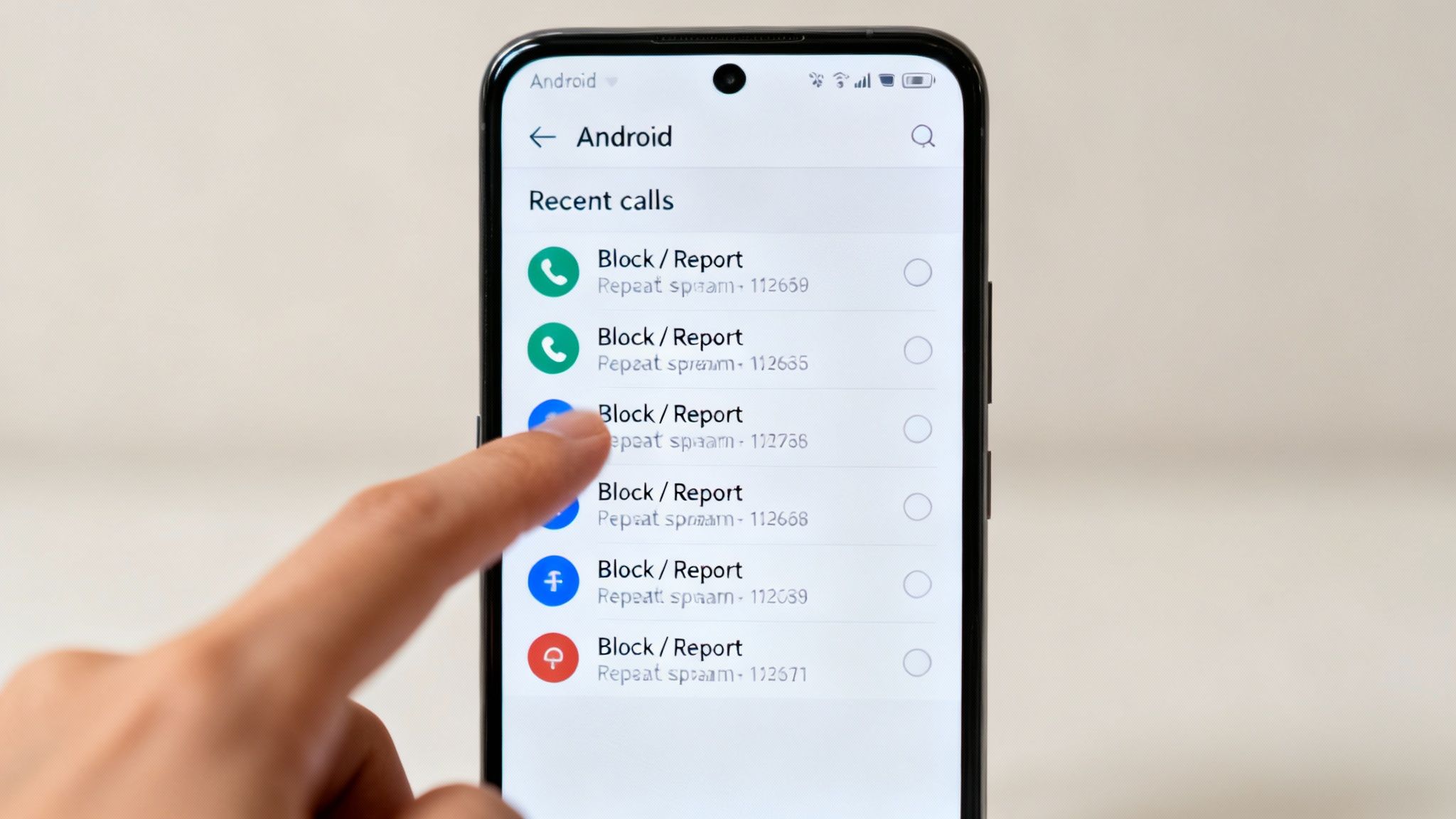
Honestly, one of the most satisfying things you can do is block a nuisance caller right after they ring. This targeted approach is perfect for that one “extended car warranty” number that just won’t take a hint.
Blocking Numbers Directly From Your Call History
Every Android phone makes it easy to block numbers right from your recent calls list. A few quick taps and that number can never call or text you again. It's simple and immediate.
While the exact steps can vary slightly depending on whether you have a Samsung, Pixel, or another device, the basic process is always the same:
- First, open your Phone app and go to the Recents or Call History tab.
- Find the spam number you want to get rid of. You’ll either tap the number itself or a three-dot menu icon next to it to see your options.
- Look for the Block or Block/report spam button and tap it.
- You'll see a confirmation pop-up. Make sure you tick the box that says "Report call as spam" before you hit confirm.
That last step is more important than you might think. When you report a number, it sends anonymous data to Google and your carrier, helping them improve their spam detection algorithms. You're not just solving your own problem; you're helping protect the entire community from that same nuisance.
Silencing All Unknown Callers
If you're ready for a more drastic solution to get some peace and quiet, Android has a powerful feature just for you. You can set your phone to automatically silence all calls from numbers that aren't saved in your contacts.
This is a game-changer for stopping spam, but you have to understand the trade-off. It silences everyone you don't know, which could mean missing important calls. Think about it:
- A call from your doctor's office with test results.
- A delivery driver who can't find your apartment.
- A call from a family member using a borrowed phone in an emergency.
This "block all unknown numbers" approach is really best for people who get an insane amount of spam and almost never get legitimate calls from new numbers. If you turn it on, get into the habit of checking your missed calls list regularly for anything important.
It also makes keeping your contact list updated more critical than ever. It's always a good idea to know how to backup phone data so your contacts are safe and you can easily restore them.
Let Your Carrier Do the Heavy Lifting with Free Spam Protection
While your Android's built-in tools are great, you can seriously level up your defense by turning on the free protection your mobile carrier offers. Think of it as a security gate on the network itself, stopping a ton of spam calls before they even get a chance to ring your phone. It’s a powerful second layer of defense you shouldn’t ignore.
Most major carriers offer these services for free because they know how much everyone hates spam calls. They use massive amounts of network data to spot and flag sketchy calls, often with impressive accuracy. Honestly, activating these tools is one of the smartest and easiest things you can do to get some peace and quiet.
Finding Your Carrier's Spam-Blocking Tools
The best part is that these services are usually pretty simple to set up. Each major provider has its own branded version, and while they all do the same basic thing, the names and features can vary slightly. You just need to know what to look for.
Here are the free services from the big players:
- T-Mobile Scam Shield: For most T-Mobile customers, this is already on by default. It’s fantastic at identifying and blocking scams and even throws in a free Caller ID service to help you screen unknown numbers.
- Verizon Call Filter: The free version of Call Filter is a solid starting point for any Verizon customer. It detects and filters spam and lets you report numbers to help improve the system.
- AT&T Call Protect: AT&T’s free tool, ActiveArmor, automatically blocks known fraud calls and gives you a heads-up on suspected spam. It’s another powerful, no-cost option that works right at the network level.
These carrier perks work in tandem with the protection already on your device. Scammers are always finding new tricks, like using group chats to seem more legit. Google's AI on Android is already blocking an incredible 10 billion scams a month, and when you add your carrier's filter on top of that, you create a nearly impenetrable shield. You can learn more about Google's AI defenses against evolving scams on The Hacker News.
Why Bother with Carrier Protection?
You might be thinking, "If my phone's settings are so good, why do I need my carrier's tools too?" It's a fair question, and the answer is simple: they catch different things. Your phone’s AI is brilliant at analyzing the calls that actually reach your device, but your carrier can block calls from shady sources that are spamming their entire network.
By combining Android’s on-device intelligence with your carrier’s network-level filtering, you create a comprehensive, multi-layered strategy. This approach ensures fewer spam calls ever make your phone ring, giving you back control and quiet.
Exploring Advanced Third-Party Spam Blockers
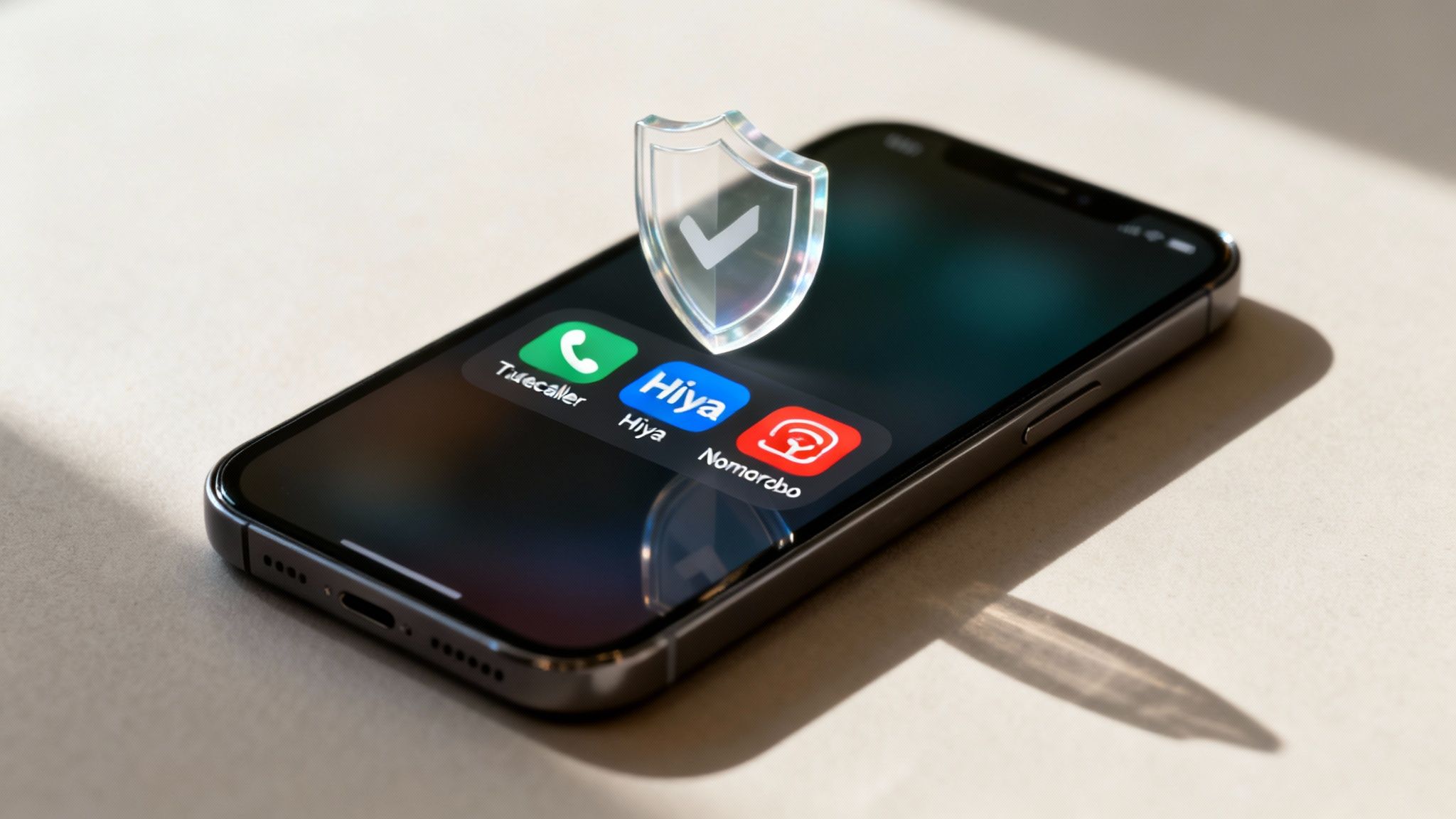
When the built-in and carrier-level tools just aren't cutting it, it's time to bring in the big guns. Third-party apps from the Google Play Store offer a much more aggressive and feature-packed way to block spam calls, giving you fine-tuned control over who can ring your phone.
Think of these apps as a specialized replacement for your default phone dialer. They often integrate directly with your call log, but their real magic comes from massive, community-powered databases that identify and flag spam numbers with incredible accuracy. They do more than just filter—they provide a complete call management system.
Why Go With a Third-Party App?
The biggest advantage here is their laser focus. While your phone's native tools are a great start, a dedicated spam-blocking app is built from the ground up for one mission: stopping unwanted calls. This means they pack in features you won't find elsewhere, like reverse number lookup, detailed caller profiles for businesses, and super-customizable blocklists.
For instance, imagine a call comes in from a local number you don't recognize. Is it a scammer or the plumber you've been waiting for? An app like Hiya can display the business name, category, and sometimes even its address right on the incoming call screen. Suddenly, an unknown number isn't so unknown anymore.
Another huge plus is the community feedback. Users of apps like Truecaller are constantly reporting new spam numbers, feeding a blocklist that gets updated in near real-time. This collective intelligence is incredibly powerful against new scam tactics that might slip past the standard filters.
When you install a third-party app, you're not just getting a piece of software. You're joining a global neighborhood watch that works together to identify and shut down spammers. It’s a dynamic, crowdsourced defense that adapts way faster than a static list.
Top Spam-Blocking Apps and Their Strengths
The Google Play Store has a ton of options, but a few key players have earned their reputation. Each has a slightly different approach, so the "best" one really depends on what you need. Picking the right one can even streamline how you handle all your calls, much like finding the best Android apps for productivity can organize your workday.
To help you decide, here's a look at the top contenders and what makes them stand out.
Comparing Top Third-Party Spam Blocking Apps
| App | Key Feature | Free Version Limitations | Best For |
|---|---|---|---|
| Truecaller | Massive, community-driven caller ID database | Contains ads; advanced features require a paid plan. | Identifying almost any number, known or unknown. |
| Hiya | Rich business caller profiles and robust detection | Ads in the free version; lacks SMS blocking. | Knowing who is calling, especially from legitimate businesses. |
| Nomorobo | Automatically hangs up on identified robocalls | No free version for mobile; 14-day free trial. | Aggressively stopping robocalls before your phone even rings. |
Each of these apps offers a significant upgrade over your phone's basic tools. By giving them permission to manage your calls, you’re basically hiring a full-time, vigilant gatekeeper to make sure only the calls you actually want to get come through.
Reporting Spam Calls: Why It's Worth the Extra Tap
Blocking a spam number is great for immediate peace of mind, but reporting it? That’s how we all fight back. Think of it as turning your annoyance into useful intel that strengthens the defenses for everyone.
When you flag a call as spam in your Google Phone app, you're doing more than just clearing your call log. That simple action feeds into a massive, smart system. Every report you send is a breadcrumb, helping the algorithm get better at sniffing out new scam tactics, shady numbers, and those relentless telemarketing campaigns.
Turning Individual Annoyance into Collective Strength
It’s basically a neighborhood watch for our phones. One person reporting a number doesn't move the needle much, but when thousands of us flag the same one, a bright red warning light goes off. This collective data is what allows Google and mobile carriers to spot and shut down new threats way faster than any of us could on our own.
The system is constantly learning from our feedback. This is the core idea behind machine learning, a fascinating technology we break down in our beginner's guide to machine learning. In short, the system learns from experience, and your spam reports are its most important lessons.
And we need every bit of help we can get. The problem is getting worse, not better. Spam calls actually hit a six-year high in 2025, with an unbelievable 2.56 billion nuisance calls bombarding U.S. phones each month. Part of the reason is that only 44% of phone companies are fully on board with the FCC's rules to stop robocalls, as detailed in these troubling spam call trends on Patch.com.
Taking that extra second to report a spam call means you're actively helping to train the system. Your feedback makes the spam filters smarter, which ultimately means fewer garbage calls for you and millions of other people.
When It's Time to Get Official
Sometimes a spam call crosses the line from annoying to downright fraudulent. For those aggressive or malicious calls, you can escalate your report to a government agency to really turn up the heat.
- The FTC: Head over to the Federal Trade Commission’s complaint assistant if a caller was trying to scam you out of money or steal your personal information.
- The FCC: The Federal Communications Commission is the place to report illegal robocalls, numbers faking their caller ID (spoofing), and any violations of the National Do Not Call Registry.
Filing these formal complaints helps federal agencies build cases, track down the bad actors, and shut down their operations for good.
Fine-Tuning Your Defenses and Keeping Things Quiet
Even with the best tools working for you, some spam calls will inevitably slip through the cracks. It’s an arms race, and spammers are always finding new ways to get around filters. On the flip side, you might find that an overzealous filter has silenced a legitimate call, like a reminder from your doctor's office or a call from a delivery driver.
The key is to remember that reclaiming your phone from spammers isn't a "set it and forget it" task. It's more like regular maintenance.
One of the trickiest tactics to deal with is "neighbor spoofing." This is when scammers use a local area code and prefix to make the incoming call look like it's from someone in your community. Your phone's built-in filters might not catch these because, on the surface, they look like legitimate local numbers. The best way to fight this is to be relentless. Block and report every single one. It feels tedious, but each time you do it, you're training your phone's algorithm to get smarter.
Keeping Your Blocklist in Check
Every now and then, it’s a good idea to take a peek at your blocked numbers list. We've all been there—you get an unexpected call, assume it's spam, and hit "block" in a hurry. You might have accidentally blocked a number you actually needed.
A quick monthly review can prevent a lot of headaches and make sure you haven't cut off contact with someone important.
While you're at it, make sure your apps and your Android operating system are up-to-date. Developers are constantly refining spam detection and rolling out security patches. These updates are your first line of defense against the latest scammer tactics.
Think of your spam protection as a smart, living shield. It needs a little attention to stay effective. Regularly cleaning up your blocklist and keeping your software current are the two simplest ways to ensure your filters block the junk without stopping the calls that matter.
If you're waiting for an important call from an unknown number—like a potential employer or a service technician—and you think it might have been silenced, just check your recent or missed calls list. Most spam filters log the call even if they don't let it ring, so you can easily call back and save the number as a contact.
Also, remember that a slow or choppy connection isn't always related to your spam filter. Sometimes the issue is more fundamental, and it might be helpful to know how to troubleshoot your internet connection to improve your overall call quality. By making these small adjustments part of your routine, you can keep your phone peaceful and your conversations uninterrupted.
Frequently Asked Questions
Even with all the best tools in place, you might still have a few questions about how to fine-tune your spam-blocking strategy. Let's tackle some of the most common ones I hear from people trying to get their phones to finally quiet down.
Will Blocking a Number Also Block Their Texts?
Yes, it almost always does. When you block a number through your Android's main Phone app, it's a system-wide block. That means the same number is prevented from reaching you via phone calls and standard SMS/MMS text messages.
The person on the other end can still technically send a text, but you won't see it or get a notification. Your phone quietly shuffles it away into a "Spam and blocked" folder in your Messages app, keeping your main inbox clean.
This is a huge time-saver. You don't have to play whack-a-mole, blocking the same pest in your call log and then again in your messages. One block handles both.
Can I Block Calls From an Entire Area Code?
This is a really common question, especially with "neighbor spoofing" where scammers use your local area code to look more legitimate. Unfortunately, the standard Android phone app doesn't have a built-in feature to block an entire area code.
But don't worry, you're not out of options. This is where a good third-party call-blocking app really shines. Many of the best apps on the Google Play Store offer advanced filtering that lets you do exactly this. Look for features like:
- Wildcard Blocking: This lets you block number patterns. For example, you could block any number that starts with
(555) 212-XXXX. - Country Code Blocking: If you have no reason to get calls from a particular country, you can just block all calls from that country code entirely.
Why Do I Still Get Spam Calls After Blocking?
It’s incredibly frustrating, isn't it? You’ve set up filters, you're blocking numbers left and right, but some spam calls still manage to ring your phone. There are a couple of big reasons this happens.
First, scammers churn through phone numbers at an astonishing rate. They use massive pools of disposable, computer-generated numbers, so as soon as you block one, they just call you from another. It's a numbers game, and they're always one step ahead of your manual block list.
Second, that "neighbor spoofing" trick is very effective. Spammers can easily fake their caller ID to make it look like the call is coming from down the street. Since the number is new and appears local, it often fools basic spam filters and rings through, forcing you to block it after the fact.
At Simply Tech Today, we believe technology should be easy for everyone to understand. For more straightforward, practical guides to help you master your gadgets, check out our latest articles at https://www.simplytechtoday.com.
Member discussion