
How to get another phone number: Quick, Safe Ways to Protect Privacy
Getting a second phone number is way easier than you might think. We're not talking about carrying around a second clunky phone anymore. These days, you can get it done in a few minutes, often right from an app or with a quick call to your carrier.
Whether you go for a virtual number, a dual-SIM setup, or just add a second line to your plan, this one small change can make a huge difference in your privacy and help you keep work and life separate.
Why a Second Phone Number Is a Smart Move
Have you ever been about to post something for sale on Facebook Marketplace and just paused, really not wanting to put your personal number out there for everyone to see? Or maybe you’re a freelancer trying to look a bit more legit without having client calls blowing up your personal line at all hours.
These are the exact reasons why a second phone number has gone from a spy movie gimmick to a genuinely practical tool for everyday life. Think of it as a digital buffer, creating a clean separation between the different parts of your world. It's a simple fix with some surprisingly big payoffs.
The Real-World Benefits of a Second Line
An extra number isn't just about convenience—it's a smart play for better security and a more organized life.
- Look More Professional: If you're running a small business or a side hustle, having a dedicated business line instantly makes you look more established. All your client texts and calls stay in one spot, which makes managing your day so much easier.
- Guard Your Privacy: Use that second number for things like online dating profiles, signing up for new services, or dealing with people on Craigslist. This keeps your real number safe from spammers, aggressive marketers, and total strangers. We dig deeper into this in our guide to improving your online privacy.
- Actually Unplug from Work: When 5 PM hits, you can just silence your work number. No more buzzing notifications from work when you're trying to have dinner with your family. This simple boundary is a game-changer for avoiding burnout.
One of the easiest ways to control who can reach you—and when—is to use a separate number for anything that isn't personal. It puts you back in the driver's seat of your digital life and your data.
At the end of the day, getting another phone number is all about creating some intentional separation. It gives you an essential layer of control, whether you need it for a one-off project or for the long haul. It's a small tweak that can lead to a lot more peace of mind.
So, you've decided you need a second phone number. That’s the easy part. Now comes the real question: what’s the best way to actually get one?
You've got a surprising number of options, from apps that give you a number in minutes to physical SIM cards. It’s not a one-size-fits-all situation. The right choice really hinges on what you need it for—whether it's for privacy, a side hustle, or just keeping your work and personal life from colliding.
Let's cut through the noise. Your decision really comes down to your priorities: privacy, how long you'll need the number, and what you're willing to spend. Some methods are built for permanence, while others are designed to be disposable.
This flowchart breaks down the most common reasons people look for a second line. Find your reason, and you're already halfway to finding your solution.
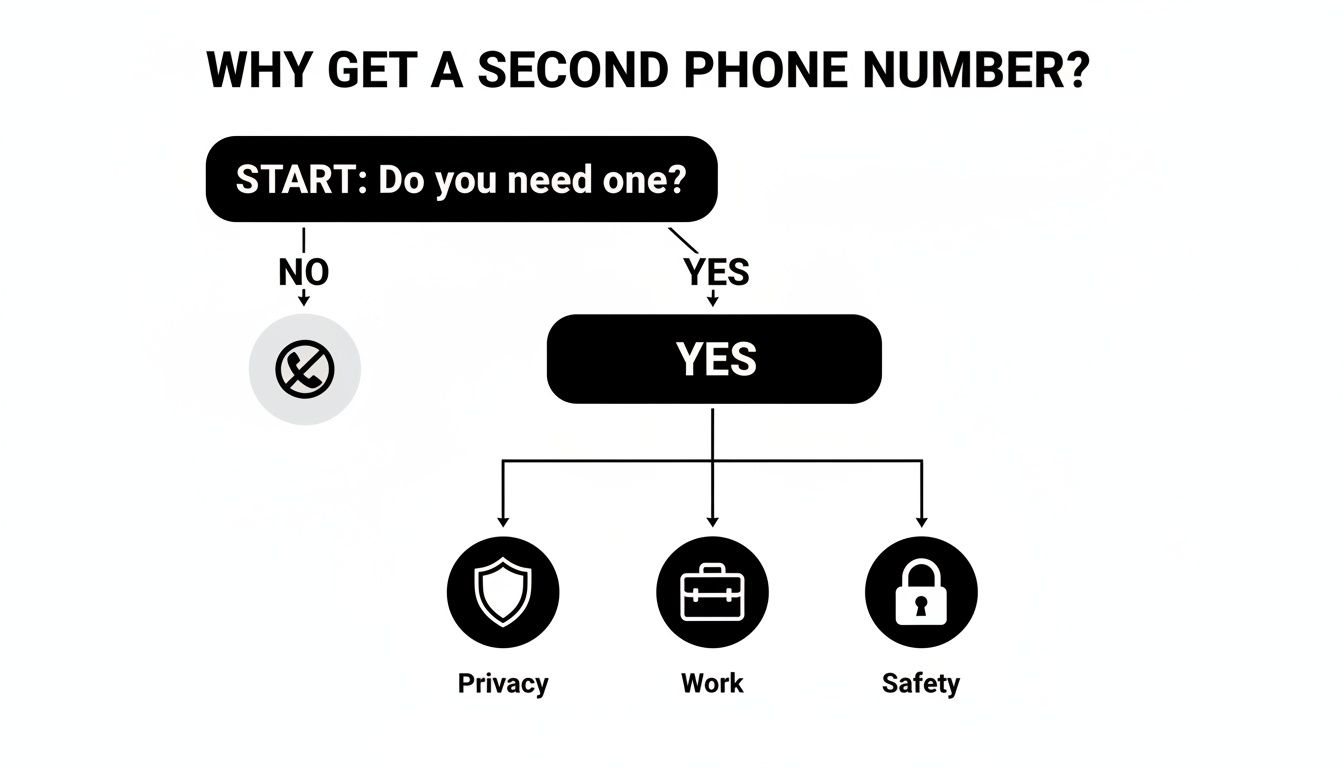
As you can see, it almost always boils down to creating a buffer. Whether that's for professional reasons, online privacy, or personal safety, the goal is to control who can reach you and when. Once you know your "why," picking the right tool becomes much simpler.
Which Second Phone Number Method Is Right for You?
To make this even clearer, I've put together a quick comparison table. Think of it as a cheat sheet to quickly see which path makes the most sense for you, whether you're launching a business from your kitchen table or just need a temporary number for a quick online sale.
| Method | Typical Cost | Best For | Privacy Level | Setup Effort |
|---|---|---|---|---|
| Virtual Number Apps | Free to $15/month | Freelancers, side hustles, and online privacy | High | Low |
| Dual SIM / eSIM | Varies by plan | Travelers and separating work/personal life | Moderate to High | Medium |
| Carrier Add-on Line | $20 to $60/month | A reliable, permanent second line for family or business | Moderate | Low to Medium |
| Burner Numbers | Pay-per-use or short-term subscription | Online dating, marketplaces, and temporary sign-ups | Very High | Low |
This table should give you a good starting point. For instance, if you just got a new phone, you might already have the tech for a second line built right in. Many modern devices support eSIM, making it incredibly easy to add another number without needing a second physical SIM card. If you're in that boat, our guide on how to set up a new iPhone can walk you through activating that feature.
Choosing the right method is about matching the tool to the task. A disposable burner number is perfect for a one-time Craigslist post, but a Dual SIM or virtual number offers the permanence needed for a growing small business.
3 Questions to Ask Yourself Before You Commit
Before you download an app or call your carrier, take a minute to think through these key questions. Your answers will point you directly to the best option.
- How long will you need this number? Are we talking about a weekend project or a long-term business line? Temporary apps are fantastic for short-term needs, but for anything permanent, a carrier line or an eSIM plan is a much more stable choice.
- What's your budget? Your options run the gamut from completely free (often with ads or limitations) to premium monthly plans that come with business-grade features like auto-replies and call routing.
- What will you really use it for? This one is critical. If you need the number to receive verification codes from sensitive services like your bank or WhatsApp, be aware that some virtual numbers get blocked. For ironclad reliability with these services, nothing beats a number issued directly by a mobile carrier.
Using Virtual Number Apps for a Digital Line
Imagine having a second, fully functional phone number that lives entirely inside an app on your smartphone. That’s exactly what you get with a virtual phone number service. These clever apps give you a digital line that piggybacks on your phone's Wi-Fi or cellular data for calls and texts, bypassing traditional carrier networks altogether.
This setup is incredibly flexible. Because your new number is tied to an app account, not a physical SIM card, you're not locked to a single device. You can make and receive calls or texts from your phone, tablet, or even a web browser. It's a fantastic solution if you need another number without the fuss of more hardware.
The market for these apps is massive, largely because the world runs on smartphones—roughly 87 percent of all mobile phones fall into this category. You can explore more fascinating insights into the global mobile landscape from data reports on digital trends.
Getting Started With a Virtual Number
One of the best things about this approach is speed. You can literally go from downloading an app to having a working number in under ten minutes. The process is dead simple.
Pick Your App: First, grab a well-regarded app from your phone's app store. Big names like Google Voice (often free for U.S. personal use), Hushed, Burner, or Sideline are great places to start. Each has its own specialty, from permanent business lines to temporary, disposable "burner" numbers.
Choose Your Number: After signing up, you'll get to pick your new digits. Most apps let you search by area code, which is perfect for freelancers or small businesses trying to establish a local presence in another city.
Tweak the Settings: Now you can customize how the line behaves. Set up a unique voicemail greeting, decide if you want calls forwarded to your main number, and configure notifications. This helps you instantly tell whether a call is for your personal line or your new virtual one.
The Pros and Cons of a Digital Line
Virtual numbers are incredibly convenient, but they aren't perfect for every situation. It’s worth weighing the good against the bad.
On the plus side, they are cheap and flexible. Many services offer free plans or low-cost monthly subscriptions that are a fraction of what a traditional carrier would charge. And the ability to use the number across multiple devices is a huge perk.
The main downside? You're completely dependent on your internet connection. A spotty Wi-Fi or weak mobile data signal means your call quality will suffer. If you’re often in areas with poor service, a virtual line might not be reliable enough.
A quick heads-up on verification codes: This is a big one. While these numbers are great for general communication, many banks, social media sites, and other services block them for security measures like two-factor authentication. They can tell it’s not a "real" mobile number.
If you’re setting up a second number specifically for security, make sure you understand the best practices. Our guide on how to use two-factor authentication breaks it all down. For those critical verification texts, a number tied directly to a carrier is almost always the safer bet. Still, for countless other uses, virtual apps are a powerful and budget-friendly way to add another line.
Activating a Second Line with Dual SIM and eSIM
If you need a second phone number that works just like your main one—meaning it has its own dedicated cellular connection—then a hardware-based solution is your best bet. Most modern smartphones have Dual SIM or eSIM technology built right in, letting you juggle two separate lines on a single device. No second phone needed. This method is seamless, integrating directly into your phone’s native call and text apps.
This isn't about using an app that relies on an internet connection. This is a true, carrier-supported second line. With mobile network subscriptions worldwide already at nearly 7.3 billion and projected to climb past 7.9 billion by 2028, it's clear that managing multiple lines for work, travel, or privacy is becoming standard practice. You can dig deeper into these trends by checking out the smartphone usage statistics on backlinko.com.
Dual SIM vs. eSIM: What’s the Difference?
Both get you a second number, but how they do it is a little different. Knowing the distinction helps you figure out what your phone can handle and which option is easier for you.
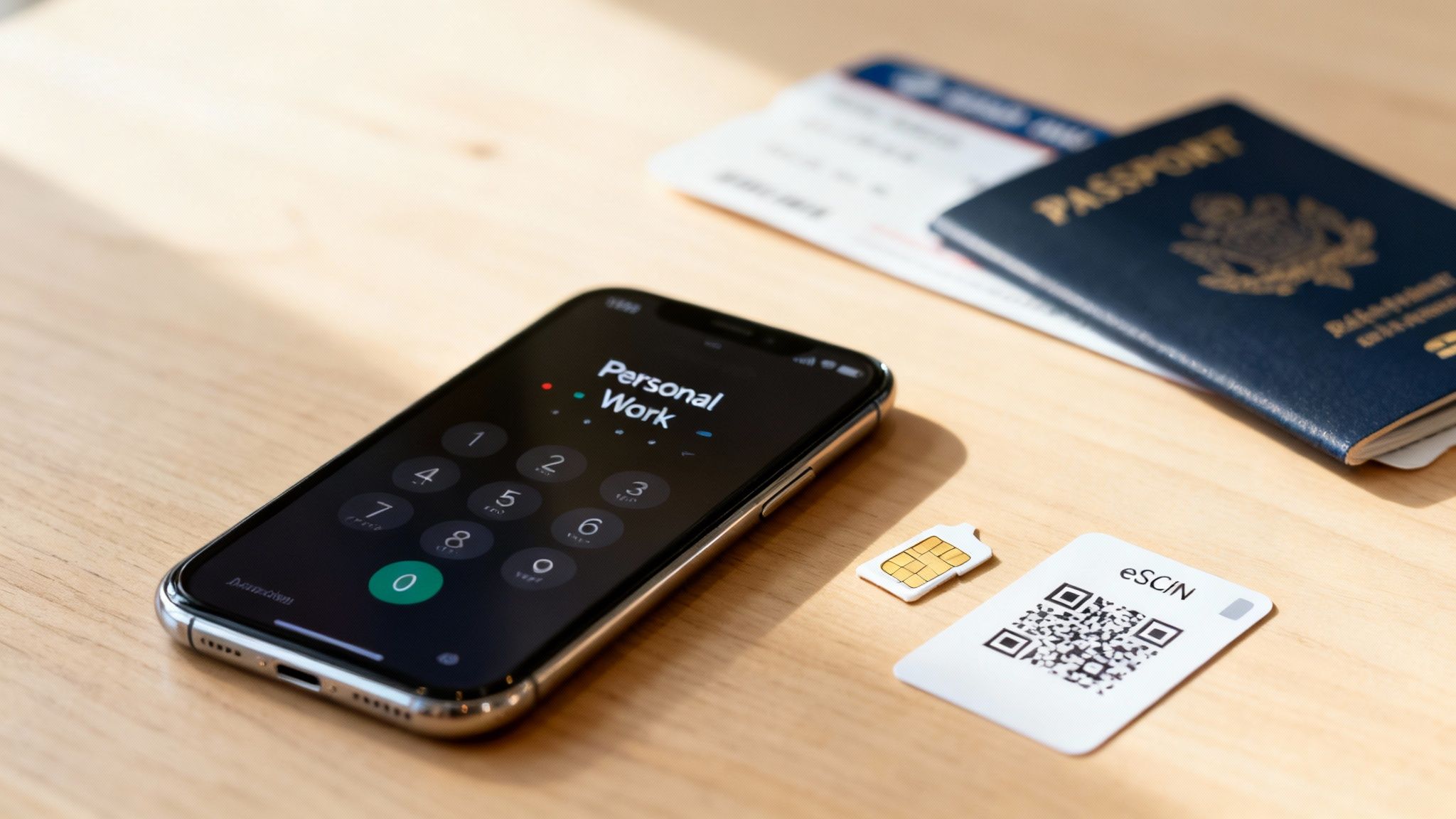
- Dual SIM (Physical): This is the old-school method. Your phone’s SIM tray has two slots for two physical nano-SIM cards. You just get a second SIM card from a carrier, pop it in, and you’re good to go.
- eSIM (Embedded SIM): This is the new digital way. The "SIM" is a tiny chip soldered directly onto your phone's motherboard. To add a line, your carrier gives you a QR code to scan or lets you activate a plan through their app. The plan is then digitally downloaded to your phone.
Lots of newer phones, like recent iPhones and Google Pixels, give you the best of both worlds with one physical SIM slot and one eSIM.
The biggest selling point for a Dual SIM or eSIM setup is reliability. Both numbers use actual cellular networks, so your call quality and SMS messages are rock-solid and don't depend on a spotty Wi-Fi or data connection.
How to Get It Set Up
Getting your second line activated this way is pretty straightforward. First things first, you need to make sure your phone is compatible. A quick Google search for your phone's model plus "Dual SIM" or "eSIM" will give you an answer in seconds.
Once you know your phone is ready, here's the game plan:
- Pick a Carrier Plan. You can add a line from your current provider or shop around for a new one. If you’re traveling, a prepaid eSIM from a global provider like Airalo or Holafly is a fantastic option.
- Get Your SIM. For a physical SIM, you'll have to get the card from the carrier. For an eSIM, they’ll just email you a QR code or guide you through activation in their app.
- Activate in Your Phone's Settings. Head over to Settings > Cellular (or Mobile Data) on your phone. Look for an option like "Add Cellular Plan" or "Add eSIM." From there, you simply scan the QR code and follow the on-screen instructions.
After it's all set up, your phone will prompt you to label each line (think "Personal" and "Work") and let you set defaults for which number to use for calls, texts, and data. This level of control makes it a seriously powerful way to manage two numbers. And if you're upgrading your device in the process, our guide on how to transfer data to a new phone can help make the switch a breeze.
Adding a Line Directly Through Your Mobile Carrier
If you'd rather skip the third-party apps and get a rock-solid, no-fuss second number, your best bet is often to go straight to the source: your current mobile carrier. Whether you're with Verizon, AT&T, or T-Mobile, adding a second line gives you a fully functional number that behaves exactly like your primary one. This is the gold standard for reliability.
Because the number operates on your carrier's own cellular network, you aren't at the mercy of a weak Wi-Fi signal. Calls are crystal clear and texts go through instantly. This makes it a fantastic option for a permanent business line or a dedicated number for a family member, where you simply can't afford to have spotty service.
The Setup Process and What to Expect
Getting this done is surprisingly painless. Most major carriers let you add a new line right from their mobile app or by logging into your account online. The whole thing can be done in just a few minutes. If you have a newer phone with eSIM support, it's even quicker—you can activate the line digitally without waiting for a new physical SIM card to arrive.
So, why go this route? A few things really stand out:
- Unmatched Reliability: Your calls and texts use the same powerful cellular network as your main number. No Wi-Fi dependence here.
- Integrated Experience: The new number works perfectly with your phone's built-in dialer and messaging apps. No new interface to learn.
- Simplified Billing: The charge for the new line just gets tacked onto your existing monthly phone bill. Easy.
- Full Functionality: This is a big one. Carrier-provided numbers are guaranteed to work for those crucial verification codes from banks, social media, and other secure services.
While a carrier line gives you top-tier performance, it's usually more expensive than virtual number apps. You're paying a premium for that direct network access and total peace of mind.
One thing to keep in mind is that this approach ties you a bit deeper into your carrier's ecosystem. If you ever decide to switch providers, you’ll have to port both numbers, which can be an extra hassle. And before you make any changes like adding a new line, it's always smart to have a fresh backup of your device. Our guide on how to back up your phone's data can walk you through the steps.
Understanding the Bigger Picture
Opting for a carrier-based number means you're investing in a massive, interconnected industry. Believe it or not, mobile services contribute around 5.8 percent of global GDP, which translates to a mind-boggling $6.5 trillion in economic value.
This entire ecosystem, from the 5G towers your carrier builds to the app economy running on top of it, is engineered for reliability and growth. By adding a line, you're plugging directly into that powerful infrastructure. You can learn more about the mobile economy on gsma.com. This context really drives home why these lines are so dependable—they're the foundation of a multi-trillion-dollar global service.
Protecting Your Privacy with a Second Number
Getting another phone number is simple enough, but the real magic happens when you use it to build a wall between your private life and everything else. I like to think of my primary number as my house key—I'm incredibly careful about who gets it. A second number? That's more like a temporary access pass for public spaces. It grants entry without handing over the keys to my entire life.
This separation is the whole point. When you start using that secondary number for every online sign-up, rewards program, or Craigslist ad, you're building a shield. Your real number stays off the countless marketing lists and data broker databases that fuel spam calls and texts. So, when that online store you bought one thing from gets hacked, it's a minor annoyance, not a full-blown personal security crisis.
Creating Your Digital Firewall
To make this work, you need a system. It's not just about having the second number; it's about using it consistently and strategically. The goal is to stop your digital footprints from leading right back to your front door.
A perfect real-world example is selling that old bike on Facebook Marketplace or dipping your toes into online dating. Using a second number here is a must. It means strangers don't get a direct line to you—a line they could use to look up your personal details or bother you long after you've made the sale or decided it wasn't a match. It creates a safe distance so you can go about your business with peace of mind.
Think of your second number as a dedicated buffer for the public-facing parts of your life. It’s a disposable layer of contact info, protecting the one number connected to your family, your bank, and your closest friends.
Best Practices for Staying Anonymous
If you really want to take your privacy seriously, think beyond just the phone number. You're essentially creating a separate, contained digital identity for all your non-personal interactions.
Here’s a quick checklist I follow to maximize security:
- Pair It with a New Email: Always create a separate email address (a free one from Gmail or a privacy-focused one from ProtonMail works great) to go with your second number. Using them together makes it much harder for companies to connect the dots back to your primary identity.
- Use It for All Verifications: Every time an app, social media site, or online store demands a phone number to verify your account, give them the secondary one. These services are prime targets for data harvesters.
- Keep Personal Info Separate: When you sign up for things with your second number and email, avoid using your real name or home address. Use a nickname or just your initials whenever you can.
Following these steps means you're not just adding another line to your phone. You're building a proactive, practical defense for your digital life.
Questions You're Probably Asking About Your New Number
Alright, so you've picked a path to getting a second phone number. But what's it really like to use one every day? It’s a smart move for privacy and keeping things organized, but a few practical questions usually pop up. Let's tackle them.
Can I Use It for Verification Codes?
This is a big one. You're thinking about using your new number for services like WhatsApp, your bank, or other secure accounts that send verification texts.
Here’s the deal: it’s a gamble with virtual numbers. Many services, especially banks and major platforms like WhatsApp, are wise to VoIP numbers and often block them to prevent fraud. For anything that requires rock-solid verification, you'll be much safer using a number tied directly to a carrier, whether that's with a second SIM, an eSIM, or a dedicated second-line plan.
Will It Kill My Phone's Battery?
It's a valid concern. If you're going the Dual SIM or eSIM route, your phone is juggling two active cellular connections. While this technically uses a bit more power, modern smartphones are incredibly efficient. Honestly, you probably won't even notice the difference in your day-to-day battery life.
And if you're using a virtual number app? The impact is even smaller. It's about as demanding as any other light-duty app running in the background.
What if I Want to Switch Providers? Can I Take My Number With Me?
Portability is another key question. You don't want to get locked in.
- Carrier Numbers & Permanent Virtual Numbers: Good news here. Numbers you get from a major carrier or a permanent service like Google Voice are almost always portable. You can "port" them out and take them to a new service provider if you decide to switch.
- Temporary or "Burner" Numbers: These are a different story. Think of them as disposable by design. You should always assume a number from an app like Burner or Hushed is locked to that service and can't be moved.
Ultimately, the best option really boils down to what you need the number for. If you're setting up a permanent business line or a reliable personal contact, stick with a carrier-based solution. But for temporary privacy, online dating, or a low-cost number for a side gig, a virtual number app gives you incredible flexibility.
Member discussion