
How to Learn Coding Online A Practical Path to Your First Project

Learning to code online really comes down to a simple loop: set a clear goal, pick the right language for that goal, find a learning platform you actually enjoy using, and—this is the most important part—start building things. Anything. Immediately.
The secret isn't in binge-watching tutorials until your eyes glaze over. It's about getting your hands on the keyboard and writing real code from the very first day.
Your Starting Point for Learning to Code Online

Staring at the mountain of programming languages and tools can feel paralyzing. I get it. But the path to becoming a developer is more straightforward and accessible now than it has ever been. This guide is designed to cut through that noise. We're skipping the vague, generic advice and focusing on a practical plan that actually works, one that takes you from "What do I even want to build?" to shipping your first real project.
Learning online has become the go-to for millions of new developers for a reason. It's flexible. You can fit it around your job, your family, your life. But that freedom is also its biggest challenge. Without a deliberate strategy, it’s easy to get lost. Success isn’t about passively consuming content; it's about structured, consistent practice.
The Rise of Online Coding Education
The world of online coding education has absolutely exploded. It went from a small niche to the primary way many people break into tech. Back in 2015, you had fewer than 20,000 people enrolling in tech bootcamps. Fast forward to 2021, and that number jumped to 100,000—a fivefold increase in just six years. Projections show it’s not slowing down, either, with forecasts suggesting it could hit 380,000 by 2026 as more people look to switch careers.
This boom signals a fundamental shift in what the industry values. More and more, employers care about what you can do—your skills, your projects, your portfolio—not just where you went to school. That makes learning online a completely legitimate and powerful way to launch a tech career.
Key Takeaway: The single most effective way to learn to code online is to think like a builder, not a student. Every new concept is just another tool for your toolbox, and you should use it right away to build something, no matter how small.
Setting Yourself Up for Success
You don't need a supercomputer to get started, but a reliable machine is non-negotiable. More importantly, you need a dedicated, distraction-free space where you can focus and put in the hours consistently.
Here's how this guide will help you tackle those crucial first steps:
- Choosing a Language: We’ll tie your interests—building websites, creating mobile apps, playing with data—directly to the right first language to get you there.
- Finding the Right Platforms: We’ll look at the different kinds of learning resources out there, from interactive sandboxes to deep-dive video courses, to help you find a teaching style that clicks for you.
- Building Your Portfolio: This is where the magic happens. We'll zero in on the hands-on work of building projects that you can actually show to a potential employer or client.
My aim here is to give you an honest look at the commitment it takes while showing you the incredible doors that coding can open. And if you're truly starting from square one, you might find our guide on how to choose the right laptop helpful for your journey.
Let's start building that foundation.
Aligning Your Goals with Your First Language

Before you even think about which course to take or tutorial to watch, stop and ask yourself one simple question: "What do I actually want to build?"
This isn't just a casual thought—it’s the single most important decision you'll make. Your motivation is the fuel that will get you through the inevitable tough spots. Connecting your learning to a real, tangible goal turns coding from an abstract exercise into an exciting, creative process.
Think of a programming language as a specialized tool in a workshop. You wouldn't use a hammer to saw a board, right? The same logic applies here. Picking the right tool for the job you're passionate about is the fastest way to see results and stay fired up.
Choosing Your First Programming Language Based on Your Goals
To help you get started, here's a quick breakdown of popular languages and what they're commonly used for.
| Goal | Recommended Language | What You Can Build | Beginner-Friendliness |
|---|---|---|---|
| Build Interactive Websites | JavaScript | Websites, web applications, browser games, and server-side applications (with Node.js). | High. You get instant visual feedback in the browser, which is very motivating. |
| Automate Tasks & Analyze Data | Python | Scripts for automation, data analysis tools, AI/machine learning models, and web servers. | Very High. Known for its clear, readable syntax that resembles plain English. |
| Create iPhone & iPad Apps | Swift | Native mobile applications for Apple's iOS, iPadOS, and macOS ecosystems. | Medium. It's modern and safe, but the setup can be more involved than web development. |
| Develop Android Apps | Kotlin | Native mobile applications for the Android operating system. | Medium. It's now Google's preferred language, offering a cleaner syntax than its predecessor, Java. |
Don't overthink this choice. The goal is to pick a direction that genuinely interests you and run with it. The skills you learn in one language will make it much easier to pick up a second one later on.
Want to Build for the Web?
For many aspiring coders, the web is the most natural place to start. If you get excited about creating interactive websites and applications that people can use right in their browser, you'll be working with two sides of the same coin.
- Front-End Development: This is everything your users see and interact with—the layout, the buttons, the menus, and the animations. For this, JavaScript is non-negotiable. It's the language of the browser, and you will absolutely need it.
- Back-End Development: This is the hidden engine that powers a website. It manages databases, handles user logins, and runs all the logic on the server. For beginners, Python is a fantastic choice here because its simple syntax and powerful frameworks (like Django or Flask) let you get things done quickly.
Many people start with the front-end because you get immediate, visual feedback for your code, which is incredibly rewarding.
Got an Idea for a Mobile App?
If your dream is to build an app you can carry around in your pocket, your path is pretty clear-cut. The mobile world is split into two major ecosystems.
If you want to build iOS apps for iPhones and iPads, your language is Swift. It’s a modern, fast, and safe language created by Apple specifically for its devices.
For Android apps, the language to learn is Kotlin. While Java was the traditional choice, Google now officially recommends Kotlin. It works seamlessly with the old Java code but has a much cleaner, more modern syntax that’s easier for newcomers to pick up.
Fascinated by Data and AI?
Are you someone who loves finding patterns in numbers, making predictions, and exploring the world of artificial intelligence? If so, a career in data science or machine learning might be your calling.
The undisputed king in the world of data is Python. Its incredible ecosystem of specialized libraries—like Pandas for organizing data, NumPy for complex math, and Scikit-learn for machine learning—makes it a powerhouse for turning raw information into powerful insights.
This is why Python is consistently one of the most popular and in-demand programming languages. The skills are also highly transferable; you can use Python for web development, task automation, and so much more. If this sounds like you, getting a handle on the core concepts is the first step. Our guide on machine learning for beginners is a great place to build that foundation.
Remember, choosing your first language isn't a lifelong commitment. The best developers are always learning. The real goal right now is to pick a direction that excites you, learn the fundamentals, and start building. That initial momentum is everything.
Crafting Your Personal Learning Toolkit
Okay, you've got your goals and a first language picked out. Now for the fun part: assembling the arsenal of resources that will actually teach you how to code. The internet is overflowing with options, and it’s easy to get overwhelmed. The trick isn't to sign up for everything, but to carefully select a few key resources that work together.
Think of it this way: you’re building a learning ecosystem. Interactive platforms are your workshop for hands-on practice. Video courses are your classroom lectures. And official documentation is your reference library. You need all three.
Where to Actually Learn: Platforms and Courses
For most people just starting, an interactive platform is the best first step. Sites like these let you write and run code right in your browser, giving you instant feedback. This is a game-changer for building muscle memory without the headache of setting up a complex coding environment on your own machine.
Once you have a feel for the basics, it's time to layer in more structured learning with video courses. Think of platforms like Udemy, Coursera, or Pluralsight. These offer deep dives led by real industry pros who can guide you from the fundamentals all the way through to building complex projects.
When you're browsing for a course, be picky. Here’s what I always look for:
- Recent Updates: Technology changes in the blink of an eye. If a course hasn't been updated in the last year or two, it’s probably out of date.
- Active Q&A: A responsive instructor is worth their weight in gold. Check if they are actively answering student questions.
- Project-Focused: The best courses get you building things. Theory is great, but applying it to real projects is where the learning really sticks.
And don't just take my word for it. The data shows that online learning works. Over 60% of students have finished entire online courses, and with 98% of universities now offering online programs, it's clear this is a legitimate path. Bootcamps see even better results; General Assembly, for example, reports that around 96% of their graduates land jobs in their field. You can find more online education statistics that paint a full picture of this shift.
The Tools of the Trade
Beyond the learning platforms, you need a professional-grade workspace. This means getting comfortable with a couple of tools that developers live in every single day.
First up is your code editor. This is where you’ll write, edit, and manage all your code. While there are plenty of options, Visual Studio Code (VS Code) is the undisputed king. It's powerful, free, and has a massive library of extensions that let you customize it for any task.
Next, you need to learn version control. Git is a system that tracks every change you make to your code. It lets you rewind to previous versions and, more importantly, work with other developers without stepping on each other's toes. GitHub is the web platform where you store your Git projects. It's your cloud backup and, eventually, your professional portfolio.
Seriously, learn Git and GitHub from day one. It's not optional. Every developer is expected to know it.
Pro Tip: Don't wait until a project is "done" to push it to GitHub. Get in the habit of committing your code frequently—even daily—as you work. A GitHub profile with consistent green squares shows employers you're dedicated and gives you a living history of your progress.
Here’s a quick look at a typical GitHub profile, which showcases a developer's projects and daily coding activity.
The profile highlights key repositories and the contribution graph, which is a powerful visual a potential employer will definitely look at.
Staying Organized and on Track
Finally, you need a system to manage all of this. Learning to code is a marathon, not a sprint, and staying organized is crucial. Simple tools like Trello or Notion are perfect for creating a study schedule, outlining project specs, and taking notes.
You're a student again, so think like one. There are tons of apps out there built to keep you focused and on top of your materials. Pairing your developer tools with some of the best productivity apps for students can make a huge difference in your efficiency. A solid toolkit supports your coding and your learning process.
From Watching Tutorials to Building Real Projects
Let's get one thing straight: watching videos doesn't make you a coder. Writing code does. This is the point where the rubber meets the road—where you have to shift from passively consuming information to actively building things. It's the only way to develop real skill.
Making that shift requires a smart study routine. Forget about cramming for eight hours on a Saturday. You'll burn out. A far better approach is consistent, focused effort. Even just an hour a day builds incredible momentum, training your brain to think like a programmer and keeping new concepts fresh in your mind.
Start Small With Micro-Projects
The absolute best way to make a new concept stick is to use it immediately. The moment you learn about functions, variables, or loops, don't just click "next" on the video. Stop. Build something tiny with what you just learned.
These are micro-projects, and they are your secret weapon for learning. They provide small, achievable wins that build both confidence and muscle memory.
- Learned HTML forms? Go build a simple contact form.
- Studied JavaScript functions? Code a basic tip calculator from scratch.
- Figured out CSS Flexbox? Try to design a responsive navigation bar.
These little projects are the bridge between theory and practice. They force you to solve small problems, look things up in the documentation, and fix your own mistakes—which, by the way, are the core activities of any professional developer.
The goal isn't to build a masterpiece. It's to prove to yourself that you can take a concept from a tutorial and make it work in a real file on your computer. This hands-on work is where you truly learn that coding is less about memorizing syntax and more about knowing how to find answers.
Planning Your First Real Portfolio Project
Once you're comfortable knocking out micro-projects, it's time to think bigger. A real portfolio piece is a project substantial enough to showcase your skills to a potential employer. It's your chance to demonstrate not just what you know, but how you think and solve problems.
Start by brainstorming. What are you interested in? What's a small problem you've faced? A project you're genuinely passionate about is one you're far more likely to see through to the end. The best portfolio projects often solve a simple, real-world problem.
A few ideas to get the wheels turning:
- A personal recipe book app where you can save and categorize your favorite meals.
- A workout tracker to log your exercises, sets, and reps.
- A movie watchlist that connects to a public API to pull in film details.
Before you write a single line of code, map it out. What's the absolute minimum functionality the project needs to work? This is your Minimum Viable Product (MVP). For a recipe app, that might just be adding and viewing recipes. You can always add fancy features like user ratings or meal planning later. This keeps you focused and prevents you from getting overwhelmed.
From Plan to Code to Portfolio
With a solid plan in hand, you can start building. This is where you'll spend most of your time, and it’s where you'll face the most challenges. Let me be clear: bugs are not a sign of failure. They are a normal, expected part of the development process. Learning to debug is arguably more important than learning to write perfect code in the first place.
As you build, get into the habit of using version control with Git and GitHub from day one. Committing your changes regularly creates a history of your work and a safety net you can always fall back on. Once you're finished, deploying your project so it’s live on the internet is the final, crucial step. A live project is infinitely more impressive than a folder of code on your hard drive.
As your projects grow, so will the code and assets you need to manage. This diagram shows how the essential parts of a modern developer's toolkit fit together.
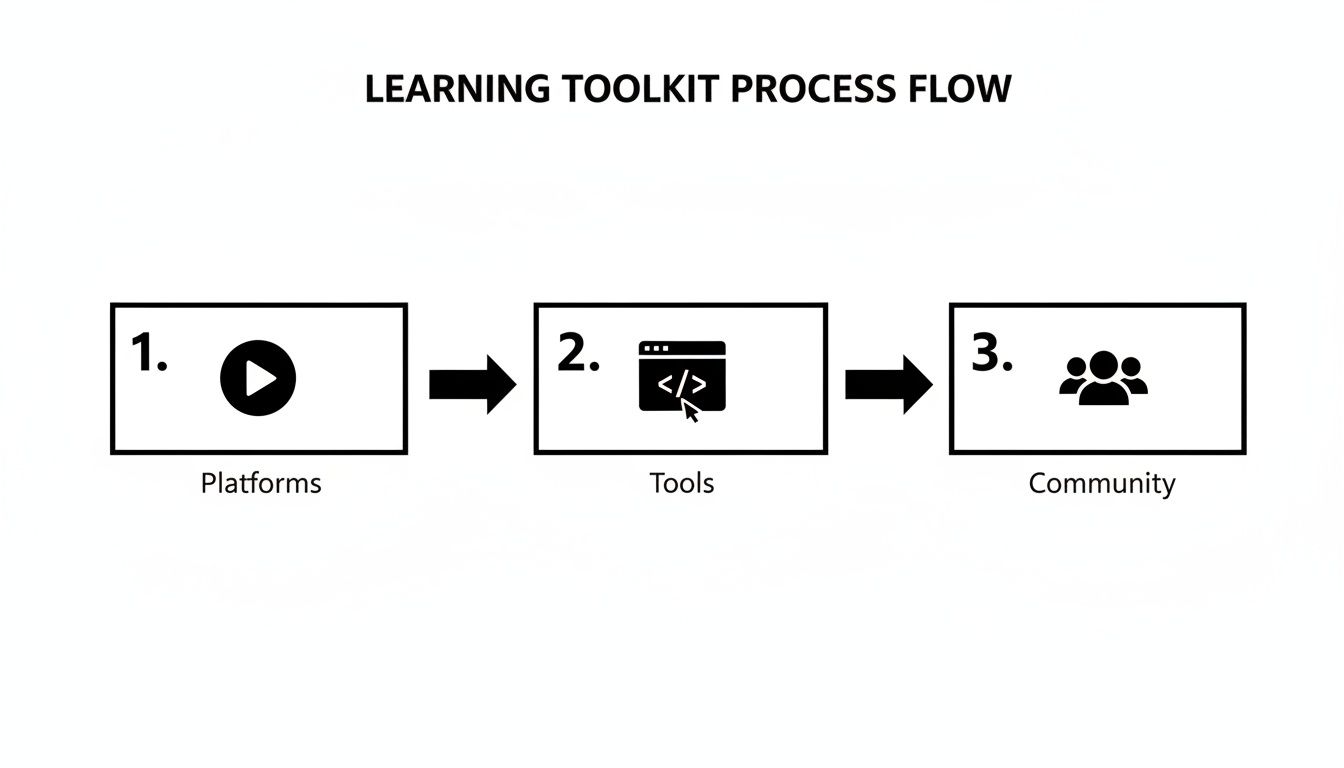
This workflow isn't just about code; it highlights that real learning combines platforms for knowledge, tools for creation, and communities for support. Managing project files is also critical, and knowing how to use cloud storage for backups and versioning can be a lifesaver. This is how you transition from being a student who knows syntax to becoming a builder who can ship a real product.
Using AI and Community to Learn Faster
You’re not in this alone. Learning to code these days means you have two incredible resources at your fingertips: AI assistants and thriving online communities. Think of them as your secret weapons for speeding up progress and pushing through those inevitable moments when you feel stuck.
It’s not about finding shortcuts or cheating the process. It’s about learning smarter. By pairing intelligent tools with a network of real people, you can bust through roadblocks and gain a much deeper understanding when the learning curve gets steep.
Your Personal AI Coding Tutor
AI has completely changed the game for self-taught developers. Tools like GitHub Copilot and ChatGPT are like having a personal coding tutor on call 24/7. Instead of staring at a cryptic error message for hours, you can get instant help untangling the problem.
And the data backs this up. A recent study found that 86% of students are now using AI to help them learn. The impact is huge—AI tools have been shown to raise passing rates by 15% and boost course completion by a whopping 70% over traditional methods. You can read more about AI's impact on education on CodeGnan.com.
The trick is learning how to ask the right questions.
- For Debugging: Don't just dump an error message. Give it context. Try something like, "I'm getting a 'TypeError' in my JavaScript code when I try to map over an array. Here's my function and what the array looks like. What am I missing?"
- For Refactoring: Ask it to make your code better. "Could you refactor this Python function to be more efficient? And can you explain the changes you made and why they're better?"
- For Explanations: Use it to break down tough concepts. "Explain what a 'closure' is in JavaScript using a simple, real-world analogy."
AI will give you the answer, but the real learning happens when you question that answer. Always ask why it chose a particular solution. This is how a quick fix turns into a real lesson, helping you build the kind of deep knowledge that truly sets great developers apart.
Getting good at prompting is a skill in itself. For a deeper dive, check out our guide on how to use AI tools to get the most out of your queries.
Tapping into the Human Element
AI is fantastic for instant feedback, but online communities offer something just as valuable: shared human experience. Places like Stack Overflow, Reddit (think r/learnprogramming), and various Discord servers are full of developers who have been exactly where you are right now.
Getting involved in these communities is more than just asking for help; it's a two-way street. You’ll learn just as much from observing and contributing as you will from asking your own questions.
Best Practices for Community Engagement
If you want to get good answers, you need to ask good questions. Don't just post a wall of code with the title, "It's broken."
- Show Your Work: First, explain what you’re trying to do. Then, detail what you’ve already tried and where you think the problem might be. This shows you respect everyone's time.
- Create a Minimal Reproducible Example: Try to isolate the problem. Create the smallest possible piece of code that still causes the error. This makes it much easier for someone to quickly spot the issue.
- Pay It Forward: Once you start getting comfortable, look for questions you can answer. There’s no better way to solidify your own knowledge than by explaining a concept to someone else.
Joining a community turns a solo mission into a team sport. You'll find mentors, celebrate small wins with people who get it, and quickly realize that everyone gets stuck sometimes. That support system is often what keeps you going for the long haul.
A Few Questions You're Probably Asking
Jumping into the world of code is exciting, but let's be real—it also comes with a lot of questions. If you're feeling a bit of doubt or uncertainty, you're in good company. Every single developer has been there. Let's tackle some of the most common worries head-on.
So, How Long Is This Going to Take?
I wish there was a magic number, but the honest answer is: it depends entirely on your goals and how much time you can realistically put in each week. The most important factor isn't speed, it's consistency.
If you just want to build some cool, interactive websites for yourself or small projects, you could get pretty comfortable with the basics of HTML, CSS, and JavaScript in about 3 to 6 months. We're talking about consistent, focused practice here. At that point, you'll be able to bring your own ideas to life.
Now, if your goal is to land a full-time job as a junior developer, you'll need to dig deeper. That journey typically takes 6 to 12 months of more dedicated learning. You're not just learning syntax anymore; you're building a real portfolio and getting a handle on core computer science concepts. Think of it less like a sprint and more like learning an instrument—it’s a skill you build over time and never really stop refining.
Am I Too Old to Start Coding?
This one comes up constantly, and the answer is a hard no. The tech world cares about what you can do and the problems you can solve, not the year you were born. I've seen countless people successfully switch to a tech career in their 30s, 40s, and beyond.
Your past career and life experiences aren't baggage; they're your superpower. You bring maturity, communication skills, and a different way of looking at problems that many younger developers just don't have yet. Your grit and determination to learn something new matter far more to a hiring manager than your age.
Here's a little secret: Companies want people who can solve problems. Your unique background gives you a different lens to view challenges through, and that kind of diversity is incredibly valuable on a team. Learn to frame your past experience as your greatest strength.
Do I Actually Need a Computer Science Degree?
For a huge number of modern developer jobs—especially in web and mobile development—a formal degree is no longer a dealbreaker. The industry has made a massive shift toward valuing practical skills over traditional credentials.
A well-maintained GitHub profile full of clean, functional projects will often get you further than a diploma. Self-study, online courses, and bootcamps are all completely legitimate paths into the industry. Your main focus should always be on building things that prove you can solve real-world problems with code.
A degree can still be a big plus in certain areas, though:
- Deeply specialized fields like AI research, operating systems, or cryptography.
- Older, more traditional corporations that might have stricter HR policies.
- Roles that require a heavy dose of complex algorithms and data structures from day one.
For most developer jobs you'll see out there, however, your portfolio is your ticket in.
How Do I Stay Motivated When I'm Completely Stuck?
First, know this: getting stuck doesn't mean you're failing. It means you're programming. Every single developer, from the intern to the principal engineer with 20 years of experience, gets stuck. The only difference is that seasoned developers have built up a mental toolkit for getting unstuck.
When you hit that wall, don't just bang your head against it. Try this instead:
- Walk Away. I'm serious. Staring at the same broken code for hours is a recipe for burnout. Get up, make a coffee, walk around the block—just do something else for 20 minutes. Your brain often solves the problem in the background when you give it some space.
- Explain the Problem Out Loud. This is a classic trick called "rubber ducking." Force yourself to explain the problem, line by line, to an imaginary person (or a real one!). You’ll be amazed at how often you find the mistake just by articulating your logic.
- Shrink the Problem. Can you isolate the part that's broken? Try to break your code down into the smallest possible pieces and test each one. Find the exact point where things go wrong.
- Finally, Ask for Help. Don't let pride keep you stuck for days. After you've genuinely tried the steps above, reach out. Post a clear, well-formed question in a community forum. A fresh pair of eyes can spot something in seconds that you've missed for hours.
And remember to celebrate the small wins. Getting that tiny feature to work or fixing a bug that drove you crazy is a victory. Acknowledging those moments is the key to keeping your motivation high for the long haul.
At Simply Tech Today, we believe that understanding technology should be simple and accessible. For more guides and clear explanations on the tools shaping our world, visit us at Simply Tech Today.
Member discussion