
How to Set Up a Smart Home: how to set up smart home in 7 steps

Jumping into the world of smart homes might seem like a huge technical leap, but it's really more straightforward—and affordable—than ever. The secret? Start small. Pick one room, learn the basics, and then build from there.
Your Smart Home Journey Starts Here
At its core, a smart home is just a network of connected gadgets that you can manage remotely or set up to run on their own. This whole concept is part of a bigger idea called the Internet of Things (IoT), which is just a fancy way of saying everyday objects are getting a digital upgrade.
This guide is designed to be your practical roadmap. We're going to skip the jargon and focus on what really matters: making your life easier, trimming your energy bills, and adding a layer of security to your home.
Why Now Is the Perfect Time
The smart home scene is absolutely booming. The market was valued at a massive $149.43 billion in 2023 and is on track to hit an incredible $633.2 billion by 2032. All that growth means more competition, better products, and lower prices for you.
You can get started with a simple hub like an Amazon Echo or a Google Nest Hub. In fact, these two platforms already power over 80% of all voice-controlled homes in the US, so you'll be in good company.
A smart home isn't just about showing off cool gadgets. It's about building a home that actually works for you—one that simplifies your routines and puts you firmly in control. The real magic isn't in one smart lightbulb; it's when all your devices start working together.
The whole process boils down to three simple stages, which you can see in the flowchart below.
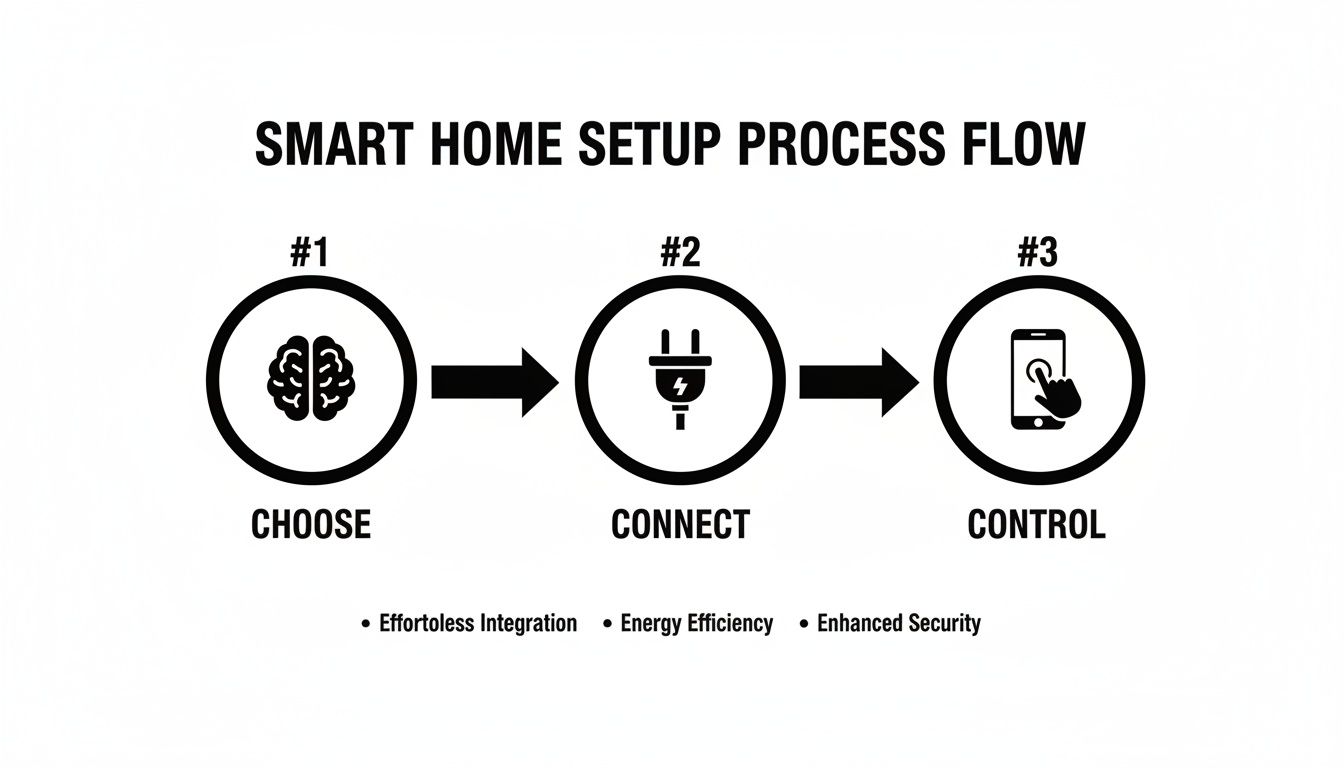
This Choose, Connect, Control model is the foundation for everything we'll cover. We're going to walk through each step, making sure your first dive into home automation is a successful one.
To make things even clearer, here’s a quick checklist of the essential first steps.
Smart Home Quick Start Checklist
This table gives you a bird's-eye view of the path ahead. Think of it as your game plan for getting from zero to a fully functioning smart room.
| Phase | Key Action | Beginner's Tip |
|---|---|---|
| 1. Planning | Choose your main "brain" (ecosystem) like Alexa, Google Home, or Apple HomeKit. | Pick the one that matches the phone you already use. It makes everything smoother. |
| 2. Setup | Unbox and install your first hub and a simple device, like a smart plug or lightbulb. | Start with just one device in one room. The living room is usually a great place to begin. |
| 3. Automation | Create your first simple routine, such as turning a light on at sunset. | Don't overcomplicate it. A simple "Good Morning" routine is a fantastic first win. |
Keep these core actions in mind as we go. By focusing on one phase at a time, you'll avoid feeling overwhelmed and can enjoy the process of bringing your smart home to life.
Choosing Your Smart Home Ecosystem
Before you even think about buying a smart bulb, we need to talk about the single most important decision you'll make: picking your system's "brain." This is the central ecosystem that lets all your different gadgets talk to one another. You can think of it like the operating system for your house—the same way your phone runs on iOS or Android.
This choice dictates nearly everything that follows, from the devices you can buy to how you'll control them. The three heavyweights in this arena are Amazon Alexa, Google Assistant (part of the Google Home ecosystem), and Apple HomeKit. Each has its own vibe, and honestly, the best one for you probably ties back to the tech you already use and love.
Comparing the Big Three Platforms
Let's get real about what separates these platforms. It's not just about whose voice assistant sounds the most pleasant; it's about device compatibility, user experience, and a big one—privacy.
Amazon Alexa: This is the undisputed king of compatibility. If you can imagine a smart device, it almost certainly "Works with Alexa." This massive device library makes it a breeze to find gadgets at any price point. If you want the absolute widest selection of toys to choose from, Alexa is your playground.
Google Assistant: Google's strength has always been its brainpower. It's fantastic at understanding natural, conversational commands without you having to sound like a robot. If you're already living in the Google world—Android phone, Gmail, Nest thermostat—it all just clicks together beautifully.
Apple HomeKit: This is the Fort Knox of smart homes. HomeKit is known for its rigorous security and privacy standards, thanks to a strict certification process for any device that wants to join the club. For anyone deep in the Apple ecosystem with iPhones, iPads, and an Apple TV, the integration is incredibly smooth and just plain works.
Here's my go-to advice: start with what you already have. If your whole family has iPhones, using an Apple TV or HomePod as your central hub is a no-brainer. If you're an Android household with a Chromecast in every room, a Google Nest Hub will feel like coming home. Sticking with your current tech saves you a headache and some cash.
Let's Talk About Privacy
When you build a smart home, you're plugging your life into the internet. It’s important to know how each platform handles your data.
Apple’s HomeKit is widely praised for its privacy-first design, as it does most of the processing locally right inside your home. On the other hand, Amazon and Google rely more heavily on the cloud, which makes their assistants smarter but means your voice commands are sent to their servers.
Both companies give you dashboards to manage and delete your voice history, and it's something you should absolutely look into. To really get a handle on this, check out our guide on how to protect your privacy online.
Planning Your Smart Home Budget
Good news: you don't need a second mortgage to start. A smart home can be built piece by piece, growing as your needs and budget allow. The trick is to have a plan.
A Budget-Focused Approach
Here’s a realistic breakdown of what you can achieve at different price points:
The $100 Starter Kit (One-Room Wonder): This is the perfect way to test the waters without a big commitment.
- Hub: An Amazon Echo Dot or Google Nest Mini (around $50).
- Lighting: A 2-pack of smart bulbs (around $20).
- Control: A 2-pack of smart plugs for "dumb" lamps or fans (around $20).
- The Goal: Voice-control a few lights and appliances in one room and set up your first simple schedules.
The $500 Expansion (Multi-Room Smarts): Now you can start connecting the core parts of your home.
- Hub: Upgrade to a display like an Amazon Echo Show or Google Nest Hub (around $100).
- Lighting: Get enough smart bulbs for 2-3 key rooms (around $100).
- Climate: A smart thermostat is a game-changer (around $150).
- Security: Add a smart doorbell or an indoor camera (around $100).
- The Goal: Automate your thermostat, see who's at the door, and manage lighting across several rooms.
The $1,000+ Whole-Home System: At this stage, you're creating a truly seamless, automated living space.
- The Focus: Integrate more advanced gear like smart locks, motion sensors, and door/window sensors. You might also want to invest in a solid mesh Wi-Fi system to keep everything running smoothly.
- The Goal: Build powerful automations. Think "Movie Night" scenes that dim the lights and lock the door, or a "Good Morning" routine that slowly brightens your bedroom and starts the coffee maker.
By nailing down your ecosystem and budget first, you lay a rock-solid foundation for a smart home that truly works for you.
Building a Reliable Network Foundation
Let’s talk about the unsung hero of every great smart home: your Wi-Fi network. It's easy to get excited about the gadgets, but the reality is your smart home is only as good as the network it runs on. A slow or spotty connection is the #1 reason people get frustrated, leading to lights that won't respond, security camera feeds that stutter, and voice commands that just hang in the air.
Before you even think about unboxing another device, we need to make sure your digital foundation is solid.
Lots of people just stick with the router their internet provider gave them. For a couple of laptops and a phone, that's usually fine. But once you start adding a dozen or more smart devices—thermostats, speakers, locks, cameras—that standard-issue box quickly becomes a bottleneck. It just can't handle all that traffic. It's probably the most common mistake I see people make when they're just getting started.
Is Your Current Router Up to the Task?
Think of your router as an air traffic controller for your home's data. An older or basic model gets overwhelmed fast when a bunch of devices are all trying to "talk" at once. If you’re already seeing buffering on your TV, random Wi-Fi dropouts, or smart gadgets that mysteriously go offline, your router is almost certainly the culprit.
Getting this right is more important than ever. Global spending on smart homes hit a staggering $127.80 billion in 2024 and is expected to rocket towards $949.92 billion by 2032. With Wi-Fi devices making up 45% of the market and nearly 50% of all smart home failures boiling down to network problems, a great Wi-Fi setup isn't just a nice-to-have; it's a must. You can dig into the full market analysis and trends over on Grandview Research.
Understanding Wi-Fi Bands: 2.4 GHz vs. 5 GHz
Most routers you buy today are "dual-band," which just means they broadcast two different networks: 2.4GHz and 5GHz. Knowing how to use them properly can make a huge difference.
- The 2.4GHz Band: This is the old workhorse. Its signal travels farther and is better at getting through walls and floors. The downside? It's slower and gets crowded with interference from things like microwaves and cordless phones.
- The 5GHz Band: This one is all about speed. It's much faster but has a shorter range. Since fewer devices use it, it’s like having your own private, uncongested highway for data.
Here’s a simple strategy: put your small, stationary smart home gadgets—like plugs, sensors, and most smart bulbs—on the 2.4GHz network. They don't need much speed, but they do need a reliable connection, even if they're far from the router. Save the faster 5GHz band for the heavy hitters: 4K security cameras, smart TVs for streaming, and your main work computer.
When to Consider a Mesh Wi-Fi System
If you live in a bigger house or one with a tricky layout—think thick brick walls or multiple floors—a single router probably won't cut it. You'll end up with dead zones where the signal just can't reach, making any smart devices in that area completely useless.
This is exactly where a mesh Wi-Fi system comes in. Instead of one router trying to do all the work, a mesh system uses several "nodes" that you place around your home. They all work together to create one big, seamless Wi-Fi network that covers every nook and cranny.
Honestly, a mesh system is the single best upgrade you can make for a reliable smart home. It kills dead spots and guarantees that every single device, from the smart lock on your front door to the camera in your backyard, has a rock-solid connection.
A stable connection is also critical because many of your devices rely on cloud services to work properly. If you're curious about how that all works behind the scenes, you can learn more by reading our detailed guide on how cloud storage works and its role in smart tech.
Take the time to get your network right from the start. You'll thank yourself later when everything just works.
Alright, you’ve done the homework, picked your platform, and made sure your Wi-Fi is up to the task. Now for the fun part: actually installing your first smart devices. This is where the magic happens and you get to see how a few simple gadgets can make life a little easier.
Let's start with the low-hanging fruit—the devices that give you that "wow" moment without any complicated wiring or technical headaches.
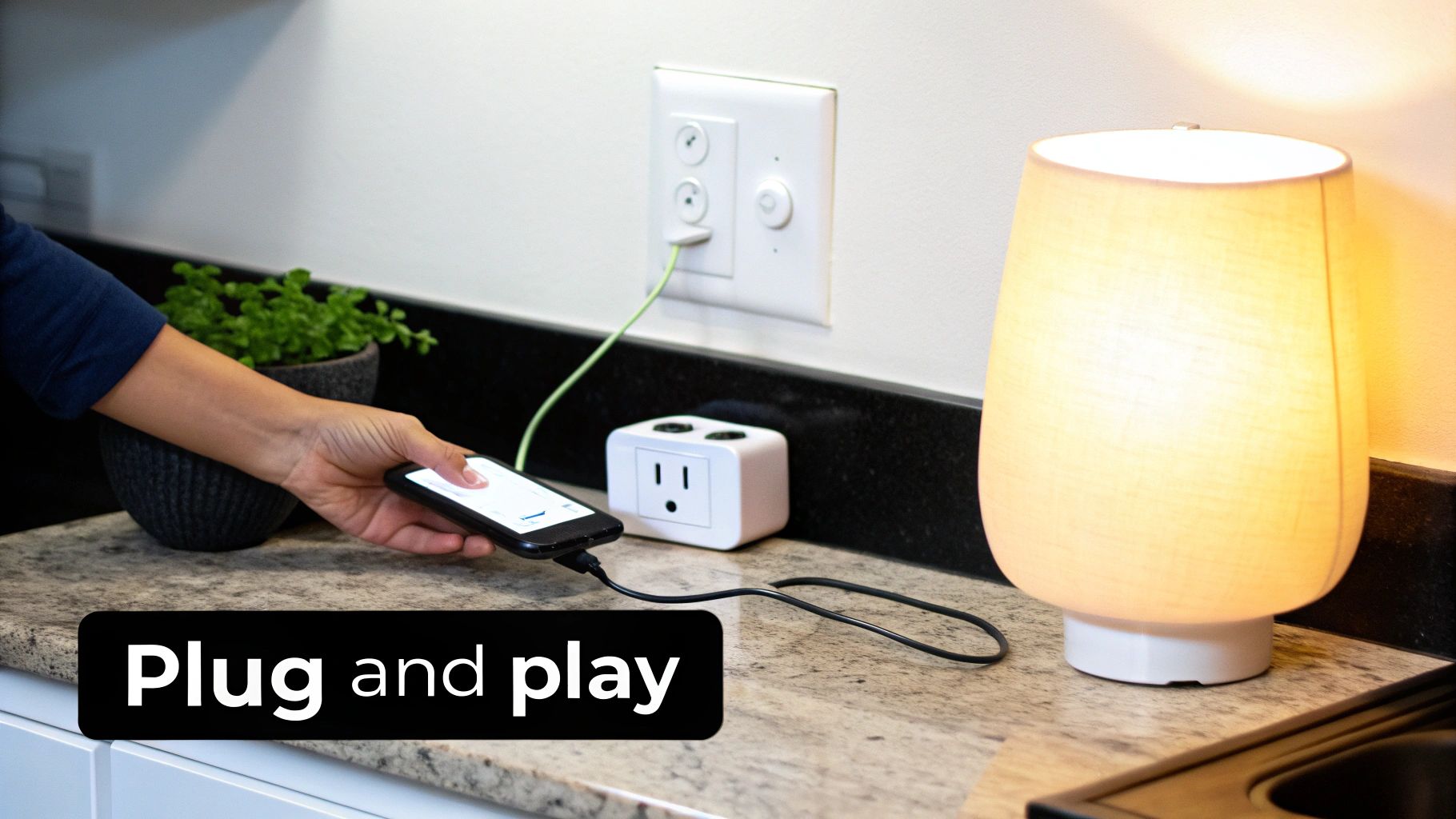
Start with Smart Plugs: The Gateway Gadget
If you're wondering what to buy first, my answer is almost always a smart plug. Seriously. This little adapter is the Swiss Army knife of the smart home world. You plug it into a regular wall outlet, and suddenly, whatever you plug into it becomes smart. We’re talking lamps, fans, coffee makers, you name it.
Getting one up and running is ridiculously simple:
- Plug it in. The smart plug goes into the wall, and you'll see a light start blinking. That means it's ready to connect.
- Grab your phone. Open your main smart home app (like Alexa, Google Home, or Apple Home) and tap the "Add Device" button, which is usually a big plus (+) sign.
- Follow the prompts. The app will find the plug and walk you through connecting it to your Wi-Fi. It often involves just scanning a QR code on the device itself.
In less than five minutes, that old lamp you’ve had for a decade is now something you can control with your voice. It’s a small victory, but it’s the one that gets people hooked.
Light Up Your Life with Smart Bulbs
Right after smart plugs, smart lighting is the next best place to start. A smart bulb screws into a standard light fixture just like any other bulb, but the difference is night and day. You can dim it on command, and with many models, you can change the color to millions of different shades.
The setup is just as easy as a smart plug: screw it in, flip the switch, and use your app to add it to your network. This is how you start building atmosphere. Imagine turning your living room lights to a cool blue for movie night or a warm, soft yellow when you're reading.
My Two Cents: Name your devices properly from day one. I can't stress this enough. "Living Room Lamp" is a thousand times better than the default "TP-Link Bulb 3." When you’re fumbling for a voice command in the dark, you’ll thank yourself for being specific.
Room-by-Room Smart Device Starter Ideas
Feeling a little stuck on where to put these new gadgets? It's all about finding small ways to solve daily annoyances or add a touch of convenience. Here’s a quick-start guide to get you thinking.
| Room | Starter Device Idea | Primary Benefit |
|---|---|---|
| Living Room | Smart plugs for all lamps | Voice-control your lighting. "Hey Google, turn on Movie Night" can dim all the lights at once. |
| Bedroom | A smart bulb in your bedside lamp | Wake up gently with a light that slowly brightens, or turn it off with your voice after you're already cozy in bed. |
| Kitchen | A smart plug for the coffee maker | Schedule it to turn on five minutes before your alarm. Nothing beats waking up to the smell of fresh coffee. |
These simple additions can have a surprisingly big impact on your daily routine. Early adopters in North America, which held a 35.62% market share in 2024, figured this out quickly, paving the way for the incredibly user-friendly setups we have today.
To make things even easier, always look for devices that support Matter. This new standard, now found in over 70% of new products, helps different brands talk to each other seamlessly. It's designed to eliminate the setup frustrations that plagued a quarter of early users. For a deeper dive into market trends, check out this smart home market report from Precedence Research.
Unlocking True Convenience with Automations
Okay, so you've got your devices online. You can tell Alexa to turn on the lights or use an app to start the coffee maker. That’s a great start, but we’re about to get to the really good stuff: automation. This is where your smart home stops being a collection of cool gadgets you can control remotely and starts actually working for you, anticipating what you need before you even ask.
This is the magic that makes your home feel truly intelligent. In most apps, these automations are called "routines" or "scenes." Think of them as simple recipes: If This Happens, Then Do That. You connect a specific trigger (the "if") to one or more actions (the "that"), creating a chain reaction that simplifies your daily life.
Understanding Triggers and Actions
The trigger is what kicks off the whole routine. You have a ton of creative control here, and the options can be surprisingly diverse.
- Voice Command: This is the most straightforward trigger. Saying "Alexa, good morning" can start a whole sequence of events.
- Time of Day: A classic for a reason. You can have your porch lights turn on automatically at sunset or your kettle switch on at 6:55 AM sharp on weekdays.
- Sensor Detection: This is where things get really clever. A motion sensor can trigger the hallway lights when you walk by at night. A smart door sensor can pause your HVAC system if it detects a window has been left open for more than five minutes.
- Location (Geofencing): Your phone’s GPS can act as a trigger. Imagine pulling into your driveway, and your entryway lights automatically turn on while the thermostat adjusts to your favorite temperature. It’s a pretty nice way to be welcomed home.
The actions are, of course, what happens once a routine is triggered. The real power comes from stacking multiple actions together. A single voice command can dim the lights, lock the front door, turn on a playlist, and adjust the thermostat all at once.
Building Your First Practical Routines
Let's get our hands dirty and build a few routines that you'll actually use. These are based on automations I rely on every single day to make my life just a little bit easier.
The "Good Morning" Routine
This one is the perfect starting point. It’s designed to gently ease you into the day, not shock you awake with a blaring alarm.
- The Trigger: A set time, like 7:00 AM on weekdays, or a simple voice command like, "Hey Google, good morning."
- The Actions:
- Your bedroom's smart bulb begins to slowly brighten over 10 minutes, mimicking a natural sunrise.
- The smart plug connected to your coffee maker clicks on.
- Your smart speaker gives you a quick rundown of the day's weather and your first calendar appointment.
- Finally, it starts playing a chill morning playlist at a low volume.
The "Movie Night" Scene
With one phrase, you can get your living room perfectly set for a movie.
- The Trigger: A voice command, like "Alexa, it's movie time."
- The Actions:
- The main living room lights dim down to a cozy 15% brightness.
- Any smart LED strips you have can shift to a soft, ambient color like blue or warm amber.
- Your smart TV powers on and flips to the correct HDMI input for your streaming device.
- If you have an air purifier or fan on a smart plug, it turns off to cut down on background noise.
The real purpose of automation is to get rid of the tiny, repetitive tasks you do every day. If you find yourself walking through the house turning off every light before bed, that’s your sign. You need a "Good Night" routine.
Pro Tips for Powerful Automations
Once you’ve got the basics down, you can start getting even more sophisticated.
- Use Delays: Most smart home apps let you add a timed delay between actions. For instance, in a "Good Night" routine, you could have the hallway lights turn off, but program the bedroom lamp to stay on for another two minutes. This gives you just enough time to get into bed before the room goes dark.
- Incorporate Smart Sensors: This is a total game-changer. Stick a motion sensor in a high-traffic spot like a laundry room or hallway. The lights pop on the second you walk in and, just as importantly, switch off automatically after a few minutes of inactivity. You'll save energy without ever having to flick a switch again.
Building automations is easily the most rewarding part of setting up a smart home. It’s where you move from just having connected devices to creating an environment that’s perfectly tailored to your lifestyle. Your house stops being just a place you live in and becomes a home that lives with you.
7. Locking It Down: Smart Home Security and Privacy
Once you start adding smart devices to your home, you're also adding new digital entry points. Thinking about security from the very beginning isn't just a recommendation; it's absolutely essential for protecting your home, your data, and your peace of mind.
Thankfully, you don't need to be a cybersecurity expert to get this right. It all comes down to building a few good habits.
Think of it like this: you wouldn’t leave your front door unlocked, right? The same logic applies here. Never reuse passwords across your smart device accounts. Your Philips Hue login, your Google Home app, and your smart lock account should all have their own unique, strong passwords.
Your Security To-Do List
Getting the basics right creates powerful layers of protection. Here’s where to start.
Get a Password Manager: This is non-negotiable. A good password manager will create and remember incredibly complex passwords for every single account. It's the single best thing you can do for your digital security.
Switch on Two-Factor Authentication (2FA): If a service offers 2FA, use it. This adds a critical second step to logging in, usually a code sent to your phone. It means that even if someone steals your password, they still can't get into your account. We have a full guide that explains how to use two-factor authentication if you want to dive deeper.
Update, Update, Update: Device makers are constantly finding and fixing security vulnerabilities. These fixes are delivered through firmware updates. Set your device apps to update automatically whenever possible. If not, make a habit of checking for updates yourself once a month.
Security isn't a "set it and forget it" task. It’s an ongoing process. Make a point to periodically check your device settings and review your privacy options to keep everything locked down.
Taming Your Voice Assistant's Ears
Voice assistants are always listening for their wake word—that's just how they work. But that doesn't mean you have no control over what happens to the recordings of your commands.
Both Amazon and Google have privacy dashboards that let you see, hear, and delete your entire voice history. It's worth spending a few minutes poking around in the Alexa Privacy Settings or your Google Account's activity controls.
A great first step is to set your voice history to auto-delete every three months. It’s a simple tweak that gives you all the convenience of voice control without leaving a long trail of personal data behind.
Got Questions? We've Got Answers
Even the most meticulously planned smart home setup can hit a few snags. That's perfectly normal! As you start connecting devices, questions are bound to pop up. Here are some straightforward answers to the most common hurdles beginners face, designed to get you unstuck and back to building your smart home.
Do I Really Need a Hub?
That really depends on what you're trying to achieve. If you're just starting with a few Wi-Fi smart plugs or light bulbs from the same brand, your phone and the manufacturer's app are probably all you need. It’s a great way to dip your toes in the water.
But once you start adding more devices—especially from different companies—a central hub like an Amazon Echo, Google Nest Hub, or Apple TV becomes pretty much essential. You'll also need one if you want to use devices that run on different communication protocols like Zigbee or Z-Wave.
Think of a hub as the central translator for your smart home. It takes commands from you and makes sure every device, regardless of its brand or "language," understands what to do. It’s the key to making a jumble of gadgets work together as one seamless system.
Can I Mix and Match Brands?
Absolutely! This is where the Matter standard has been a total game-changer. When you see the Matter logo on the box, it’s basically a promise that the device will play nicely with any other Matter-enabled gear you have.
This has torn down the "walled gardens" that used to exist between ecosystems like Amazon, Google, and Apple. In the past, you had to be a detective, carefully checking compatibility lists. Now, if your hub and your new device both support Matter, they'll just work together. It’s a massive relief and makes expanding your setup so much simpler.
What Happens if My Internet Goes Out?
This is a really smart question to ask. The short answer is: it depends on your setup.
Many of your core automations might keep chugging along just fine. Devices using protocols like Zigbee, Z-Wave, or Thread often communicate directly with your local hub, no internet required. A classic example is a motion sensor in the hallway turning on a light—that kind of local command will likely still work perfectly.
However, anything that relies on the cloud will be dead in the water until your connection is back. This usually includes:
- Voice Commands: Shouting at Alexa, Google, or Siri won't do any good.
- Remote Control: You won't be able to check in or control things from your phone when you're not home.
- Cloud-Reliant Automations: Any routine that needs outside info, like turning on lights at sunset or adjusting the thermostat based on a weather forecast, will fail.
And on that note, remember how valuable your smart home configurations are. Just like any other important digital asset, they deserve protection. Practicing good digital hygiene, like knowing how to back up your phone's data, is a great habit that carries over to securing all your connected tech.
At Simply Tech Today, our mission is to make technology easy to understand. Dive into our library of guides and articles for clear, practical advice on all your gadgets and digital needs at https://www.simplytechtoday.com.

Member discussion