
The Ultimate Web Browser Comparison for 2024
When it comes to picking a web browser, the central conflict is pretty clear. On one side, you have Chrome, with its unbeatable library of extensions and tight integration with Google's world. Then there's Firefox, the long-standing champion of user privacy. Edge brings some clever features to the table for Windows users, and Safari is all about pure, unadulterated efficiency on Apple hardware.
So, what matters most to you? Is it endless customization, iron-clad data protection, seamless platform synergy, or just making your battery last all day? This guide cuts through the noise to help you figure out which browser actually fits the way you work and live online.
Why Your Browser Choice Matters More Than Ever

Let's be honest, your web browser is probably the single most important app on your computer. It’s your gateway to everything—work, news, shopping, and staying connected. That makes choosing the right one a pretty big deal. It’s not just about a different icon on your desktop; it’s about performance, security, and who gets to see your data.
The browser landscape has been a battlefield for decades. Remember the 1990s? Netscape Navigator was king, holding over 90% of the market before Internet Explorer came along and claimed a staggering 95% share in the early 2000s. Firefox rose from the ashes as a popular open-source alternative, but it was the arrival of Google Chrome in 2008 that truly reshaped everything. By 2025, Chrome had captured over 71.23% of the global market.
This back-and-forth history proves one thing: user priorities can and do change everything. If you're curious about the full story, you can watch the full historical analysis of the browser wars.
At-a-Glance Browser Showdown
Before diving deep, here's a quick cheat sheet. This table breaks down the core strengths of each major player to help you zero in on the best fit for your needs right away.
| Browser | Best For | Key Differentiator |
|---|---|---|
| Google Chrome | Ultimate Customization | The massive Chrome Web Store and seamless Google ecosystem integration. |
| Mozilla Firefox | Privacy Advocates | Strong, customizable tracking protection and a non-profit mission. |
| Microsoft Edge | Windows Power Users | Built-in AI features, shopping tools, and deep integration with Windows. |
| Apple Safari | Apple Device Owners | Unmatched battery efficiency and speed on macOS, iOS, and iPadOS. |
| Brave | Crypto Enthusiasts & Blockers | A built-in ad/tracker blocker and an optional crypto rewards system. |
| Opera | Feature Explorers | A free, built-in VPN and unique sidebar integrations for social media. |
Think of this table as your starting point. Now, let's get into the details that will help you make the final call.
Setting the Stage for Comparison
To make a smart choice, we need to compare these browsers using criteria that actually matter in your day-to-day use. We'll focus on three core areas:
- Performance and Efficiency: How much memory (RAM) does it hog, and how quickly will it drain your laptop’s battery?
- Privacy and Security: What built-in tools does it offer to shield you from aggressive trackers and malicious websites?
- Ecosystem and Features: How well does it sync your bookmarks and tabs across devices, and how good is its extension library?
Choosing a browser is a lot like choosing a mobile operating system—the best option is deeply personal and depends entirely on your hardware and priorities. The ideal browser for an Apple purist is rarely the best fit for a Windows power user.
This approach keeps our web browser comparison grounded in reality. It’s a similar dynamic to another major tech debate, which you can read about in our detailed comparison of Android vs. iPhone.
Alright, let's dive in and look at the key players.
Getting to Know the Main Contenders
Before we pit these browsers head-to-head, it helps to understand what makes each one tick. Every browser is built with a specific philosophy, a core idea that shapes its strengths, weaknesses, and who it's really for. Think of it as meeting the players before the game—their backstories make the competition a lot more meaningful.
Each one offers a fundamentally different vision for how you should experience the web. From Google’s all-encompassing ecosystem to Mozilla’s privacy-first manifesto, these identities influence everything from raw performance to the features you use every day. Knowing this foundation gives us the right context for a fair, practical comparison.
Google Chrome: The Ubiquitous Default
It's hard to overstate Chrome's dominance. It's less a browser and more a digital nervous system for millions. Its power comes from its seamless integration with the entire Google universe. If you already live in Gmail, Google Drive, and YouTube, Chrome makes your life incredibly easy by syncing passwords, bookmarks, and history across every device you own without a second thought.
The numbers are just staggering. Projections show Chrome hitting 3.45 billion users by 2025, cementing its 64.86% market share. This isn't by accident. It’s built on the powerful Blink rendering engine for fast, consistent web rendering and the Chrome Web Store, which boasts over 111,000 extensions for near-infinite customization. You can dig into more stats about Chrome's global user base on aboutchromebooks.com.
Mozilla Firefox: The Privacy Champion
Firefox is the outlier, and proudly so. Its entire existence is built on a staunch commitment to user privacy and open-source ideals. Because it’s run by the non-profit Mozilla Foundation, its goal isn't to sell your data—it's to build a better, healthier internet for everyone. This is immediately obvious with its Enhanced Tracking Protection, which aggressively blocks creepy ad trackers right out of the box.
Crucially, Firefox is one of the few major browsers not built on Google's Chromium engine. It runs on its own engine, Gecko, which provides vital diversity to the web. This is a big deal, as it prevents one company from having total control over how the internet works. For anyone who puts a premium on controlling their personal data, Firefox is the clear, principled choice.
Firefox represents the belief that you should have control over your digital life. It’s less a product and more a statement about what the web should be—open, private, and accessible to all.
Apple Safari: The Efficiency Expert
Safari is engineered for one purpose: to run perfectly within the Apple ecosystem. Its biggest selling point is its incredible optimization for macOS, iOS, and iPadOS. This tight-knit integration delivers blazing-fast performance and, most importantly, unbeatable battery life on Apple hardware. If you want to squeeze every last drop of power from your MacBook, Safari is the hands-down winner.
It also packs a serious punch on the privacy front with features like Intelligent Tracking Prevention, which uses on-device machine learning to thwart cross-site trackers. While its extension library is smaller and more tightly controlled than Chrome’s, Safari offers a clean, wickedly fast, and secure experience for anyone all-in on Apple devices.
Microsoft Edge: The Modern Reinventor
Microsoft finally managed to bury the ghost of Internet Explorer. Rebuilt from the ground up using the same Chromium engine as Chrome, the modern Edge is fast, compatible, and full of its own clever ideas. Features like vertical tabs, Collections for organizing research, and a fantastic immersive reader aren't just gimmicks—they're genuinely useful improvements on the standard browser formula.
Where Edge really shines is its deep integration with Windows. It feels like a natural part of the operating system. With powerful built-in tools like the AI-powered Copilot and surprisingly robust PDF editing, Edge has successfully repositioned itself as the go-to browser for productivity.
Comparing Performance and Resource Usage
A browser's performance isn't just about how fast a page loads. It's a delicate balancing act between raw speed, memory (RAM) usage, and how quickly it drains your battery. A clunky browser can drag your whole system down, kill your laptop's battery life, and turn a productive day into a frustrating crawl. This is where the real-world differences between browsers really start to show.
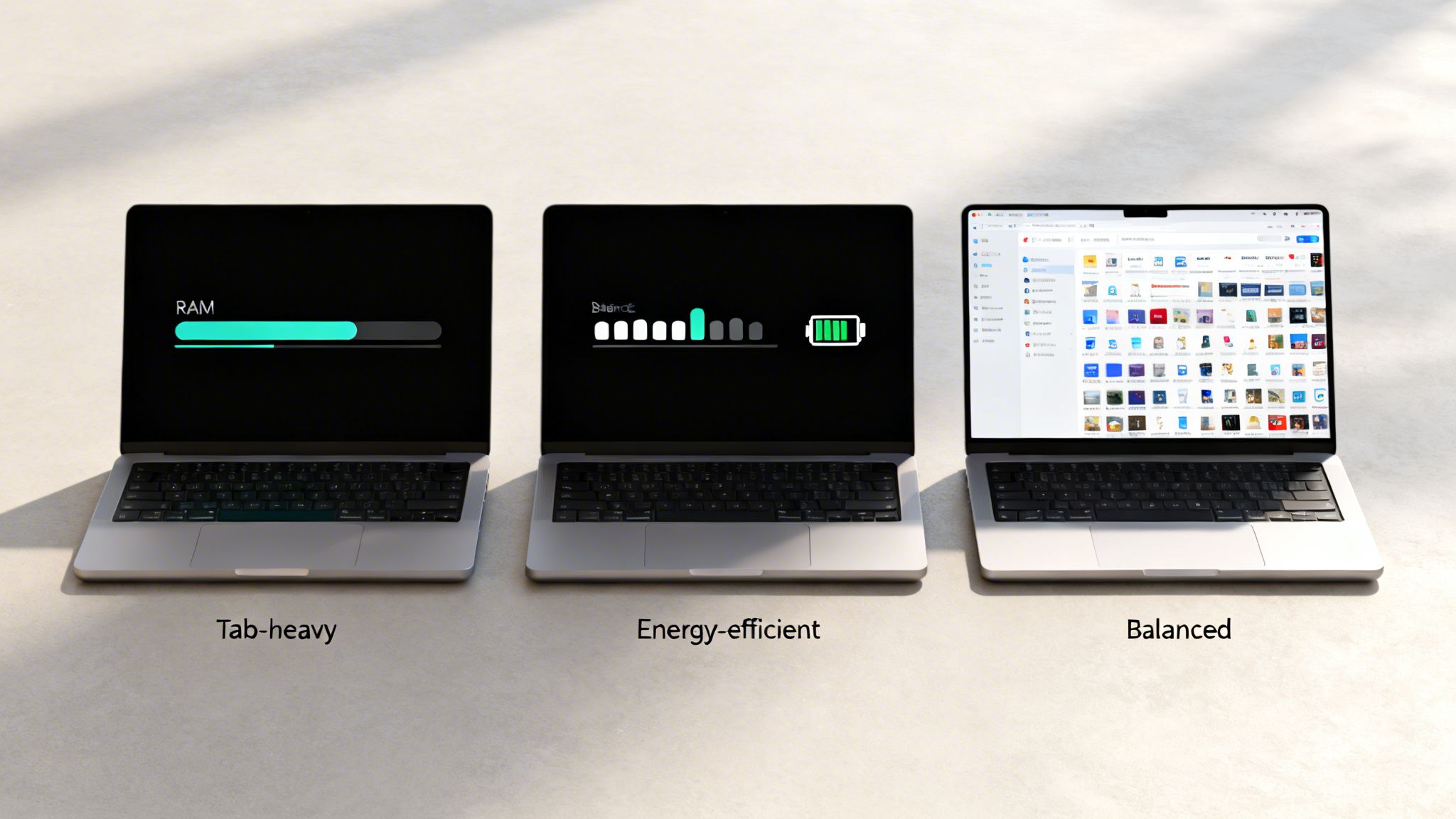
We're going to dig deeper than simple speed tests and look at how these digital workhorses actually manage your computer's precious resources. Think of it like comparing car engines—some are built for pure horsepower, while others are engineered for quiet efficiency. The right choice really depends on your hardware and how you use it.
The RAM and CPU Consumption Debate
At the core of any performance talk is how browsers handle RAM and CPU cycles. RAM is your computer’s short-term memory, and the more tabs you open, the more it gets eaten up. Your CPU is the brain, and demanding web apps or high-definition video will put it through its paces.
Google Chrome has long carried the reputation of being a "RAM hog." It’s not entirely undeserved. Chrome’s architecture gives every single tab and extension its own process. This design, known as sandboxing, is fantastic for security and stability—if one tab crashes, it won't bring down your entire browsing session.
The trade-off, of course, is a hefty increase in memory consumption, especially once you have a few dozen tabs open. If you're running a powerful machine with plenty of RAM (16GB or more), this is often a price worth paying for smooth, reliable performance. On older or less powerful systems, though, it can quickly bring everything to a grinding halt.
Key Insight: Chrome's high memory usage is a direct result of its multi-process architecture. This design prioritizes stability and security, making it a robust choice for power users who can afford the resource cost.
On the other hand, browsers like Firefox and Safari have taken different paths. Firefox's Quantum engine was a ground-up rebuild designed to use modern multi-core CPUs more effectively while keeping a lid on RAM usage. It consistently uses less memory than Chrome under similar workloads, making it a fantastic option for anyone working with 8GB of RAM or less.
Efficiency and Battery Life Champions
The moment you unplug your laptop, browser efficiency suddenly becomes the most important metric. This is where Apple's Safari has a massive, almost unfair, advantage on macOS. Since Apple controls both the hardware and the software, Safari is optimized for its ecosystem in a way third-party browsers can only dream of.
That tight integration leads to dramatically lower energy use, which translates directly to longer battery life. For a MacBook user, sticking with Safari can easily mean an extra hour or more of work time away from a power outlet. It’s a no-brainer for most Apple device owners who value mobility.
Microsoft Edge has also made huge strides here, thanks to its "sleeping tabs" feature. This brilliant tool automatically puts inactive tabs on ice, freeing up the system resources they were hogging. It’s a clever solution that cuts down both RAM and CPU load without you having to close anything, striking a nice balance between Chrome’s power and Safari’s efficiency. If you're curious to see these effects for yourself, you can learn more about how to check CPU usage on your own machine.
Real-World Performance Scenarios
So, how does this all shake out in day-to-day use? Let's consider a few common scenarios:
- The Tab Hoarder: If you're the type to keep 20+ tabs open for research, Chrome's stability is a big plus. But on a standard laptop, Edge’s sleeping tabs or Firefox’s lower memory footprint will likely deliver a much smoother experience.
- The Video Streamer: Streaming 4K video is CPU-intensive. Safari on a Mac handles this with incredible efficiency. On a Windows machine, Edge often has a slight edge over Chrome due to its deeper integration with the operating system.
- The Web App Power User: For anyone living in complex web apps like Figma or Google Sheets, Chrome's powerful V8 JavaScript engine often delivers the most responsive, lag-free experience—assuming your system has the RAM and CPU to feed it.
To give you a clearer picture, here's how these browsers typically perform under a moderate load. Imagine you have 10 tabs open with a mix of content like news articles, social media, and a YouTube video playing in the background.
Resource Impact Comparison Under Load
This table breaks down the typical resource footprint you can expect from each browser under a standardized, everyday workload.
| Browser | Average RAM Usage (10 Tabs) | Average CPU Impact (Video Playback) | Noteworthy Feature |
|---|---|---|---|
| Google Chrome | High | Moderate | Per-tab process isolation for stability. |
| Microsoft Edge | Moderate-Low | Low | Sleeping tabs feature frees up resources. |
| Mozilla Firefox | Moderate | Moderate-Low | Efficient multi-core CPU usage. |
| Apple Safari | Low | Very Low | Unmatched hardware optimization on macOS. |
Ultimately, there's no single "best" performer—it's all about context. For anyone in the Apple ecosystem, Safari’s battery efficiency is hard to ignore. For Windows users looking for a well-rounded experience, Edge is an incredibly compelling choice. Chrome is still the king for raw power on high-end machines, and Firefox remains a fantastic, resource-friendly alternative for everyone else.
2. Privacy and Security: Your First Line of Defense
When it comes to the internet, your browser is more than just a window to the web—it's your frontline guard against constant tracking and security threats. The browser you choose has a massive impact on who sees your data and what they can do with it. Let's peel back the layers and see how the big players stack up in protecting your digital life.

We're going to look past the marketing claims and dig into the default settings and advanced tools. From Firefox's privacy-first approach to Brave's all-out war on trackers, understanding these philosophies is key to reclaiming your privacy.
What’s the Default Stance on Privacy?
A browser’s out-of-the-box settings tell you everything you need to know about its core values. Some protect you from the moment you install them, while others make you hunt through menus to lock things down.
Firefox has long been a champion of user privacy, and it shows. Its Enhanced Tracking Protection is on by default, set to a solid "Standard" level that blocks social media trackers, cross-site cookies, and even cryptominers. It strikes a great balance, giving you immediate, meaningful protection without breaking the sites you visit.
Safari walks a similar path, especially for those in the Apple ecosystem. Its Intelligent Tracking Prevention (ITP) is a clever piece of tech that uses on-device machine learning to spot and neutralize trackers. It’s designed to stop advertisers from stitching together a profile of your browsing habits as you move from site to site.
Expert Insight: The best privacy features are the ones you don't have to think about. By enabling strong protections by default, browsers like Firefox and Safari do the heavy lifting for you. Others often shift that responsibility onto the user.
Google Chrome, on the other hand, is in a complicated spot. While it’s making moves to phase out third-party cookies, its Privacy Sandbox project is fundamentally about finding new ways to enable targeted advertising, not eliminating it. This is a world away from the block-first approach of its rivals. For a deeper dive into this, our guide on how to protect your privacy online offers some great strategies.
The Aggressive and Niche Protectors
If you want to take privacy to the next level, some browsers are built from the ground up to be digital fortresses.
Brave is the poster child for this approach. Its built-in Brave Shields feature is on by default and set to "aggressive," blocking nearly every ad and tracker it finds. This not only keeps you private but often makes pages load noticeably faster. Brave even throws in advanced features like fingerprint randomization to make it harder for sites to identify you.
So, what does this look like in practice?
- Firefox's Method: Blocks known trackers from a regularly updated list. It’s a balanced approach that prioritizes privacy without disrupting website functionality, and you can easily crank the protection up to "Strict."
- Brave's Method: An all-or-nothing strategy. It blocks almost everything that isn’t essential website content, which delivers a super clean experience but can sometimes cause site features to misbehave.
- Safari's Method: Uses the tight integration of Apple’s hardware and software to intelligently outsmart trackers. It’s highly effective but, naturally, it's an Apple-only affair.
Under the Hood: Core Security
Beyond just blocking trackers, a browser has to be fundamentally secure to protect you from malware, phishing scams, and other dangers.
The good news is that all modern browsers use a critical security technique called sandboxing. Think of it as putting each browser tab in its own sealed container. If you accidentally visit a malicious site, the sandbox prevents any harmful code from escaping that tab and infecting your computer. It’s a non-negotiable feature.
Another key factor is the speed of security updates. Here, Chrome, Edge, and Firefox lead the pack with rapid release cycles. When a new vulnerability is discovered, they can push out a patch in a matter of days—sometimes even hours—ensuring you’re protected from the latest threats.
Finally, every major browser comes with a built-in bouncer. They all maintain a blacklist of known dangerous websites. If you try to visit a site known for phishing or malware, you’ll get a big, red warning screen. While they're all pretty good at this, Chrome's connection to Google's massive Safe Browsing database gives it an edge, as it has one of the largest and most current collections of online threats.
A Look at Extensions and Ecosystems
A browser isn't just a window to the internet anymore; it's the command center for your entire digital life. Its real power comes from how it connects with all your other devices and the tools you use every day. This is where personal preference really starts to matter, and what makes a browser feel like it was made just for you.
When the ecosystem works, everything feels seamless, almost like magic. But when it doesn't, you're left with a clunky, disconnected experience. It’s one of the most important things to consider.
The Extension Library Showdown
Extensions are what turn a basic browser into a personalized powerhouse. This is where Google Chrome has a massive, undeniable lead. The Chrome Web Store is the biggest marketplace out there, with an add-on for just about anything you can imagine, from grammar checkers to niche developer tools.
The sheer number of options is incredible. If you have a specific need, there’s almost certainly an extension for it. The downside? That massive library isn't always tightly policed, so you have to be careful to avoid poorly made or even malicious add-ons.
Firefox and Safari take a different approach. Their extension libraries are much smaller and more carefully curated.
- Firefox Add-ons: Firefox finds a nice middle ground. It has a great selection of high-quality extensions and a solid review process to keep users safe.
- Safari Extensions: Apple is the most restrictive. You can only get Safari extensions from the App Store, which means they’ve all been vetted for security and performance. This safety comes at the cost of variety.
The trade-off is pretty straightforward: Chrome gives you unlimited choice, but you need to stay vigilant. Firefox and Safari offer a safer, more curated experience with fewer options. It all comes down to whether you prioritize endless customization or guaranteed quality.
Seamless Syncing Across Your Devices
In a world where we all use multiple devices, your browser absolutely has to sync your data. I’m not just talking about bookmarks—I mean your passwords, browsing history, and even the tabs you have open. Chrome and Microsoft Edge are fantastic at this, reliably syncing across Windows, macOS, Android, and iOS. If you use a Windows PC at work and an iPhone at home, their flexibility is a huge plus.
This effortless syncing is a big part of why Chrome dominates the market. As of March 2025, Chrome's mobile browser share stood at 65.1%, a figure heavily boosted by it being the default on every Android phone. This creates a powerful network effect where moving between your phone and computer feels completely natural for billions of people. You can find more details about global browser market share at Statista.
Safari, of course, provides a flawless experience—but only if you're fully committed to Apple's world. With Handoff, you can be reading something on your iPhone and instantly pick it up on your Mac. The way it syncs passwords and tabs through iCloud is perfect for Apple loyalists, but it's a complete non-starter if you own a Windows PC or an Android phone. If you're managing data across different platforms, you might find our guide on how to use cloud storage helpful.
Unique Features That Define the Ecosystem
Beyond the basics, some browsers have unique features that really show off the strengths of their ecosystem. These are the little things that create a truly distinct experience.
Ecosystem Feature Comparison
| Feature | Browser | Best Use Case |
|---|---|---|
| Handoff & Universal Clipboard | Safari | Instantly moving tasks and copied text between an iPhone, iPad, and Mac. |
| Send Tab to Device | Firefox | Quickly sending a webpage from your desktop to your phone (or vice-versa) without relying on a full tab sync. |
| Collections | Microsoft Edge | Organizing web research, shopping lists, or vacation plans into shareable folders that sync across devices. |
| Google Service Integration | Chrome | Seamlessly accessing Google Drive, Docs, and Gmail directly within the browser interface. |
These aren't just minor conveniences; they reveal the philosophy behind each browser. Safari is built for deep integration with Apple hardware. Edge is all about productivity and organization. And Firefox focuses on giving you flexible, user-driven actions. The best choice is the one whose unique strengths match your personal workflow and the devices you use every day.
Which Browser Is Right for You?
Picking a web browser isn't about finding one universally "best" option. It's about finding the right tool for you. The best browser comparison always comes down to a personal choice, weighing what matters most to you—be it privacy, raw speed, or how well it plays with your other devices. Let's move past the raw data and get to some clear, practical recommendations.
Your browser should feel like a natural part of your digital life. It has to mesh with the devices you use every day, provide the level of privacy you're comfortable with, and offer features that genuinely make things easier. There's no single right answer for everyone.
The Everyday User
For most people, a browser just needs to work. It should be fast, simple, and compatible with every site you visit. You're looking for a hassle-free experience where pages load correctly, extensions are easy to add, and your bookmarks and passwords sync seamlessly between your computer and phone.
- Top Recommendations: Google Chrome or Microsoft Edge.
- Why: Both are built on the incredibly popular Chromium engine, which guarantees near-perfect website compatibility. Chrome's massive extension library and deep integration with Google's services (like Gmail and Drive) make it the default for a reason. Edge, however, is a fantastic alternative, especially on Windows, offering a similar polished experience with some unique features like Collections and a reputation for being a bit lighter on system resources.
This decision tree can help you visualize the best starting point based on the devices you use.
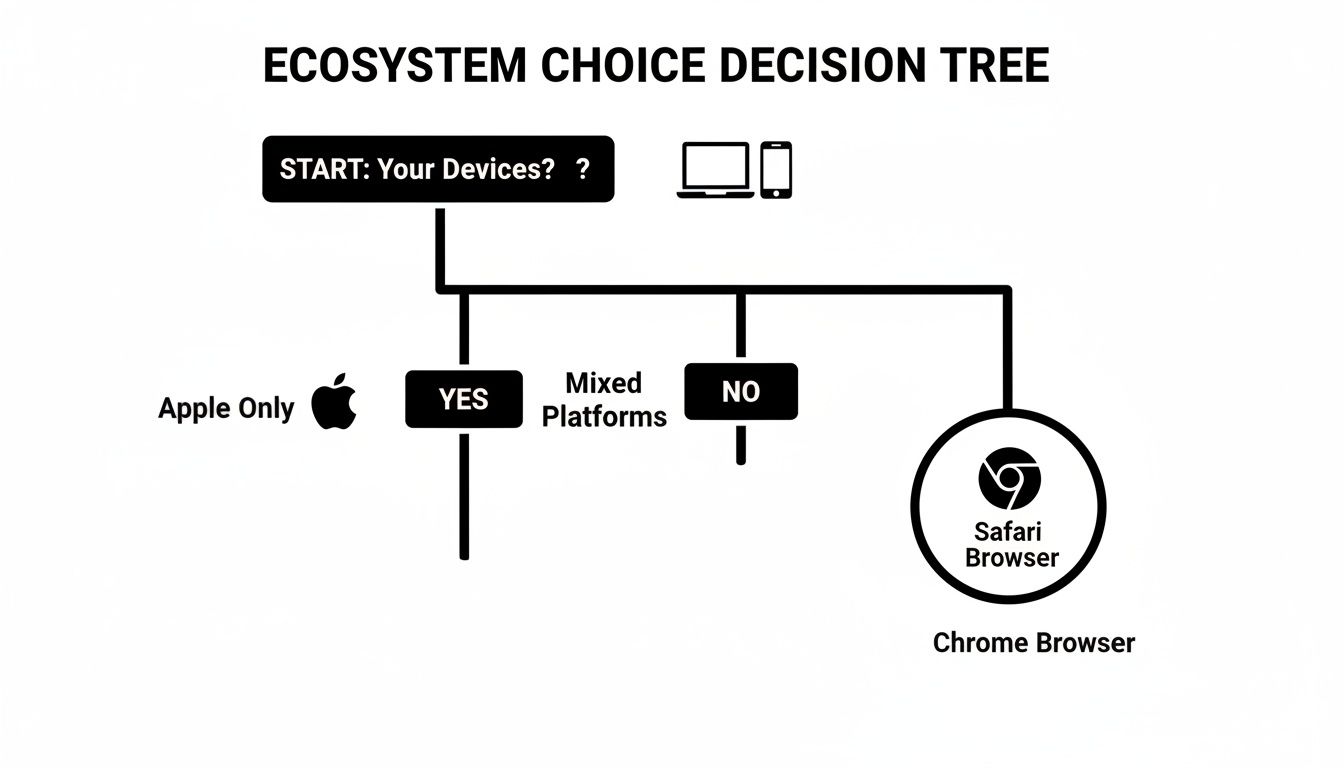
As the diagram shows, if you're all-in on Apple, Safari's integration is tough to beat. For everyone else, especially those mixing and matching devices, Chrome's powerful cross-device syncing is a huge draw.
The Privacy Advocate
You see your browser as the first line of defense in protecting your digital life. Your primary goal is to shut down invasive trackers and minimize how much data is collected about you. You're even willing to sacrifice a little convenience for rock-solid protection.
- Top Recommendations: Mozilla Firefox or Brave.
- Why: Firefox comes from a non-profit foundation, and its excellent Enhanced Tracking Protection blocks a huge number of trackers by default without breaking websites. Brave goes even further, with aggressive, built-in "Shields" that stop nearly all ads and trackers right out of the box. Both browsers give you real, meaningful control over your digital footprint. For an even more robust layer of security, it's worth understanding what VPNs are and how they work.
Your choice reflects your digital philosophy. Opting for a privacy-focused browser is a conscious decision to reclaim control over your personal data from the sprawling ad-tech industry.
The Apple Enthusiast
If you live and breathe Apple—using a Mac, an iPhone, and an iPad—the decision is usually pretty clear. You prize a smooth, unified experience where your browser works in perfect lockstep with your hardware and software.
- Top Recommendation: Apple Safari.
- Why: No other browser can touch Safari's performance and battery efficiency on Apple hardware—it's engineered specifically for it. Features like Handoff, which lets you seamlessly continue browsing from one device to another, and Universal Clipboard create a deeply connected ecosystem that just feels right. For a dedicated Apple user, Safari isn't just another choice; it’s the perfected, default solution.
Frequently Asked Questions
After digging through a detailed browser comparison, a few common questions usually pop up. Let's get those last few nagging concerns out of the way so you can feel confident in your choice.
Is It Safe to Use a Less Popular Web Browser?
For the most part, yes—as long as it’s actively maintained. Many of the alternative browsers you see, like Brave, Vivaldi, and Opera, are actually built on the same secure Chromium engine that powers Google Chrome. This means they get many of the same core security benefits right out of the box.
The biggest trade-off you might run into is the occasional website that doesn't play nice. Some developers only test their sites on the big players. But if privacy is your main goal, the extra protections you get from a browser like Brave can easily make those rare hiccups worth it.
Can I Use Multiple Browsers on the Same Computer?
Absolutely. In fact, it's a fantastic way to organize your digital life. Juggling different browsers is a smart strategy for keeping work and personal activities completely separate.
Think of it this way: you could use Chrome for your work profile, since it syncs perfectly with Google Workspace, and then use Firefox with beefed-up privacy settings for all your personal stuff. Every major browser will happily run alongside others on Windows, macOS, and Linux without any issues.
Key Takeaway: Using different browsers for work and personal life is a simple but incredibly effective trick. It draws a clean line between your professional and private data, boosting both your organization and your online privacy.
How Often Should I Update My Web Browser?
As soon as an update is available. Don't put it off. Thankfully, browsers like Chrome, Firefox, and Edge usually handle this for you by updating automatically in the background.
Those updates are mission-critical. They patch security holes that could leave you wide open to all sorts of nasty online threats. It’s still a good idea to pop into your browser's "About" or "Settings" menu once in a while just to make sure you’re running the latest, most secure version.
Will I Lose My Bookmarks and Passwords If I Switch?
Nope, not at all. Moving your data is a piece of cake. Every browser has a built-in import tool that’s designed to pull all your bookmarks, saved passwords, and browsing history from your old browser.
When you fire up a new browser for the first time, it will almost always ask you if you want to import your data right then and there. It only takes a couple of clicks. If you skip it, you can always find the import feature buried in the settings later, ensuring you don't lose a thing.
At Simply Tech Today, our mission is to make technology clear and accessible. For more straightforward guides and practical tips, explore our latest articles at https://www.simplytechtoday.com.
Member discussion