
What Is End to End Encryption A Plain English Guide

End-to-end encryption, or E2EE, is a way of communicating securely that stops anyone in the middle from reading your private data as it travels from one device to another.
Think of it like this: you’re sending a letter in a special lockbox. Only you have the key to lock it, and only your intended recipient has the matching key to unlock it. The mail carrier, the post office, anyone who handles it along the way—they can see the box, but they can't peek inside.
A Simple Guide to Digital Privacy
At its core, E2EE is your digital privacy shield. It ensures that your conversations, photos, files, and video calls stay just between you and the person you're sending them to.
The "ends" in end-to-end encryption literally refer to your device (one end) and the recipient's device (the other end). The process of scrambling your message into an unreadable secret code—encryption—happens right on your phone or computer. The unscrambling process—decryption—only happens on their device. Nobody in between has the key.
Why This Matters for You
This isn't just for spies and secret agents. In a world where data leaks feel like a weekly headline, this level of security is crucial for everyone. It walls off your personal information from a whole host of prying eyes, including:
- Hackers: Cybercriminals can't intercept and read your sensitive data if it's locked up.
- Service Providers: The companies behind the apps you use, like your messaging or cloud storage provider, can't access your content.
- Internet Providers: Your ISP knows you're sending data, but they have no idea what you're sending.
This approach is a major step up from a less secure method called encryption-in-transit. With that method, a company can technically unlock your data on their servers before sending it to the recipient. This creates a weak spot where your information could be exposed. E2EE closes that loophole completely.
To see how this fits into a broader privacy strategy, it's worth understanding other tools. For a great overview, check out our guide on what a VPN does to protect your online activity.
To help visualize how the pieces fit together, here's a quick breakdown of the main components in the E2EE process.
End to End Encryption at a Glance
| Component | Role in Encryption | Simple Analogy |
|---|---|---|
| Sender's Device | Scrambles (encrypts) the message using the recipient's public key before it is sent. | The person putting a note into a lockbox and locking it. |
| The Server | Passes the encrypted message along without being able to read its contents. | The mail carrier who transports the sealed lockbox. |
| Recipient's Device | Uses its private key to unscramble (decrypt) the message so it can be read. | The person who has the one-of-a-kind key to open the lockbox. |
This simple but powerful system is what makes modern secure communication possible.
The key takeaway is simple: With end-to-end encryption, you and the person you're communicating with are the only ones who hold the keys to your conversation. No one else has a copy.
Grasping this concept is the first real step toward taking back control of your digital privacy. It empowers you to make smarter choices about which apps and services you trust with your most personal information.
How End-to-End Encryption Actually Works
So, how does that digital message stay locked tight until it lands with the right person? The secret sauce behind end-to-end encryption is something called public-key cryptography, which hands every user a unique pair of digital keys.
It’s a bit like having a special mailbox with a custom lock. Here’s how it breaks down:
- A Public Key: This is your personal padlock. You can make copies of this padlock and give them to anyone who might want to send you something. It’s public—no secrets here.
- A Private Key: This is the only key in the world that can open your padlock. You keep this one hidden away on your device and never, ever share it.
Let's say you want to send a secure message to a friend. Your app doesn't use your lock. Instead, it automatically finds your friend’s public padlock and snaps it onto your message. Once locked, that message can only be opened with one thing: your friend's private key, which lives securely on their phone.
The Journey of a Secured Message
This all happens in the blink of an eye, completely behind the scenes. The moment you hit send, your message is scrambled into unreadable gibberish called ciphertext. It travels from your device, through the company’s servers, and across the internet as a jumbled mess of code.
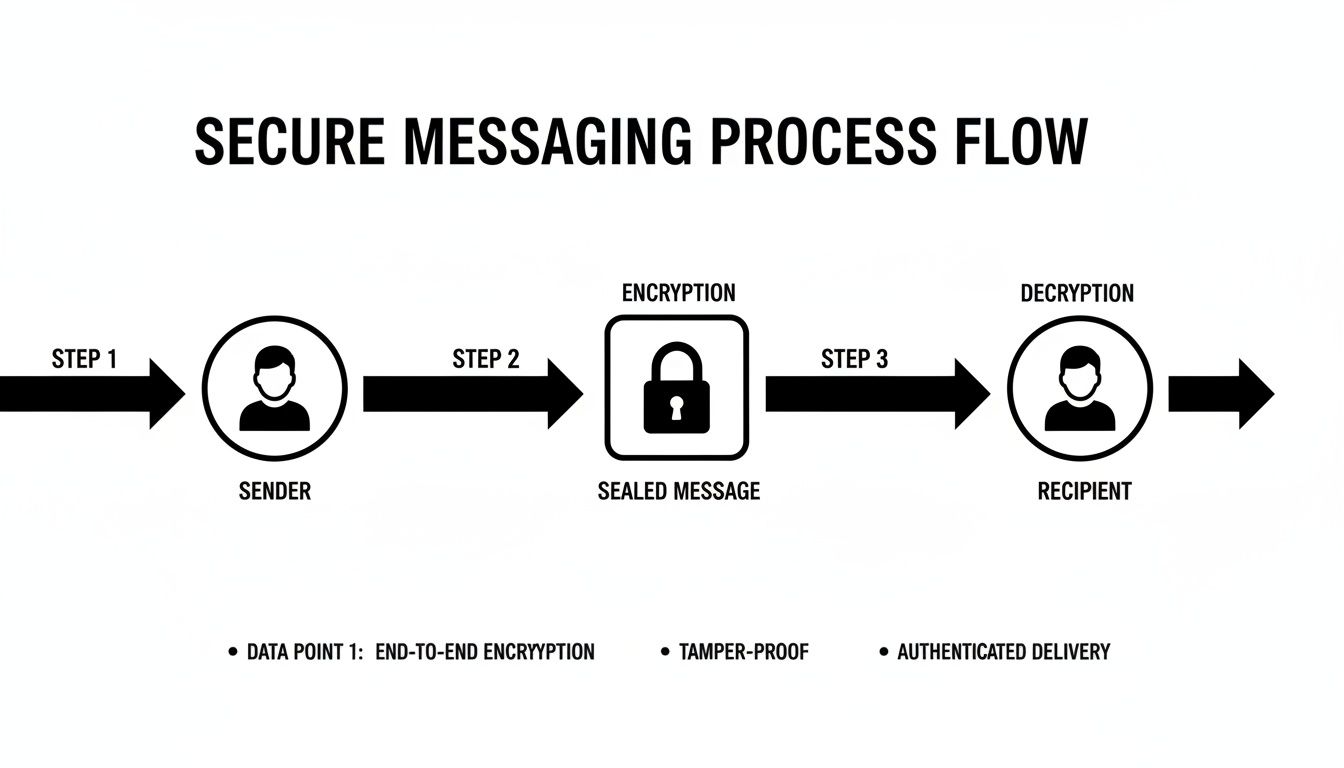
Only when the message arrives at your friend's phone does their private key step in to instantly unscramble the ciphertext back into your original words. The company that runs the app can't read it. A hacker intercepting it can't read it. Nobody can, except for the intended recipient.
This security covers the message in transit, but it's also smart to ensure your connection itself is safe. For more on that, take a look at our guide on how to secure your home network.
The Bedrock of Modern Security
This whole idea isn't brand new—its core concepts have been around for a while. The groundwork for E2EE was laid all the way back in 1976 by Whitfield Diffie and Martin Hellman at Stanford. Their creation of public-key cryptography was a game-changer, allowing a message to be locked with one key and unlocked only with its matching partner.
By its very design, this system has no backdoors. The unbreakable mathematical link between a public and private key means that what one locks, only the other can unlock.
This isn’t just a company promising to protect your privacy; it's a structural guarantee built right into the code. The math makes it secure, not a pinky swear.
Where You See E2EE in Action Every Day
End-to-end encryption might sound like some high-tech jargon for security specialists, but chances are you use it constantly without even realizing it. It’s the invisible bodyguard working behind the scenes in many of the apps you already use for talking with friends and sharing files.
Once you see where it's working, its value becomes crystal clear.
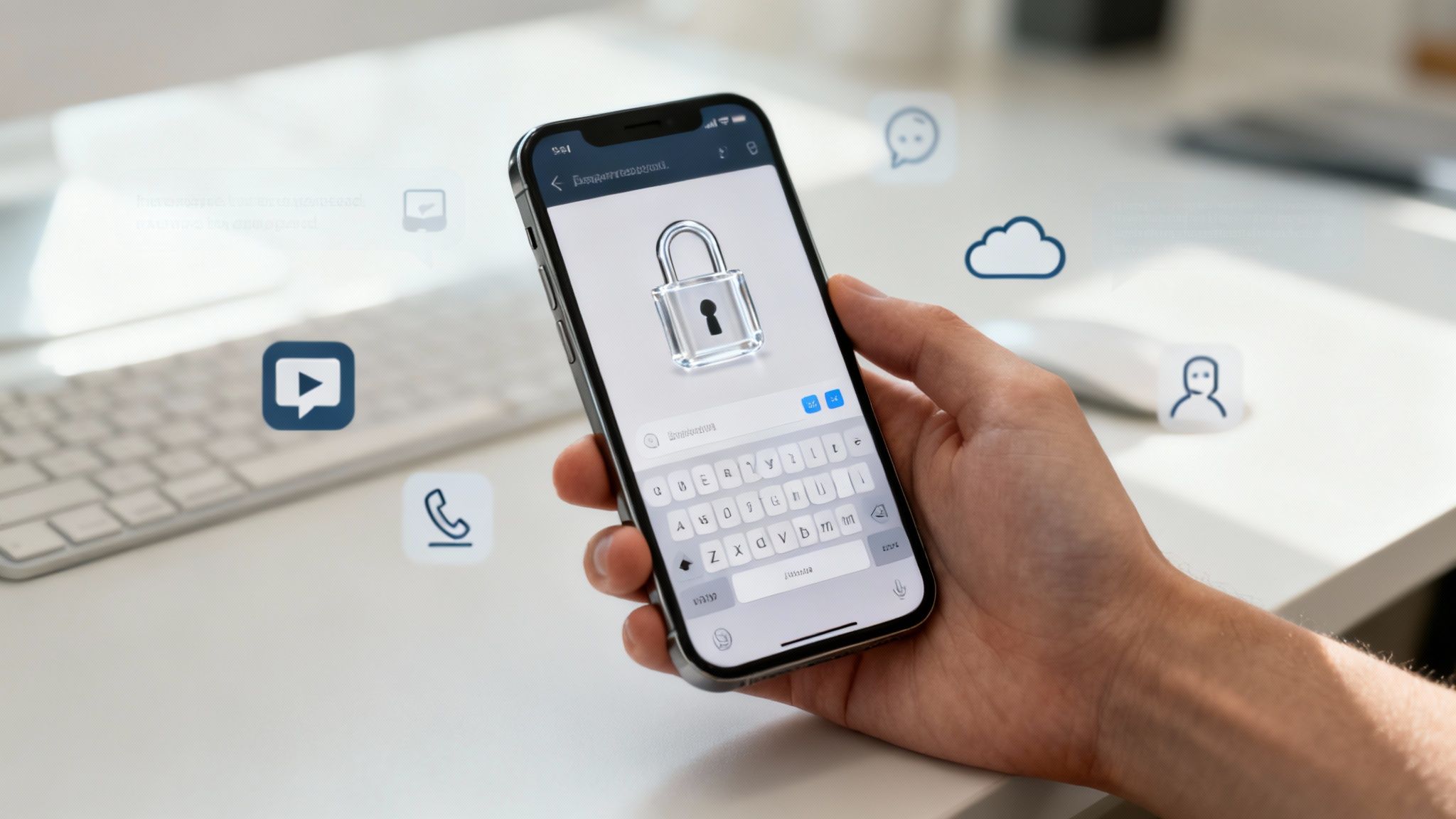
The most common place you'll find E2EE is in your messaging apps. Many of the big names have made it a standard feature, meaning your private chats, photos, and voice notes are automatically locked down the moment you hit send. This commitment to privacy is a huge selling point for people who want to keep their conversations private.
Secure Messaging Apps
When you fire off a message on certain platforms, you're using this powerful security without even having to think about it. There's no switch to flip or complicated setting to find; the protection is just on.
Here are a few of the most popular apps that have your back:
- WhatsApp: Every single message, call, photo, and video you send is end-to-end encrypted by default. This protection covers everything from one-on-one chats to massive group conversations, securing the private data of its over 2 billion users.
- Signal: Often held up as the gold standard for secure messaging, Signal was built from the ground up for privacy. It encrypts everything, and its code is open source, meaning experts can verify its security. Not even the company can read your messages.
- Apple iMessage: See a blue bubble? That means your conversation with another Apple user is protected by E2EE. If the bubble is green, though, you're using a standard SMS text, which is not encrypted and can be read by your carrier.
This built-in security ensures your conversations are for your eyes only.
It’s Not Just for Texting
End-to-end encryption has moved way beyond simple text messages. You’ll now find it protecting all sorts of communication and data, giving you a solid layer of security across more of your digital life. As we share more sensitive information online, this is more important than ever.
Take video calls, for instance. Services like Apple's FaceTime use E2EE for all video and audio calls, so no one can listen in on your conversation. If you need a secure tool for work or team projects, our guide to the best video conferencing software points you toward options that put privacy first.
Even your cloud storage can be protected. Some providers use a special type of E2EE often called zero-knowledge encryption. With this setup, services like Sync.com and Tresorit encrypt your files on your computer before they're ever uploaded to the cloud.
The key idea is simple: the storage provider holds your scrambled data, but they have absolutely no access to the keys needed to unscramble it. Only you can unlock your files.
This is a game-changer. It means that even if a provider's servers were hacked, all your personal documents, photos, and sensitive files would just be unreadable gibberish to the thieves. Knowing where E2EE is at work helps you pick the tools that truly protect your privacy.
What E2EE Protects—And What It Doesn’t
End-to-end encryption is one of the most powerful tools we have for digital privacy, but it’s not a silver bullet. To use it effectively, you have to understand its boundaries. Think of it like a reinforced, tamper-proof envelope for a letter. It does an incredible job of protecting the letter inside, but it doesn't hide the envelope itself.
This is a really important distinction. E2EE is a critical layer of defense, but it doesn't make you invisible online. Knowing exactly where its protection begins and ends is the key to making smarter choices about your digital security.
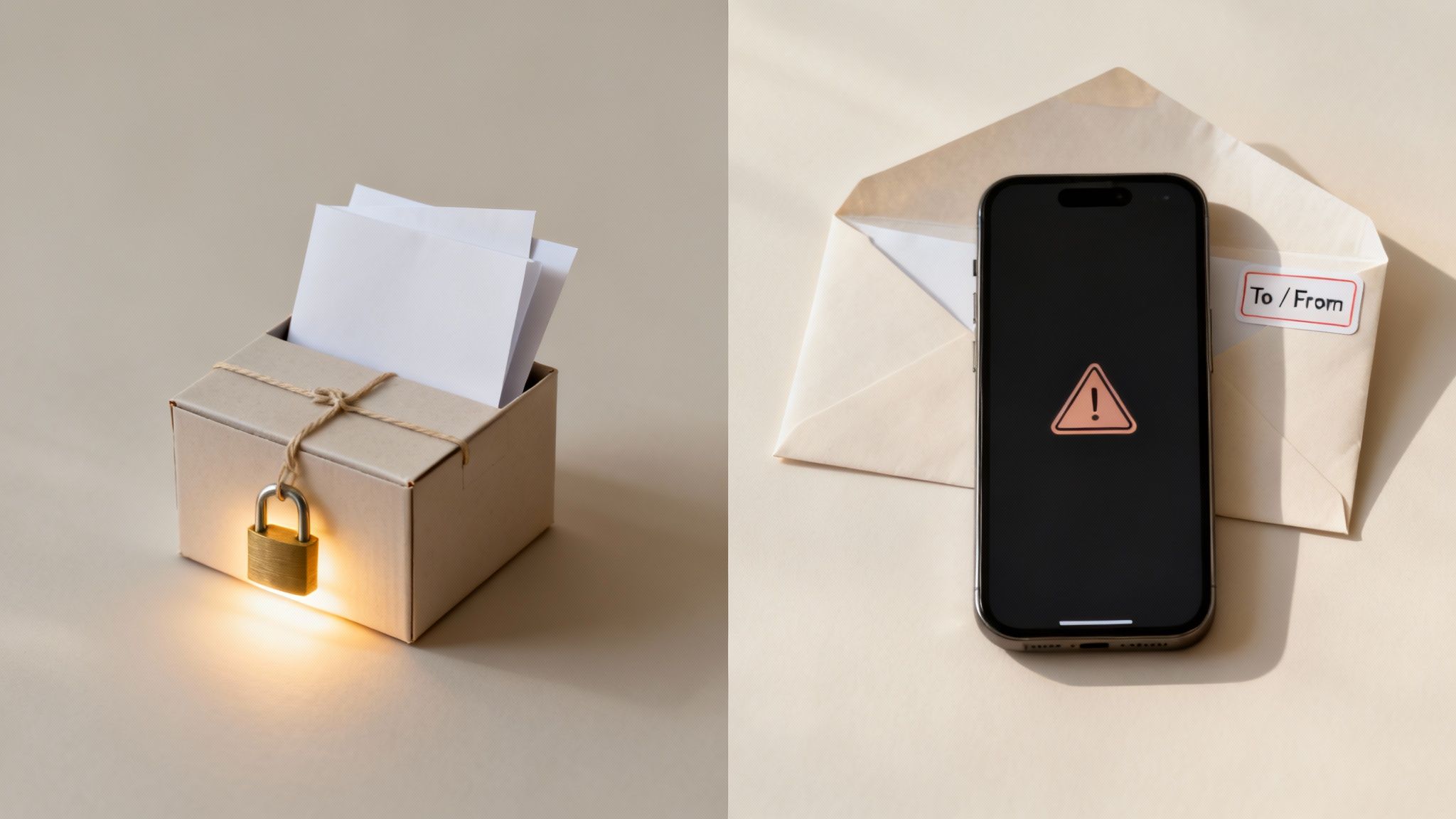
To make this crystal clear, let's break down exactly what E2EE guards versus what it leaves exposed.
| Protected by E2EE | Not Protected by E2EE |
|---|---|
| The content of your messages, photos, and videos. | Metadata (who you talked to, when, and for how long). |
| Data while it's in transit between devices. | Data on a compromised device (e.g., malware on your phone). |
| The substance of a video or voice call. | Recipient actions (e.g., taking screenshots). |
| Files and documents sent through an E2EE service. | Unencrypted backups (e.g., cloud backups without E2EE). |
This table gives you a quick snapshot, but let's dive into the details to see why this matters so much.
What E2EE Secures
The main job of end-to-end encryption is to keep the content of your conversations private. Full stop. It makes sure that from the moment you hit "send" to the moment the recipient opens it, your data is just unreadable gibberish to anyone else.
Here’s a simple breakdown of what E2EE locks down:
- Message Content: The actual words in your texts, the audio of your voice notes, and the photos or videos you share are completely scrambled.
- Data in Transit: As your message travels from your device to the server and on to the recipient, it’s shielded from prying eyes—whether that’s a hacker on public Wi-Fi, your internet provider, or even the company running the app (like WhatsApp or Signal).
By design, the service provider can see that an encrypted package is being delivered, but they never have the key to open it and see what's inside.
The risks of going without this protection are huge. Globally, an estimated 7 million unencrypted data records are compromised every single day. Despite this, only about 60% of organizations and individuals have actually implemented strong encryption, leaving a massive amount of personal and professional data vulnerable. You can read more on these encryption adoption findings on Paperclip.
The Gaps: What E2EE Does Not Secure
While your message content is locked tight, several other pieces of information remain visible. Knowing these limitations is crucial for building a complete security strategy.
E2EE cannot protect the following:
- Metadata: This is the data about your data. It includes who you sent a message to, who you received one from, the exact time it was sent, and how often you communicate. It’s like being able to read the address label, timestamp, and return address on that secure envelope.
- Compromised Devices: E2EE only works between secure "ends." If your phone—or the recipient's phone—is infected with malware or has been physically tampered with, the encryption won't help. The security of the whole system depends on the security of the devices themselves.
- User Behavior: The system can't stop the person you're talking to from taking a screenshot of your chat and sharing it with the world. Once a message is decrypted and displayed on their screen, its privacy is in their hands.
It’s also worth remembering that if you back up your encrypted chats to a cloud service that doesn't use end-to-end encryption, you've just created a weak link. That backup is a vulnerable copy of your private conversations. For tips on managing this risk, check out our guide on how to use cloud storage securely.
Understanding these gaps isn't about dismissing E2EE—it's about seeing the bigger picture and taking a smarter, more holistic approach to your digital privacy.
How to Check and Enable Encryption in Your Apps
It's one thing to know what end-to-end encryption is, but it's another to actually know if it's working for you. The good news is you don’t need to be a security expert to check. Most apps that care about your privacy give you simple, visual clues to show that your conversations are locked down.
The easiest way is to look for a direct confirmation right in the app. When you start a new chat on a platform like WhatsApp or Signal, you’ll often see a small message or a lock icon. It might say something like, “Messages and calls are end-to-end encrypted. No one outside of this chat, not even us, can read or listen to them.” That’s your first and best sign that your privacy is protected.
Verifying Your Connection
If you want to be extra certain, especially for a really sensitive conversation, most secure apps let you verify the connection yourself. This feature is usually called security code verification or a safety number, and it’s a powerful way to confirm no one is eavesdropping.
Think of it as a digital handshake. Here's how it generally works:
- Start a Chat: Open the conversation you want to double-check.
- View Contact Info: Tap the person’s name at the top to see their profile details.
- Find the Encryption Setting: Look for an option called “Encryption,” “Security,” or “Verify Safety Number.”
- Compare Codes: The app will show you a unique QR code and a long string of numbers. You and your contact can then compare these codes. Scan the QR code if you're in person, or read the numbers to each other over a call. If they match perfectly, your connection is secure.
This process confirms that no one has managed to sneak into the middle of your conversation—a "man-in-the-middle" attack. You don’t need to do it for every single chat, but it provides fantastic peace of mind when it counts.
Turning On Encryption When It's Not the Default
Here’s something to watch out for: not all apps have E2EE turned on by default. Some make you opt in. For example, Facebook Messenger requires you to start a "Secret Conversation" to get this level of protection. Similarly, Telegram only uses it for its "Secret Chats."
This is a crucial detail. Your everyday chats on these platforms might not be end-to-end encrypted unless you specifically enable the feature. Always check the settings.
The whole idea of making our digital lives private has come a long way. End-to-end encryption really started gaining traction in the mid-2000s, but it hit the mainstream around 2015. This was largely thanks to the OMEMO extension, which brought the powerful security of the Signal protocol to millions of people. You can discover more insights about the history of E2EE on Cryptologie.net.
Just remember, E2EE is a huge part of your security, but it's not the only piece of the puzzle. To truly lock down your accounts, it’s always a good idea to learn more about how to use two-factor authentication. Taking a few simple steps like these is all it takes to keep your digital conversations safe.
Your Top Encryption Questions, Answered
Once you start to get the hang of end-to-end encryption, a few common questions always seem to pop up. Digging into these details is the best way to really understand how this technology works and feel confident using it to protect your privacy.
Let’s tackle some of the most frequent ones I hear.
Is End-to-End Encryption Really Unbreakable?
The short answer? Yes, the encryption itself is, for all practical purposes, unbreakable with today’s technology. The math behind strong E2EE, like the algorithms used in the Signal Protocol, is so ridiculously complex that it would take the most powerful supercomputers we have billions of years to guess a single key. That's why experts trust it for highly sensitive information.
But there’s a crucial catch. E2EE only protects your data while it’s traveling between devices. The entire system's security hinges on the endpoints—your device and the recipient's—being secure. If your phone is compromised with malware or someone physically has it, the encryption doesn't matter much. A hacker could just read the messages on your screen after they’ve been decrypted.
Think of the encryption as a steel vault. But if a thief already has the key to your house (your phone), the strength of the vault inside becomes a lot less relevant.
Why Do I Still Get Spam on an Encrypted App?
This is a great question because it gets to the heart of what E2EE does and doesn't do. Its job is to stop outsiders from intercepting and reading your messages. It has absolutely no way of judging whether the person sending the message is a good friend or a spammer.
It’s a bit like getting a sealed letter in the mail. The postal worker can't read what's inside the envelope, but they still deliver it to your mailbox. In the same way, a spammer can send you a perfectly encrypted message on a secure app. The encryption just protects that junk message from being read by anyone else on its way to you. That's why apps still need separate tools for blocking and reporting unwanted accounts.
Do I Have to Turn E2EE On Myself?
It really depends on the service you're using. Some apps have it on by default, while others make you flip a switch.
- Always On: Apps like Signal, WhatsApp, and Apple’s iMessage automatically apply E2EE to your chats. You don't have to lift a finger.
- You Have to Opt-In: Other big names, like Facebook Messenger and Telegram, only turn on E2EE if you specifically start a "Secret Conversation" or "Secret Chat." Your normal, everyday chats on these platforms are not end-to-end encrypted.
It's always a smart move to double-check your app's settings or look for a little lock icon or notification in the chat window. A quick glance is all it takes to make sure your private conversations are actually being protected.
At Simply Tech Today, our goal is to demystify the technology you use every day. For more clear explanations and helpful guides, visit us for more tech insights.

Member discussion