
Best Smart Home Ecosystem for Every Home in 2026
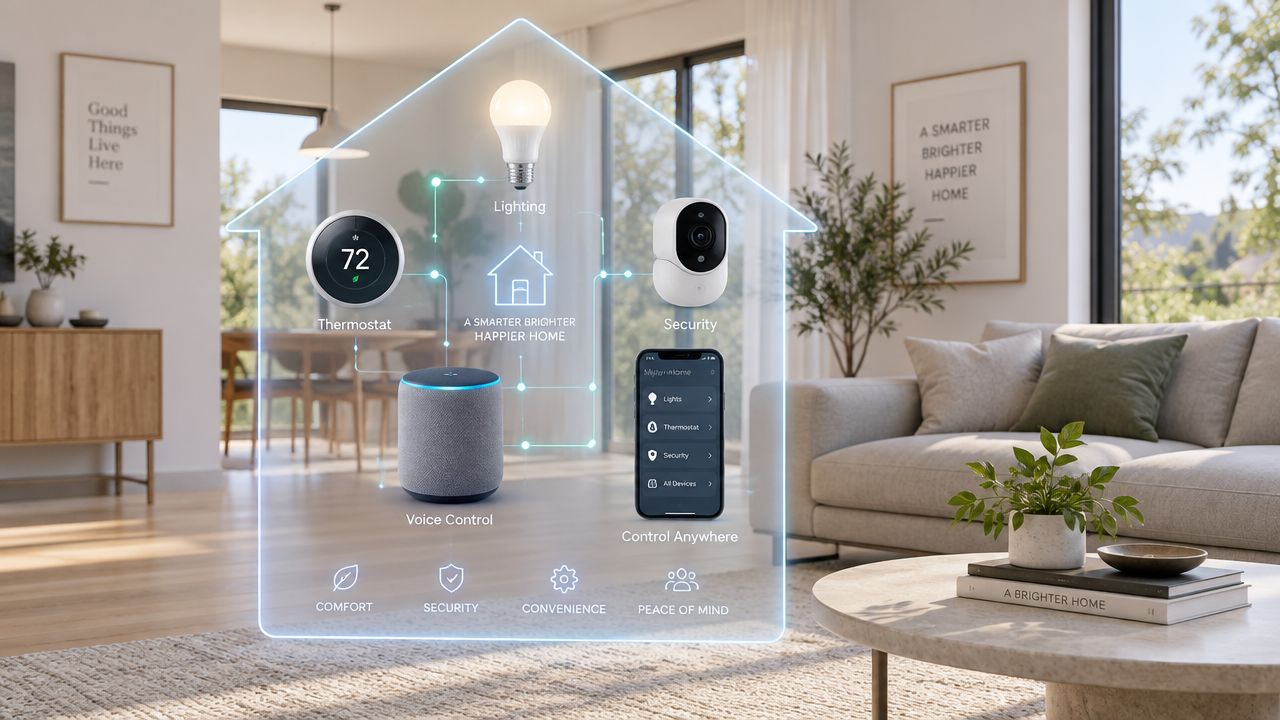
You've got smart bulbs in the living room, a thermostat from another brand, a voice speaker on the kitchen counter, and a door sensor that refuses to trigger the routine you created. Each product works well on its own. Together, they create a home that needs troubleshooting instead of simplifying your day.
That's why the best smart home ecosystem in 2026 isn't automatically the platform with the biggest compatibility list or the most recognizable assistant. It's the system that handles your household's actual jobs, connects mixed-brand devices with the least friction, responds locally when possible, and gives you a sensible path toward energy and appliance management.
| Ecosystem | Best fit | Main strength | Main compromise |
|---|---|---|---|
| Apple Home | Apple-focused households | Strong privacy orientation and straightforward daily control | Smaller compatible-device range than major rivals |
| Google Home | Android and Google-first homes | Broad platform reach and conversational control | Cloud services remain important for many experiences |
| Amazon Alexa | Voice-heavy homes with varied devices | Wide hardware choice and flexible voice routines | Privacy and consistency depend heavily on device and cloud integration |
| Samsung SmartThings | Samsung appliance owners and advanced automations | Strong coordination across appliances and protocols | Setup can feel more complex for casual users |
| Matter with Thread support | Mixed-brand homes | Local, low-power interoperability and reduced lock-in | Certification doesn't guarantee identical behavior across platforms |
Why Your Ecosystem Choice Matters More Than Any Single Device
A smart home usually starts innocently. You buy a bulb because it has better color scenes, a smart speaker because it's on sale, and a lock because its app receives good reviews. Later, you try to build one routine that turns on the hallway lights, checks whether the front door is locked, lowers the thermostat, and switches off unused plugs.
The bulb appears in one app. The lock needs its own bridge. The speaker can control both, but only through a cloud routine. The thermostat responds slowly, and the door sensor doesn't expose the trigger you expected. Nothing is technically broken, yet the whole house feels unreliable.
That friction comes from choosing products independently instead of choosing a control layer first. An ecosystem decides where devices appear, which automations are available, how accounts and permissions work, and whether commands can stay inside the home or need an internet service.
The daily cost of a fragmented setup
Fragmentation doesn't only create extra taps. It makes household routines harder to understand. If a light fails, you have to determine whether the problem belongs to the bulb, its bridge, the platform, your Wi-Fi network, or the automation itself.
A unified platform can also make ordinary decisions easier:
- Leaving home: One presence trigger can coordinate lights, locks, thermostats, and selected plugs.
- Bedtime: A single routine can handle the bedroom environment without opening several manufacturer apps.
- Safety: Door, water, smoke, and motion alerts can arrive through a consistent notification system.
- Energy management: Appliance schedules and occupancy-based actions become easier to coordinate when devices share states.
The market's scale explains why this decision has become more important. The global smart home market was valued at USD 127.80 billion in 2024 and is projected to reach USD 537.27 billion by 2030, with a projected 27.0% compound annual growth rate from 2025 to 2030, according to Grand View Research's smart homes market analysis. More products won't automatically make setup easier. They make platform maturity more valuable.
Why 2026 changes the buying question
Matter has pushed the industry toward cross-brand compatibility, while Thread gives suitable low-power devices a local mesh network. But interoperability still isn't perfectly uniform. A Matter-certified lock may pair successfully with several platforms and still expose different controls, automation triggers, or status behavior in each one.
This guide takes a practical position: choose the ecosystem that matches your household's main jobs, then use Matter and Thread to keep future purchases flexible. Don't buy the longest list. Buy the setup you'll still enjoy managing after the novelty wears off.
How Smart Home Ecosystems Work Today
A reliable smart home depends on three working layers. The platform manages rooms, routines, permissions, and device relationships. The network carries commands. The device performs the action, whether that means switching a light, checking a leak, or securing a door.
Apple Home, Google Home, Alexa, and SmartThings can all serve as the platform. Their practical differences appear in local control, automation options, voice access, privacy settings, and support for mixed-brand devices. Some actions rely on cloud services. Others can run locally when the right controller and compatible devices are present, which usually means faster responses and fewer problems during an internet outage.
The network underneath deserves equal attention:
- Wi-Fi suits cameras, speakers, displays, and appliances that need more bandwidth.
- Ethernet provides a wired connection for compatible hubs and fixed equipment.
- Thread supports low-power mesh devices such as sensors, locks, and thermostats.
- Bluetooth commonly handles nearby setup or short-range communication.
- Zigbee and Z-Wave remain useful in established installations, but they generally need dedicated coordinators or bridges.
The older model still shapes buying decisions. Proprietary, single-vendor systems remain widely used, while cloud services continue to handle much of the processing. Broader compatibility is improving, but a long compatibility list does not guarantee dependable daily operation. Check whether your chosen platform supports the device category, automation triggers, status updates, and local behavior you need.
Where the hub fits
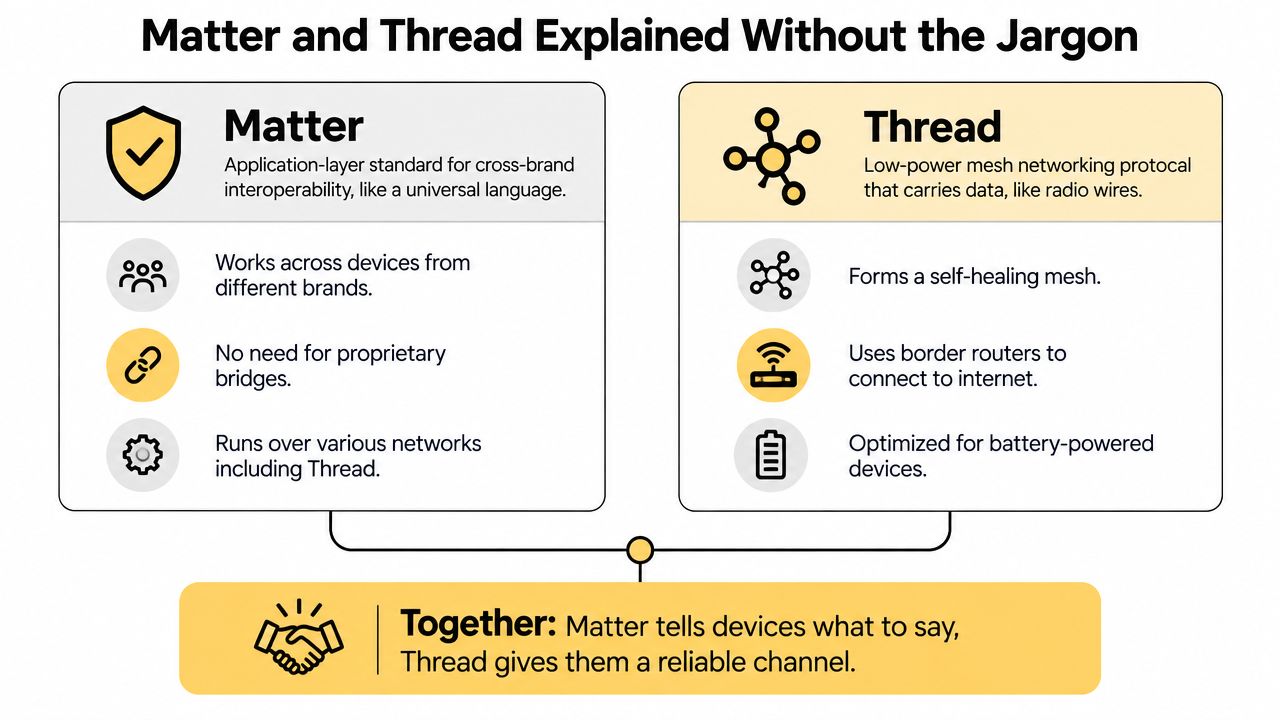
A hub or controller gives the home a central place to coordinate devices and automations. It can be a dedicated box, smart speaker, display, television, or another supported product. Its value depends on practical capabilities, including Matter support, Thread Border Router functionality, local automation, and compatibility with the devices your household uses.
For a clear explanation of this central role, read how a smart home hub manages connected devices.
Matter defines how compatible devices describe themselves and exchange commands across ecosystems. Thread is one network that carries those commands through a low-power mesh. Keep the roles separate when choosing equipment. Prefer a platform with Matter support across Wi-Fi, Ethernet, and Thread, then test the household jobs that matter most, such as lighting routines, entry alerts, climate control, and energy scheduling.
Matter and Thread Explained Without the Jargon
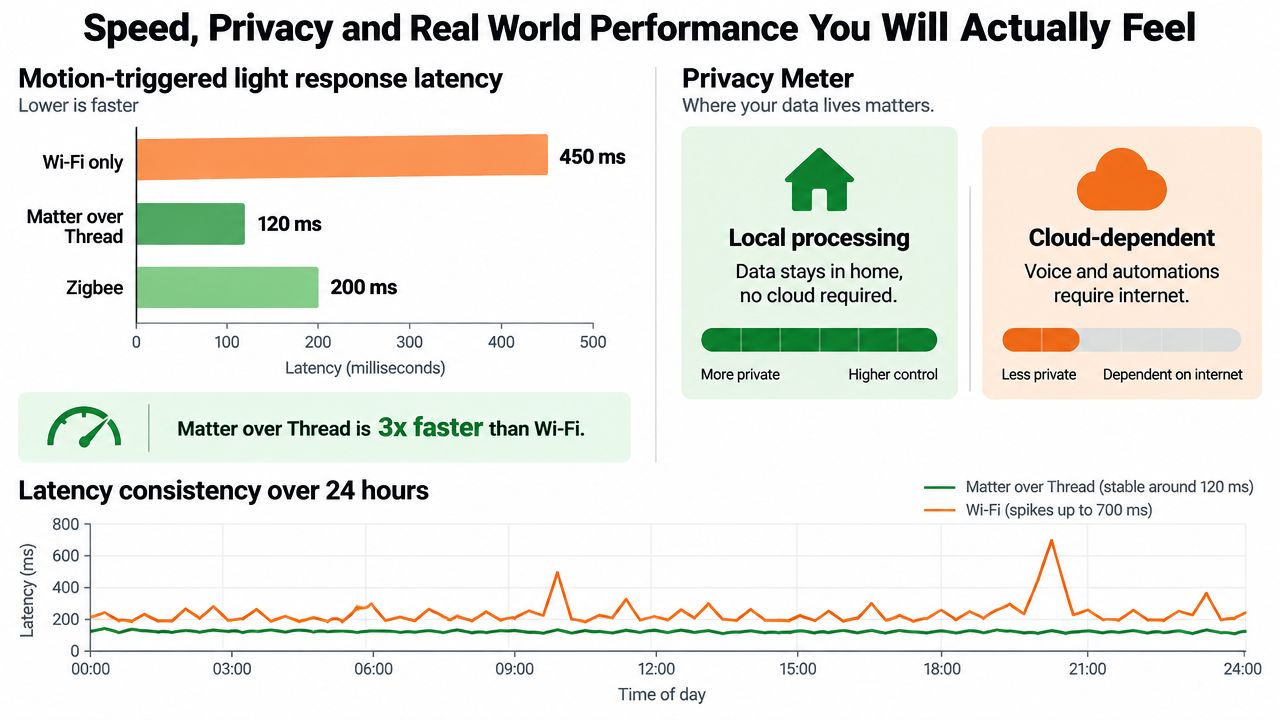
A smart lock should still respond when the internet drops, and a battery sensor should not need a Wi-Fi-sized power budget. Matter and Thread help, but they solve different parts of that problem.
Matter is the shared language. It lets a compatible platform and device agree on commands, such as locking a door or turning on a light. Thread is a low-power mesh network that can carry those commands between supported devices. Matter can also run over Wi-Fi and Ethernet, so Thread is not required for every Matter product.
Choose the connection around the job. Cameras need substantial bandwidth and usually belong on Wi-Fi or Ethernet. Battery-powered contact sensors benefit from Thread when the home has a suitable Thread Border Router. Thermostats may use Wi-Fi, Thread, or another supported connection based on their design.
The six tests that matter
Interoperability comes first. Matter reduces dependence on one manufacturer, yet support for a device category can differ between platforms. Check the exact product, supported functions, and automation options in your chosen app before buying.
Transport flexibility shows whether the ecosystem works beyond its marketing label. Matter over Wi-Fi suits many powered devices. Matter over Thread is a better fit for low-power accessories and routines that need quick local responses.
Local control determines what remains usable during an internet outage. A platform with local processing can keep selected lights, switches, sensors, and routines responsive, while remote access and cloud features may stop.
Network resilience matters more than a peak speed claim. Thread uses a mesh design, allowing compatible devices to pass messages through the network instead of sending every small action directly over Wi-Fi.
Setup quality affects daily ownership. Pairing may be quick, but permissions, household accounts, room assignments, firmware updates, and duplicate entries can create ongoing maintenance.
Device behavior provides the final test. A Matter label does not guarantee identical triggers, status reporting, names, or advanced controls in Apple Home, Google Home, Alexa, and SmartThings. Use this smart home compatibility guide to check the complete chain before purchase. That is how you judge interoperability maturity, local responsiveness, and energy value instead of choosing by brand loyalty alone.
Detailed Comparison of Apple HomeKit Google Home Amazon Alexa and Samsung SmartThings
The four leading ecosystems differ less in their basic ability to switch a light and more in how they handle scale, privacy, automations, hubs, and mixed-brand equipment. The compatible-device count shows ecosystem reach, but it doesn't tell you whether your door lock exposes the right trigger or whether a motion routine runs locally.
Apple launched HomeKit on iPhones and iPads on September 17, 2014. By 2024, Apple was associated with more than 1,000 compatible devices, compared with 10,000 for Google and 85,000 for Amazon, as summarized in Mordor Intelligence's smart home platforms research. Those figures show why scale influences shopping, but they don't make Amazon the automatic winner.
Apple Home
Apple Home is the clearest recommendation for households already committed to iPhone, iPad, Apple TV, or HomePod hardware. Its strongest differentiator is the way it fits into Apple's existing account, device, and household-sharing model. Users who prioritize a clean interface and a privacy-conscious approach will generally find it easier to live with than a sprawling collection of manufacturer apps.
Matter support has improved its mixed-brand prospects, while Thread-capable Apple home hardware can provide a strong foundation for local accessories. The catch is breadth. Some product categories, advanced controls, and budget devices appear elsewhere first or work more completely outside Apple Home.
Apple's advantage: Choose it for household simplicity and privacy priorities, not for the largest possible device catalog.
Google Home
Google Home suits Android users and households that already rely on Google services, Nest products, Google speakers, or Google displays. Google's platform reach is substantial, and its developer ecosystem has connected over 800 million devices through Google Home Cloud-to-Cloud APIs and Matter, according to Google's platform announcement.
Google Home is a strong choice for conversational control, cameras, displays, and routines that depend on broad device awareness. Its weakness is that the best experience can depend on cloud-backed services, account permissions, and the way each manufacturer's integration was implemented.
Amazon Alexa
Alexa remains the practical pick for voice-first households that want wide hardware choice. Amazon's ecosystem supports an extensive range of brands and device categories, which makes it easier to find an affordable plug, sensor, switch, or appliance that fits a specific room.
The platform can be excellent for simple voice commands and household routines. It also demands discipline. Manufacturer skills, cloud dependencies, duplicate device discovery, and inconsistent advanced controls can make a large installation feel messy. Privacy-conscious buyers should inspect permissions and cloud requirements product by product.
Samsung SmartThings
SmartThings is the strongest option for households built around Samsung appliances or users who want deeper automation logic. It can serve as a central layer for lights, sensors, switches, appliances, and selected legacy protocols, making it appealing when the home extends beyond entertainment and voice control.
That flexibility comes with a learning curve. SmartThings rewards users who are willing to review device capabilities, refine routines, and understand which actions run locally. Casual buyers may prefer Apple Home or Google Home if they only want basic lighting, temperature, and speaker control.
Comparison table
| Criteria | Apple HomeKit | Google Home | Amazon Alexa | Samsung SmartThings |
|---|---|---|---|---|
| Compatibility and Matter support | Good mixed-brand direction, narrower overall range | Broad reach and strong Matter presence | Widest practical shopping choice | Broad device and protocol flexibility |
| Privacy approach | Strong privacy-oriented positioning | Cloud services are important for many features | Cloud-centered voice and integration model | Depends on device, automation, and service path |
| Ease of setup | Simple for Apple households | Straightforward with Google hardware | Easy to start, can become crowded | More powerful, but more involved |
| Integrations and automations | Clean everyday scenes and routines | Strong assistant, camera, and display integration | Excellent voice routines and device variety | Deep automation and appliance coordination |
| Cost and hub needs | May require compatible Apple home hardware for advanced features | Works best with suitable Google controllers | Echo hardware often acts as the entry point | A compatible SmartThings controller or hub may be useful |
| Overall reliability | Strong when the device is fully supported | Strong with native and well-tested integrations | Reliable for common commands, variable across skills | Strong after careful setup and device selection |
For a direct platform-level perspective before you decide, compare Apple Home and Google Home against the way your household already uses phones, speakers, appliances, and routines.
Speed Privacy and Real World Performance You Will Actually Feel
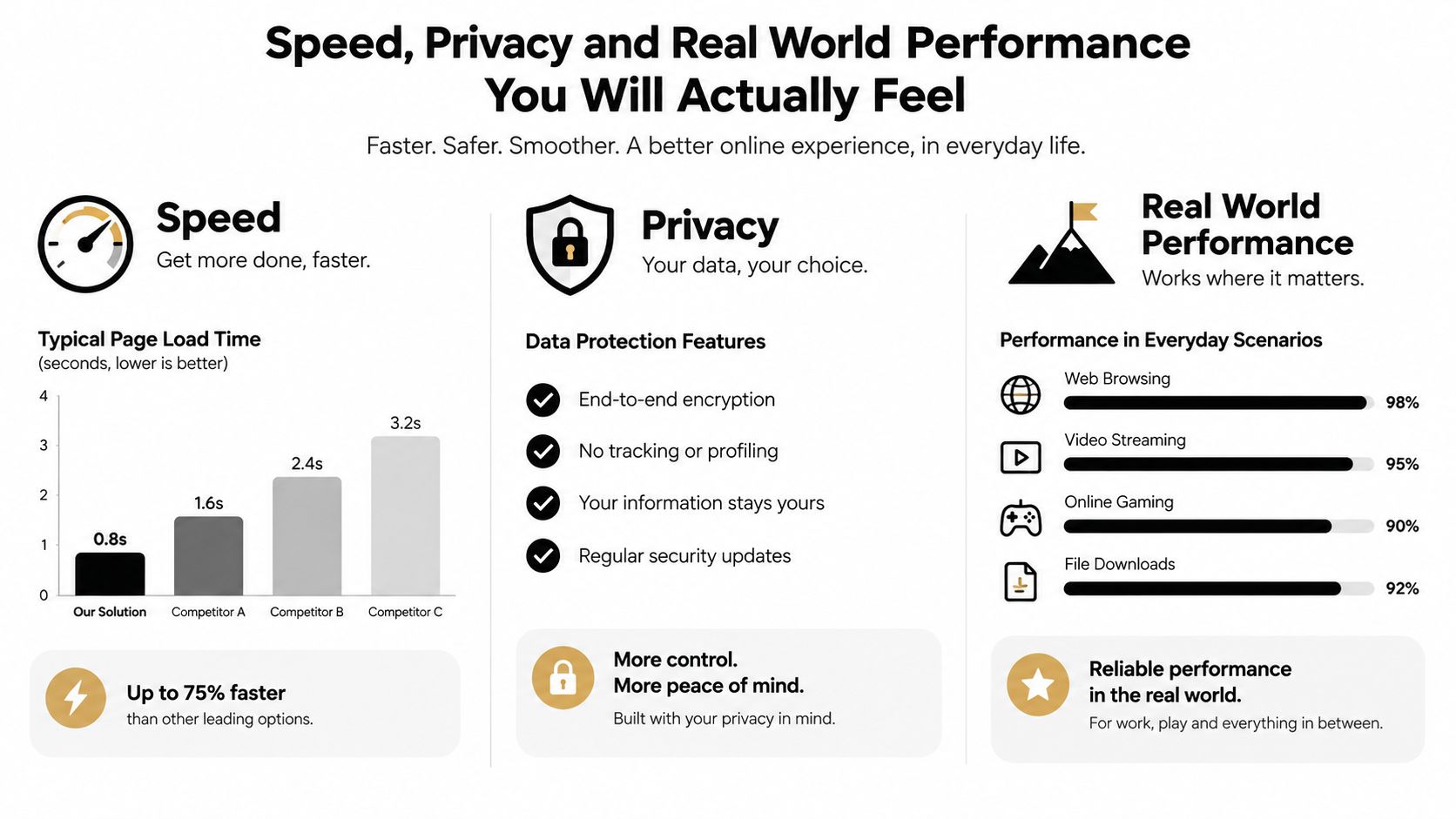
A smart home feels fast when a motion sensor triggers a light before you've consciously noticed the room is dark. It feels unreliable when the same light pauses, flashes late, or responds differently depending on the time of day. Consistency matters more than a best-case response.
One 2026 comparison reported local latency of roughly 50 to 120 milliseconds for Matter over Thread, compared with about 100 to 300 milliseconds for Matter over Wi-Fi. The same test reported a 95th-percentile latency of 112 milliseconds for one Thread device versus 341 milliseconds for a Wi-Fi device, and nearly twice as fast average response for the Thread devices tested, as detailed in this Matter and Thread latency comparison.
What local control changes
Local control keeps the command path inside your home when the platform and device support it. That can improve responsiveness and preserve selected routines during an internet outage. It doesn't mean the entire ecosystem becomes offline, since remote access, voice processing, video history, notifications, and manufacturer services may still depend on the cloud.
Privacy follows the same distinction. A local motion routine may need only a sensor event and a light command. A voice request, camera analysis, or remote notification can involve online services, depending on the product and platform.
Use these practical tests after installation:
- Trigger the same motion light repeatedly from different parts of the room.
- Try the routine when the internet connection is unavailable, if your equipment allows a safe test.
- Check whether the platform reports the sensor state immediately or after a noticeable delay.
- Review which features disappear offline, especially cameras, voice commands, and remote control.
- Replace one Wi-Fi battery sensor with a Thread model if low-power responsiveness is a priority.
Good IoT device security practices still matter regardless of platform. Choose strong account protection, install firmware updates, remove unused integrations, and avoid exposing more household data than a feature needs.
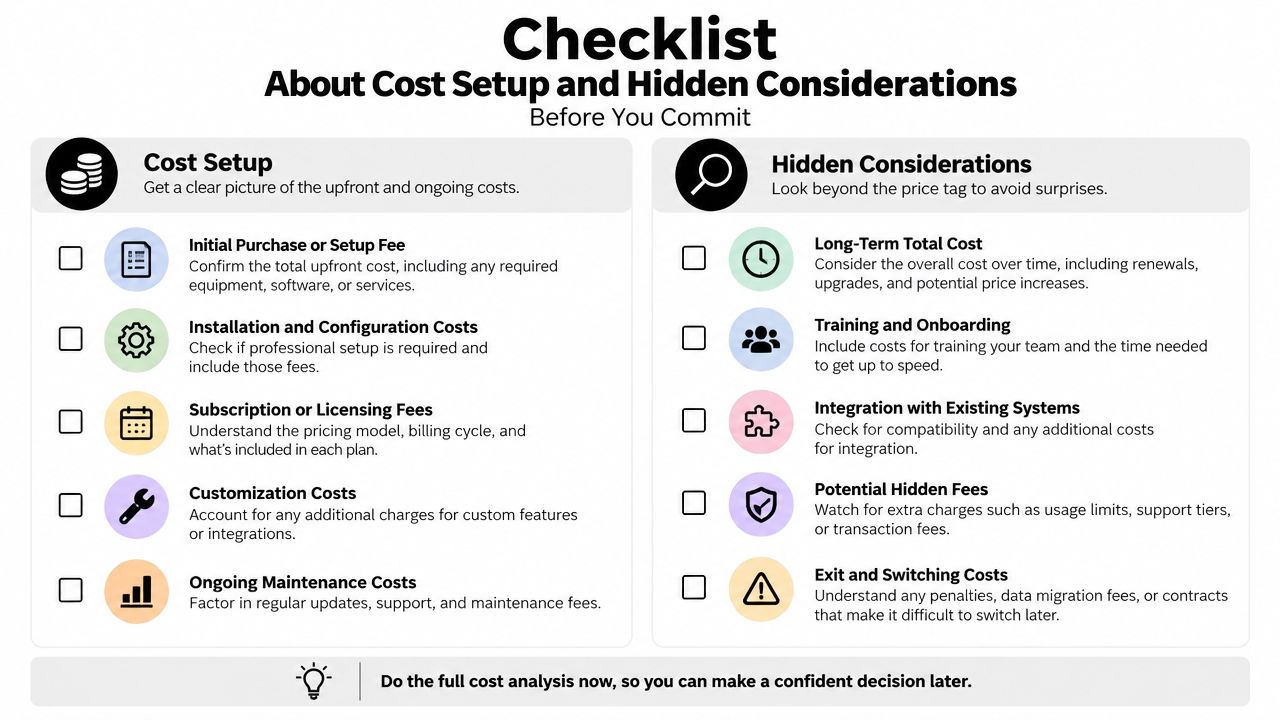
Cost Setup and Hidden Considerations Before You Commit
The price on the device box is only the first part of a smart home purchase. You may also need a compatible controller, a Thread Border Router, a bridge for older Zigbee equipment, a stronger network, or a subscription for selected camera and security features. The right setup can stay manageable, but buying without a platform plan often leads to duplicate hardware.
A renter with two lamps and a portable air conditioner should start differently from a homeowner coordinating locks, thermostats, appliances, and leak sensors. For the renter, a compatible smart plug and a small voice controller may be enough. For the homeowner, the controller should support the preferred Matter transports and the routines needed for safety and energy management.
Match the hardware to the household
An Apple-focused family can begin with an Apple home controller, Matter lighting, and a Thread sensor near the entryway. An Android-first household may prefer Google Home with a Matter thermostat and compatible display. Alexa makes sense when voice commands and broad product choice matter most. SmartThings deserves the shortlist when Samsung appliances or multi-protocol automation are central.
The hidden work appears during expansion:
- Bridges: Older Zigbee or proprietary devices may need a manufacturer bridge or SmartThings-compatible coordinator.
- Border Routers: Thread accessories need a Thread Border Router in the home, supplied by compatible ecosystem hardware.
- Duplicate control: Pairing a device to multiple ecosystems can create confusing names, duplicate routines, or competing commands.
- Feature gaps: Matter certification doesn't promise that every platform exposes every advanced feature.
- Account ownership: Decide who owns the primary account before installing locks, cameras, and household routines.
Before adding appliance control, test a simple plug routine with a lamp or fan. This smart plug setup guide is a useful starting point because plugs reveal whether your platform handles naming, schedules, presence triggers, and offline behavior cleanly.
Don't assume the cheapest starter kit will remain the cheapest system. A slightly more capable controller can prevent you from replacing sensors, switches, or bridges when your routines become more ambitious.
Which Ecosystem Fits You Best and How to Choose With Confidence
There isn't one universal winner, but there is a clear decision order. Choose the platform that matches your phone and appliance habits, confirm support for the device categories you need, and prioritize Matter with Thread when local responsiveness and reduced lock-in matter.
- Apple-centric household: Choose Apple Home if iPhones, Apple TVs, HomePods, and privacy-oriented control already define the home.
- Android and Google-first family: Choose Google Home for broad reach, Google displays, cameras, and conversational control.
- Alexa-heavy voice users: Choose Alexa when family members mostly interact by voice and you want the broadest shopping flexibility.
- Samsung appliance owners: Choose SmartThings when appliance coordination and deeper routines matter more than the simplest interface.
- Mixed-brand renters: Choose the ecosystem with the best controller support for your existing devices, then buy Matter devices that can move with you.
Energy management should influence the decision more than it has in the past. Market coverage projects the smart homes market to grow from USD 164.13 billion in 2026 to USD 311.22 billion by 2031, while Matter 1.6 expanded further into appliances and energy use, according to SQ Magazine's smart home statistics coverage. That points toward a more practical future, where the useful ecosystem coordinates appliances, occupancy, schedules, and household loads instead of answering voice requests.
Start with one room. Install one controller, one Matter device, and one automation you'll use every day. Test response time, offline behavior, device status, and setup friction for a week before expanding. That small trial will tell you more than a compatibility badge or a long product list.
Tech Today offers practical guides that explain smart home ecosystems, device compatibility, setup decisions, and everyday technology without unnecessary jargon. Visit Simply Tech Today to compare platforms, understand Matter and Thread, and choose your next device with more confidence.


Member discussion