
Mobile Data vs WiFi Speed Cost and When to Use Each
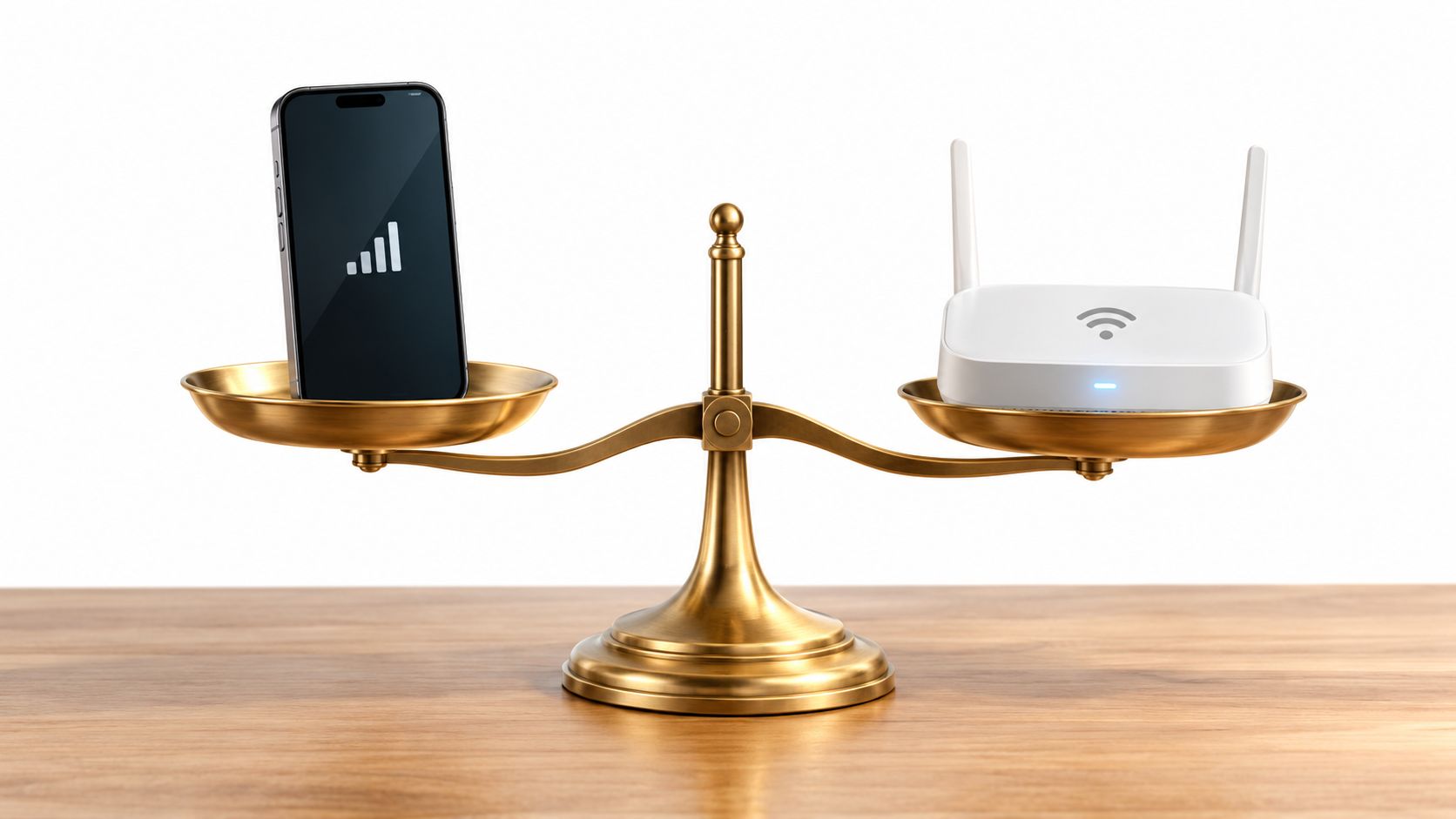
You're at home streaming a show over Wi-Fi, then you leave for the train and your phone switches to mobile data. The video pauses, a map loads slowly, and a warning appears about your data allowance. Later, back on your home network, a large software update starts downloading without much thought.
That everyday switch raises a bigger question than “Which one is faster?” Your connection choice can affect performance, cost, battery life, privacy, and reliability. The right answer changes depending on whether you're watching a large video, checking directions, joining a work call, or connecting in a crowded public place.
This guide treats mobile data vs Wi-Fi as a decision about context. You'll learn how each connection works, why Wi-Fi usually carries heavier internet use, where cellular networks can be more practical, and when a modern mobile connection may stop being the backup option. By the end, you'll be able to choose a connection quickly instead of relying on a one-size-fits-all rule.
Introduction Why Your Connection Choice Matters Today
A phone can move between networks without asking you to think about the infrastructure underneath. At home, Wi-Fi usually handles video streaming, app updates, cloud backups, smart-home devices, and gaming. On a bus or in a parking lot, mobile data takes over because your phone can reach a cellular network beyond your home router.
That convenience can hide important differences. A Wi-Fi connection may be connected to a fixed broadband plan designed for sustained household use, while mobile data may come with a monthly allowance or slower speeds after heavy use. If you use a phone as a hotspot, the same mobile plan may also serve a laptop or tablet, making the allowance disappear faster than expected.
Your choice can affect more than the amount of data you consume. A local Wi-Fi connection often provides a shorter path to your home internet service, which can help with responsiveness. Mobile data gives you freedom of movement, but its quality depends on coverage, indoor signal, tower demand, and the network operator.
Security also changes with the setting. Your private home network is different from an open hotspot in an airport or café. Mobile data is often the simpler option for sensitive activity while traveling, although secure websites, current software, and sensible account protection still matter on every network.
The practical question: Don't ask which connection wins everywhere. Ask which network fits the activity, location, data plan, and level of trust.
The sections ahead build the answer in stages. First, you'll see how the two systems connect your device to the internet. Then you'll compare speed, latency, consistency, cost, data usage, battery impact, and security before applying the differences to real activities. The final checklist will help you decide what to use in the moment.
How Mobile Data and WiFi Actually Work
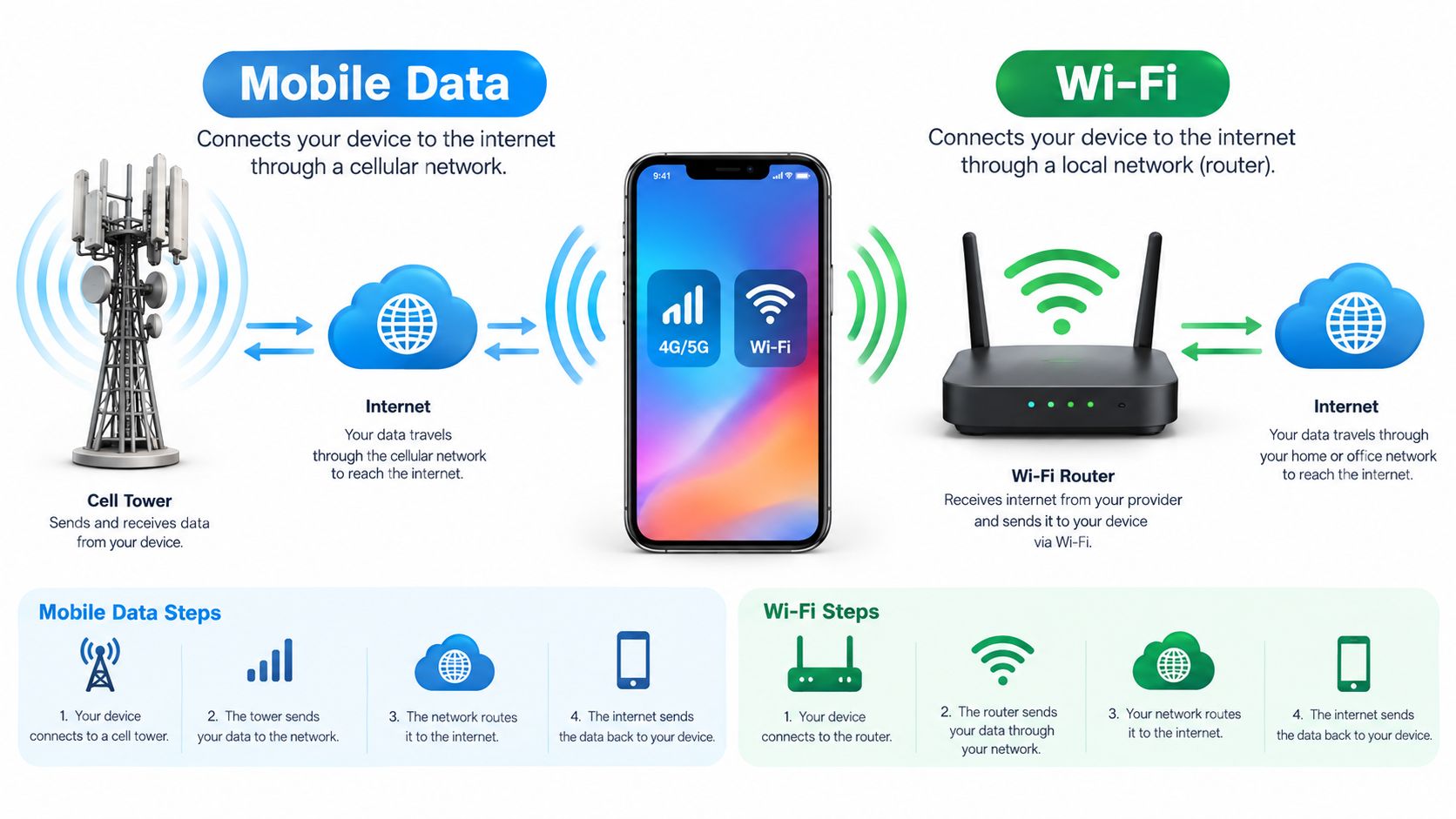
Mobile data connects your phone to the internet through a cellular radio and nearby network equipment. Your device communicates with a mobile tower, the carrier routes that traffic through its core network, and the request reaches the wider internet. Because the connection is tied to the cellular network rather than one building, it can follow you as you walk, drive, or travel.
Wi-Fi is a local wireless link. Your phone communicates with a nearby router, and that router connects to a fixed broadband service such as cable, fiber, or another wired connection. Wi-Fi doesn't mean “internet” by itself. It's the short-range bridge between your device and the broadband line.
A useful analogy is transportation. Mobile data is like a bus route that carries you through a city and changes stops as you move. Wi-Fi is like a private driveway connecting your device to a larger road. The driveway works only near the property, but it can provide a convenient path for large household traffic.
What happens when you join a network
When you select a Wi-Fi network, your phone authenticates with the router and receives the local network information it needs to communicate. The router then sends traffic through the fixed broadband connection. At home, the service may feel unlimited because the provider bills the household for the connection rather than charging for every gigabyte.
When you turn on mobile data, your phone registers with the carrier and uses the cellular network assigned to your account. Your plan may include a generous allowance, but it still has a defined policy. Video quality, hotspot use, roaming, and background synchronization can all affect how quickly you use that allowance.
The distinction matters for troubleshooting. If Wi-Fi fails, the problem may involve the router, broadband service, local interference, or the phone's saved network settings. If mobile data fails, coverage, account status, carrier congestion, or device settings may be responsible. For a plain-language explanation of the cellular side, see what cellular data means.
Large online services also depend on physical infrastructure far beyond your home or tower. A directory of global data center operators can help readers understand the organizations that run facilities supporting websites, apps, and cloud services.
Why the two links behave differently
Wi-Fi performance depends on both halves of the connection, the wireless link to the router and the broadband service beyond it. A strong Wi-Fi signal can't fix a slow or congested internet line. Likewise, a fast broadband plan may feel poor if the router is too far away or blocked by thick walls.
Mobile performance depends on radio conditions and the carrier's available capacity. A phone near a well-positioned tower may work smoothly, while the same phone can struggle indoors or in a crowded venue. Your device may also switch between network technologies as conditions change.
Speed Latency and Reliability Compared
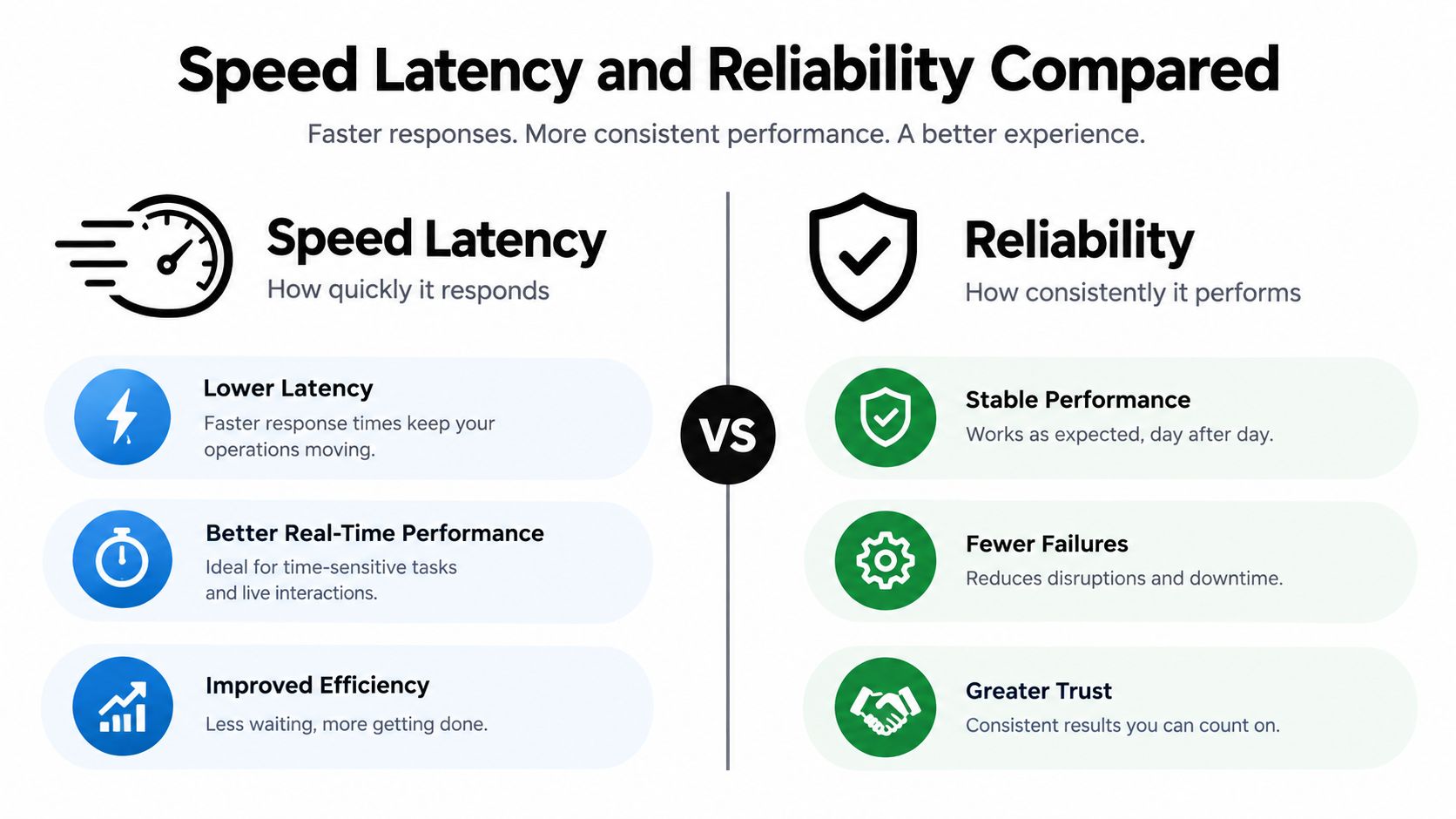
Speed describes how quickly a connection transfers data. Latency describes how long a small piece of data takes to travel and return. A connection can deliver a large download quickly but still feel sluggish when an app waits for many small responses.
Measurement studies give Wi-Fi a strong performance advantage in many tested environments. A metro-area study found that Wi-Fi delivered better absolute download and upload throughput, with greater performance consistency than cellular in the measured areas. It also found that Wi-Fi latency was at least twice as low as cellular latency in every measured area, while cellular latency consistency could sometimes be better even when its absolute latency was higher. The metro-area measurement study provides the underlying comparison.
The performance differences in plain language
| Measure | Wi-Fi | Mobile data |
|---|---|---|
| Download and upload throughput | Often stronger when linked to good fixed broadband | Can be excellent, but depends heavily on coverage and congestion |
| Latency | Typically lower in measured comparisons | Often higher, with variation by provider and location |
| Consistency | Often steadier in the measured metro areas | May fluctuate as radio conditions and network demand change |
| Mobility | Works within range of the local router | Designed to travel with you |
| Best fit | Large transfers, streaming, calls, and other sustained activity | Navigation, messaging, travel, and access away from trusted Wi-Fi |
A separate measurement study recorded a mean round-trip time of 106.92 milliseconds on Wi-Fi versus 162.76 milliseconds on mobile data, and more than 95% of Wi-Fi round-trip samples fell below the mobile-data latency distribution in that study. The Wi-Fi and mobile-data RTT study also reflects why Wi-Fi often feels more responsive for interactive tasks. Another mobile-network study cited in the same verified evidence reported median RTTs of 53 milliseconds for Wi-Fi and 75 milliseconds for cellular.
Latency changes the feel of a connection. Lower latency helps pages respond, calls react, and games register actions sooner, even when the headline download speed looks similar.
Why your result may differ
A comparison between Wi-Fi and mobile data isn't a permanent ranking. A distant router, crowded 2.4 GHz channel, or weak broadband service can make Wi-Fi disappointing. A nearby cellular tower with spare capacity can make mobile data feel excellent.
The reverse also happens. A busy stadium, apartment complex, or commuter route can place heavy demand on cellular capacity. Buildings, weather conditions, distance, and the phone's antenna design can affect the radio link. Wi-Fi can also suffer from interference, but moving closer to the router or using a better access point may solve the problem.
Keep bandwidth and latency separate when diagnosing a connection. A speed test mostly describes throughput, while a responsive video call or game also depends on delay, variation, packet loss, and the route to the service you're using. The guide on bandwidth versus latency offers a useful way to separate those ideas.
Cost Data Usage and Battery Impact
The cost difference usually comes from how providers package the service. Fixed broadband is commonly sold as a household connection for sustained use, while mobile plans often define an allowance, speed policy, or hotspot limit. That makes mobile data more sensitive to large downloads, high-resolution video, automatic backups, and tethering.
Global traffic measurements show why households often place heavy work on Wi-Fi. In 2022, fixed broadband carried 96.6% of global internet traffic, while mobile broadband accounted for 3.4%. The mobile share had risen only slightly to 4.2% by 2022, according to the ITU internet traffic data. The same ITU data recorded average monthly traffic of 257 GB per fixed-broadband subscription, compared with 11 GB per mobile-broadband subscription, a gap of more than 23 times.
Global Traffic and Usage Per Subscription
| Connection Type | Share of Global Traffic | Avg Monthly Traffic per Subscription |
|---|---|---|
| Fixed broadband | 96.6% in 2022 | 257 GB |
| Mobile broadband | 3.4% in 2022 | 11 GB |
The figures describe network traffic, not a personal bill. They do show the practical pattern: Wi-Fi and fixed links handle larger downloads and longer streaming sessions, while mobile networks remain essential for access away from fixed connections. Fixed service is typically cheaper per gigabyte for heavy use, although the actual price depends on the provider and plan.
Where mobile allowances disappear
Streaming can consume an allowance steadily, especially when an app raises video quality on a fast cellular connection. Tethering adds another risk because a laptop may download updates, synchronize cloud folders, or load desktop versions of websites without the limits used by a phone.
Background activity is easy to overlook. Photo backups, podcast downloads, application updates, and social-media preloading can continue when you aren't actively looking at the screen. Check your phone's per-app usage panel, then restrict background mobile access for apps that don't need it.
If a bill or allowance is hard to understand, help with Internet Bills can provide a starting point for organizing questions about service and charges.
Battery considerations
Both radios consume energy, but the amount depends on signal strength, activity, and how often the phone searches for or maintains a connection. A weak cellular signal can make the device work harder to stay connected. Wi-Fi may be more efficient during sustained home use, especially when the router is nearby and the phone isn't constantly switching networks.
You can reduce waste without abandoning either connection. Download large media over trusted Wi-Fi, turn off automatic mobile updates, and use low-data modes when traveling. If your phone gets warm or loses power quickly in a weak-signal area, switching to Wi-Fi when available, or using airplane mode with Wi-Fi enabled where appropriate, may help.
Security and Privacy on Mobile Data and WiFi
Security depends less on the word “Wi-Fi” or “cellular” and more on who controls the network. Mobile data runs through a carrier-managed system with cellular authentication and encryption between parts of the connection. That doesn't make every online activity automatically safe, but it often makes mobile data a sensible choice when you don't trust the available hotspot.
A private home Wi-Fi network gives you control over the router and password. Use modern security such as WPA3 when your router and devices support it, choose a unique administrator password, update the router firmware, and remove old devices that no longer need access.
Public Wi-Fi creates a different risk profile. An open hotspot may be operated by a legitimate business, but you may not know who else is connected, whether the network name is genuine, or how the operator handles traffic and logs. Attackers can also create lookalike hotspot names to attract nearby devices.
A safer choice on the move
Mobile data is often preferable for banking, password changes, account recovery, and other sensitive tasks when the alternative is an unknown public hotspot. You should still check that the website or app uses a secure connection, keep your operating system updated, and enable multifactor authentication.
A VPN can protect traffic between your device and the VPN service, but it doesn't make the destination website trustworthy and doesn't replace good account security. HTTPS protects the connection to a website or app when correctly implemented, yet users still need to avoid phishing links and suspicious downloads.
Security rule: Use trusted Wi-Fi for convenience, mobile data for sensitive tasks on the go, and never treat either network as a substitute for secure accounts and careful browsing.
Settings worth checking today
- Disable automatic joining: Tell your phone not to join unknown networks without approval.
- Forget old hotspots: Remove saved networks you no longer use, especially temporary public connections.
- Turn off sharing: Disable personal hotspot and nearby sharing when you don't need them.
- Use a VPN selectively: Choose a reputable provider when you need added protection on a public network.
- Verify the network name: Ask staff for the exact hotspot name instead of selecting a similar-looking option.
For a practical walkthrough, use this guide to stay safe on public Wi-Fi. The safest routine is simple: connect automatically only to networks you recognize, and use mobile data when the network's ownership or configuration is unclear.
When to Use Mobile Data and When to Use WiFi
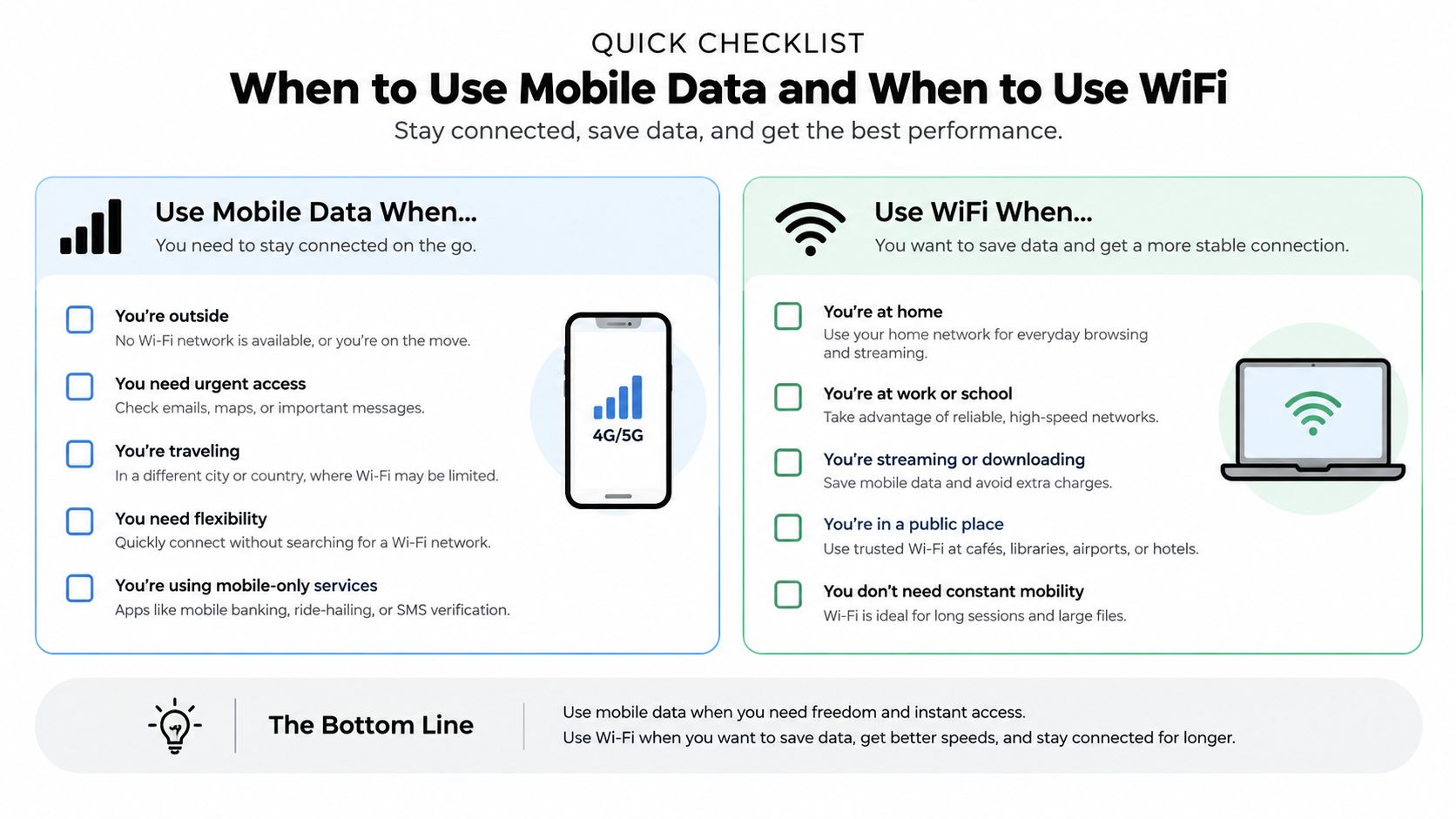
The most useful answer to mobile data vs Wi-Fi depends on the job. A short navigation request doesn't need the same connection as a cloud backup. A video call needs responsive, consistent service, while a message can wait briefly without creating a noticeable problem.
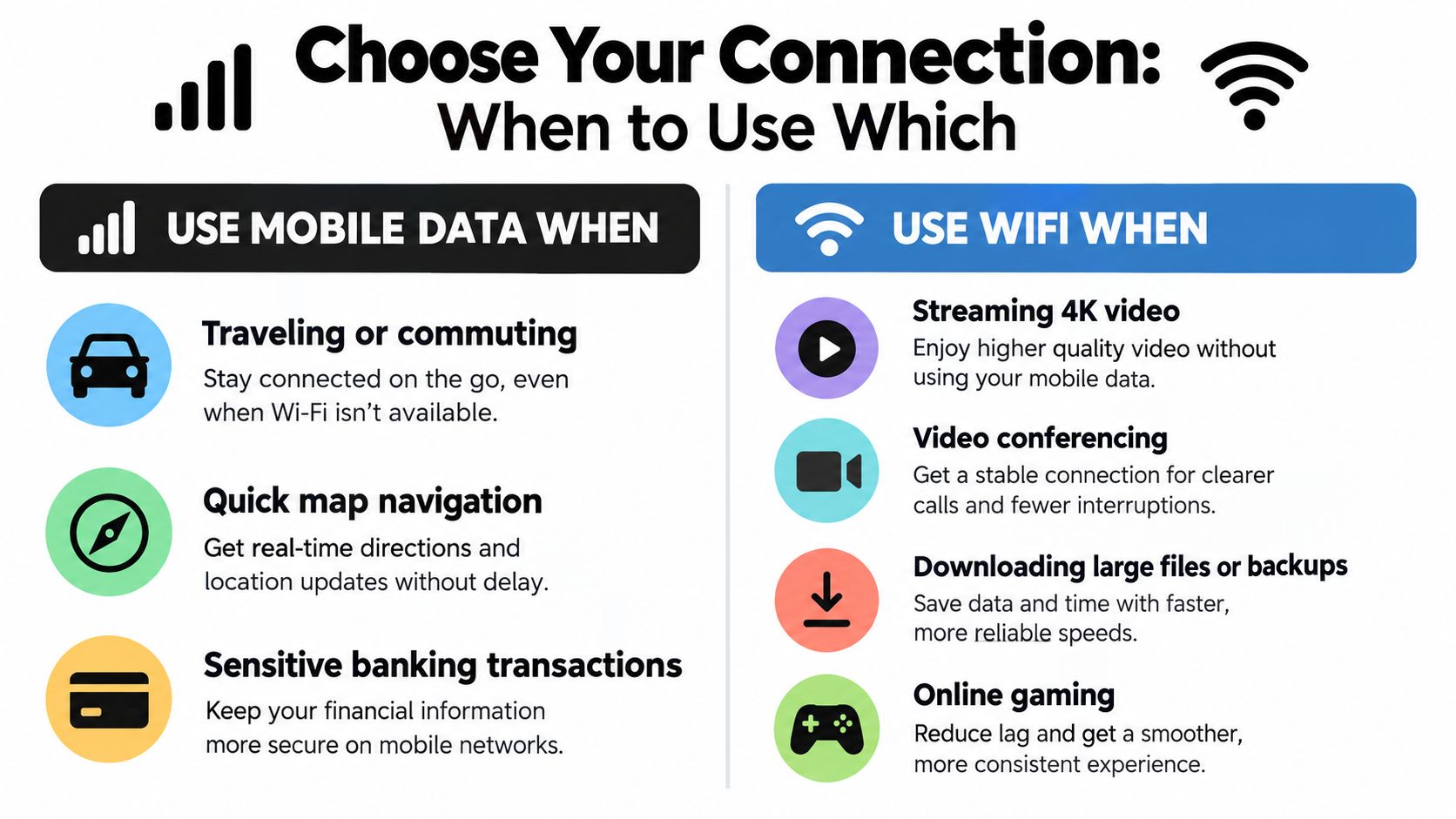
Use this quick decision matrix:
| Activity or situation | Preferred connection | Reason |
|---|---|---|
| Traveling or commuting | Mobile data | It follows you and supports maps, messages, and ride apps |
| Quick map navigation | Mobile data | It avoids joining unknown networks for a small task |
| Banking or account recovery | Mobile data or trusted Wi-Fi | Prefer the network you control or trust |
| Streaming high-resolution video | Wi-Fi | Sustained traffic can consume a mobile allowance |
| Video conferencing | Strong Wi-Fi when trusted | Stability and responsiveness matter |
| Large downloads and backups | Wi-Fi | Fixed broadband is better suited to heavy transfers |
| Online gaming | Strong, stable Wi-Fi or the lower-latency option | Delay and consistency matter more than headline speed |
| Weak home Wi-Fi | Mobile data temporarily | A strong cellular connection may outperform a poor local link |
The default is changing by market
Wi-Fi remains the dominant share of smartphone traffic in the United States, but usage differs by carrier. Reporting describes Wi-Fi shares of 82% to 89% across carriers in the U.S., while some subscribers use mobile data more heavily. OpenSignal's regional analysis also reports that fixed broadband carries 62% of smartphone data traffic overall in Asia Pacific, while mobile services carry more than half of traffic in markets including Taiwan, Malaysia, and India.
That contrast matters because consumer advice often assumes one universal habit. In some mature markets, better 5G quality and lower mobile-data prices can make mobile data a more attractive default. In mobile-first markets, people may still move heavier consumption to Wi-Fi as fixed broadband becomes more available.
The broader traffic pattern supports that nuance. The ITU reported that 60% of total mobile data traffic was offloaded onto fixed networks through Wi-Fi or femtocell in 2016, equal to 10.7 exabytes that year. Later ITU estimates placed end-user mobile broadband traffic at 1.5 zettabytes in 2025, after crossing 1 zettabyte in 2023, while fixed-broadband traffic reached almost five times as much, at 7.3 zettabytes. These figures come from the ITU mobile traffic report.
For a home without dependable fixed broadband, a cellular router can change the calculation. A guide to a 4G LTE router can help you assess that option without treating mobile data as only a phone feature.
Smart Switching Tips and Final Recommendation
Your phone can make many network decisions automatically, but the default settings don't always match your priorities. Enable Wi-Fi auto-join for trusted home and work networks, turn on a data saver mode when traveling, and review which apps can use mobile data in the background. Keep Wi-Fi Assist or its equivalent under review, because a feature that uses cellular data to improve weak Wi-Fi can be helpful but may also consume an allowance.
A quick decision checklist works better than memorizing technical terms:
- Need to move? Use mobile data.
- Handling a large transfer? Use trusted Wi-Fi.
- Using a sensitive account on an unknown hotspot? Use mobile data.
- Experiencing weak Wi-Fi? Test mobile data before assuming the phone is broken.
- Sharing a connection? Check the hotspot password, battery level, and plan limits.
- Seeing unexpected cellular usage? Inspect per-app data settings and background permissions.
Neither connection is universally better. Wi-Fi is usually the practical default for heavy, sustained activity on a trusted fixed network. Mobile data becomes the better choice when you're moving, protecting sensitive activity from an unknown hotspot, or dealing with a poor Wi-Fi connection.
If your hotspot stops working, use this troubleshooting guide for mobile hotspot problems before changing your plan or replacing your phone.
Tech Today turns confusing technology topics into clear explanations and practical troubleshooting guides, including everyday connectivity decisions like mobile data versus Wi-Fi. Visit Simply Tech Today to find straightforward advice for making your devices work better and choosing the right setting for the situation.
Member discussion