
How Does AI Chatbot Work: A Plain-English Guide

You type a question into an AI chat window, pause with your finger over Enter, and watch the cursor blink. Then the interface starts streaming words back at you, often quickly enough to feel like someone is on the other side, listening and thinking.
That feeling comes from a sequence of calculations hidden behind a simple text box. The system reads your message, turns it into smaller pieces, considers the context, predicts a likely continuation, and repeats that prediction until it has an answer. Each phase has a cost in computing and tokens, which is why a chatbot can feel instant in one conversation and sluggish in another. Tools listed in this guide to free AI tools may look simple on the surface, but the same invisible process sits underneath them.
The key to understanding how an AI chatbot works is to follow the journey from your prompt to the first visible word. Along the way, two timing measures, TTFT and TPOT, explain why a short question can still produce a long wait. What is happening inside that box, and why does it sometimes feel instant and sometimes slow?
A Few Seconds That Feel Like Magic
The message before the message
You ask, “Can you turn these notes into a friendly email?” Within moments, words begin appearing on the screen. That quick reply hides a queue of small operations: the chatbot receives your request, prepares it for the language model, and calculates what should come next.
It does not compose the entire email in one instant. The model predicts one token, then uses that token with the prompt to predict the next. The first visible token arrives after the initial processing, while the rest streams in through repeated generation.
That same process sits beneath tools featured in this guide to free AI tools, even when their interfaces look simple.
The hidden stopwatch
Latency describes the time from sending your message to receiving the completed answer. Two measures separate the experience into parts. Time to first token, or TTFT, is the wait before any generated text appears. Time per output token, or TPOT, is the average time between later tokens, so it controls the pace of the stream after the opening word.
A useful approximation is TTFT + TPOT multiplied by the number of output tokens, as explained in NVIDIA's LLM benchmarking guide.
The formula explains why “fast” has two meanings. A short TTFT makes the chatbot feel responsive, while a low TPOT helps it finish quickly. A long prompt can raise the first delay because the system has more context to process. A detailed answer adds more sequential token generation.
Model quality follows a similar balancing act. More parameters or more training data can improve pattern recognition, but they also increase the work required to respond. Speed, capability, context, and computing resources must be balanced. Raw size alone does not determine how helpful a chatbot feels.
What a Chatbot Actually Is
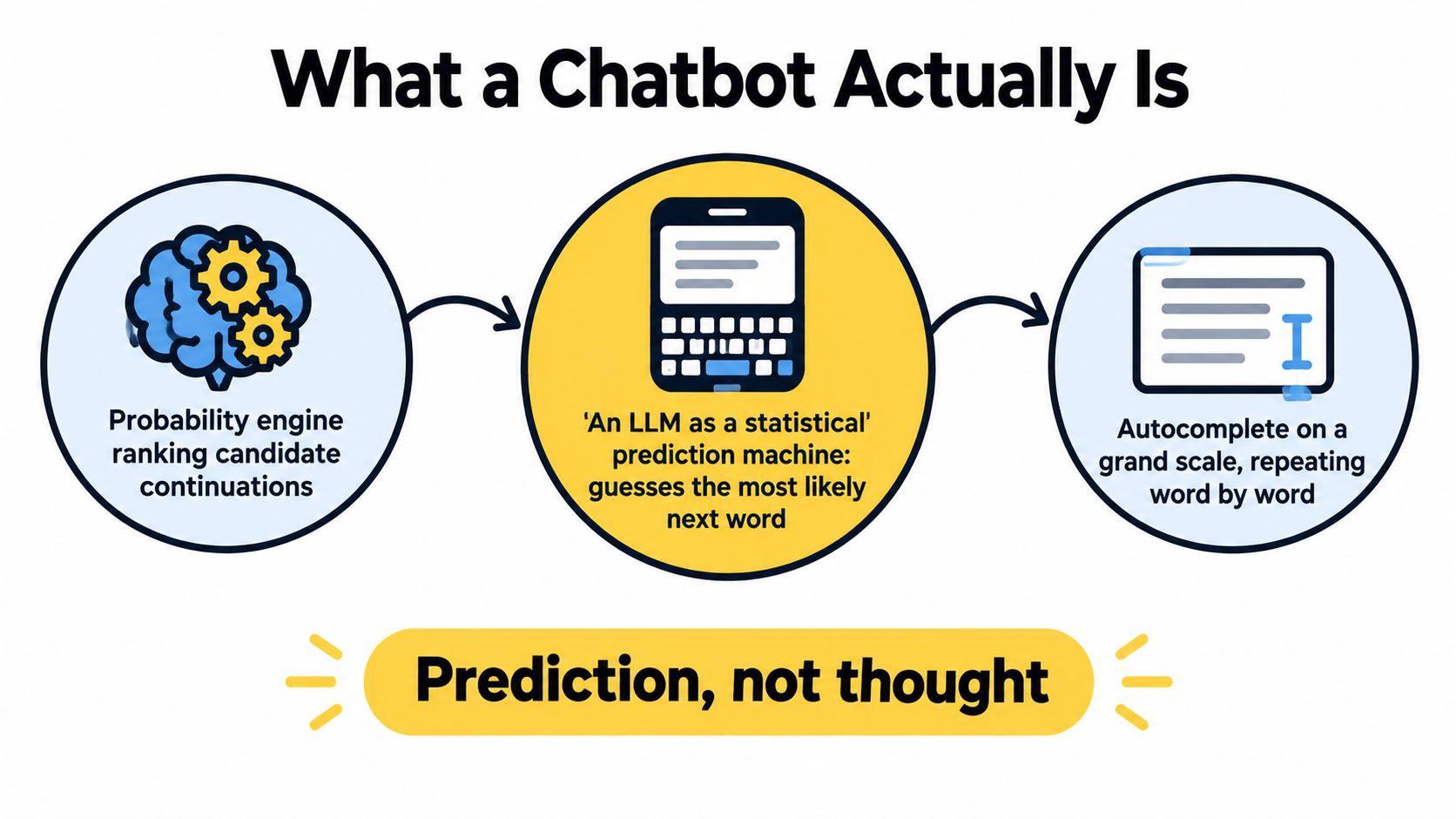
Start with the simplest useful definition: a modern AI chatbot is an interface connected to a large language model, or LLM. IBM describes LLMs as “giant statistical prediction machines” that repeatedly predict the next word from the text that came before. In everyday terms, an LLM is like phone autocomplete taken to a vastly broader scale, trained on text from books, articles, websites, code, and other sources.
Your phone might suggest the next word in a message from the few words you've already typed. An LLM does something similar, but it has learned patterns from massive text collections and uses a large set of internal parameters to rank possible continuations. You can find a beginner-friendly companion explanation in this introduction to machine learning.
Training creates the pattern engine
During training, the system sees text and tries to predict missing or upcoming pieces. When its prediction differs from the training example, an optimization process adjusts its internal values. IBM notes that this process can involve billions or trillions of words, and that modern models may contain billions of internal parameters. Those parameters are the tiny adjustable settings that encode patterns the model has learned.
They don't function like a searchable library of verified facts. Instead, they represent relationships among words, phrases, structures, and ideas. That's why a chatbot can write a convincing explanation without possessing a human-like understanding of the subject.
A useful mental model: A chatbot doesn't retrieve a thought from a mind. It calculates which continuation best fits the conversation.
Scale matters, but bigger isn't automatically better. A model needs enough capacity to represent complex patterns, yet it also needs enough high-quality training data to use that capacity well. The result depends on the balance between model size and training data, not on parameter count alone.
This distinction explains why chatbots feel knowledgeable while still making mistakes. Fluency comes from recognizing language patterns. Accuracy requires those patterns to connect to reliable information, appropriate context, and sometimes an external source.
Tokens, Attention, and the Transformer Breakthrough
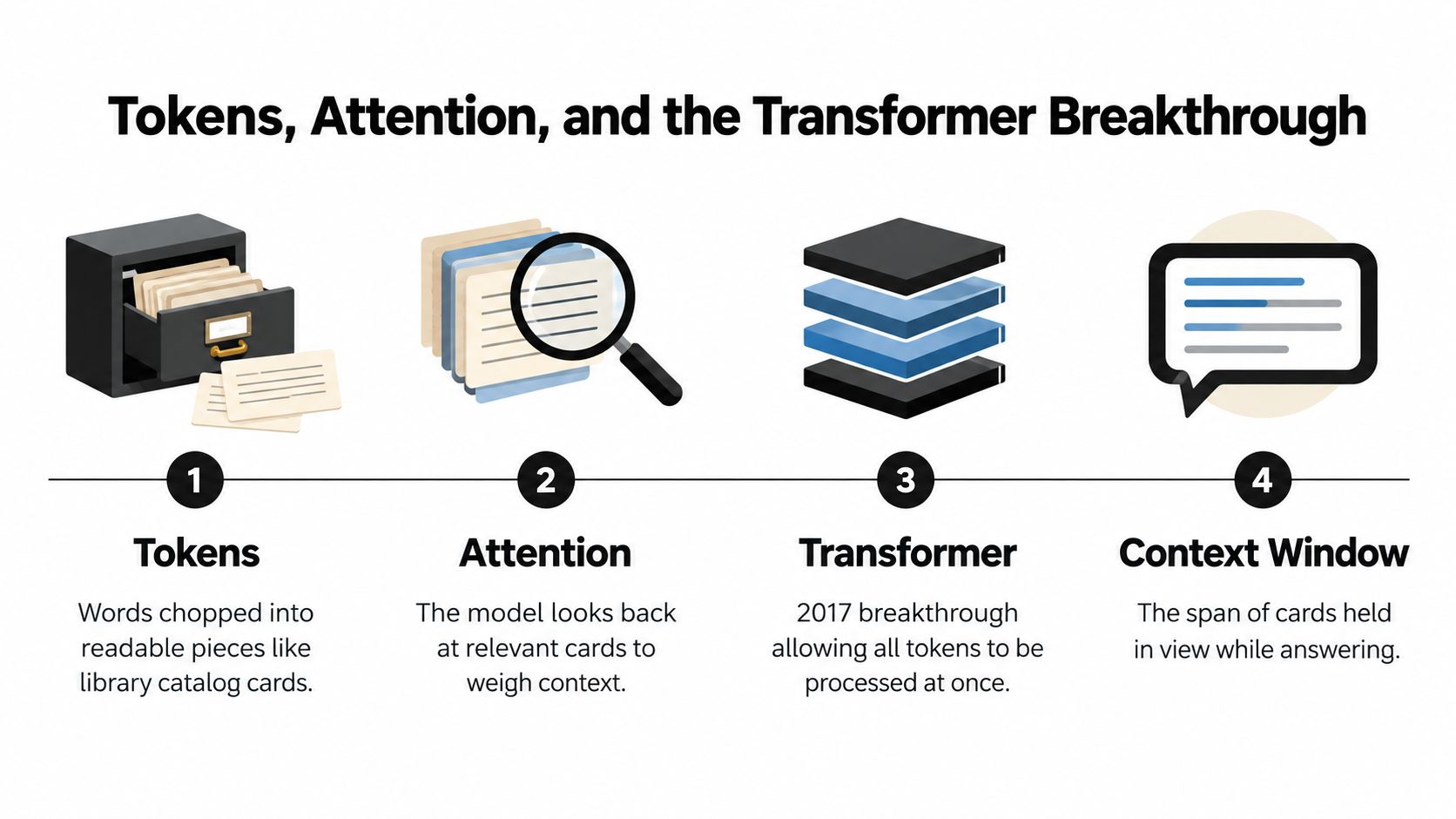
A chatbot starts with pieces smaller than ordinary words. It divides your message into tokens, which can be complete words, word fragments, punctuation marks, or spaces. A long word may be stored across several cards in a catalog because recognizing reusable pieces is more practical than storing every sentence as one object.
Those pieces form a sequence the model can process. It examines the sequence as context for its next prediction, and the token count depends on the text itself. As a result, two prompts with the same visible word count can require different amounts of processing.
Attention connects distant clues
Attention helps the model decide which earlier tokens matter most at each step. A person summarizing a paragraph might mark the subject, the action, and a condition introduced several lines earlier. Attention performs a mathematical version of that selection, allowing the model to weigh relationships across the sequence.
Consider the sentence, “The laptop stopped charging after I replaced the cable, so the battery may be…”. To continue sensibly, the model must connect “battery” with the earlier clues about charging and the cable. Attention helps it make those connections instead of treating the sentence as a chain in which each word is isolated from what came before.
Why 2017 changed chatbot design
The Transformer architecture, introduced in 2017, made attention practical for large-scale language modeling. IBM's overview of large language models and the Transformer explains how the design improved long-range context handling and parallel training. A broader guide to how artificial intelligence works places that development within the wider process of machine learning.
Earlier scripted bots commonly matched keywords with fixed replies. A Transformer-based model can use the surrounding context to generate a new continuation, which gives it more flexibility in conversation.
The contrast is easy to hear. A rule-based bot may detect “refund” and display a refund-policy card. A generative chatbot can explain the same policy in a different tone, respond to a follow-up, and connect details from earlier messages. Its results depend on the balance among training data, model capacity, and context. A larger model may represent more patterns, but size alone does not guarantee better answers.
How a Chatbot Generates an Answer Step by Step
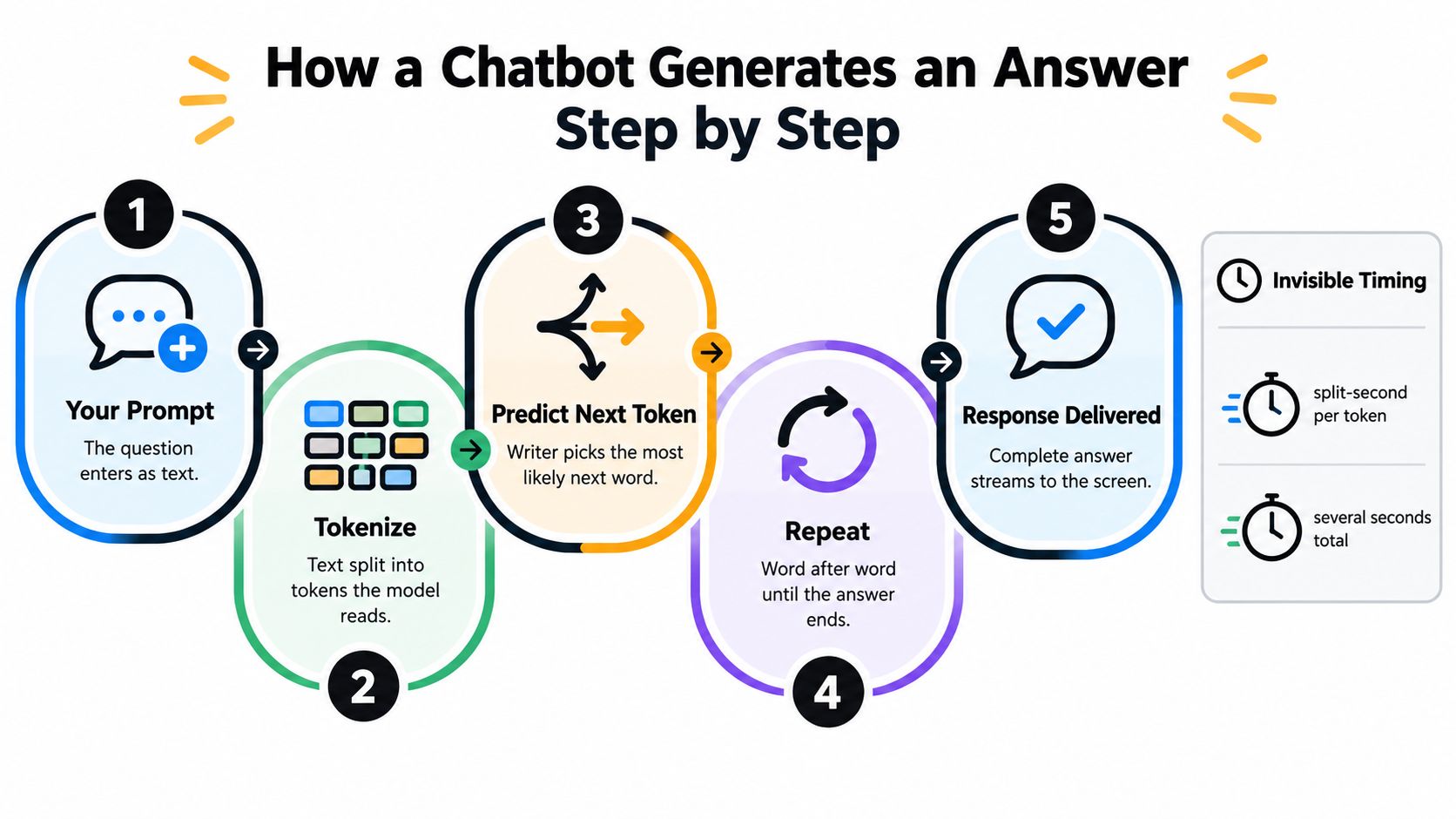
A chatbot handles your message in two linked phases. First, it studies the request and prepares the information it may need. Then it writes the answer one piece at a time. The process resembles a coffee shop receiving a complicated order: the barista reads the full ticket before preparing each drink in sequence.
From prompt to first token
The system first converts your prompt into tokens, then gathers any earlier conversation turns, system instructions, retrieved documents, or other context. During prefill, the model processes this input in parallel and builds a key-value cache, commonly called a KV cache. This phase usually depends more on computing power because the system is digesting the prompt as a whole.
The delay before the first generated token is TTFT, or time to first token. It includes request queuing, prompt processing, and the production of that initial token. A short message can still produce a noticeable pause if the service is busy or the conversation history is long. Attached material also adds context that must be processed before the answer begins.
From first token to finished answer
After prefill, the model enters decode. It predicts one token, adds it to the response, and predicts the next token using the prompt and the KV cache. The system repeats this cycle until it reaches a stopping point. Decode depends more on memory bandwidth because the model repeatedly accesses information for each next-token decision.
TPOT, or time per output token, describes the pace of that ongoing generation. Response time is commonly approximated as TTFT + TPOT × the number of output tokens, as described in the earlier benchmarking discussion. A response can therefore feel slow for two different reasons: a long wait before the first word, or a slower stream after generation has started.
The arithmetic explains two common surprises:
- A short prompt can wait: queueing, conversation history, or hidden instructions may take time to process.
- A long answer can drag: every additional token requires another prediction cycle.
The streaming effect is a user-interface choice built on sequential generation. Developers working on building fluid chat UIs often display partial output during decode, allowing users to read while the rest of the answer is still being produced. That makes the interaction feel faster even when the total generation time remains unchanged.
Three Flavors of Chatbot Architecture
Not every chatbot uses the same engine. The label “AI chatbot” can describe a scripted assistant, a search-connected system, or a generative language model. The differences matter because they affect flexibility, freshness, predictability, and the kinds of errors users see.
| Architecture | How It Answers | Strengths | Weaknesses | Best Fit |
|---|---|---|---|---|
| Rule-based | Matches keywords, buttons, or decision-tree paths to prepared replies | Predictable, controlled, and straightforward | Rigid when users phrase questions unexpectedly | Menus, simple support flows, and fixed tasks |
| Retrieval-augmented generation | Searches connected documents, then gives selected context to a language model | Can ground answers in a maintained knowledge base | Depends on search quality, document coverage, and correct context | Enterprise knowledge bases and policy questions |
| Transformer-based generative | Predicts and generates tokens from learned language patterns | Flexible, open-ended, and useful for drafting or brainstorming | Can produce unsupported or outdated statements | General conversation, writing help, and exploration |
A rule-based bot behaves like a vending machine. Choose an available option and it returns the programmed result. Ask for something outside its paths, and it may redirect you or fail to understand.
A retrieval-augmented generation, or RAG, system adds a search step. Instead of relying only on what the model learned during training, it looks through connected material, places relevant passages into the prompt, and asks the language model to form an answer from that context. This can make an internal policy assistant more useful, provided the documents are current and the retrieval step finds the right passage.
A generative model offers the broadest conversation. It can draft a product description, rephrase a paragraph, or explore ideas without a prepared response for every possible wording. Its freedom is also its risk. When no reliable grounding is available, it may produce a plausible continuation that sounds finished even when the underlying claim isn't supported.
Why Chatbots Sound Confident and Still Get Things Wrong
A chatbot's central skill is predicting plausible text, not checking every statement against reality. That difference creates a hallucination, a fluent answer containing an unsupported or incorrect claim. The sentence can sound polished because grammar and confidence come from the same prediction process that generated the content.
Deloitte's 2025 consumer research found that one-third of surveyed generative AI users had seen incorrect or misleading information, as reported in its consumer connectivity research. The finding doesn't mean every answer is wrong. It shows that users encounter accuracy problems often enough to make verification part of normal use.
Where confidence helps and where it misleads
Chatbots are well suited to tasks where a human will review the result. They can create a first draft, summarize text you provide, reorganize notes, suggest alternative wording, or brainstorm possibilities. In those situations, fluency saves time while the person remains responsible for judgment.
Medical, legal, financial, safety, and similarly consequential questions need a higher standard. A chatbot may omit an exception, misunderstand your circumstances, or present an old rule in a current-sounding way.
Use a simple verification routine:
- Separate facts from wording. A well-written paragraph can contain an unsupported date, name, or explanation.
- Ask for sources. Treat the links as leads to inspect, not automatic proof.
- Check important claims independently. Use an official agency, primary document, qualified professional, or trusted reference.
- Request uncertainty. Asking the chatbot what it may be unsure about can reveal gaps, although it isn't a substitute for checking.
- Keep the stakes visible. The more a mistake could cost you, the less you should rely on an unverified response.
Practical rule: Treat confidence as a measure of fluent delivery, not a guarantee of truth.
What Happens to Your Data When You Chat
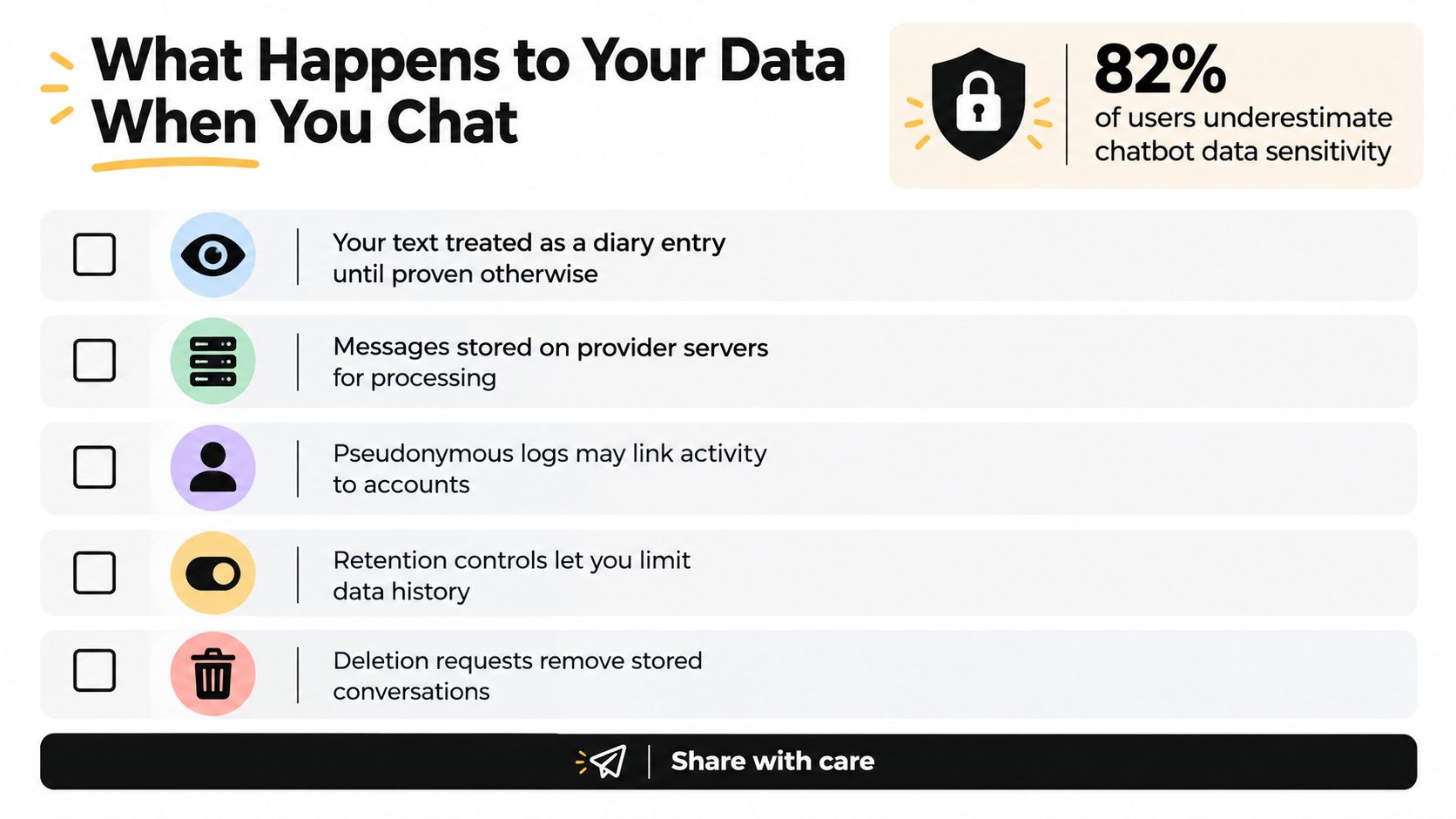
A short prompt can carry more personal information than it appears to. Names, workplace details, health concerns, financial context, and private documents may all become part of a conversation. A 2025 privacy-norms study found that 82% of respondents considered chatbot conversations sensitive data, as reported in the study on chatbot privacy expectations. Treat anything you type as information that deserves a settings check.
The next question is what happens after the chatbot processes your request. Depending on the service, chats may remain in account history, inputs may be used to improve models, and authorized reviewers may access data under stated conditions. Privacy documentation can also be difficult to interpret, as discussed in the same privacy research. Read the provider's terms rather than assuming that a simple interface means private handling.
Settings worth checking
Open the service's controls for chat history, model improvement, deletion, and account-level data use. Setting names vary, so check the actual choices and their scope.
- Chat history controls: Find out whether conversations stay visible in your account and how long they remain there.
- Training opt-outs: Check whether prompts can improve future models and whether the choice covers only new chats.
- Uploads and attachments: Review how documents, images, and other files are stored and processed.
- Workspace terms: Business or enterprise accounts may have different data-use commitments from consumer accounts.
- Deletion options: Check what deletion removes, including whether backups or safety logs follow separate retention rules.
Avoid pasting passwords, private keys, confidential contracts, personal identifiers, or sensitive client material unless your organization has approved the service and its terms. For a broader explanation, see this guide to AI privacy concerns.
Privacy depends on two choices. You decide what to disclose, while the platform decides how it stores and processes that information. Removing names may not remove the risk if the surrounding details can identify a person or organization. A quick settings review cannot answer every legal question, but it can reduce casual oversharing before it happens.
Using Chatbots With Confidence Every Day
You can keep the whole explanation in one practical picture. A chatbot is a prediction engine trained on text patterns. It reads tokenized context, uses attention to decide what matters, and generates an answer one token at a time. Its speed reflects prompt processing and output generation, while its reliability depends on training, context, grounding, and human review.
Build these habits into ordinary use:
- Verify consequential facts: Check names, dates, instructions, calculations, and claims that influence a decision.
- Share less than you could: Remove identifying details from pasted text, and don't upload confidential material casually.
- Match the architecture to the task: A rule-based bot suits a fixed workflow, RAG suits a controlled document collection, and a generative model suits open-ended drafting.
- Watch the latency trade-off: A shorter context can reduce initial processing, while a concise output can finish sooner. If speed matters, ask for the format and length you need.
- Use stronger data controls for sensitive work: Review consumer settings carefully, and follow your employer's approved enterprise tools and policies.
A chatbot isn't an oracle, but it can be a capable desk tool when you give it a clear task and inspect the result. Understanding the mechanism also makes confusing behavior easier to diagnose. Slow output may reflect prompt length or sequential decoding, while a confident error reflects prediction without guaranteed verification.
For private conversations, learn the difference between provider safeguards and transport protection. This explanation of end-to-end encryption can help you ask better questions about where protection begins and ends.
The most reliable posture is curious rather than fearful. Let the chatbot handle drafting, structure, and exploration, then apply your own judgment to facts, privacy, and decisions that matter.
Tech Today publishes clear explanations of AI tools, privacy settings, and everyday technology workflows. Visit Simply Tech Today to find practical guides that help you understand what your tools are doing and use them with more confidence.
Member discussion