
How to Save Text Messages on iPhone and Android
The trade-in envelope is on the counter, the new phone is already out of the box, and somewhere in the old handset sits a thread you can't lose. Maybe it's the one where your landlord promised to fix the radiator in October. Maybe it's the school confirming a payment, or a buyer agreeing to a price in writing.
Most advice on how to save text messages jumps straight to a backup button. That button matters, but it solves only one of three different problems, and confusing them is how people lose the thing they needed. A copy you can still reach gets the thread back onto a replacement phone. A copy you can read survives without the phone, the app, or the account. A copy that holds up as evidence survives a lawyer reading it and asking how it was made.
Those three outcomes need different methods, and some overlap. A backup won't fail you on authenticity, but it will fail you when you need to email a thread to a landlord at 9pm. Sorting out which outcome you need takes about thirty seconds and saves a lot of regret.
Choose the Saving Method That Fits Your Goal
Nothing on a phone asks what the copy is for. You choose a method, and the method decides what survives: the words, the timestamps, the attachments, or none of it.
| Method | Best for | Keeps full thread and metadata | Readable outside the phone |
|---|---|---|---|
| Screenshot | Quick personal reference | Partial, visible part only | Yes, as an image |
| Forward to email | Sharing a few messages | Text only, sender details often lost | Yes |
| iCloud or Google backup | Restoring a replaced phone | Yes, for restore | No, not browsable |
| Desktop export or PDF | Keeping a readable archive | Depends on the tool | Yes |
| Evidence-grade export | Disputes and legal holds | Yes, with metadata and hash | Yes, with a verified copy |
Two readers, two different answers. A parent who wants a school thread to survive a phone upgrade needs the third row plus the fourth: an intact backup to rebuild the handset, and a readable export to open on a laptop a year from now. A tenant documenting six months of unanswered repair requests needs the bottom row, because the copy on the phone is the only one they control, and "I can scroll to it" is not the same as "I can hand it to someone who doubts me."
SMS was never built to be an archive. It was designed as a compact messaging system inside the GSM mobile standard, and its 160-character limit still shapes what a saved conversation contains. The concept was developed in 1984, formal GSM work was underway by 1985, and an early draft of the standard was completed by 1987. Engineers Friedhelm Hillebrand and Bernard Ghillebaert set the ceiling after reading ordinary sentences, postcards, and telex messages; most short communications fit within roughly 150 characters, so the limit landed at 160 seven-bit characters. The first official SMS went out on December 3, 1992, when Neil Papworth sent "Merry Christmas" from a computer to Richard Jarvis's mobile phone over Vodafone's British network. Regular GSM SMS operation only arrived around 1995.
That history matters at the export stage. A conversation is a stack of separate messages, each with its own timestamp and sender, plus attachments handled somewhere else in the system. Long texts split into segments, and emojis or non-Latin characters shrink the room available per segment. No wireless carrier is holding a tidy transcript for you.
When the goal is rebuilding a phone, start with a full backup of your phone data before you touch the old handset, then add the readable copy on top.
Pick the goal first, the platform second. iPhone or Android changes the buttons, not the choice between a copy you can reach, a copy you can read, and a copy you can defend.
How to Save Text Messages on an iPhone
The iPhone keeps everything until someone tells it not to, which is exactly why old threads go missing at the worst moment. Three settings decide whether a conversation still exists when you go looking for it, so set them before the trade-in box gets taped shut.
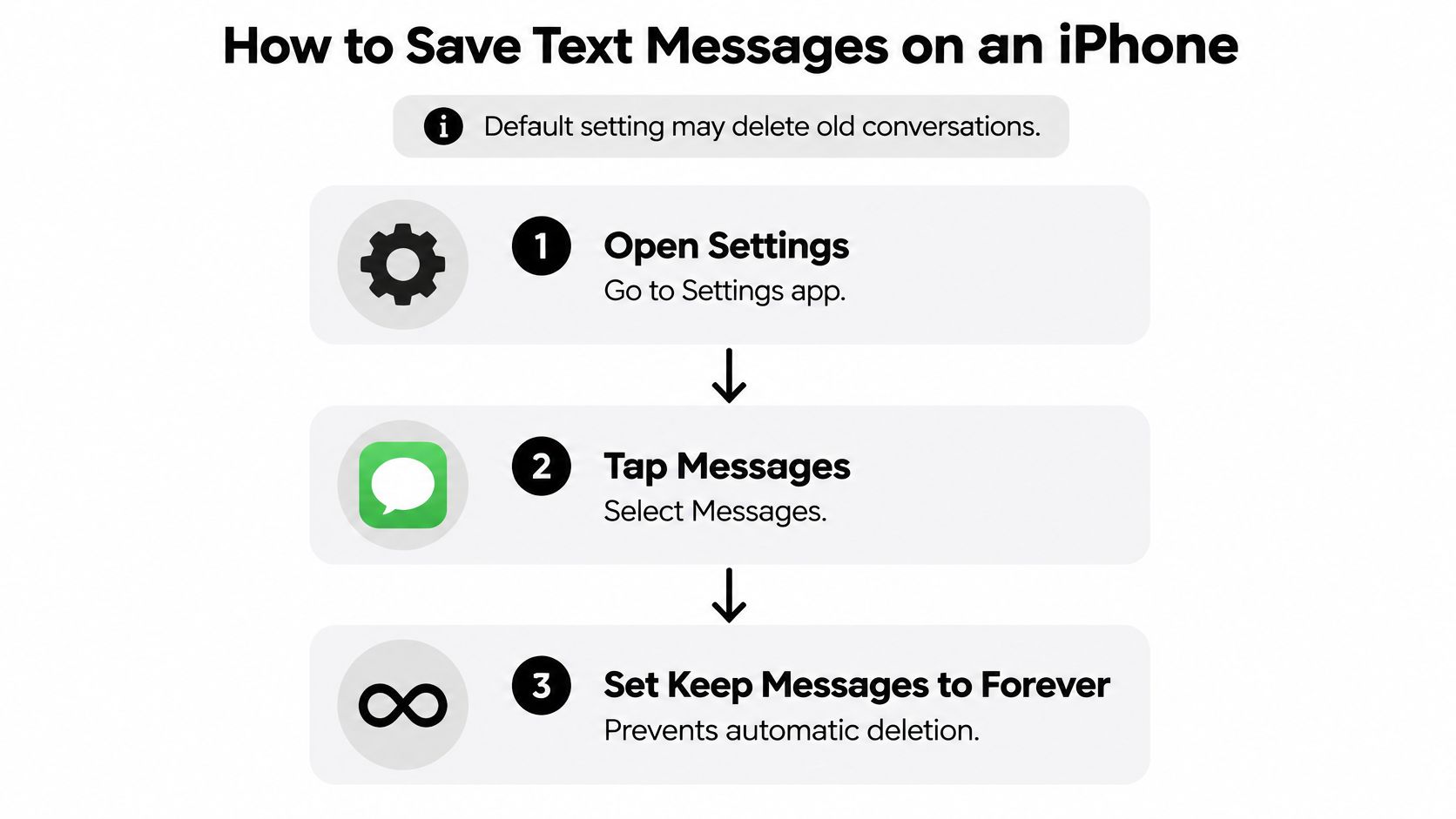
Set Keep Messages to Forever. Open Settings, tap Messages, then Keep Messages, and confirm Forever is selected. Forever is the default, but the 30 Days and 1 Year options sit on the same screen, and either one deletes older conversations automatically once the period passes. There is no prompt and no undo, so check the setting even if nobody remembers changing it.
Run an iCloud backup and let it finish. Go to Settings, tap your name, choose iCloud, then iCloud Backup, and tap Back Up Now. The upload only completes with Wi-Fi and power connected, so plug the phone in overnight instead of watching the progress bar in a café. This is the copy you can still reach, the one that puts the threads back on a replacement phone.
Make an encrypted computer backup. Connect the iPhone to a Mac or Windows PC, choose to back up to that computer, and turn on Encrypt local backup. An unencrypted backup leaves out some of the phone's data, and the password you set becomes the only way back in, so park it in a password manager before you continue. If you'd rather keep a copy of the cloud file on a machine you own, here's how to download a backup from iCloud.
Save the one thread you can't lose. Open the conversation, capture it in overlapping screenshots while scrolling, then forward the key messages into Notes or Mail so the words become searchable text instead of pixels. On a Mac signed into the same Apple Account, the Messages app can print a thread to PDF through File, then Print, then Save as PDF. That PDF is the copy you can read without restoring anything, and it reads far better than a folder of screenshots.
Check the result before you trust it. Return to Settings, tap your name, then iCloud, then iCloud Backup, and read the date of the last successful backup. A date from last week means this week's messages aren't in it, no matter what the toggle says.
What a finished iPhone job looks like
Success here is unglamorous: a backup with a recent date, Keep Messages set to Forever, and a readable copy of the thread you can't afford to lose stored somewhere other than the phone. If you can't name the file and the folder, you don't have the copy.
Save photos and attachments as their own files when they matter. A PDF of a conversation often shows a grey placeholder where the video was, and a screenshot of a photo has thrown away the original resolution. For a thread that could matter later, keep the exported file and the original attachments together in one folder so the timestamps and the media stay side by side.
How to Save Text Messages on Android
Google's built-in backup is the safest default on Android, and it's also the one people misread most often. Turning it on takes a minute; verifying that your messages are inside it takes another two.
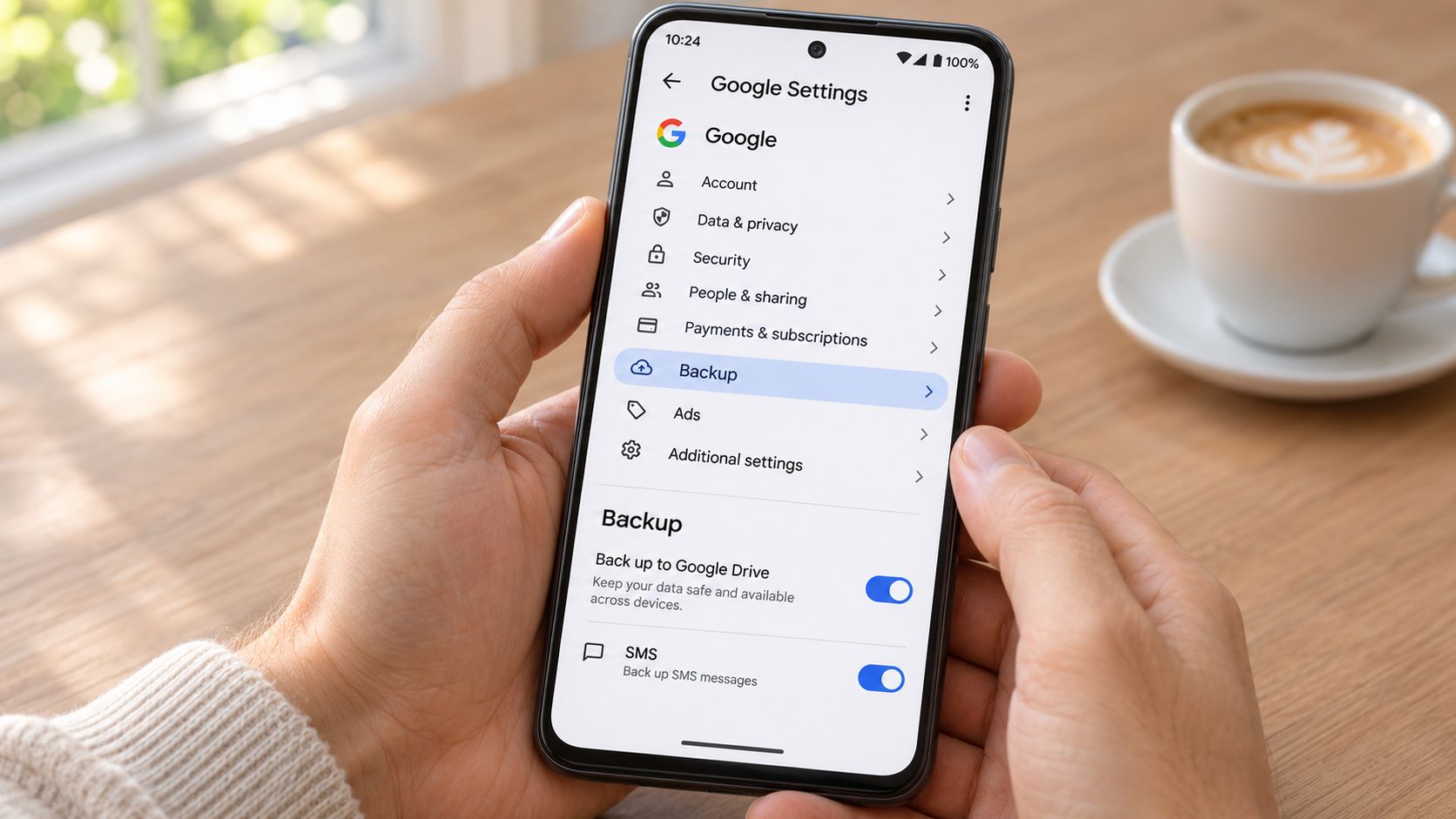
Turn device backup on early. Open Settings, select Google, then Backup, and confirm the toggle is active. Do this before you order the replacement phone, not while the delivery driver is at the door.
Confirm SMS and MMS are in the list of backed-up items. According to Google's support documentation on backing up messages, the backup can include apps and app data, call history, contacts, device settings, and SMS/MMS. If messages aren't listed, tonight's backup won't carry them however green the toggle looks.
Read the timestamp, not the switch. A backup that says "on" but last completed in March is a March copy. Google also notes that backup and restore can require SMS permission, and the availability of all of this depends on the device, the Android version, and the account you're signed into.
Check which Google Account you're using. Signing in with a different account on the new handset is the quietest failure in the whole process, because everything looks normal and the restore runs against an empty set.
Test the restore with a few conversations on a spare or freshly reset device before you erase or sell the daily phone. Restoring one thread you don't need proves the mechanism; restoring all of them proves it slowly.
Why a restore brings back contacts but not texts
Say a student switches to a new Android handset and lets the setup wizard run. Contacts, apps, and the home screen layout arrive. The message threads don't, because SMS permission had been off during the backup, and the cloud copy never contained them.
Treat the cloud as the layer that rebuilds the device, and export or print the conversations you'd hate to lose as the layer a person can open. Get into the habit of starting a backup before any reset, trade-in, or repair booking, since a wiped phone has nothing left to copy.
Save a Copy on a Computer or from Another App
A phone backup is a sealed container. It restores a device beautifully and it doesn't open on a desk, which is why the copy you keep on a computer has to be built deliberately.
Start from the backup you already made. A Finder or iTunes backup hides messages inside a single SQLite database file, and a free SQLite viewer will read it, though you'll get raw rows rather than a conversation. That's fine for verification and useless for showing someone a thread.
On Android, confirm the Google timestamp first, then use the messaging app's share or export command on the thread you need and save the result into a folder on the computer. Our guide to backing up an Android phone to a PC walks through the file handling.
Choose the file type by the job it has to do. A PDF for reading, a CSV or spreadsheet for searching and sorting. Pick one before you export, because re-exporting a long thread later is tedious and easy to postpone.
Save attachments as separate files beside the transcript, and put the phone number and date range in every file name. In two years, "IMG_4471.jpg" tells you nothing, while "landlord-5550142-2025-03-to-2025-09.pdf" tells you everything before you open it.
Treat third-party chat apps as their own category. WhatsApp, Signal, and Telegram keep separate stores with their own export commands, and the phone's SMS backup won't have touched them.
Don't install a recovery app on the phone you're preserving. Installing software writes to the storage you're trying to protect, which can overwrite the very data you're chasing.
A backup you can't open is a promise, not an archive.
Someone moving from Android to iPhone should leave the Android backup untouched and also save the important threads as PDF, so the conversations survive a change of platform even if the migration tool carries the SMS history across during setup.
Export Formats That Keep Messages Usable
Choose the export by the job it has to do: a copy you can still reach, a copy a person can read, and a copy that can be checked later are three different outcomes.
| Format | Keeps timestamps | Keeps attachments | Searchable | Best for |
|---|---|---|---|---|
| Printed PDF | Usually | Only if embedded | Only if text-based | Sharing with a person |
| Native device backup | Yes | Yes | Not directly | Restoring a phone |
| CSV or Excel | Yes, if the tool includes them | Usually as filenames | Yes | Sorting and searching |
| Screenshots | Visible only | Visible only | No | Quick reference |
A PDF of a thread usually keeps the timestamps and is the friendliest thing to hand to another person, but it is searchable only when the file contains real text rather than a photograph of text. A native device backup keeps the original structure, attachments, and order of events, and nobody can read it without restoring a phone. A CSV with timestamps is what you want when the question is “how many times did they reply in June,” and the attachments usually shrink to filenames.
Official records guidance draws a line that consumer tutorials blur: a backup copy and a preserved record solve different problems. The South Carolina Department of Archives and History leaflet on text message retention/Leaflet%2030%20Text%20Messages%20Retention%20and%20Disposition%20V.5%20(Nov%202023).pdf) notes that messages may need pulling into formats such as PDF or Excel to stay usable after a platform change, a lost account, a replacement phone, or a handoff to a lawyer, school, employer, or government office. The same guidance points to the Department of Justice recommendation that electronic communications be preserved in native electronic format where possible, because native files support later discovery and review.
Two layers, not one. The intact device backup carries the original data. The PDF carries the conversation to a person who will never restore your phone.
Think about a freelancer protecting a client relationship. She exports the thread to PDF so the client can read the scope change in seconds, and she keeps the device backup because that is the original data if the PDF is ever questioned. Attachments stay named and filed beside both.
For shared business drives, the useful part of cloud backup RTO and RPO planning is the pair of questions behind it: decide how quickly the thread must be reachable again and how much of it you can afford to lose, then export to match that answer.
Preserve Texts That Could Matter Later
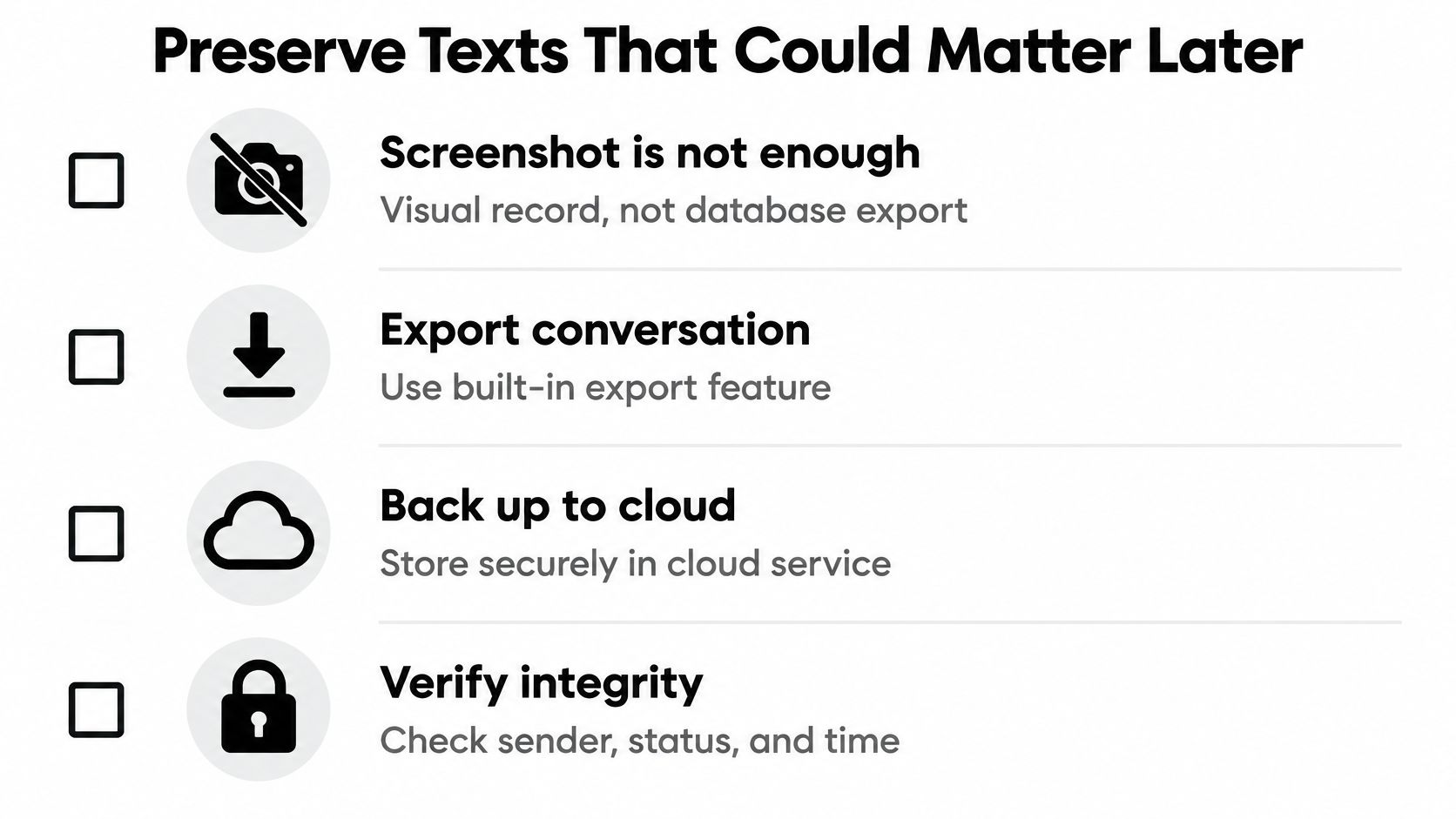
A screenshot proves what a thread looked like on your screen on the day you captured it. It cannot prove who sent the message, when the network received it, or whether anything above the crop changed the meaning. A copy you can reach and a copy you can read solve two problems. The third kind, the one that still stands when somebody challenges it, takes a little more work.
Record the setup before you record the messages. Write down the device model, operating-system version, messaging app, account, phone number, time zone, and date of capture. Without those, nobody can tell your export from a word processor document.
Keep the original phone. Avoid deleting messages, factory resetting, or running storage cleanup apps on it. The NIST guidance on mobile phone forensics recommends acquisition methods that do not modify the source, because every write to the device damages the thing you are trying to prove.
Capture the entire conversation, not the interesting part. Sender identity, timestamps, attachments, and the messages either side of the key one all belong in the record. A reply with no question above it reads as something quite different.
Save original media separately. A photo screenshotted from a thread loses its file details, and a voice note usually does not survive a screenshot at all.
Hash the exported files. Generate a cryptographic hash such as SHA-256 for each file and recalculate it whenever the files are transferred or examined; a changed hash means the contents changed. Keep the hash list somewhere separate from the files themselves, because a hash stored next to the file proves very little.
SMS records can carry metadata well beyond the message text: sender number, SMS-center address, delivery status, and network-recorded time. A screenshot discards all of it, which is why a visual record is not a database-level export.
If a dispute is brewing, stop deleting today. A court can be asked to assume that missing messages would have hurt the side that lost them, and "I changed phones" is not the answer anyone wants to give.
When messages go missing
Traces of deleted messages sometimes remain on a SIM or UICC or in device storage, but recovery is inconsistent and belongs with a qualified examiner rather than a consumer app. If a thread has already vanished, work through our guide to recovering deleted texts before you do anything else to the handset.
Whatever the forum, the rule stays the same: a thread only exists for a dispute if someone preserved it on purpose, and that someone is you.
A tenant who reports a broken radiator every month needs the record to show duration, not a single complaint. Keeping the original phone, exporting the thread in its native form, and noting the dates turns her messages into a timeline. If the thread touches pay, hours, or a dismissal, the messages often become the timeline of the whole dispute, and worker rights help from Nick Norris is a sensible read before you decide what to keep and what to hand over.
Verify Your Saved Copy Before You Delete Anything
A backup date you haven't read is not a backup. Five checks take ten minutes and tell you whether the copy works before you wipe the phone.
Read the date. Open iCloud or Google backup settings and reject any timestamp older than the messages you care about.
Open the export on a different device. Use a laptop, not the phone that still holds the original thread, because the phone will happily show you the original thread and hide the fact that the file is empty.
Search the file for a phrase you know is in the conversation, ideally one near the start and one near the end.
Open one attachment and confirm it matches the thread it came from.
Name the folder with the phone number and date range, then copy it to a second location using our walkthrough on moving files from phone to PC.
The habit gap is real. In 2024, 84% of U.S. adults who owned a computer said they had backed up all their data, while 45% performed backups at least once a month, according to a Harris Poll commissioned by Backblaze. The distance between "I have backed up" and "I backed up this month" is where threads disappear.
Put one recurring reminder in your calendar for the first of each month, run the backup, and export anything new that you'd hate to lose. Then do the thing that matters today: take a fresh backup and export the single most important thread before you change, reset, or sell the phone. If a platform switch is next, our practical guides, including how to set up a new iPhone from Android, cover the transfer step by step.
Tech Today exists for exactly this kind of job: plain-language guides for backups, iCloud downloads, and moving a device's data without losing the parts that matter. If you're mid-swap or bracing for a dispute, start with the walkthrough that matches your phone and keep the readable copy somewhere you'll find it again. Visit Simply Tech Today for the step-by-step versions, written without jargon.
Member discussion